
5 Advanced Google Ads Strategies for Plumbers That Work in 2026
Google Ads is now a powerful tool for plumbers seeking more leads and growth. As competition increases, simple campaigns are no longer sufficient to deliver high-quality traffic. The 2026 advanced strategies are on precision targeting, smart bidding, and retargeting to maximize the ROI. Knowing these strategies will enable the plumbing businesses to get the right customers at the right time and increase the conversion rates by being professional.
1 Local Campaigns: Hyper-Targeted
It is important to reach the right audience to have affordable Google Ads services for plumbers. Plumbing companies usually have a smaller radius, and it can be the difference between local customers who are in need of immediate services. Through targeting campaigns to zip codes, city radii, and major neighborhoods, you will make sure that your advertisements are seen by people who are willing to hire a plumber.
Placing advertisements at the most desirable times, like in the early mornings or evenings, leads are captured before others. An effective local campaign not only raises awareness but also brings in qualified traffic, which is more likely to translate into actual service calls, which will give you a better ROI.
2 Call-Only and Lead Form Ads
Plumbers usually make use of immediate calls to find emergency jobs. Call-Only campaigns are targeted at mobile phone users, who can call directly through the advertisement. Lead Form ads will serve as a substitute that will collect potential customer information without visiting the site.
Ad copy writing in which the service, response time, and urgency are articulated prompts users to act immediately. Monitoring the metrics ( click-through rates, call duration, and form submissions) will make sure that the campaigns are functioning and will generate as many leads as possible.
3 Smart Bidding and AI Optimization
Artificial intelligence has changed how Google Ads campaigns are run. Target CPA and Maximize Conversions are Smart Bidding strategies that involve machine learning to dynamically adjust bids.
This means that ads will be shown on the highest probability of conversion search so that the ROI on plumbing services is high. Although automated bidding may perform very well, it is worth noting that one should have performance monitored and budgets changed to prevent excessive spending. Plumbers who use AI-based bidding have an advantage over those who use manual tactics.
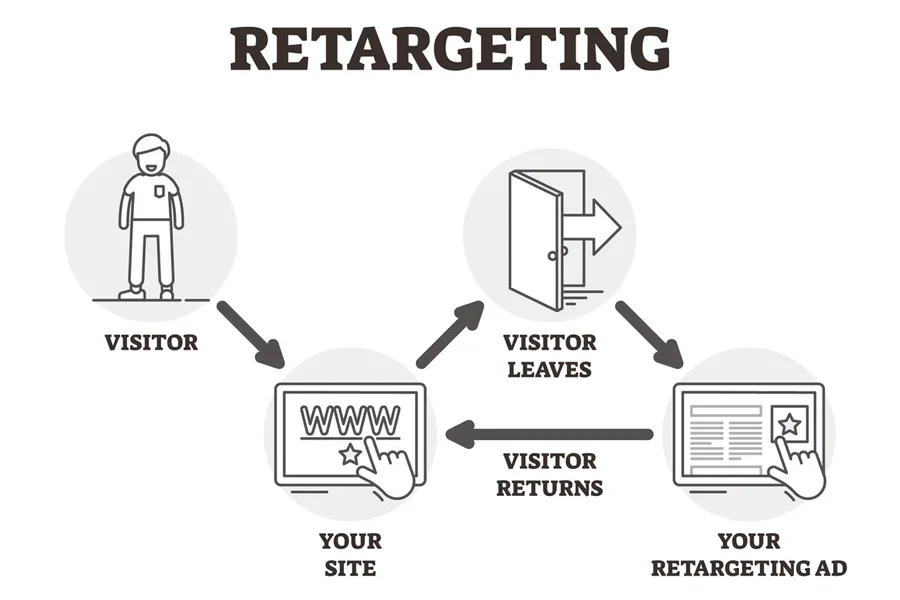
4 Retargeting and Customer Match
The retargeting campaigns enable the plumbers to contact the visitors who have already been in touch with their site or advertisement. Customer Match helps advertisers to reach out to current customers with an offer, maintenance notification, or a promotion of some other service.
Dynamic advertisements show the services the user has already seen, which is more likely to convert them. Customer Match and Retargeting campaigns are especially useful to plumbing companies that want to stay on the top of mind of their prospective and returning clients. A professional Google Ads agency for plumbers can implement these strategies to ensure that plumbers get maximum results.
5 Emergency and Seasonal Campaigns
Plumbing services tend to have seasonal demand changes. The winter season can result in a rise in emergency pipe repair calls, whereas the summer season can lead to the rise of the number of calls related to AC plumbing services. Shifting the ad copy, budgets, and targeting to these seasonal patterns will make sure that the plumbing businesses get high-intent leads when they are most needed.
The emergency campaigns, which emphasize the speed of response, 24/7, and urgency in the message, make the conversions more probable. The effective implementation of these campaigns must involve planning and market behavior insights in the local market.
The Success Measurement and Campaigns Optimisation.
It is important to monitor key performance measures in order to establish campaign success. The metrics used to determine improvement areas include the click-through rate, conversion rate, cost per lead, call tracking, and quality score. Ad copy and landing page A/B testing will tell which of these factors appeals most to potential clients. Frequent optimization of the performance makes campaigns profitable. Efficient changes and improvements to the overall campaign outcomes can be directed by professional advice provided by authoritative sources ( Google Ads Help -Optimize Your Campaigns).
Final thoughts
In 2026, the advanced Google Ads strategies will allow plumbers to have the means of generating more leads, maximizing their ROI, and remaining competitive. Hyper-local targeting, call-only and lead form advertising, AI bidding, retargeting, and seasonal campaigns are all useful in getting quality clients.
Outsourcing expert services, such as low-cost Google Ads services to plumbers, will make sure that the campaigns are run smoothly and yield the same results. Through these tips and tracking the key performance indicators, plumbing companies would be able to utilize the full potential of Google Ads to increase their customer base and enhance their profitability in the long run.
Google Ads for Financial Advisors: SEO vs PPC – Which Strategy Wins?
Google Ads for financial advisors has become one of the most effective ways to attract high-intent clients in a competitive financial market. When people search for retirement planning, wealth management, or tax optimisation services, they usually need immediate guidance. This is where the debate between SEO and PPC becomes important. Should financial advisors invest in long-term search engine optimisation, or focus on paid advertising for instant visibility?
The truth is that both strategies offer advantages, but they serve different purposes. Understanding the difference between SEO and PPC allows financial advisors to make informed marketing decisions based on their goals, timeline, and budget.
The Core Challenge Financial Advisors Face
Financial advisors operate in a highly regulated and competitive environment. Trust is the foundation of the business. Prospective clients do not choose advisors casually; they research credentials, reviews, and online presence before making contact.
The problem many advisors face is visibility. Even with a professional website, they struggle to appear on the first page of search results. Organic rankings take time, especially in financial niches where competition is intense. Meanwhile, competitors who invest in Google Ads for financial advisors are capturing immediate traffic and inquiries.
Another challenge is consistency. Referral-based businesses often experience fluctuations in client flow. Digital marketing aims to create a predictable system for lead generation.
Understanding SEO for Financial Advisors
Search Engine Optimisation focuses on improving organic rankings in search results. Through keyword optimisation, content creation, backlink building, and technical improvements, advisors can gradually increase their visibility.
SEO builds credibility over time. When your website ranks organically for keywords such as “retirement planning advisor” or “investment management services,” it signals authority and trustworthiness. Clients often perceive organic results as more reliable than paid advertisements.
However, SEO is a long-term strategy. It can take six to twelve months, sometimes longer, to see significant results in competitive financial markets. This delay can be frustrating for advisors seeking immediate growth.
Despite the slower timeline, SEO offers sustainable traffic. Once rankings are established, ongoing maintenance costs are typically lower than paid advertising. Many firms combine SEO with search engine marketing services to maximise both organic and paid exposure.
The knowledge of Google Ads and PPC
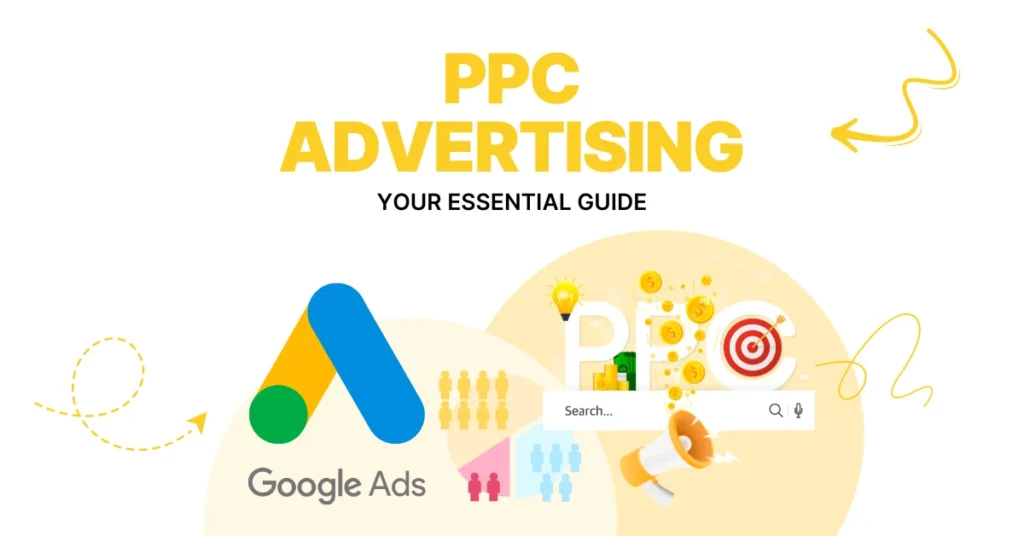
Google Ads, as a financial advisor, provides immediate exposure through Pay-Per-Click advertisements. Ads are first in the search results when the campaigns are allocated. This immediate placement is important where high-intent keywords are required.
To illustrate, a person looking for a fee-only financial advisor near me is likely to book an appointment. PPC ensures your firm is visible when potential clients search.
The other benefit is aiming for accuracy. Advertisements can be tailored by location, demographics, income, and even search behaviour. Campaign performance can be measured in real time, enabling adjustments to maximise investment.
Nonetheless, PPC has to be continuously budgeted. As soon as you stop paying, you are no longer seen. Unmanaged campaigns may cost a lot in a short time, particularly in the competitive financial market.
SEO vs PPC: Key Differences
The main distinction between SEO and PPC is timing and sustainability. SEO is an authority-building strategy that offers long-term returns. PPC provides instant traffic and must be invested in.
Another is the cost structure. SEO entails initial content and optimisation costs, whereas PPC involves per-click payments. Cost-per-click may be very high in financial services due to competition.
Trust also plays a role. The organic listing can gain more credibility, whereas the paid ads would drive more action among those with high intent.
In a real sense, the most successful financial advisors rarely decide between the two. They instead develop a balanced approach.
The Power of Combining Both Strategies
A combined approach often produces the best results. Google Ads for financial advisors can generate immediate leads while SEO builds long-term authority. Paid campaigns provide valuable keyword data that can inform SEO content strategies.
When both channels are aligned, advisors dominate more space on search results pages. Appearing in both paid and organic listings increases brand recognition and click-through rates.
Many firms seek guidance from the best digital marketing agencie for small businesses 2026 to develop integrated strategies. Agencies with financial industry experience understand compliance requirements, audience targeting, and budget optimisation.
Additionally, comprehensive search engine marketing services ensure that campaigns are continuously refined based on analytics and performance data.
Which Strategy Should You Choose?
It is all about making the right decision, which depends on your business level and goals. PPC can give you quicker momentum if you are a new financial advisor. When you have the long-term authority you are creating and are interested in the long-term growth, then you need to include SEO.
Companies that have been in business a long time tend to be the greatest beneficiaries of the integration of the two approaches. PPC helps generate short-term leads, and SEO helps build a reputation and reduce the cost of long-term acquisitions.
In a digital world where competition is intense, referrals alone are no longer enough. Clients are going online in search of reliable advisors. A Google Ads financial advisor makes sure you show up at the right time, and SEO gives you credibility in the long run.
Finally, the best strategy to win is not SEO and PPC. It is knowing how to apply both smartly to generate consistent, scalable growth for your advisory firm.
Google Ads for Law Firms: The Smartest Way to Win More Clients in 2026
Google Attorney Advertising has become one of the most effective tools for lawyers seeking steady, high-quality leads. In the current competitive legal market, merely possession of a website is not sufficient. Their prospective clients are turning to Google in need of urgent legal assistance, and unless your firm is at the top of the search results, then you are missing out on valuable cases to your rivals through Google Ads for law firms.
The legal industry is saturated. Regardless of whether you practice personal injury, family law, criminal defence, or corporate law, there are dozens of firms that are competing for the same clients. Many litigation firms face inconsistent lead generation, high-cost conventional advertising, and unfavourable returns on investment. Lack of demand is not the actual issue. It is invisible at the very moment when potential clients need assistance, which is why many firms rely on Google Ads for law firms to improve visibility and attract qualified leads.
The central Issue: Significance and Intense Competition
The majority of law firms rely on referrals, outdated marketing strategies, or generic SEO strategies that take months to deliver returns. In the meantime, the competition is spending a lot on paid advertising and taking urgent leads on the spot.
Clients of the law office are unlikely to window-shop. They search in case they are in a serious problem. A person who enters the query for a divorce attorney in my area or a car accident lawyer consultation is also willing to take action. Unless your company is in the spotlight, they will call another attorney in minutes.
Another challenge is cost. One of the most costly keywords of digital advertising is legal keywords. In the absence of a good strategy, companies end up wasting thousands of dollars on irrelevant clicks, broad targeting, and under-optimized campaigns. This is where strategic Google Ads for law firms is necessary.
The Rescue: Niche Google Ads
The positioning in Google Ads is instantaneous and on the first page of search results. Unlike long-term methods like SEO, paid advertising puts your company in front of high-intent clients in minutes. But, it is only successful when precise.
While paid campaigns generate immediate visibility, combining them with seo for lawyers creates a powerful long-term growth strategy. Search engine optimization helps your firm rank organically on Google for high-intent legal searches, building credibility and sustainable traffic over time. When Google Ads for law firms delivers instant leads and seo for lawyers strengthens your organic authority, your firm benefits from maximum exposure, higher trust, and a steady pipeline of qualified clients throughout 2026 and beyond.
The best campaigns are built on targeting keywords, a location-based approach, landing page optimization, and high-quality call-to-action messages. The advertisements should be targeted to legal services and tailored to clients’ pain points.
Besides conventional search ads, numerous companies are currently utilizing Google Local Service Ads for attorneys. This category of ads will appear above regular search ads and feature a Google Screened badge, which immediately builds trust. They enable prospective customers to call the advert, thereby boosting conversion rates.
Local service advertisements are especially effective for attorneys, since legal judgments can be quite local. Customers desire a person who is familiar with local regulations and judicial frameworks. Such top placements have a significant effect on credibility and click-through rate.

The importance of Professional Management.
Advertising is not as easy as advertising; it requires sophisticated skills. The mismanaged campaign may cost the budget without any result. This is why most companies collaborate with a Google Ads management firm that understands the legal niche.
A dedicated management group is focused on improving keyword lists, filtering out unrelated searches, streamlining bids, and conducting ongoing experimentation with ad variations. They monitor cost-per-lead and manage the strategy to generate profits.
One other important factor is compliance with the law. The rules governing attorney advertising can vary by region. A professional team would make sure that your campaigns are guided, yet convincing and competitive.
The 2026 Competitive Landscape
Digital marketing is still advancing rapidly. The rivalry in the legal sector will be even tougher in 2026. Companies that take a long time to invest in paid advertisements may end up being permanently left behind.
That is why it is a strategic choice for a business to select the best digital marketing agency in 2026. Law firms with fewer than 500 employees, particularly mid-sized firms, require specialized, data-driven marketing partners that understand financial efficiency and deliver quantifiable ROI.
Google Ads for law firms is no longer optional. It is an expansion plan grounded in accuracy, speed, and quantifiable outcomes. The law firms that will conduct organized campaigns, use the services of lawyers through Google Local Service Ads, and engage an honest Google Ads management firm will control their markets in 2026 and beyond.
Contact e-commerce planners Today for a Smarter Growth Strategy
Ready to dominate your market with Google Ads for law firms? At e-commerce planners, we specialize in building high-converting campaigns that place your firm at the top of Google when potential clients are actively searching for legal help. From in-depth keyword research and persuasive ad creation to landing page optimization and continuous performance management, our team handles every detail with precision and compliance in mind. Contact with e-commerce planners today to schedule your consultation and discover how a data-driven advertising strategy can deliver consistent, qualified leads and measurable growth for your firm in 2026 and beyond.
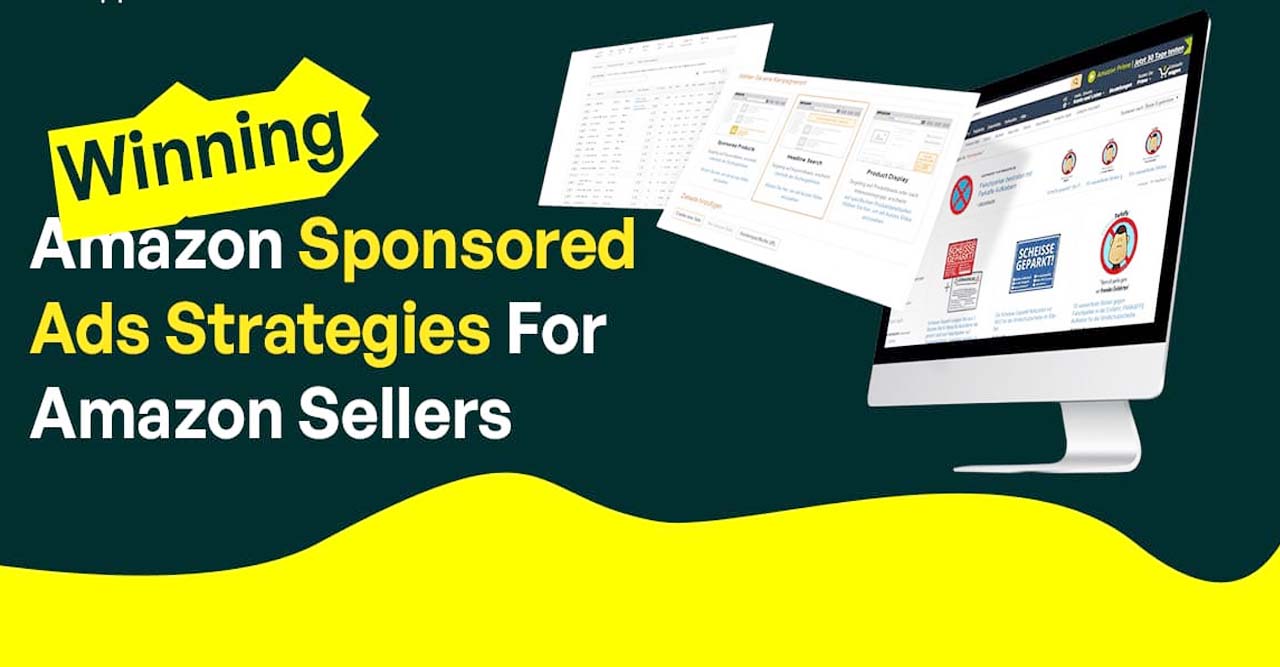
Best Amazon Ads Strategy Used by 7-Figure Sellers
You look for the best Amazon ads strategy because rising CPC eats profit. Many sellers boost bids and hope for a rank. That approach fails in most niches. Structured PPC wins in competitive markets.
Amazon advertising generated more than $47 billion in revenue, according to Amazon investor data. Amazon reports that retail media converts closer to the point of purchase than search or social ads. You should treat Amazon PPC as a profit system rather than a traffic source.
e-commerce planners audits show a clear pattern. Accounts with layered campaigns achieve lower TACoS and stronger organic lift. You can apply the same framework.
Why does campaign structure define the best Amazon ads strategy?
You need segmentation before scale. You cannot mix discovery and profit goals in one campaign.
Core structure used by seven-figure brands
Auto campaigns for search term mining
Manual exact campaigns for profit scaling
Phrase campaigns for controlled expansion
Product targeting for competitor ASIN capture
Jungle Scout benchmark data shows structured accounts reduce wasted spend by 20–30%. You should build portfolios based on margin and lifecycle stage.
You can align that structure with our Amazon Ads service for a full account architecture.
How does keyword intent shape the best Amazon ads strategy?
You should mine search term reports every week. You should isolate converting queries into exact campaigns.
Sellics data shows negative keywords cut wasted spend by up to 25%. That action lowers ACoS without traffic loss.
You should protect branded terms. Branded clicks show higher CTR and lower CPC. Pacvue confirms that branded defense improves ROAS.
You can combine keyword research with our Amazon SEO workflows to support organic rank.
How do bids and placements improve CTR?
You should target the top of the search for high-intent keywords. Amazon data shows up to 48% higher CTR on premium placements.
You should apply dynamic bidding rules
Increase bids on high CVR keywords
Reduce bids on low CTR terms
Schedule budgets for peak conversion hours
McKinsey reports that rule-based retail media optimization improves efficiency across marketplaces. You should review bid rules every seven days.
Why does listing quality control and performance?
You cannot fix poor conversion with higher bids. You should optimize listing elements before scaling traffic.
Key conversion drivers
Main image that shows product use
Competitive price anchor
Review count above niche average
A+ content that answers objections
Ad Badger reports average Amazon CVR near 9–11%. You should aim above that level to reduce CPC over time.
You can strengthen listing visuals through our Graphic Design solutions.
Which ad types complete the best Amazon ads strategy?
Sponsored Products generate the most direct revenue. Industry data shows near 70% of ad spend flows into that format.
Sponsored Brands video increases purchase intent by 20–25% according to Amazon internal studies. You should use video for top-funnel traffic.
Sponsored Display enables retargeting. Pacvue shows 3.5x ROAS on remarketing audiences.
Full-funnel model
Video for awareness
Keyword ads for intent
Retargeting for recovery
You can connect funnel messaging with our Content Marketing frameworks for brand consistency.
What launch method supports the best Amazon ads strategy?
You should accept a higher ACoS during launch. Rank matters more than profit in the early stages.
Launch checklist
Exact keyword push for main terms
High daily budget for the first two weeks
Coupon activation for CTR lift
Review generation through compliant methods
CTR target above 0.45%
CVR target above 10%
After the rank stabilizes, you should reduce bids and shift to profit mode.
How do you scale profit after ranking?
You should pause non-converting keywords. You should scale only proven ASIN targets.
Profit scaling actions
Shift budget to exact campaigns
Expand long-tail variations
Increase bids only on top placements
Track TACoS instead of ACoS
Why does Amazon PPC differ from Google PPC?
Amazon traffic shows strong purchase intent. Google traffic often includes research behavior. Shopify data shows marketplace shoppers convert faster than standalone store visitors.
You should still align channels. Keyword insights from Google Ads campaigns improve Amazon targeting. Organic demand data from Google SEO supports product selection.
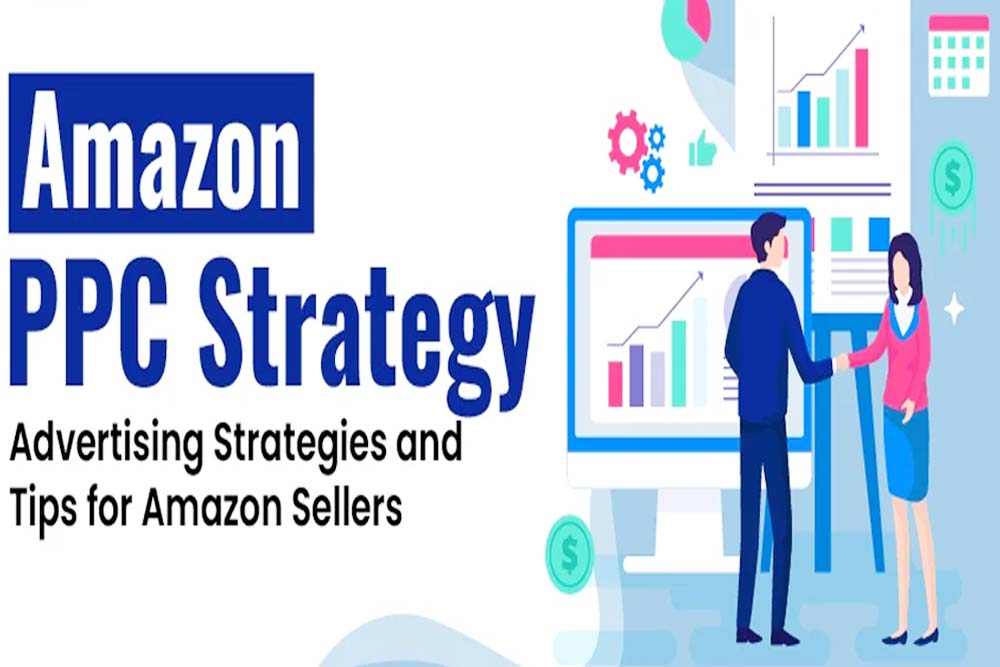
How do you raise CTR consistently?
You should test creatives every month. Real account tests show image contrast increases CTR by 15–20%.
CTR optimization checklist
You should review search results before each test. Competitor visuals change frequently.
You can publish comparison content on your WordPress Design & Development blog to support brand authority.
Which advanced tactics do top sellers apply?
You should isolate search terms into single keyword campaigns. That structure gives full bid control.
You should apply dayparting based on conversion hours. Ad Badger reports that time-based bidding reduces wasted spend.
You should use seasonal bid multipliers during peak demand. You should expand DSP audiences for remarketing.
McKinsey identifies audience layering as a key growth lever in retail media.
Which KPIs define the best Amazon ads strategy?
You should track profit metrics rather than vanity metrics.
CTR shows traffic relevance
CVR shows listing strength
ACoS shows ad efficiency
TACoS shows total impact
ROAS shows revenue per dollar
AMZPrep data shows elite sellers achieve 5–7x ROAS. Average sellers remain near 2.5–3x.
You should build dashboards that combine ads and organic sales.
You can support analytics through our Conversion Optimization systems.
How does the Amazon flywheel increase profit?
Ads generate sales velocity. Sales velocity improves organic rank. Higher rank lowers CPC. Lower CPC increases profit.
That cycle defines the Amazon flywheel. You should monitor TACoS to confirm organic lift.
Final Thoughts
You need a clear system to apply the best Amazon ads strategy because random boosts never scale profit. Structured campaigns create consistent revenue and stronger ROAS over time. Clear campaign hierarchy and strict search term isolation reduce wasted spend and improve targeting accuracy. Listing conversion focus increases conversion rate and supports higher bid tolerance. Funnel based ad mix captures demand at every stage of the buyer journey. TACoS profit tracking reveals true business impact beyond surface level ad sales.
Start with a full account audit to uncover gaps and hidden inefficiencies.
Then implement intent- and margin-based segmentation to protect profitability.
Creative testing should run monthly to improve both click-through and conversion rates.
Paid campaigns also need to align with SEO and CRO assets so every click lands on a high-converting page.
Data driven optimization will turn Amazon and Google Shopping campaigns into a predictable revenue engine for your store.
How Amazon Google Shopping Ads Boost Your Store Revenue Fast
You want higher revenue without higher ad spend. You want buyers who already compare products. Amazon Google Shopping ads give that advantage when you control the structure and data.
You also face a volatile auction. Amazon left Google Shopping in 2025. CPC dropped close to 30 percent in many niches, according to PPC Land. Smart stores captured cheaper clicks and a higher margin. Slow stores lost that window.
You can still win. You only need a hybrid strategy that connects Google Adds, Amazon PPC, and conversion optimization.
Why does Amazon’s Google ad spend matter for your CPC?
You should study Amazon’s historical presence. Amazon dominated Shopping auctions with up to 70 percent impression share in some markets, according to 360 OM Agency. High dominance raised CPC for every seller.
You should track auction density weekly. Amazon confirms that more bidders increase acquisition cost. Fewer bidders reduce CPC and improve ROAS.
You should also segment campaigns by intent. Comparison queries need different bids than branded queries. Clear segmentation protects the margin.
You can implement that structure through a strong Google Ads strategy that aligns with your product feed and keyword data.
Why did Amazon disappear from Google Shopping ads?
You should understand the timeline. Amazon paused Shopping ads in July 2025. Impression share dropped to zero within two days, according to PPC Land. CPC declined across retail categories. Traffic quality shifted in some sectors.
You should treat that event as a lesson in platform dependency. Heavy reliance on one advertiser inflates the cost for everyone else.
You should optimize your product feed now. Google Merchant Center data shows optimized titles can improve CTR by up to 15 percent.
You should align feed optimization with Shopify store development so product data stays structured and scalable.
How do Amazon search ads support your funnel?
You should treat Amazon search ads as the bottom funnel. Buyers on Amazon show strong purchase intent. Google Shopping captures the discovery stage.
You should build a three-step funnel
Top funnel uses non-brand shopping queries
Mid-funnel uses branded Google search
Bottom funnel uses Amazon Sponsored Products
McKinsey reports omnichannel retail media can lift total revenue by 15 percent. You can achieve that lift when attribution tracks cross-platform sales.
You should connect Amazon Attribution to measure Google traffic that converts on Amazon. Accurate data improves bid decisions.
You can manage that flow through a structured Amazon Ads campaign architecture.
How should you structure an Amazon Ads manager account?
You should separate campaigns by margin. High-margin SKUs allow higher bids. Low margin SKUs need strict ROAS targets.
You should cluster products by category. Clear clusters simplify budget control.
You should optimize titles with a proven formula
Brand name first
Primary keyword second
Core benefit third
Model or size last
You should use high-quality images. Strong visuals improve CTR and conversion rate according to Google research.
You should support visuals through professional graphic design so product creatives remain consistent across Google and Amazon.
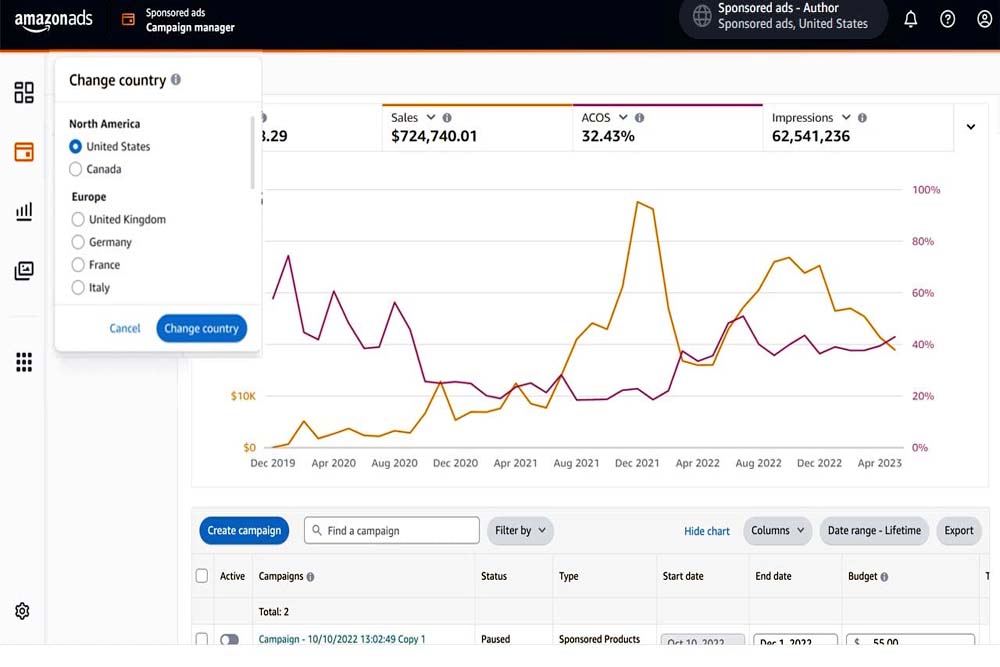
What does Google Amazon shopping charge actually cost?
You should understand the CPC auction model. Cost per click depends on competition, feed quality, and bid strategy.
You should compare two scenarios
Amazon’s active participation in the auction leads to higher CPC
Amazon’s absence leads to lower CPC, but sometimes lower AOV
Statista reports structured budget allocation improves ROAS stability. You should apply a simple model
70 percent profitable SKUs
20 percent growth SKUs
10 percent testing SKUs
You should connect ad traffic with fast landing pages. Google data shows that a one-second delay can reduce conversions by 20 percent.
You can improve page speed and UX through WordPress design and development or optimized Shopify themes.
What happens when Amazon returns to Google Shopping?
You should expect CPC inflation. Amazon regained up to 74 percent impression share in some regions after its return, according to Dataconomy.
You should protect branded queries. Brand campaigns deliver low CPC and high ROAS.
You should add negative keywords. Query sculpting removes low-intent traffic.
You should build first-party data through email and remarketing. Salesforce confirms that owned audiences reduce acquisition cost over time.
You should combine Shopping campaigns with social media ads to generate demand before users search.
How can you boost revenue fast with a clear framework?
You should audit your product feed
Check GTIN accuracy
Update titles with high intent keywords
Add high-resolution images
You should launch high-margin SKUs first
Higher profit supports aggressive bids
Boston Consulting Group reports structured testing cycles improve campaign efficiency by 25 percent. Weekly optimization protects the budget.
You should document workflows inside your SEO SOPs so scaling stays consistent.
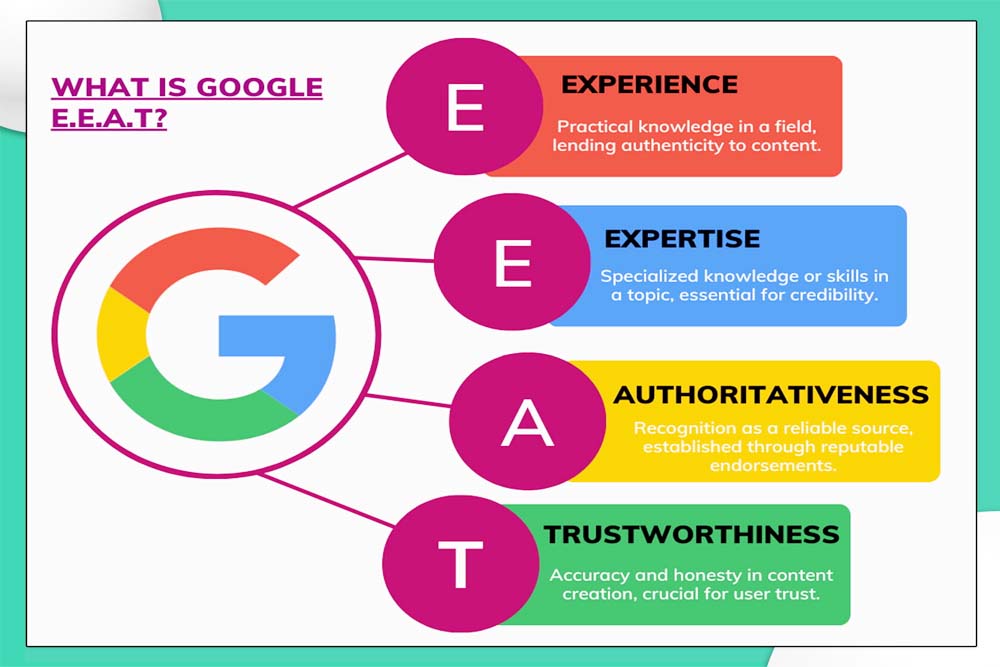
Why does EEAT improve ad performance?
You should show real experience through case studies. A client in home decor reduced CPC by 22 percent after feed restructuring. ROAS increased from 3.1 to 4.4 in six weeks.
You should demonstrate expertise through certified ad management. Data-driven decisions reduce wasted spend.
You should increase engagement through calculators and comparison charts. Longer dwell time supports SEO performance according to Google Search Central.
You can connect ad data with content marketing to create keyword-driven product pages.
How does SEO support Amazon Google Shopping ads?
You should treat SEO as demand capture. High-ranking product pages improve the Shopping quality score.
You should implement a product schema. Structured data increases visibility and CTR.
Search Engine Journal reports that combined SEO and paid data improves keyword targeting accuracy.
You should optimize category pages through Google SEO to capture high-intent queries.
You should also optimize marketplace listings through Amazon SEO to improve organic rank and reduce ad dependency.
How does conversion optimization affect ROAS?
You should test landing page layouts. Clear pricing and trust badges improve conversion rate.
You should simplify the checkout flow. Fewer steps increase completed purchases.
HubSpot reports CRO improvements can increase revenue without additional ad spend.
You should connect CRO with ad segmentation. High intent queries should land on high-converting pages.
You can refine that process through structured conversion optimization workflows.
Final Thoughts
You should treat Amazon Google Shopping ads as a profit system, not a traffic tool. Lower CPC alone does not guarantee revenue. Structured campaigns, clean product feeds, and margin-based segmentation create real growth.
You should connect Google Shopping with Amazon PPC to control the full funnel. Accurate attribution shows which keywords generate profit on each platform. Data-driven bidding protects the budget and scales winning SKUs.
You should support ads with SEO, fast store performance, and strong conversion optimization. Higher quality pages improve Quality Score, reduce CPC, and increase ROAS.
You should act early when auction conditions shift. Quick optimization captures cheaper clicks and stronger impression share. Delayed action increases cost and reduces visibility.
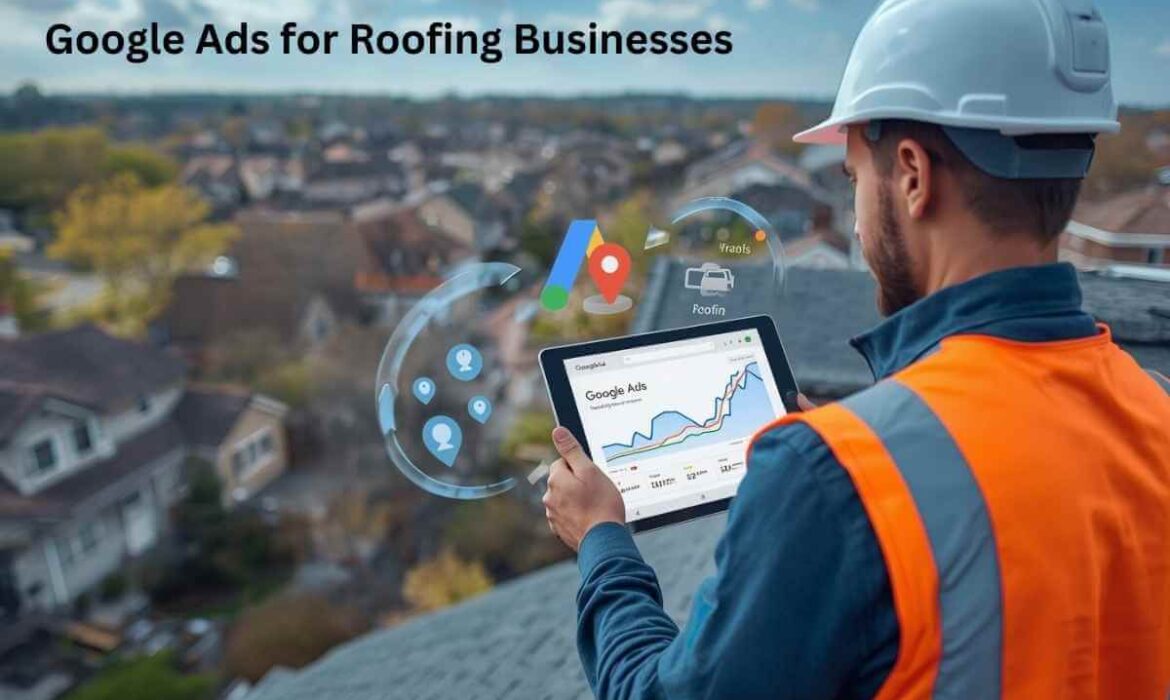
Google Ads for Roofing Businesses – A Complete Growth Guide for Roofers in 2026
Google Ads for roofing businesses drive quick demand when homeowners need help fast. Roofing services attract urgent searches. Storm damage. Roof leaks. Emergency repairs. People search and act quickly.
Roofing companies that rely only on referrals face unstable lead flow. Competition increases every year. Homeowners compare options online before making a call. Roofing company ads must appear at the right moment to win jobs.
Google Ads gives roofers control. Control over visibility. Control over budget. Control over lead quality. That control fuels predictable growth.
This guide explains how Google Ads for roofing work, why they outperform many roofing digital marketing services, and how roofers can turn clicks into booked projects.
What Are Roofing Google Ads?
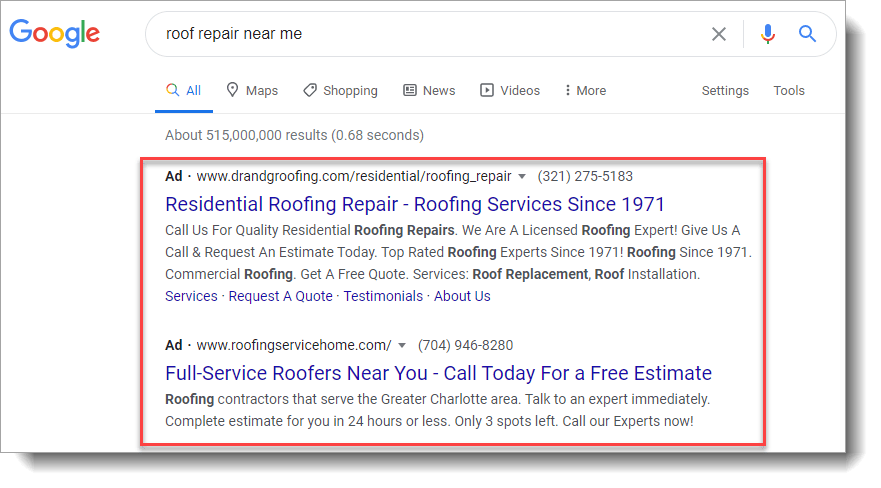
Roofing Google Ads are paid advertisements that appear on Google search results, Google Maps, YouTube, and partner websites. These ads show when users search for roofing services in their area.
Searches like “roof repair near me” or “emergency roofer” trigger ads instantly. Google Ads for roofing places your company above organic listings.
Roofers use these ads because intent stays high. People search when damage occurs. They want fast solutions. They want local contractors.
How Do Google Ads Work?
Google Ads uses a pay-per-click model. You pay only when someone clicks your ad. Each click brings a potential customer.
Campaigns target keywords related to roofing services. Ads show based on location, schedule, and relevance.
Google evaluates:
- Keyword relevance
- Ad copy quality
- Landing page experience
Higher relevance lowers cost and improves placement.
Benefits of Using Google Ads for Roofing
Google Ads delivers advantages that other advertising for roofers cannot match.
Roofing ads produce immediate visibility. SEO takes time. Google Ads work instantly.
Roofers gain local dominance. Ads show only in service areas.
Budgets stay flexible. Spending adjusts daily.
Results remain measurable. Calls and forms show real ROI.
Digital marketing for roofers works best when urgency matters. Roofing fits that model perfectly.
Types of Google Ads Used in Roofing Marketing Campaigns
Search Ads
Search ads deliver the highest intent. These ads appear when homeowners actively search for roofers.
Search ads drive calls and estimate requests.
Display Ads
Display ads build awareness. These ads support retargeting and brand recall.
Instream Ads
Video ads build trust. These ads work well for established roofing brands.
Local Services Ads
Local Services Ads show above search ads. These ads include trust badges and call buttons.
Roofing company ads perform best when search ads and Local Services Ads work together.
How Can You Create a Roofing Google Ads Campaign?
Define Your Campaign Goal
Decide the outcome. Calls. Estimate requests. Emergency leads.
Clear goals guide setup and optimization.
Research Keywords
Keyword research decides success.
High-intent keywords include:
- roofer near me
- roof repair emergency
- roofing contractor [city]
Avoid broad terms that attract low-quality traffic.
Decide Your Advertising Budget
Start with a test budget. Scale winners. Pause losers.
Google Ads for roofing require testing before scaling.
Build Your Landing Page
Never send traffic to a homepage.
Landing pages must:
- Focus on one service
- Show trust signals
- Display contact options clearly
Roofing digital marketing services succeed when pages convert.
Create Your Ad
Ad copy must stay clear and direct. Mention services. Mention the location. Mention urgency.
Best roofing ads speak to homeowner pain points.
Track Your Campaign
Tracking shows what works. Track calls. Track forms. Track booked jobs. Data drives smarter decisions.
Best Practices for Running Google Ads for a Roofing Company
Analyze Your Competitors
Review competitor ads. Identify gaps. Improve messaging. Competitor insight lowers trial and error.
Optimize Your Landing Page
Fast load times matter. Clear CTAs matter. Landing page optimization improves conversion rates.
Target Negative Keywords
Negative keywords protect budgets. Block irrelevant searches like DIY or job seekers.
Target Specific Locations
Geo-targeting reduces wasted clicks. Ads should appear only where services exist.
A/B Test Your Ads
Testing improves performance over time. Test headlines. Test offers. Test CTAs.
Tools Roofers Use to Run Google Ads Campaigns
Professional tools support performance. Keyword research tools reveal demand. Call tracking tools measure lead quality, and analytics tools guide optimization. Best roofing marketing companies rely on data, not guesses.
Why Google Ads Outperform Other Roofing Marketing Techniques
Roofing requires speed. Traditional marketing moves slowly. Flyers lack targeting. Social media lacks urgency. Google Ads reaches homeowners at the moment of need. That timing creates opportunity.
How Google Ads Supports Long-Term Roofer Marketing
Google Ads does more than generate leads. They build brand recognition. They support SEO insights. They reveal demand patterns. Roofers’ marketing systems grow stronger with data.
Common Mistakes Roofers Make with Google Ads
- Many roofers target broad keywords. Costs rise fast.
- Many skip landing pages. Conversions drop.
- Many fail to track calls. ROI stays unclear.
- Digital marketing for roofers requires precision.
Why a Marketing Agency for Roofers Makes Sense
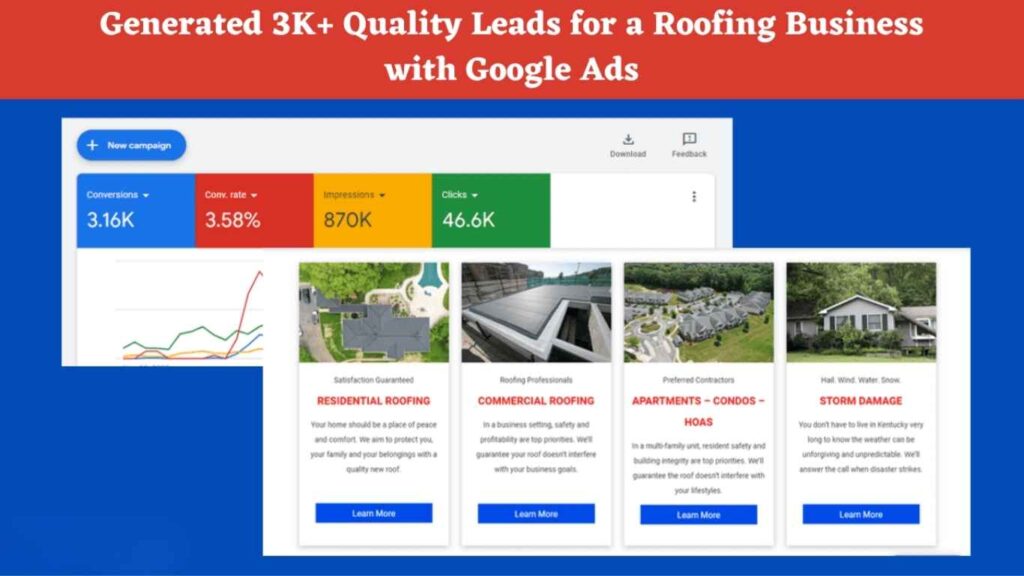
Roofing advertising involves high costs and tight margins. A specialized marketing agency for roofers understands seasonality, urgency, and competition. Agencies reduce wasted spend and improve lead quality.
How E-Commerce Planners Help Roofing Companies Grow
E-Commerce Planners builds conversion-focused Google Ads systems for roofing businesses.
We help roofers:
- Launch profitable Google Ads campaigns
- Control advertising costs
- Generate qualified roofing leads
- Scale without wasted spend
Our approach focuses on results, not clicks.
Final Thought
Google Ads for roofing businesses create predictable growth when handled correctly. Roofers who invest strategically gain control over demand.
Competition will increase. Costs will rise. Strategy will matter more.
Roofing companies that master Google Ads win market share.
Book a free strategy call with E-Commerce Planners and learn how our Google Ads for roofing services can grow your business.
Google Ads for Chiropractors – A Complete Patient Growth System for 2026
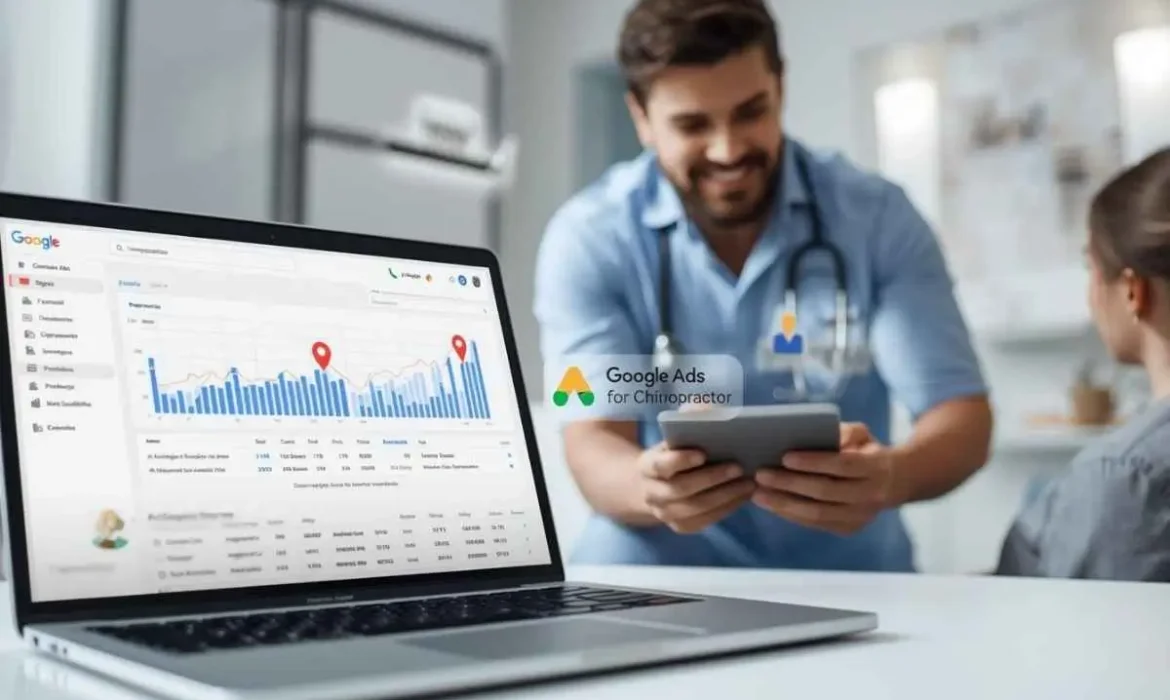
Google Ads for chiropractors create consistent patient flow when done correctly. Chiropractic care depends on trust, urgency, and local intent. People search for pain relief when discomfort hits. They want fast answers. They want nearby care. They want confidence before booking.
Traditional referrals alone no longer sustain growth. Competition increases every year. Clinics that depend only on organic reach lose visibility. Google Ads for chiropractors places your clinic in front of patients who actively search for help.
This guide explains how chiropractic Google Ads work, why they work many chiropractic marketing strategies, and how to build a patient-generating system that produces real appointments instead of wasted clicks.
Google Ads for Chiropractors – Improve Real Digital Growth
Chiropractic marketing requires precision. Broad advertising fails. Generic messaging fails. Google Ads succeed because they target intent.
Patients do not browse for chiropractors casually. They search when pain affects daily life. That moment creates opportunity. Chiropractor Google Ads capture that moment.
Digital advertising gives chiropractors speed. SEO builds long-term authority. Paid search delivers immediate visibility. Combined properly, both channels accelerate growth.
Understand Google Ads for Chiropractic Practices
Google Ads apear paid listings at the top of Google search results. These ads appear when users search keywords related to chiropractic care.
Search terms include:
- chiropractor near me
- back pain treatment
- neck pain chiropractor
- same day chiropractor
Each click brings a potential patient. Each call creates opportunity.
Chiropractic PPC uses a pay-per-click model. You pay only when someone clicks. Budget control remains flexible. Performance remains measurable.
Why Google Ads Work So Well for Chiropractors
Capture High-Intent Searchers
People searching for chiropractic care want help now. Google Ads meet urgency. Organic results often sit lower. Paid ads win attention.
Full Control Over Budget and Performance
You choose daily spending. You select service areas. You pause ads anytime. That control matters for clinics.
Precision Targeting
Google Ads allow city, zip code, and radius targeting. Ads reach patients inside your licensed service area.
Call-Only Ads for Immediate Leads
Call-only ads allow direct phone calls. These ads work well for pain-based services. Many clinics see higher conversion rates from calls than forms.
Getting Started with Google Ads for Chiropractors
Success starts before launch. Preparation reduces wasted spend.
Set Clear Goals: Decide what matters. Calls. Appointments. New patients. Do not chase clicks.
Define Ideal Patients: Target patients based on conditions. Back pain. Neck pain. Sports injuries. Auto accidents. Clear targeting improves quality.
Allocate a Test Budget: Commit to a 60 to 90-day test. Data needs time. Early decisions distort results.
Chiropractic Marketing Strategies That Support Google Ads
Google Ads work best when supported by strong fundamentals.
Chiropractic SEO builds trust over time. Reviews reinforce credibility. Website speed impacts conversions. Messaging clarity builds confidence.
Marketing chiropractic services requires consistency across channels. Ads, website, and local listings must match.
Building a High-Performance Google Ads Campaign
Four Keyword Categories Chiropractors Should Target
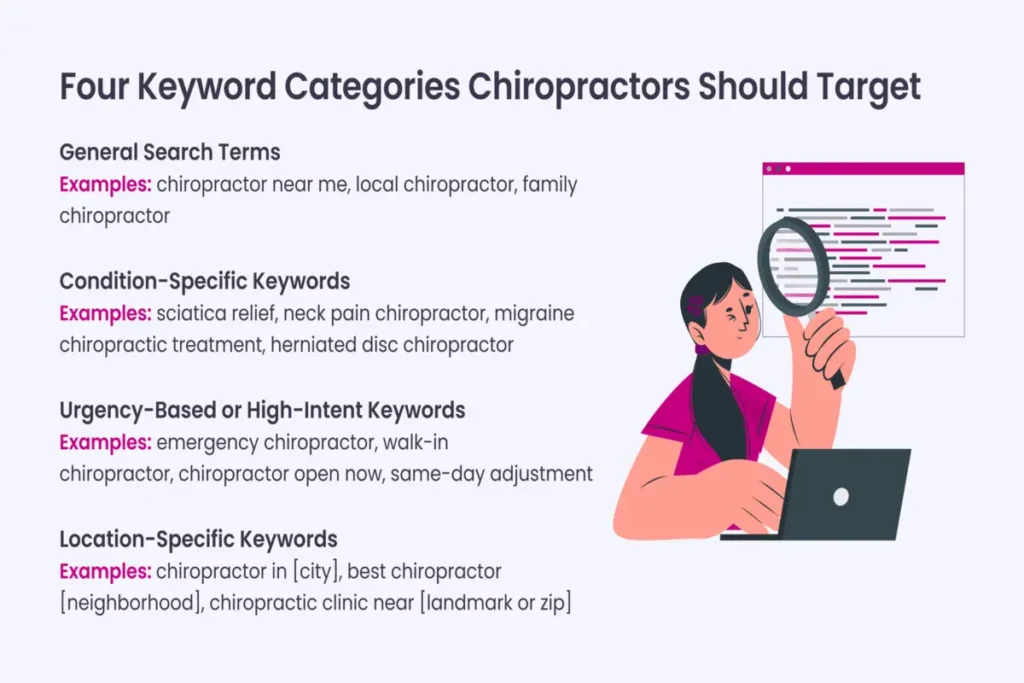
General Search Terms
Keywords like “chiropractor near me” attract broad intent. These terms deliver volume.
Condition-Specific Keywords
Keywords related to pain or injuries convert well. Back pain. Sciatica. Whiplash.
Urgency-Based Keywords
Searches with words like “emergency” or “same day” signal immediate need.
Location-Specific Keywords
City-based keywords attract local patients. These keywords reduce wasted clicks.
Keyword Research Tools to Use
Professional tools reveal search volume and competition. Data guides decisions. Guessing wastes money.
Write Engaging Ad Copy for Chiropractic Ads
Ad copy must stay direct. Short sentences convert better.
Focus on outcomes. Relief. Mobility. Comfort. Safety.
Avoid medical claims that violate policy. Stay compliant. Build trust.
Example messages themes include pain relief, same-day appointments, experienced doctors, and local convenience.
Use Ad Extensions to Increase Visibility
Ad extensions increase real estate. They improve click-through rates.
Extensions include call buttons, location info, and service highlights. These features improve confidence before clicks.
Building a Chiropractic Lead Funnel That Converts
Google Ads without a funnel fail. Clicks alone do not create patients.
Design a Conversion-Optimized Landing Page
Landing pages must focus on the action. Booking appointments. Calls for consultation. Submitting a form. Remove distractions. Remove menus. Guide attention.
Offer a Lead Magnet for Cold Traffic
First-time visitors hesitate. Offers reduce friction. Examples include consultation discounts or posture assessments.
Set Up Automated Email Nurture Sequences
Follow-up builds trust. Many patients book days later. Email automation supports conversion.
Retarget Visitors Who Did Not Convert
Retargeting brings back traffic. These visitors convert at a lower cost.
Integrate Online Booking and Live Chat
Convenience increases conversions. Patients expect instant access.
Optimize for Mobile and Conversion Performance
Most chiropractic searches happen on mobile. Mobile experience decides success.
Use Buttons and Simple Forms
Mobile users tap quickly. Small buttons cause frustration.
Ensure Pages Load Under Three Seconds
Speed affects rankings and conversions. Slow pages lose patients.
Display CTAs on right place
Do not hide calls to action. Place them above the fold.
A/B Test Continuously
Testing improves results over time—small improvements compound.
Adding Google Local Service Ads for Chiropractors
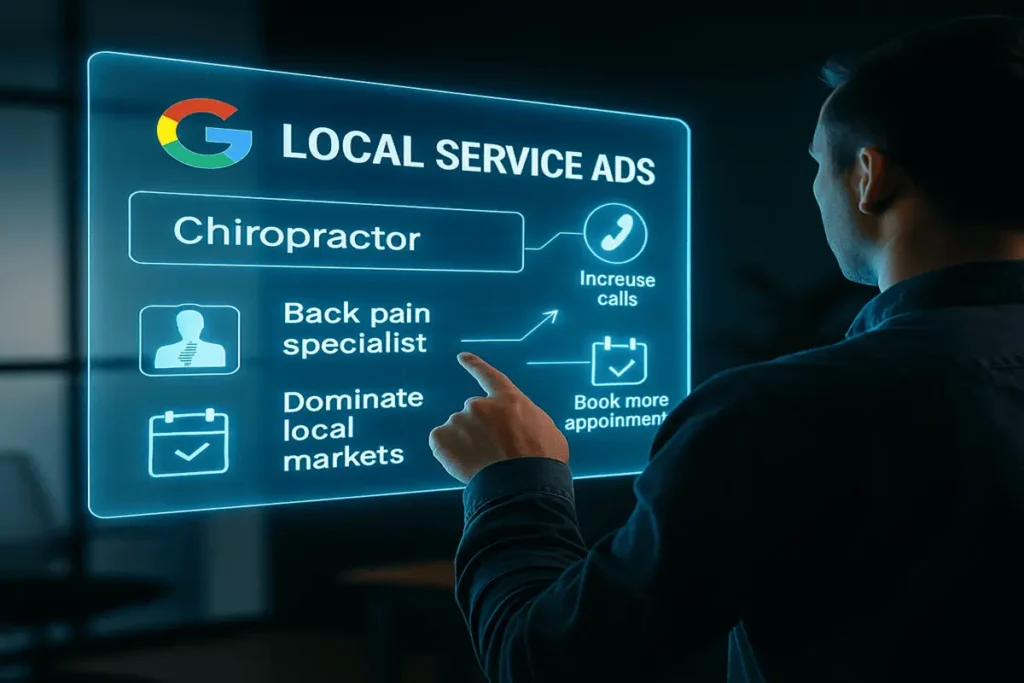
Google Local Service Ads appear above traditional search ads. These ads include trust badges. Local Service Ads increase visibility. They work best alongside standard Google Ads. Clinics using both formats often dominate local search results.
Monitoring and Adjusting Chiropractic Google Ads
Performance tracking defines success.
Monitor cost per lead. Monitor call duration. Monitor booking rate.
Pause keywords that fail. Scale keywords that convert.
Data guides every decision.
Common errors in Chiropractic Marketing
- Many clinics fail due to avoidable errors.
- Broad keywords attract irrelevant traffic.
- Poor landing pages kill conversions.
- No tracking hides waste.
- Inconsistent messaging reduces trust.
Professional chiropractic marketing techniques prevent these mistakes.
Best Google Ads for Chiropractors – Focus on Systems
Winning clinics build systems. They do not chase trends. They invest in structure. They refine continuously. They protect budgets.
Best Google Ads for chiropractors prioritize patient quality over volume.
How E-Commerce Planners Help Chiropractors Scale
E-Commerce Planners builds conversion-focused Google Ads systems for chiropractors.
We focus on:
- Chiropractor Google Ads strategy
- Chiropractic PPC management
- Conversion-optimized funnels
- Local targeting and compliance
- ROI-driven optimization
We do not sell clicks. We build patient pipelines.
Don’t Just Advertise. Convert.
Advertising alone does not grow clinics. Conversion creates growth.
Strategy matters. Execution matters. Optimization matters. Chiropractic marketing requires expertise. Healthcare compliance involves experience.
Final Thoughts
Google Ads for chiropractors remain one of the most powerful patient acquisition tools available. Clinics that invest strategically gain predictable growth. Pain creates urgency. Search captures intent. Trust drives conversion. E-Commerce Planners helps chiropractors turn Google Ads into consistent patient flow.
Book a free strategy call today and discover how our Google Ads for chiropractors can grow your clinic with confidence.
Google Ads for Restaurants – A Practical Growth Guide for More Orders in 2026
Google Ads for restaurants help display when customers find out about the food you eat at the exact moment they are ready to order or visit. People no longer scroll endlessly on social media when they want food. They search on Google. They want fast answers. They want nearby options. They want clear menus and easy ordering.
Restaurants that rely only on foot traffic or delivery apps lose control over margins. Google restaurant advertising gives restaurants direct visibility and direct customers. That makes it one of the powerful paid platforms in 2026.
This is a guide for you to understand how Google Ads for restaurants work, how to set them up correctly, and how to turn clicks into real orders.
Do Google Ads Work for Restaurants?
Yes. Google Ads work for restaurants when campaigns are structured correctly. Restaurants see results because searches are location-based and time-sensitive.
Google Ads for restaurants perform best when:
- Ads target nearby customers
- Menus and offers are clear
- Ordering or directions are one click away
Restaurants test and optimize consistently and see fast growth.
Benefits of Google Ads for Restaurants
Google Ads gives restaurants control. You choose when ads run. You choose where they appear. You decide what customers see.
Key benefits include faster visibility, predictable traffic, and measurable results. Unlike flyers or billboards, ads for restaurant campaigns show clear data.
Set Up Google Ads for Your Restaurant
Starting Google Ads without planning leads to wasted spend. Restaurants need structure.
How to Choose the Correct Campaign Type
Search campaigns work best for most restaurants. These ads capture intent when users search for food nearby.
Local campaigns also perform well. Google local service ads for restaurants help drive foot traffic and map visits.
For delivery-focused brands, Google Ads for restaurants app traffic campaigns can push users directly to ordering platforms.
Google Ad Terms You’ll Need to Know
Need to know about basics helps decision-making. Terms like CPC, CTR, impressions, and conversions matter. They show what works and what does not. Restaurant owners do not need to master everything. They need clear reporting and expert guidance.
Developing Effective Google Ads for Restaurants
Success depends on relevance. Ads must match customer need moments.
How to Select Target Keywords for Your Restaurant
Keyword selection decides success. Broad keywords waste money. Intent-based keywords convert.
Examples include:
- restaurant near me
- best burger in specific city
- Halal food is open now
These searches show readiness to act.
Write Compelling Ad Copy for Restaurant Ads
Ad copy should be simple. Short sentences work best. Focus on food, location, and urgency. Mention popular dishes. Mention fast service. Mention convenience. Avoid fluff content.
The Importance of Ad Extensions
Ad extensions improve visibility and trust. Call buttons, location info, and menu links increase clicks. Google restaurant advertising performs better when ads offer clear next steps.
Use Geo-Targeting to Reach the Right Audience
Restaurants serve specific areas. Geo targeting help out ensures ads show only to nearby users. That protects the budget and improves results.
How Much Should a Restaurant Spend on Google Ads?
Budgets depend on location and competition. Small restaurants can start modestly. Scaling follows results. The key is testing. Not overspending.
Understand Bidding Strategies
Manual bidding offers control early. Automated bidding works later once the data is clean. Restaurants should avoid aggressive bidding without performance tracking.
Monitor and Optimizing Ad Spend
Daily monitoring prevents waste. Weekly adjustments improve results, and monthly reviews guide scaling. A Google Ads campaign for restaurant success depends on active management.
Analyzing and Optimizing Performance
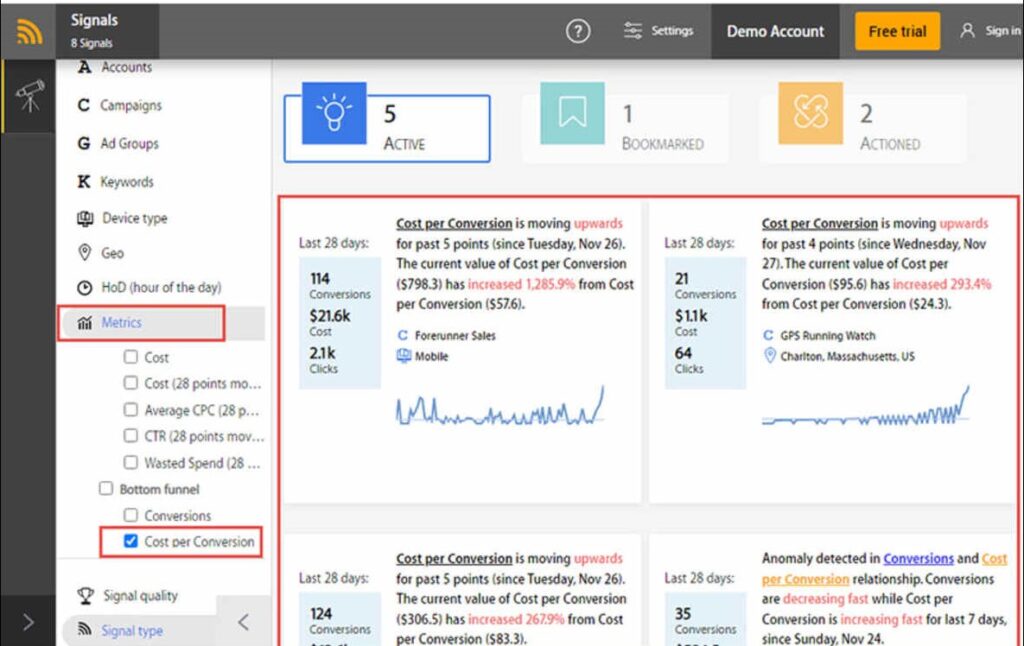
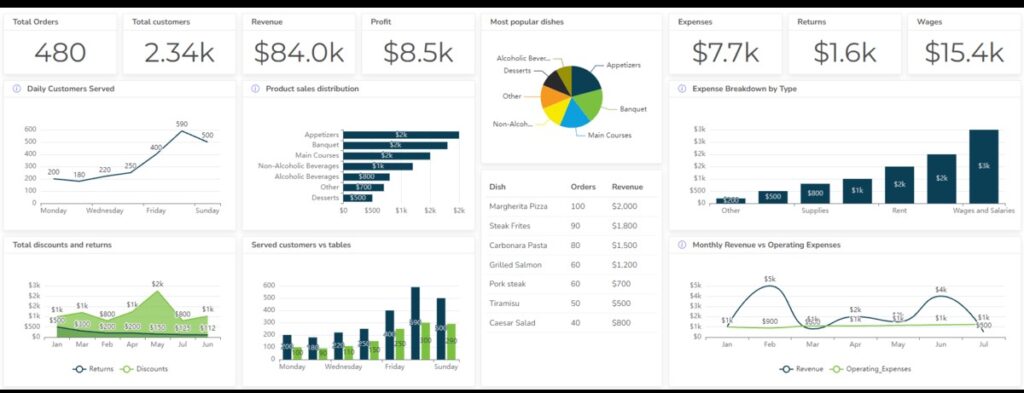
Analytics show what customers respond to. Clicks alone do not matter. Orders do. Track calls, directions, and online orders. Remove poor keywords. Scale winning ads. Optimization turns Google Ads from an expense into an investment.
Why Restaurants Should Use Google Ads in 2026
The restaurant industry competition is continually increasing. New restaurants open every month. Established brands invest more in digital marketing. Standing out has become a more competitive market than ever. Delivery apps now charge high commissions. Those fees reduce profit on every order. Restaurants lose direct access to customer data.
They depend on third-party platforms that control visibility and pricing. This limits long-term growth and flexibility. Organic reach has also declined. Social media posts reach fewer people without paid promotion.
Visibility cannot be switched on instantly when demand is highest. Google Ads solves these problems. Google Ads for restaurants places your business in front of customers who are actively searching for food right now. You control when ads run. You control the message. You direct customers to your menu, website, or ordering system.
Ownership matters in 2026. Google Ads allow restaurants to build a direct customer pipeline. You collect call data, website visits, and order information. You are not locked into platform rules or rising commissions. That control creates stability and supports long-term growth.
Restaurants that invest in Google Ads stay visible, independent, and competitive even as the market becomes more crowded.
Google Ads Strategies for Restaurants
Restaurants that succeed with Google Ads focus on relevance, timing, and intent. The goal is not more clicks. The goal is more orders, visits, and repeat customers. Below are proven strategies that directly match how people search for food.
Target local searches aggressively
Focus on keywords that include location and intent. Searches like “restaurant near me,” “best burger in a nearby city” or “food restaurant open now” bring customers who are ready to act. Exact location targeting prevents wasted spend and improves conversion rates.
Run ads during peak hunger hours.
Timetable of ads for lunch, dinner, late night, and weekends. People search when they are hungry. Showing ads during off-hours lowers performance. Smart scheduling increases orders without increasing the budget.
Separate dine-in, takeaway, and delivery ads
Each service has a different intent. Dine-in customers want ambience and location. Takeaway customers wish to speed. Delivery customers want convenience. Separate campaigns improve relevance and lower cost per order.
Use clear, action-driven ad copy.
Highlight popular dishes, fast service, and easy ordering. Short, direct messages perform best. Urgency works well for food ads.
Use ad extensions for quick decisions.
Add call buttons, location info, menu links, and directions. These reduce friction and help customers act immediately.
Retarget past visitors and order viewers.
Show ads to past users who visited your menu or started an order but did not complete it. The retarget process brings back high-intent users at a lower cost.
Optimize for mobile users first.
Most restaurant searches happen on mobile. Ads and landing pages must load fast and make order or call easy for customers. Small adjustments compound over time. Better timing, better targeting, and clearer messaging turn Google Ads into a reliable growth channel for restaurants.
Stand in a Crowded Market with Google Ads
Most restaurants run generic ads. Few optimize continuously. That creates opportunity. E-Commerce Planners helps restaurants build profitable Google Ads systems. We focus on real orders, not clicks. We design campaigns that match how people actually search for food.
Final Thoughts
Google Ads for restaurants are no longer optional. They are essential for visibility, growth, and independence from third-party platforms. If you want more orders, more visits, and better margins, expert strategy matters.
Book a free strategy call with E-Commerce Planners today and learn how our Google Ads for restaurants can drive consistent growth.
Google Ads for Therapists (2026) – A Practical Growth Guide for Therapy Practices
Google Ads for therapists help therapy practices reach people at the exact moment they search for support. Mental health care has changed. Patients no longer rely only on referrals. They search online. They compare options quickly. They contact the therapist who feels right and appears first.
Therapy practices face unique challenges. Trust matters. Sensitivity matters. Compliance matters. Generic advertising fails here. Google Ads for therapists work because they target intent, location, and need with precision.
This guide explains how therapists can use Google Ads safely, ethically, and profitably in 2026. It also shows how a professional setup prevents wasted spend and compliance issues.
Google Ads for Therapists – Setting Up a New Campaign
1. Before Getting Started
Therapy ads should never feel aggressive. They should feel supportive and safe. A strong offer builds confidence.
Examples include:
- Free initial consultation
- Same-week appointments
- Online therapy availability
- Insurance accepted
Ads for therapy work best when the message focuses on help, not pressure.
Budget to Test Ads for 2–3 Months
Google Ads for therapists need testing time. Results do not stabilize in weeks. A 60 to 90-day test period allows enough data.
Testing budgets help:
- Identify winning keywords
- Improve ad messaging
- Control cost per lead
Digital marketing for therapists works best when decisions follow data.
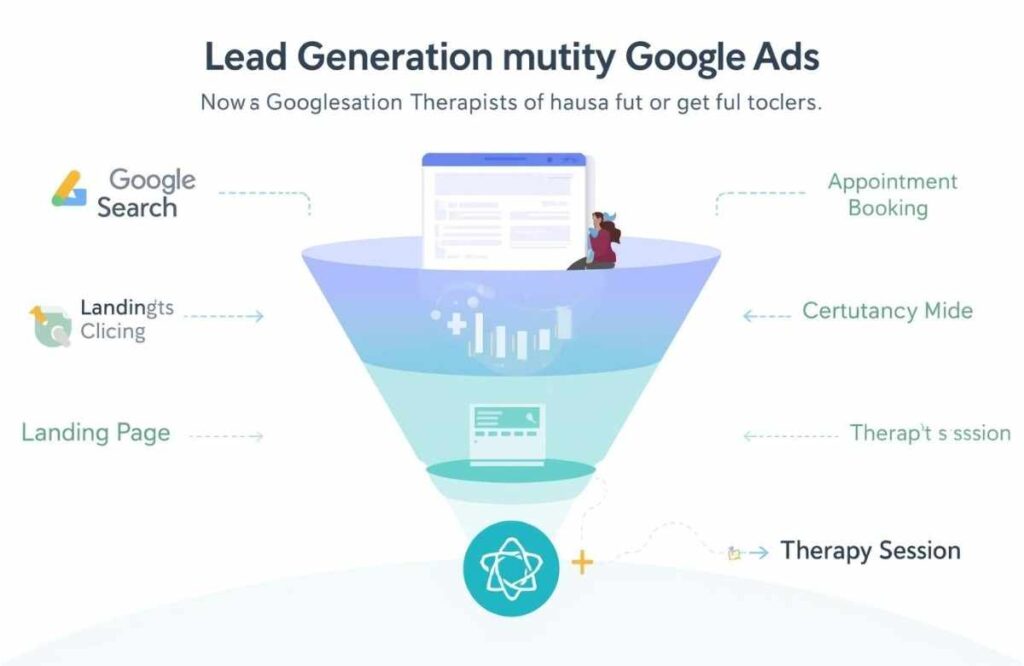
2. Preparing Your Website or a Landing Page for Ads
Sending ad traffic to an unprepared website leads to poor conversions. Therapy patients need reassurance.
Website Checklist for Google Ads
A therapy website should include:
- Clear services and specialties
- Therapist credentials and licensing
- Location and contact details
- Privacy and confidentiality reassurance
- Simple contact or booking form
Google Ads for medical practice campaigns convert better when landing pages are focused and calm.
3. Setting Up Your Google Ads Campaign
When setting up an advertising campaign, begin by choosing the right campaign objective and type. Search campaigns work best because they target people actively looking for therapy services, while display and video ads should be considered secondary options. Use your official practice name and website to maintain accuracy and trust, as mismatched information can reduce credibility in healthcare advertising. Adding optional business details such as your location, phone number, and call extensions can significantly improve ad performance by making it easier for potential clients to contact you directly.
Next, focus on setting clear conversion goals to measure success effectively. Track phone calls, form submissions, and booked consultations, as accurate conversion tracking is essential for ongoing optimization. Search campaigns should be prioritized since they capture high-intent users and consistently outperform awareness-based campaigns for therapy practices. When selecting a bid strategy, start with manual bidding or conversion-focused options, and avoid full automation until reliable data has been collected.
4. Selecting Keywords for Therapy Ads
About Keyword Match Types
Exact and phrase match keywords control intent. Broad matches often attract irrelevant traffic.
Choosing Keywords
High-intent keywords include:
- Therapist near me
- Anxiety therapist
- Online therapy sessions
- Licensed therapist in [city]
SEO marketing for therapists complements paid ads, but paid search delivers faster results.
5. Creating Effective Google Ads for Therapists
Well-structured ads build trust. Clear structure reduces wasted spend. Google Ads for therapists work best when every element supports patient confidence and clarity.
About Ad Assets
Ad assets make your ads more visible and credible. They provide extra information without adding pressure. Call extensions allow patients to reach you instantly. Site links guide users to specific services like anxiety therapy or online sessions. Structured snippets highlight specialties and credentials. When used correctly, ad assets improve click-through rates and patient trust.
About Ad Groups
Ad groups control relevance. Each service needs its own ad group. Anxiety therapy should not share ads with couples therapy. Trauma care requires different language than stress counseling. Separate ad groups improve message accuracy. Higher relevance lowers cost per click and increases quality leads.
Setting a Daily Budget
Start with a controlled daily budget. Avoid overspending early. Testing identifies what works before scaling. Increase budgets only on keywords that produce qualified inquiries. This approach limits risk and improves return over time.
6. Ongoing Optimization for Google Ads for Therapists
Google Ads for therapists require ongoing care. Campaigns do not improve on their own. Patient behavior changes. Search terms change. Costs change. Regular optimization protects your budget and improves lead quality.
Dashboard Overview
The dashboard shows how patients interact with your ads. Review it every week. Focus on clicks, calls, and cost per lead. Rising clicks with low calls signal a messaging issue. High costs with few conversions signal targeting problems. Small weekly adjustments improve performance over time. Consistency compounds results.
Search Terms Report
The search terms report reveals what people actually type before clicking your ad. Many searches look relevant but are not intent-driven. Some users search for free advice. Others search for careers or definitions. These clicks waste the budget. Identify irrelevant terms quickly. Remove them before costs rise.
Negative Keywords
Negative keywords protect your ad spend. They stop your ads from showing for the wrong searches. Common negatives include “free,” “jobs,” “training,” or unrelated conditions. Each blocked term saves money. Fewer wasted clicks mean higher-quality therapy inquiries.
Conversion Tracking
Conversion tracking shows what works and what fails. Track phone calls, contact forms, and booked sessions. Without tracking, decisions rely on guesswork. Accurate data guides smarter bidding, better ads, and stronger landing pages. Optimization only works when results are measured correctly.
Final Thoughts
Google Ads for therapists offer predictable growth when handled correctly. Therapy marketing is not about volume. It is about relevance, trust, and timing. Generic healthcare advertising fails therapists. Specialized strategy succeeds.
E-Commerce Planners provides ethical, compliant, and performance-focused digital marketing for therapists. We build Google Ads systems that attract the right clients, not just clicks. Book a free strategy call with E-Commerce Planners today and discover how Google Ads for therapists can grow your practice with confidence and care.
Google Ads for Contractors – A Complete Growth Guide for Construction Businesses in 2026
Google Ads for contractors has become one of the most effective ways to generate consistent, high-intent leads for construction businesses. Homeowners and commercial clients no longer wait for referrals alone. They search online. They compare options fast. They contact the contractor who appears first and looks trustworthy.
Construction companies that rely only on word of mouth struggle to scale. Digital advertising fills that gap. Google Ads for construction companies places your business in front of people who are actively searching for services right now. That makes Google Ads one of the highest-ROI channels available for contractors in 2026.
This guide explains how Google Ads for contractors work, what types of ads perform best, the real costs involved, and how construction businesses can turn ads into booked projects instead of wasted spend.
What Are Google Ads for Contractors?
Google Ads for contractors are paid advertisements that appear on Google search results, Google Maps, YouTube, and partner websites when users search for construction services.
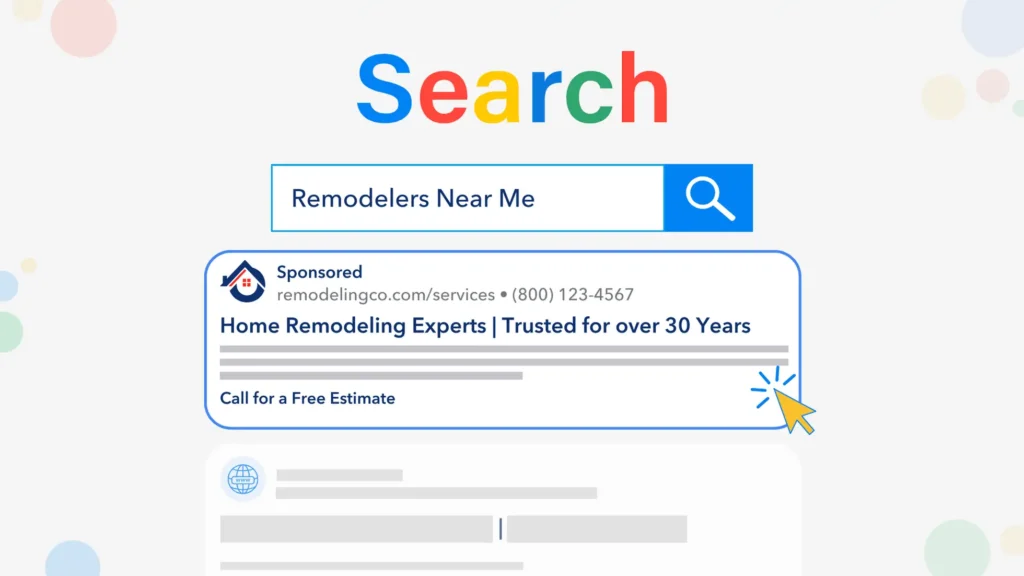
When someone searches phrases like “general contractor near me” or “concrete contractor in my area,” Google Ads allows your business to appear above organic results. These ads are intent-based. That means prospects are already looking for your service.
Google Ads for construction companies are commonly used by:
- General contractors
- Concrete contractors
- Roofing companies
- Remodeling businesses
- Plumbing and electrical contractors
Ad contractors use Google Ads because they deliver fast visibility and predictable lead flow.
How Do Google Ads Work for Construction Companies?
Google Ads operate on a pay-per-click model. You only pay when someone clicks your ad. That makes budget control possible even in competitive markets.
- A Google Ads for construction campaign includes:
- Keyword targeting based on contractor services
- Ad copy written to attract calls and form submissions
- Location targeting for service areas
- Landing pages designed to convert visitors
- Tracking for calls, forms, and booked Projects
Google Ads for general contractors often use call-only ads. These ads allow prospects to call directly from search results. That shortens the sales cycle and improves lead quality.
Benefits of Using Google Ads for Contractors
Google Ads for contractors delivers clear advantages over many traditional and digital marketing channels.
Increased Visibility for Local Construction Businesses
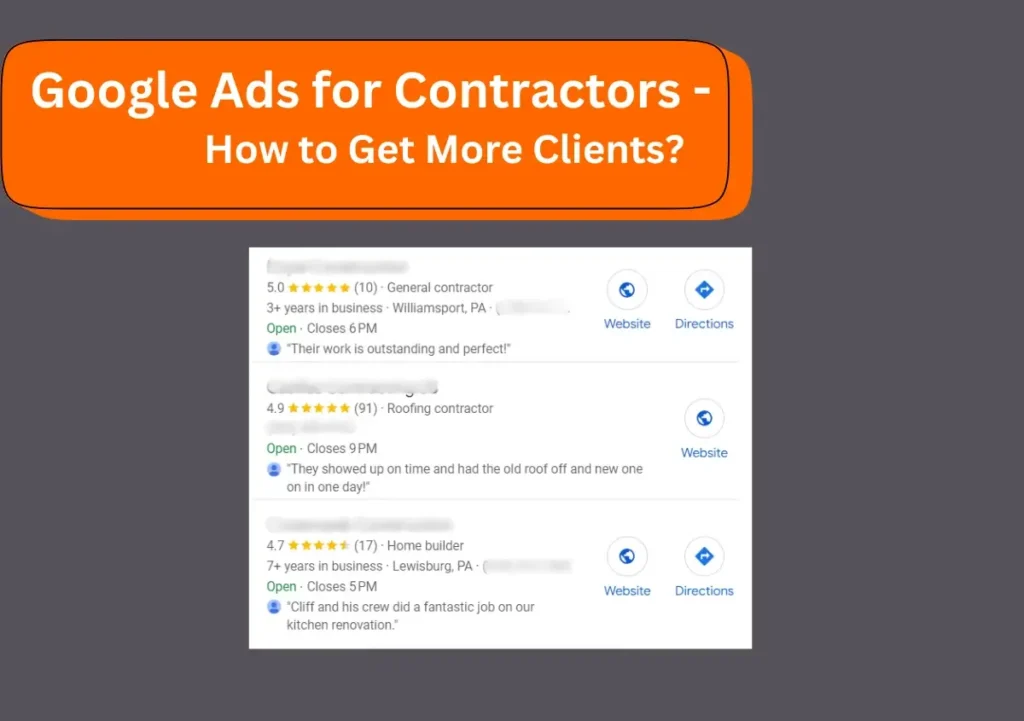
Google local ads place your company at the top of search results. That visibility increases trust and click-through rates.
Cost Control Through Pay-Per-Click
You control daily budgets and bids. Google local advertising costs are flexible and scalable based on performance.
Precise Targeting
Google Ads allow targeting by location, service type, schedule, and search intent. Ads for construction companies become highly relevant.
Faster Results Than SEO
SEO takes months. Google Ads for construction generate leads immediately after launch.
Full Performance Tracking
Every click, call, and form submission can be tracked. That makes ROI measurement clear.
Types of Google Ads Used in Contractor Marketing
Search Ads
Search ads appear when users actively search for services. Google Ads for contractors relies heavily on search campaigns because intent is highest.
Display Ads
Display ads appear across websites and apps. These ads help with brand awareness and retargeting.
YouTube In-Stream Ads
Video ads build brand trust and authority. They work well for larger construction companies.
Google Service Ads
Google service ads appear at the very top of search results with a “Google Guaranteed” badge. These ads work exceptionally well for local contractors. Google Ads for concrete contractors and general contractors perform best when search ads and Google service ads are combined.
How to Create a Google Ads Campaign for Contractors
Define Clear Goals
Set goals based on calls, form submissions, or booked estimates. Clarity improves optimization.
Conduct Proper Keyword Research
- Focus on high-intent keywords like:
- General contractor near me
- Concrete contractor services
- Construction company for remodelling
- Avoid broad terms that attract low-quality traffic.
Set Budget and Bid Strategy
Start with test budgets. Scale winning keywords. Control Google local advertising costs through data.
Optimise Landing Pages
Never send traffic to a homepage. Landing pages should highlight services, trust signals, and clear calls to action.
Write Compelling Ads
Strong headlines and local relevance improve click-through rates. Ads for construction companies should focus on solutions, not features.
Track Performance
Track calls, forms, and booked Projects. Data drives optimization.
Google Ads for General Contractors
Google Ads for general contractors target a wide range of services. Campaigns should be segmented by service type.
Google Ads for concrete contractors require tighter targeting. Keywords like “driveway concrete contractor” or “foundation concrete work” convert better. Service-specific campaigns lower costs and improve lead quality.
Does Google Ads Work for Contractors?
Yes, Google Ads work for contractors when campaigns are built correctly and optimized continuously.
Construction businesses that succeed with Google Ads focus on:
- High-intent keywords
- Local targeting
- Conversion tracking
- Ongoing optimization
Contractors who treat Google Ads as a one-time setup usually fail. Contractors who treat it as a system succeed.
Best Practices for Google Ads for Contractors
- Analyse competitor ads regularly
- Use negative keywords aggressively
- Target specific service areas
- A/B test ad copy and landing pages
- Adjust bids based on performance
Google Ads for construction companies improve over time when managed strategically.
Tools Used in Contractor Google Ads Campaigns
- Keyword research tools
- Call tracking software
- Landing page builders
- Analytics and conversion tracking
- These tools improve efficiency and accuracy.
How E-Commerce Planners Help Contractors Win with Google Ads
E-Commerce Planners builds performance-driven Google Ads for contractors who want predictable growth.
We focus on:
- Google Ads for construction companies
- Google service ads setup and optimization
- Local targeting and lead tracking
- Landing pages built for conversions
- Cost control and ROI optimization
Our team understands construction marketing challenges. We build campaigns that generate calls, not clicks.
Final Thoughts
Google Ads for contractors are no longer optional in competitive markets. They are essential for construction companies that want consistent leads and scalable growth.
If you want Google Ads that actually produce booked projects, expert management makes the difference.
Book a free consultation with E-Commerce Planners today and discover how our Google Ads expert team help the contractors can grow your construction business profitably. Visit our website to get started with expert contractor marketing solutions.

