
Set Up a Profitable Peptide Store Using Shopify in 2025
Starting an online business selling peptides is an exciting and potentially profitable venture, especially as the health, wellness, and fitness industries continue to grow rapidly. Peptides are becoming increasingly popular for their benefits in muscle building, fat loss, anti-aging treatments, and overall health optimization. As demand for these products soars, entrepreneurs are turning to platforms like Shopify to create successful e-commerce stores.
Shopify offers a powerful solution for entrepreneurs looking to design and develop an online peptide store. With its user-friendly interface, robust features, and customization options, Shopify enables you to create a professional and seamless shopping experience for your customers.
Why Sell Peptides Online?
Before diving into the steps of setting up a peptide store, it’s important to understand why peptides are an attractive product to sell online. Peptides are short chains of amino acids that play a crucial role in biological functions and have garnered attention for their potential health benefits. They are often used in the health and wellness industry for various purposes, including weight loss, muscle building, anti-aging treatments, and skin care.
Some key reasons for selling peptides online include:
High Demand in Health and Wellness: The market for health-related products, particularly in fitness and anti-aging, is thriving. Consumers are increasingly seeking peptides for performance enhancement and overall wellness.
Niche Market: Selling peptides can be an advantage as you are catering to a specific audience interested in fitness, bodybuilding, and health optimization.
Profit Margins: Peptides typically offer good profit margins, particularly when sold in specialized markets.
With these factors in mind, starting a peptide store on Shopify can prove to be a lucrative business opportunity.
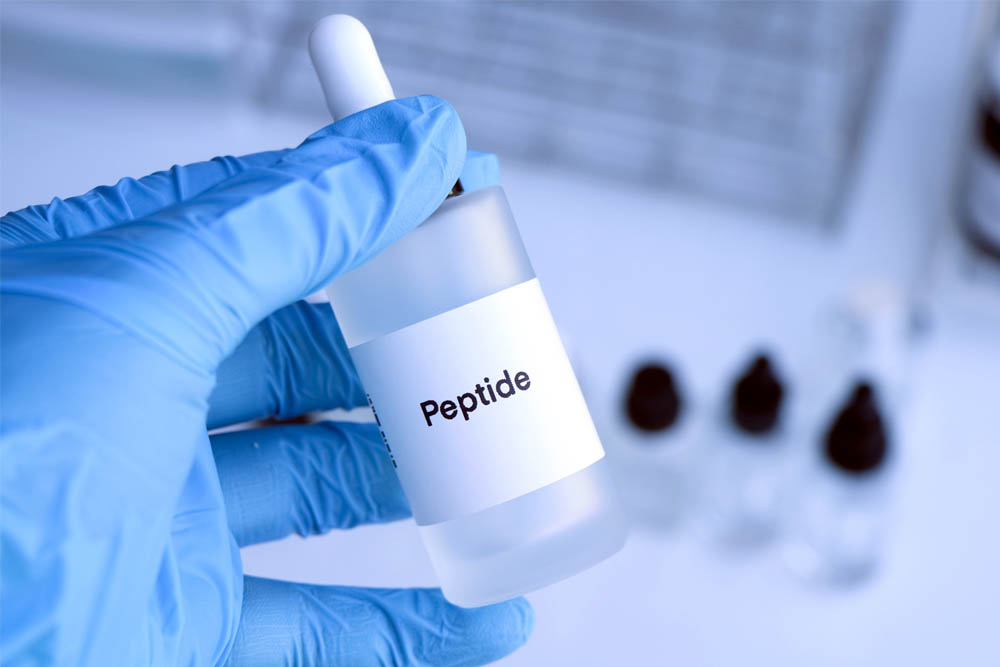
Why Use Shopify to Sell Peptides?
Shopify is an excellent platform for selling peptides due to its user-friendly interface, robust e-commerce features, and extensive support for online merchants. Some of the key benefits of using Shopify for selling peptides include:
Ease of Use: Shopify’s interface is intuitive, making it accessible even for individuals without technical backgrounds. This ease of use means you can set up and manage your store quickly and efficiently.
Scalability: Shopify offers various plans to suit different business sizes. As your peptide store grows, you can easily upgrade your plan and scale your business.
Customization: With hundreds of themes and customization options, you can design your store to reflect your brand and create a unique customer experience.
Payment Gateway Integration: Shopify supports a wide range of payment gateways, ensuring that your customers can pay using their preferred method.
SEO Tools: Shopify provides powerful SEO tools to help you rank higher in search engines, which is crucial for attracting organic traffic to your peptide store.
Security: With SSL encryption and PCI-compliant payment processing, Shopify ensures that your customers’ personal and financial information remains secure.
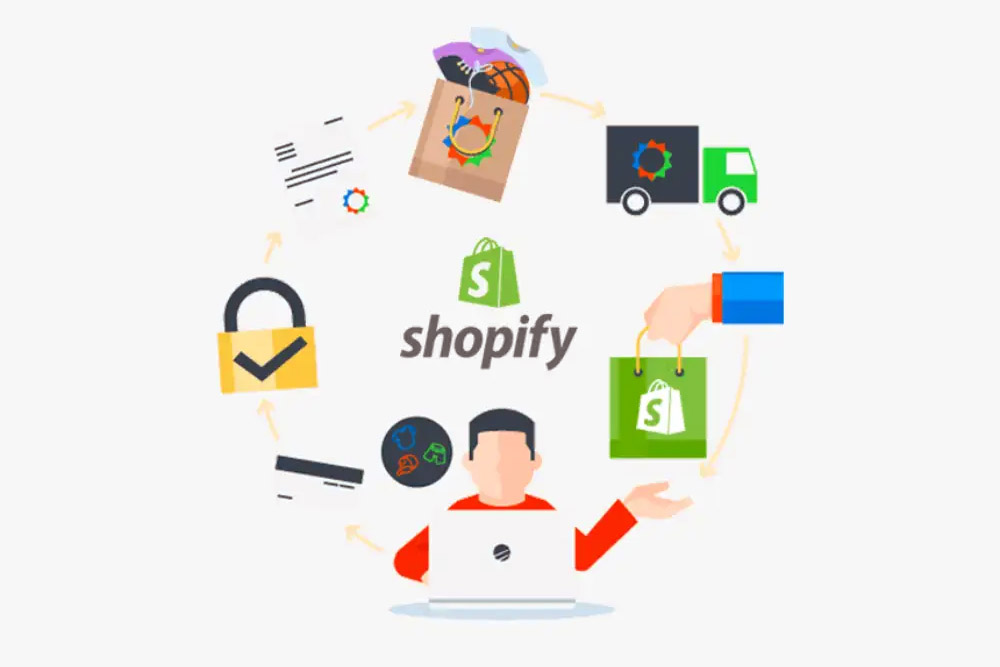
Steps to Set Up a Profitable Peptide Store Using Shopify
1. Create Your Shopify Account
The first step is to create your Shopify account. Head to Shopify’s website and sign up for a free trial. This will allow you to explore the platform and get a feel for how it works before committing to a paid plan.
During the sign-up process, you will be asked to provide basic information about your store, including its name and what kind of products you plan to sell (in this case, peptides). Once your account is set up, you’ll be taken to the Shopify dashboard, where you can start building your store.
2. Choose a Domain Name
A professional domain name is essential for building trust with your customers. Choose a name that is relevant to your peptide store and easy to remember. You can purchase a custom domain directly through Shopify, or you can link an existing domain if you have one.
If you don’t have a domain name yet, consider using tools like Namecheap or Google Domains to search for available options.
3. Select a Theme
Shopify offers a wide variety of free and paid themes that are mobile-friendly and customizable. Since the peptide market can be competitive, it’s important to choose a theme that reflects the professional and trustworthy nature of your business.
Look for themes that are visually appealing, easy to navigate, and have a clean layout. Themes like “Debut,” “Minimal,” or “Brooklyn” are great choices for a peptide store because they focus on simplicity and user experience.
Once you’ve selected a theme, you can begin customizing it by uploading your logo, adjusting color schemes, and rearranging sections on the homepage.
4. Set Up Your Product Pages
To start selling peptides, you’ll need to create product pages for each peptide you plan to offer. You’ll need to include:
Product Name: Be clear and descriptive. Use keywords such as “Peptide for Muscle Growth” or “Anti-Aging Peptide.”
Product Description: Highlight the benefits of each peptide, what it’s used for, and its features. Be sure to include any relevant scientific data or evidence of its effectiveness.
High-Quality Images: High-quality images of your peptides are essential for building trust with your customers. Ensure your images are well-lit and clearly display the product.
Pricing: Set competitive prices for your peptides. Consider the cost of manufacturing or sourcing, as well as any other overhead costs.
Product Variants: If you offer different strengths, sizes, or flavors of peptides, you can create variants for each product. This allows customers to choose the option that suits them best.
Also, include clear information about shipping and returns policies to ensure your customers are well-informed.
5. Set Up Payment Gateways
One of the key steps in setting up your peptide store is configuring your payment gateways. Shopify integrates with numerous payment processors like PayPal, Stripe, and Shopify Payments, allowing you to accept credit card payments, debit cards, and other methods.
Make sure to choose a payment gateway that is secure, reliable, and suitable for your target audience. Ensure that your payment process is smooth and straightforward for your customers.
6. Optimize for SEO
SEO (Search Engine Optimization) is critical for any online business. To attract organic traffic to your peptide store, you need to optimize your store for search engines. Shopify comes with built-in SEO tools to help you improve your rankings.
Here are some SEO tips for your peptide store:
Keyword Research: Use tools like Google Keyword Planner or Ubersuggest to find relevant keywords for peptides. Include these keywords in your product descriptions, titles, meta descriptions, and blog posts.
Optimize Images: Compress images to improve page load speed, and use descriptive alt text for each image.
Blog Content: Regularly post high-quality content about peptides, their benefits, and how to use them. This can help attract visitors to your store and improve your search rankings.
Mobile Optimization: Make sure your website is fully optimized for mobile devices, as a significant portion of users shop from their phones.

7. Set Up Shipping and Fulfillment
Once you have your product pages set up, it’s time to configure your shipping and fulfillment options. Shopify allows you to integrate with various third-party shipping carriers, which helps streamline the shipping process.
You’ll need to decide whether you want to handle fulfillment yourself or use a third-party fulfillment service. If you’re selling peptides in large quantities, you might want to partner with a supplier or distributor who can manage the logistics for you.
Make sure to offer transparent shipping options, including estimated delivery times, so your customers know when to expect their orders.
8. Market Your Peptide Store
Once your store is live, it’s time to start driving traffic to it. Use a combination of digital marketing strategies to promote your peptide store:
Social Media Marketing: Utilize platforms like Instagram, Facebook, and TikTok shop to create engaging content about your peptides and attract potential customers.
Email Marketing: Build an email list of interested customers and send them regular updates about new peptide products, promotions, and educational content.
Paid Advertising: Consider running Google Ads or Facebook Ads to target people searching for peptides or related topics.
Additionally, collaborate with influencers or bloggers in the health and wellness niche to promote your peptides and gain visibility.
Final Thoughts
Starting a peptide store using Shopify can be a rewarding business venture, especially as the demand for health and wellness products continues to grow. By following the steps outlined above — from setting up your Shopify store to marketing your products — you can build a profitable online business. With the right strategy and dedication, you’ll be well on your way to selling peptides successfully. For more information and assistance in setting up your online store, visit E-Commerce Planners, your partner in e-commerce success.
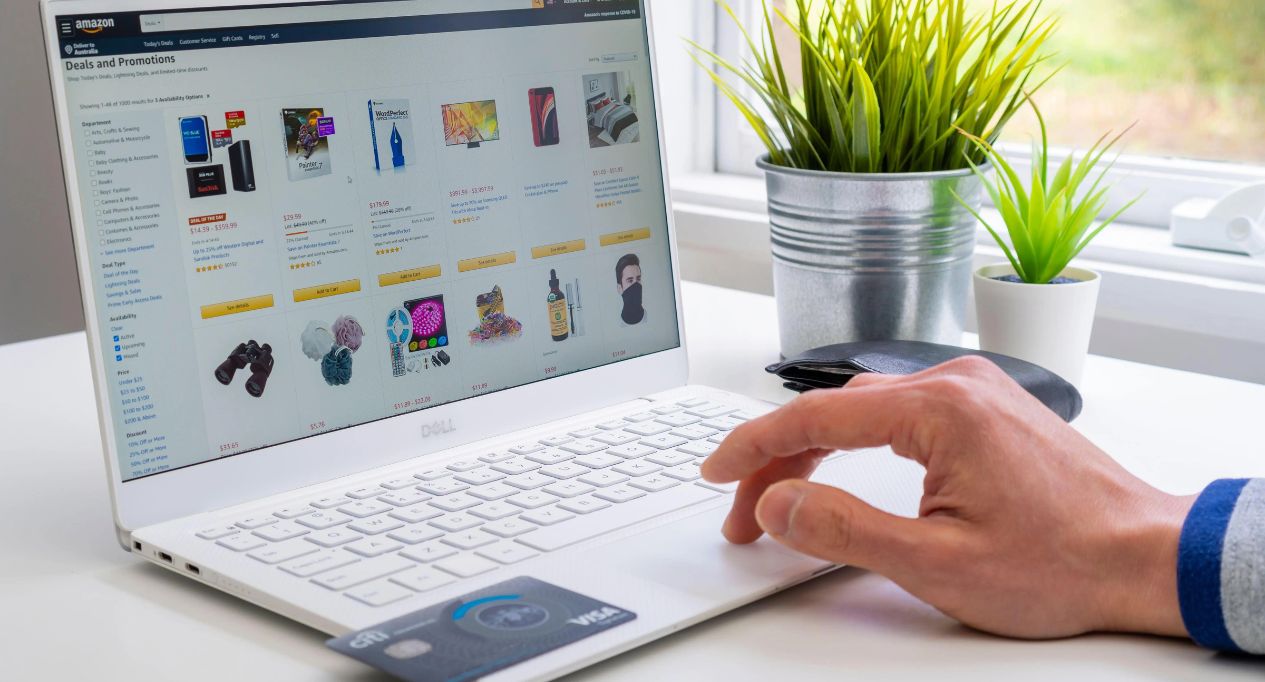
A Complete Guide to Amazon Product Sourcing Services 2025
When you’re just starting out with an Amazon business, one of your first questions is likely about how to find products and where to get inventory. But figuring out how to source products on your own or through Amazon product launch services can be a bit tricky. If you’re planning to launch or grow your Amazon business in 2024, getting a handle on product sourcing is key.
That’s exactly what we’re diving into in this post. We’ll cover all the essentials of Amazon sourcing so you can find the most profitable products and build your business effectively.
What’s Amazon Product Sourcing All About?
Amazon product sourcing is all about finding and getting the most profitable products you’ll sell on Amazon. It’s a key part of running a successful Amazon business because the quality, cost, and availability of what you’re selling can make a big difference in your sales and profits. Basically, it’s about making sure you have the right products at the right price and time to meet demand and stay ahead of the competition.
It’s easy to say but hard to actually do and stick with a system in your Amazon business. A lot of sellers fail because of delays in sourcing products and other issues that come up. That’s why having a solid Amazon sourcing strategy is crucial.
Why is Product Sourcing So Important for Amazon Sellers?
If you are sourcing products to sell on Amazon, it’s really important to do it carefully, as it directly affects profit margins, product quality, and inventory management. By sourcing products efficiently, sellers can secure competitive prices, maintain high-quality standards, and ensure a reliable supply chain. This not only helps in maximizing profitability but also improves customer satisfaction and minimizes issues like stockouts or overstocking, ultimately contributing to long-term success and competitiveness in the marketplace.
- Gaining an Edge: Good sourcing can set you apart from the competition by offering unique or in-demand products that others might not have.
- Cost Savings: Finding cost-effective suppliers helps keep your expenses down, which boosts your profit margins.
- Quality Control: High-quality products lead to happier customers, fewer returns, and better reviews.
- Smooth Operations: Efficient sourcing helps manage your inventory, avoid stockouts, and keep your supply chain running smoothly.
Types Of Amazon Product Sourcing
When it comes to selling on Amazon, you have a few different options: FBA (fulfillment by Amazon), FBM (fulfillment by merchant), wholesale, dropshipping, and arbitrage. The product sourcing process for each of these models is pretty similar once you have the product in hand and are getting it from a supplier or manufacturer. However, the way you go about product research and your Amazon product launch strategy can vary quite a bit. Let’s break down the differences in more detail.
1. Direct Sourcing
Direct sourcing involves dealing directly with manufacturers or suppliers without intermediaries. This method can offer lower prices since you cut out the middleman, but it requires more effort in communication and negotiation. Direct sourcing is ideal for sellers who have experience in managing relationships and logistics.
| Pros | Cons |
| Lower costs | Time-consuming |
| Greater control over quality | Requires strong negotiation skills |
| Direct communication with suppliers | Risk of dealing with unreliable suppliers |
2. Wholesale Sourcing
Wholesale sourcing involves purchasing products in bulk from wholesalers who have already negotiated prices with manufacturers. This method is popular among sellers who want to avoid the complexities of direct sourcing.
| Pros | Cons |
| Less risk of inventory shortages | Higher prices compared to direct sourcing |
| Established suppliers with reliable products | Less control over product quality |
| Easier to scale | Limited customization options |
3. Private Label Sourcing
Private label sourcing is where you source generic products from manufacturers and rebrand them with your own label. This approach allows you to differentiate your products and create a unique brand presence on Amazon.
| Pros | Cons |
| Brand differentiation | Higher initial investment |
| Higher profit margins | Time-consuming setup process |
| Greater control over product quality and packaging | Requires ongoing management of branding and marketing |
4. Dropshipping
Dropshipping is a model where you sell products without holding inventory. Instead, you partner with suppliers who ship products directly to your customers. This method minimizes your financial risk and storage costs.
| Pros | Cons |
| Low upfront investment | Lower profit margins |
| No need for warehouse | Less control over shipping times |
| Flexibility in product range | product quality potential for high competition |
If you’re just starting out on Amazon and aren’t sure which selling model to choose, it’s a good idea to use Amazon product launch services. They can help you avoid costly mistakes and protect your investment, rather than risking it by going in blind.
Best Amazon sourcing strategies
Keep in mind that the most profitable products are the ones you should aim to source. If a product has low profit margins, you might end up just breaking even or constantly spinning your wheels without making any real money. To find the best product, you can use various Amazon sourcing strategies. Here are some best approaches you might consider:
1. Reverse Sourcing: A Beginner-Friendly Approach to Finding Profitable Products
If you’re new to selling on Amazon, one of the most effective ways to find profitable products is through reverse sourcing. This Amazon sourcing strategy involves identifying successful third-party sellers on Amazon and then finding the sources they use to acquire their inventory. By analyzing the listings and pricing of these sellers, you can quickly determine if a product is worth pursuing.
To get started with reverse sourcing, simply head to a popular brand’s Amazon listing, such as Nike, Lego, or Great Value. Look for sellers with a decent amount of feedback, as they’re more likely to be experienced arbitrage sellers. Once you’ve found a seller, click on their individual storefront to see the products they’re offering.
2. Manual Sourcing: A More Comprehensive Approach to Product Discovery
While reverse sourcing is a great way to get started, the real power lies in manual sourcing. This Amazon sourcing strategy involves actively searching for products across various websites and platforms rather than relying solely on existing Amazon listings.
One of the most effective ways to do this is by monitoring sales and promotions on sites like iHerb, Target, or Walmart. Simply browse through the sales and discounts, and use the extension of any tool to quickly check the potential profitability of each item.
When manually sourcing, it’s important to pay attention to the brand and seller information. You’ll want to avoid products where the brand itself is selling on Amazon, as this can lead to potential intellectual property (IP) issues. Instead, focus on items where third-party sellers are the primary sellers on the listing.
To quickly assess the seller landscape, use the tools feature to pull up the listing details. This will show you the number of sellers, any potential IP alerts, and historical pricing data—all of which can help you determine if a product is worth pursuing.
3. Capitalize on Seasonality and Holidays for Maximum Profits
One of the most overlooked aspects of successful Amazon product sourcing is understanding and capitalizing on seasonality and holidays. Certain products see a significant spike in demand during specific times of the year, and being the first to source and list these items can lead to substantial profits.
For example, let’s take a product like Stove Top Stuffing on Amazon. As the Thanksgiving holiday approaches, the price and sales rank of this item can skyrocket, with sellers able to charge a premium for early inventory. With tools like Helium 10, you can easily track and store information on these seasonal items, ensuring you’re ready to pounce when the time is right.
Another way to boost your profits is by taking advantage of cashback opportunities. Sites like Cashback Monitor can help you quickly identify the best cashback rates for the products you’re sourcing, allowing you to maximize your margins without any additional effort.
Once you’ve found a profitable product using the above-mentioned Amazon sourcing strategies, the next steps will stay pretty much the same.
- Supplier Research: Find reputable suppliers on platforms like Alibaba or GlobalSources, focusing on their reviews and reliability.
- Request Samples: Test samples from suppliers to evaluate product quality, packaging, and shipping times.
- Negotiate Terms: Discuss pricing, payment terms, and shipping costs to secure favorable conditions and build strong supplier relationships.
- Place Your Order: Confirm terms and sample approval before ordering, and monitor production and shipping closely.
- Quality Control: Ensure product quality through inspections, either personally or via third-party services.
- Shipping and Fulfillment: Choose between FBA (Amazon handles storage and shipping) or FBM (you manage it yourself).
- Listing Optimization: Enhance Amazon listings with high-quality images, detailed descriptions, and relevant keywords, and update regularly.
Conclusion
Sourcing profitable products for your Amazon business can be a time-consuming and challenging task, but with the right tools and strategies, you can streamline the process and maximize your success. By utilizing the reverse sourcing, manual sourcing, and seasonality-focused features, you’ll be able to quickly identify and capitalize on the most lucrative opportunities in the market.
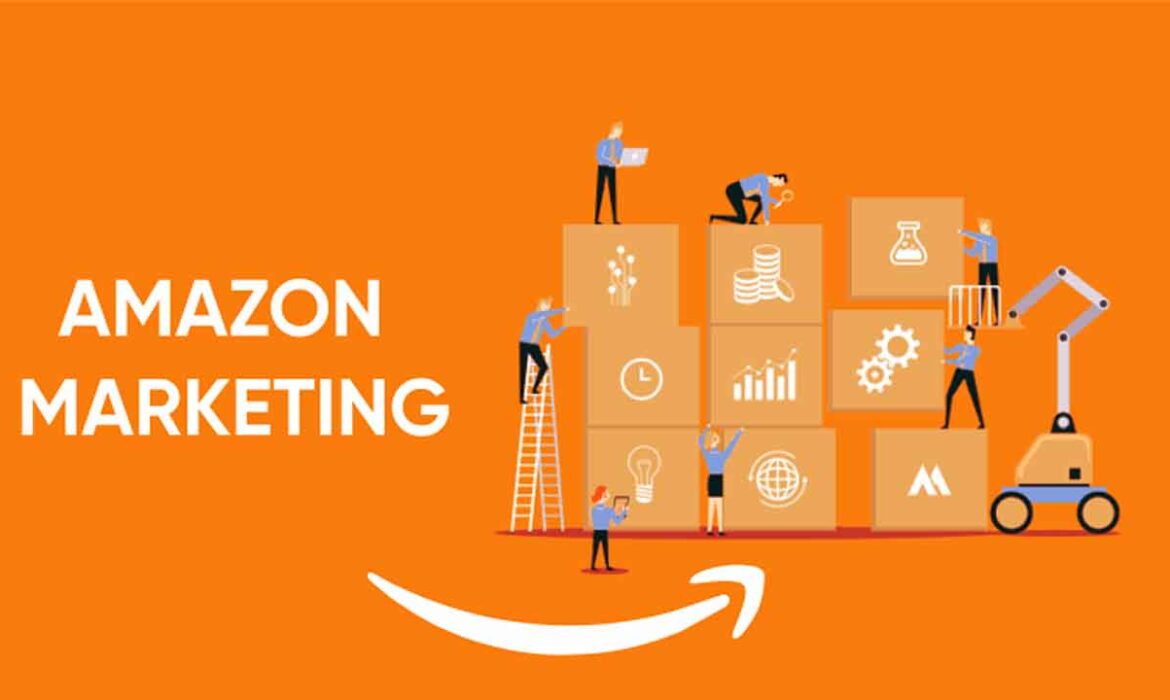
A Guide to Amazon Marketing in 2025
Many people assume that Amazon Marketing Services is about how to sell more products on Amazon. It’s not. Let me clear the air for you right now. You can use Amazon Marketing Services to increase your ranking, but you should also find new customers and grow your brand awareness.
I’ve learned from being an entrepreneur that marketing on amazon has countless possibilities if you think outside of the box.
When I started in business, I struggled with what type of marketing worked best because everything looked like “fluff.” The truth was, most companies didn’t have a clue what they were doing when it came down to strategic marketing tactics or branding strategies. They tried everything without any fundamental objective or planned outcome in mind.
To get started selling with Amazon Marketing Services
just follow these three easy steps:
- Set Up Your Account & Verify Your Identity – To begin using any of Amazon’s services, including Amazon Marketing Services, you’ll need to first sign up for an Amazon Associates account.
- Get Verified – It’s essential to understand how Amazon works with online retailers. They only offer their marketing service on amazon to businesses verified through them directly. If Amazon does not currently approve you, they won’t allow you to use their marketing tools until they receive your application and verify your business details. It’s that easy!
- Find The Right Products To Promote – Once you’ve set up an account and verified, it’s time to start looking for products under the “promote” section on Amazon. This feature typically only shows up for vendors who approve. Keep in mind that Amazon wants to do everything it can to provide you with the best opportunities to market its products as well as yours! That’s why it’s important not to spam them with random offers that aren’t relevant or helpful.
If you’re looking for a specific product, open up the “promote” section and enter keywords related to your business or niche into the search bar at the top of your screen. Once you’ve entered a keyword, you’ll be able to see all of the results currently being displayed on Amazon from there. Just click on any item which seems relevant and add it to your cart!
Once your new product adds, go back to the “promote” tab, and you’ll now see this product listed under the section titled “Your Promotions.” From here, you can decide how you’d like to advertise your new product. For example, if someone is searching for a particular term on Amazon, will your product appear in search results? If so, then it’s essential that you select “Product Display.”
Questions in your mind?
Which kind of advertisements should you run? How do you create an account? Should your marketing be manual or automated? So what were the best practices for Amazon advertising? If your eCommerce firm is prepared to start advertising on amazon but still needs assistance, you’ve come to the right place.
Amazon Marketing Services (AMS) seems to be a term that refers to a full-service amazon agency.
Since then, advertising with amazon services has seen significant modifications, including the termination of original Product Ads and Amazon Text Ads and the rebranding of eCommerce Ads as Product Display Ads.
What kind of advertisements are on Amazon?
Here are three distinct types of Amazon advertising
- Advertisements for Amazon-Sponsored Products
- Advertisements on Amazon’s Headline Search
- Advertisements for Amazon Products
Sponsored Products on Amazon
Sponsored Product advertisements are either automatic (content-based) or Manual (keyword-based). Also, targeted ads appear on the right rail and at the top/bottom of the SERP.
They are classified as middle-of-the-funnel advertisements since they appear on sites where the customer is likely considering several buying possibilities.
These advertisements are pretty popular since they are open to both vendors and 3P merchants. They’re straightforward to establish and often authorized within an hour.
Amazon Sponsored Product Requirements
Even though both 3P and Vendors may use Sponsored Products, this does not imply you can get started without meeting Amazon’s standards. Before you begin, the following items must be in place:
- An active professional selling account on Amazon.
- Possibility of shipping to any location in the United States.
Listings of products in any one of the categories provided. The products must be brand new. Sponsored Items are not available for used products.
The Buy Box is available for qualified listings. If you generate an advertisement for a product detail page, that is not acceptable for Buy Box. It will hide your advertisement from Amazon consumers. Ads that are not acceptable mark in Seller Central’s Campaign Director under the advertising on the amazon tab.
At the moment, Sponsored Products are accessible in the following countries:
- USA
- UK
- Canada
- Germany
- France
- Italy
- Spain
- China
As previously indicated, only items acceptable for the Buy box (non-used, adult, otherwise closed categories) are suitable to become Sponsored Products Ads.
Optional Targeting for Amazon Sponsored Items
When it comes to targeting Sponsored Products, you have two options: automatic vs. manual targeting. Additionally, you pick the latter–keyword choices.
Targeting: Automatic vs. Manual
When you choose automatic targeting, Amazon offers to advertise items inside an ad group algorithmically based on a mix of appropriate information and conversion history data.
If you choose manual targeting, you seem to authorize keyword selection. Many merchants will gather data from their automated efforts and then switch entirely to manual campaigns.
“A lot of people believe that investing in including both manual and automated campaigns is a waste of money, but it is not,” explains Leo, a Marketplace Channel Researcher at CPC Strategy. “Automatic Campaigns are indeed an invest in important data that may be used to create Manual Campaigns in the future.”
Keywords that match a phrase vs. those that match an exact phrase As with the Manual vs. Automatic debate, this is not an either/or situation. The most effective keyword strategies use both single- and multiple-term phrases. In this manner, you can expose your consumers to a greater variety of items.
How Much Do Product Sponsored Ads Cost?
Sponsored Product Ads need a minimum daily budget of $1, and you only pay when a consumer clicks on your ad. You should offer the highest price you prepare to spend for a click, which may differ from Amazon’s recommended bid.
Amazon Headline Search Ads Requirements
Headline Amazon Vendors are the only ones that may purchase Search Ads. These sorts of advertisements may direct visitors to:
- Stores on Amazon
- A unique URL
- A bestseller
Previously, we found the highest results from brand sites, which phase out in favor of Amazon Stores. However, these advertisements often target top-of-funnel searchers.
If you’re targeting lower-funnel queries–for example, prAna yoga pants–you might try directing visitors to a bespoke URL with three different styles of yoga pants or, indeed, a bestseller product. It makes it far simpler for customers to locate what they’re looking for than a brand website would.
Stores on Amazon
In a previous piece, we discussed some of the benefits of Amazon Stores. These include the following:
- Multi-Page Experience — it may utilize Amazon Stores with several pages (up to three layers deep) to exclusively promote your brand and items. Customize the experience to meet the demands of your brand.
- Store Creator – The easy shop builder enables you to quickly and easily develop attractive Amazon Stores. Simple-to-use templates offer to streamline the page creation process.
- Compatibility for Rich Media and Information — The ability to include rich media and information, including text and photographs, enhances the shopping experience.
Personalized URL
Three all your parent items should have their URLs–so make them nice ones! Develop a unique homepage by entering three or more ASINs separated by a “|” sign within the Amazon search field. Simply copy and paste the URL from either the search engine results to the relevant spot when designing your ad.
As previously said, this approach makes it very easy to match your items to consumer inquiries.
Page of the Best-Selling Products
It is indeed a landing page for the best-selling goods from your business. It is another top-of-the-funnel approach, but it instills more faith in those items by demonstrating that someone else has taken the risk and purchased them.
Amazon-Specific Headline Advertisements for Search
If you haven’t gathered by now, the basic rule for Headline Search Ads is to minimize friction for your buyers and provide them with the most relevant items.
As it is with Sponsored Product Ads, customers may use either the recommended or your keywords. However, there are certain restrictions on the terms used in Headline Search Ads than with Sponsored Product Ads.
While Sponsored Products are keyword-driven, they also use ad amazon to manage digital content to present an ad. The headline and body content of your advertisement should match the most important keywords for your product. It should result in enhanced relevance and a more fruitful click-through.
Because Headline Search Ads demand more imagination than other sorts of Amazon advertisements, they are certainly worth A/B testing.
You may modify the following:
- Headline
- Image
- The number of ASINs highlighted
- ASINs list in alphabetical order.
- Choosing an ASIN
- Select a customized landing page
How Much Does Amazon’s Headline Search Advertisement Cost?
You may create a current average budget (minimum $1.00) or a program budget (minimum $100.00).
According to Amazon, a “campaign budget” is “the entire amount of money you’re ready to spend on a single campaign,” and keep in mind that you’ll only charge for views on your advertisements, not impressions.
Keep in mind that the ACoS in Headline Search Ads seems to be usually somewhat higher than for other ad formats, but we feel immense amounts of organic sales offset this.
Advanced Strategy for Amazon Headline Search Ads
Requirements for Amazon Product Display Ads
As previously noted, it indeed offered product Display Ads solely to suppliers. They enable sellers to choose where their adverts should appear, whether on your product description page or on that of a rival.
These advertisements need less imagination than Headline Search Ads since they will fill the bulk of the ad with material from your listing.
Do You Still Need Amazon Marketing Assistance?
Amazon has continued to expand its marketing possibilities since its first rollout of advertising solutions. It began with Sponsored Products and quickly evolved to Sponsored Brands (previously Headline search advertisements).
Also, the Sponsored Display advertisements. Along with all the ad formats, the targeting choices within each ad type have increased in recent years. Numerous beta options are available throughout the campaigns. Thus, it is critical to grasp all of your possibilities when it comes to expanding on Amazon.
On a marketplace like Amazon, competition is intense. You may pay for several clicks on the majority of internet advertising sites. It provides you with fine-grained control over your advertising spending. Also, conversion rates are more significant due to the audience’s high purchase intent.
Second, Amazon began simplifying its advertising reports. They may not have been the optimal method for delving further into client search habits, but they are essential for determining what works and what does not.
Overall, Amazon’s marketing services conserve money and effort while achieving the desired level of brand awareness. The many advertising possibilities available via Amazon are marketing services.
Sponsored Products on Amazon
We know from our technology to process many Amazon advertising accounts at SellerApp that sponsored items are amongst the most successful methods to boost your Amazon sales. These are the most basic kind of advertisements offered to Amazon merchants.
Consider the following reasons why you might use Amazon-sponsored advertisements in business marketing efforts:
- They are present on almost every page of the purchasing experience, making them incredibly important to vendors.
- They often convert at a greater rate than other ad kinds.
- They are shown on Amazon’s SERPs (search engine results pages) and seem identical to organic results. As a result, buyers may readily locate these advertisements.
- Sponsored goods advertisements are very competitive. Take into consideration that they are only visible if you already have the Buy Box.
- It is the article to read if you want them to learn what it takes to succeed in the Buy Box.
Advertisements for Sponsored Brands
After doing a product search, the first thing a buyer sees is Amazon-sponsored brand advertisements. They aid in the discovery of your brand, its items, and your brand’s Amazon shop. Social media may help you reach new audiences, enhance product consideration, and raise brand exposure when utilized successfully.
Through Amazon-sponsored brand advertisements, you may showcase your business logo and unique headline, including up to three goods. All that is required is:
- A seller account that registers with the Amazon brand registration.
- A single Amazon shop
- Best-sellers
Why Should You Run Amazon-Sponsored Brand Advertisements?
Consider the number of active consumers and merchants on Amazon, and you’ll see the critical nature of branding. Additionally, you may generate traffic for your own business. It enables clients to get acquainted with your whole product line.
If your advertising appears at the top of search results and in other prominent locations, they increase your brand’s exposure. Increased exposure equals increased revenue!
Once you begin running sponsored brand advertising, review your keyword search report to see which keywords are not converting. Negatively target them and continue optimizing your advertisements.
Amazon Sponsored Advertisement
Amazon-sponsored display advertisements are CPC (cost-per-click). Also, the advertisements may be pretty beneficial for your remarketing efforts. Amazon enables you to show your advertisements to people who have browsed your items or products comparable to yours.
Sponsored display advertisements target viewers based on their buying habits using customer demographics.
The Benefits of Sponsored Display Advertisements
Sponsored display advertisements are advantageous if you wish to:
- Increase brand exposure among a specific audience shopping for items similar to yours.
- Increase awareness of freshly introduced items
- Increase your traffic by using your competitor’s listing.
Because sponsored display advertisements are not visible on the Amazon search engine results page, they often lower conversion rates. As a result, they are less competitive than Sponsored brands as well as Sponsored product advertisements.
If you want to understand more about the many sorts of Amazon ads and how they might benefit your customer journey, check out this page.
Why Should Your E-commerce Firm Use Amazon Marketing Services?
The primary purpose of an advertising campaign is to accomplish a set of objectives that will help your organization flourish. To do this, we often establish a few goals and a budget to ensure that our money and energy do not deplete. You may benefit from Amazon pay-per-click ads mainly in the following methods:
Develop pleasurable shopping experiences
With millions of competitors in the market on Amazon, you must differentiate your brand. Therefore, you must develop enjoyable shopping moments for your clients, but also Amazon marketing services can undoubtedly assist you in this endeavor!
Acquire information and enhance product listings
The excellent product listing converts at a greater rate. Increased sales result in improved reviews and ranking. Utilize your ad campaigns to identify high-converting keywords with a low ACoS (advertising cost per sale) and target them in business listings. Enhance your listings’ essential pillars — the product title, explanation, as well as questions and answers. It results in a devoted client base.
Provide convenience
Customers have very little control over the information you provide to them. Perhaps your primary selling point is the comfort you provide. Creating distinctive storefronts, landing sites, and simple return policies simplifies their lives. It significantly improves the shopping experience.
What You Should Know About Amazon’s Online Store?
Amazon Stores is also one of Amazon advertising’s most valuable services. With Amazon shops, you can create personalized landing pages. Simply locate the drag-drop tiles having preset designs and then use them appropriately.
All that is required is an Amazon seller central account that registers with the Amazon brand registration. Amazon agencies and sellers, on the other hand, have to have an advertising controller account. Once logged in, ‘Stores’ will appear in the top taskbar.
Having a store on Amazon enables buyers to find items and suggestions on the site. You may maintain an accessible URL and use advertising on and off Amazon to bring customers to your businesses. These efforts will help you advertise your business and swiftly raise your revenues. By delving into your store’s analytics, you can improve your advertising strategies.
Following Amazon’s approval of your application to start a shop, you must complete the processes outlined below:
- Create web pages using the pre-designed templates.
- Display your items with relevant material such as photographs, text, and videos.
- Submit your shop, and Amazon will examine it within 72 hours.
- Once your Amazon shop is up and running, Amazon will provide you with a unique URL to utilize in your marketing on amazon
The following stages will help you construct a comprehensive roadmap. There is a great deal to discover in the advertising environment, from targeting choices to personalized landing pages and more.
Consider this – releasing new items, managing inventory, fulfilling orders, and responding to consumer inquiries may all require a significant amount of your time.
Moreover, marketing on Amazon without prior expertise puts you in danger. Occasionally, it is both time and money-consuming. Therefore, do not allow this to occur. Concentrate on your primary business and leave the marketing to a professional like SellerApp.
How to change the phone number on amazon in 2025?
Amazon’s seller support staff assists sellers during the registration process and after being accepted as a vendor. It is not, however, restricted to this. Although some sellers market their stuff but utilize Amazon warehouses to have them packaged. Also sent to their clients, others sell and ship their products directly to customers.
Sellers may have difficulties carrying out these duties, and seller assistance assists them in whatever manner possible. To the degree that a seller seems to have a problem with a consumer, the team assists them in resolving the issue.
What Is The Phone Number For Amazon Seller Central?
Following a thorough investigation, we discovered that there is no specific phone number. Also connect to the hotline for contacting Amazon customer assistance that how to change the phone number on amazon, particularly for merchants. The only method to communicate with them is to go into your seller account and submit a contact request.
- If you are selling on Amazon in India and have questions concerning the seller account, you may contact Seller Support India.
- If you’re selling on Amazon Canada (amazon.ca) and have questions concerning your seller account, please reach out to customer service here.
- If you’re selling products on Amazon Australia (amazon.com.au) and have questions concerning your seller account. You may contact customer service here or sign in to get all the necessary information.
- If you’re a seller in the United Arab Emirates (amazon. ae) and have questions concerning your seller account. You may reach out to customer service here.
- If you’re a good seller of products in the Netherlands (amazon.nl) and have questions concerning your seller account. You may reach out to customer service here.
- If you’re a seller in Saudi Arabia (amazon. sa) and have any questions concerning your seller account. Also, users can reach out to customer service here.
Although we obtained the contact information from the company’s official website, it is possible that these numbers would not function at times.
The most effective method is to contact the support staff through Amazon Seller Central. To do just that, follow the steps outlined below:
Step 1: Click this link to login into the Amazon Seller Account.
Step 2: When contacting Amazon Shopping customer care, it is critical first to identify the nature of your issue. Generally, two alternatives will appear:
- It is the option to use if you have questions about selling as well as listing on Amazon.com.
- Advertisement & Retail – This is the option to use if you have questions about sponsored brand building, shops, or goods.
It would be best if you were explicit about the Seller Central problem that you are experiencing. Therefore, choose the appropriate choice.
Step 3: After selecting one of those other two alternatives. It will bring you to a particular website that includes a search option as well as a hyperlinked list of frequently asked questions.
Step 4: Browse the displayed questions and, if you see anything you wish to ask. You may immediately click to obtain the answers. If your query did not mention, put it into the seller support’s search field and hit enter.
Step 5: If your problem is still not shown in the search results. Choose the dropdown option labeled “Other account issues” on the left pane.
Step 6: After choosing the option mentioned above, a dropdown menu will be placed on the right pane. Also allows you to select the language you want to converse in. Select the appropriate language.
Step 7: At the bottom, you’ll find three options for contacting customer support: Email, Call, as well as Chat. Choose anybody you want.
Step 8: Whenever you select the Emails tab, you should provide the reason for your contact and briefly explain the problem you’re having. It will have sent the email to the user care staff, who responds around 24 hours or less.
Step 9: When you select the phone tab, you present the opportunity to speak directly with any Amazon colleagues. All you should do is choose a nation from the offered dropdown menu. Enter your telephone number. If you believe your situation deserves immediate attention. Also, tick the box that reads “this issue is critical and demands immediate action.” With this information, you must write a few paragraphs explaining the problem and click the “call me immediately” option.
Within a few minutes, a customer support staff member will contact you, and you may discuss your problem in-depth and get appropriate help.
Contact for Amazon Seller Support
Presenting them with many concerns creates confusion because they may be unable to provide the appropriate answer that how to change the phone number on amazon. Additionally, doing so may result in additional delays. Also, nothing may be resolved on time while your problem passes from one area to the next.
Additionally, there is a possibility that a few concerns may remain unresolved. Additionally, it is essential to keep in mind that Amazon has explicitly defined the algorithms that determine the kind of help you will get. It is contingent upon three factors:
- The nature of the problem you confront with
- How long have you had your problem or ticket open?
- How many replies have been received to your problem since opened it
Keep the following points in mind while speaking with the customer care team
- Before contacting Amazon seller customer support, ensure that you should have the following items on hand. However, they will be necessary when expressing your problems or issues.
- Maintain your seller account and billing information on hand in case the agent requests them.
- Before speaking with the agent, verify that your unresolved purchase is open on your computer screen. It mainly whether you are contacting to discuss an order or a disagreement with a client.
- Keep a notebook or a piece of paper and a pen available to write down any information the salesperson may provide. This information may be necessary to track down and fix the problem.
ADVANCED AMAZON SELLER ANALYTICS SOFTWARE
Keep the following points in mind while sending an email to that same seller’s customer service team. If you believe that articulating all of your concerns would assist the representative in addressing each one. Then an email is a preferable alternative to a phone conversation. Now, when drafting an email, keep the following recommendations in mind:
- Describe the situation as plainly as possible.
- Avoid deviating from the subject since writing about other topics will send your email to multiple departments.
- Be specific and include as much information as possible.
- Properly and rationally phrase your statements.
- If you have any concerns, address them in sequence and thoroughly explain each one.
- Offer your opinions of what may be causing the problem so they may get a sense of it.
SellerApp makes it simple to analyze the market, consumer dynamics, and product development to maintain a turbocharged model for Amazon sales.
How to change the phone number on my amazon account?
Mostly the question is how to change a phone number on your amazon account without logging in. You can contact Amazon without logging in to your account. You’ll reach their Contact Us form, where you can select the order issue you are having. The only piece of information they need is your order number.
They will ask for more information if they cannot find your order or track down an item that was not delivered or has been damaged or lost.
If you would like to contact them via email, the address is g-reply@amazon.com. Once again, they will ask for more information if they cannot find your order by looking at your email address. Even in cases where you have multiple orders with them under the same email address. Make sure when sending an email that you type in their email address correctly. One wrong letter and it will bounce back with a “No such user here” message. There may be a long wait before someone picks up; however, don’t let that discourage you.
Again, this will probably take a long time. You should also know that if you are contacting Amazon for an order issue (i.e., finding out how much longer it will be before your order ships), your order number is the only information they require. They’ll need more information for any other issues or questions. It is usually your name and email address, along with the nature of the problem or question.
How to change the phone number on an amazon order?
When you have a problem or a question that how to change the phone number on an amazon order so if you want to change your name in your Amazon account, the order will come to the right person.
It’s an effortless and straightforward step: go to the Amazon contact page. Select Order Number from the dropdown menu and click Submit button. It’s as easy as that! You can now see a form with two options: “Can’t access account” e “Other issue.” In both cases, you should write what you need – how to change a phone number on an amazon order/how to change my phone number on amazon. Check if this was helpful for you or not. Also how I can change a phone number on my amazon account if the order was placed by someone else? As you can see from this article, it’s how to change the phone number of an amazon account.
How to change the phone number on amazon shopping?
If you need to contact Amazon regarding how to change the phone number on amazon shopping, you can do so by email and phone. For any other issue or question, the information they require is your name and email address. Also along with the nature of the problem or question.
It’s effortless and straightforward: go to how to change the phone number on the Amazon order page, and enter your email address. It changes my phone number on the Amazon account (so it will come to the right person). Then select Order Number from the dropdown menu, and edit/change/update the phone number in your Amazon account. Also, change my email address on Amazon. Click Submit button.
How to recover a locked amazon account?

In shock! Amazon locked my account for no reason. I tried to log in, but it gave me a popup saying “for how long this account has been inactive,” and ‘inactivity’ = “not using your amazon account for 5 years.” How to recover a locked amazon account? What does not purchasing for five years have anything to do with being inactive?
After recycling numerous emails (Gmail, Yahoo, Hotmail), I finally found one that works. And it is not the email attached to the Amazon account you want to be unlocked. Here is how it goes:
- Go to https://www.facebook.com/help/contact/151679821208389
- Click on how to delete your account; you’ll come across how to recover your account.
- Follow the steps; at one point, it will ask you about an alternate email (not the primary one). Put the secondary email attached to the Amazon account you want unlocked and follow through.
- If done correctly, this should help unlock your account. I used Gmail as my secondary email. Hopefully, that helps! Good luck, everyone!
Final Thoughts:
If you’re reading this, it’s likely that you’ve gotten the answer to your question that how to change your phone number on amazon and need to update your Amazon account. As long as the new shipping address is in the same country as your old one (e.g., if you move from New York to California), we’ll show how easy it is for you to make these adjustments by following our step-by-step instructions below! On amazon.com, click on “Your Account” at the top right of any page and then select “Change Your Personal Information.” A pop-up box will ask about updating your name or phone number; follow along with those changes until they are complete. That should be all there is to do – so let us know.
Visit our website for more information about eCommerce Planners.
Does Amazon Deliver on Sunday in 2025? – Which Area or Country?
Millions of people enjoy buying from Amazon, and they do so at any time of day or night. Perhaps you’re reading this blog post using a smartphone in an internet cafe in China. The site you’re visiting might be running on Amazon Web Services (AWS). You could even be buying something later today. The answer to “does amazon deliver on Sunday” is yes.
The site delivers amazingly quickly to people worldwide, which has earned it many fans. On any given day, Amazon ships out millions of items. It is also offering access to over 200 million customers who generate billions of dollars in revenue.
However, this scary level of success means that Amazon can afford to offer its services virtually 24 hours a day, 7 days a week, including Sundays!
Here is all other countries’ amazon delivery information
Does Amazon deliver on Sunday UK?
Yes, they do! Even though you might think that Sunday should consider Saturday (i.e., not working). The reality is very different for companies like Amazon which operate on such a massive scale. It certainly doesn’t discriminate based on time zones either.

We all know that many people do, but it seems counter-productive. Just because you can get something delivered on a Sunday doesn’t mean you always should get something delivered on a Sunday. It just means that if you want something late Saturday night, then your order will reach your house in time for use!
Does Amazon deliver on Sunday in Canada?
Sort of it. Although, the company also offers its services on all days of the week. There are some notable exceptions that you should be aware of:
- Thanksgiving Day is one such holiday, and Easter Sunday is another.
- don’t forget about regular seasonal events like Black Friday and Cyber Monday:

Amazon’s not going to be available for those either!
Despite all this, remember that Amazon will happily ship out items seven days a week – including Sundays. It means that if you plan your purchases carefully. You’ll still get things delivered when you need them without worrying whether it’s a bank holiday or not.
If you’re in the UK and wondering, “Does next-day delivery works on a Sunday?” – The answer is yes! There are dozens of companies out there who offer so-called ‘next day delivery’ regardless of whether it’s a Saturday or a Tuesday. Services like this can be utterly invaluable for busy parents who need to get items at the last minute.
Does Amazon deliver on Sunday in Australia?

Yes, it does! As you can see from this article, amazon does indeed offer next-day delivery; and on Sundays too! That means that if you’re in Australia and looking for a way to get your hands on something as quickly as possible, then all you need to do is find an item that’s eligible for next-day delivery and order it before the deadline – usually around 5 p.m. Then, the following morning (if you’ve ordered using express shipping). Also, expect it to be delivered to your doorstep by 8 a.m. at the latest!
Does Amazon deliver on Sunday in Texas?

Yes, they do! As you’ve just read, Amazon operates on a massive global scale which means that it can afford to offer next-day shipping on Sundays. However, depending on where you live, you might be able to get same-day shipping instead – especially if you’re living in New York or San Francisco.
What days does amazon not deliver?
Amazon doesn’t deliver on bank holidays, and neither does it deliver on national holidays. It means that if your order is due to arrive at a time when Amazon itself is closed, then you’ll have to wait until the following business day.
When does amazon start delivering?
As we’ve just seen, Amazon operates 24 hours a day, seven days a week – even though it’s not always possible for all its products to dispatch on the same day. Of course, it means that what time Amazon starts delivering can vary from one hour to the next – depending on what sells and what warehouse it dispatches from it.
When do amazon packages arrive?
If you order something using free shipping, then what time does amazon packages arrive will depend entirely on where you live compared to the distribution center. Generally speaking, most things are delivered overnight, except those living in Alaska and Hawaii who may have to wait a little longer!
Does amazon deliver on Saturday?
Yes, Amazon does deliver on Saturday. But what time does amazon stop delivering? Although Amazon doesn’t offer a time for when it stops delivering.
There’s usually no reason why your package won’t be available whenever you want it if:
- you order using free shipping.
- you’re willing to wait until whatever warehouse is closest to your postcode.
Not only does Amazon offer books, gadgets, home products, and fresh foods, but it also offers a paid membership service called Amazon Prime, which organizations are involved with a slew of perks.
If you’ve ever shopped on Amazon, you’ve wondered about the availability of Sunday delivery. Is Amazon Prime available on Sundays? What I discovered regarding.
Amazon’s Sunday delivery services are as follows:

How does Amazon deliver on Sundays?
Amazon collaborates with a variety of delivery service providers, including the Postal Service, UPS, and independent couriers and carriers.
Not many of these carriers deliver on Sundays. Interestingly, UPS already doesn’t, but the company is exploring introducing the service; UPS currently offers Saturday delivery.
However, the USPS deliveries on Sunday for a select few clients, like Amazon, and some premium services, such as express Delivery Express. It implies that an Amazon shipment may be delivered by a postal worker on Sunday, even if standard mail service is unavailable.
Amazon’s free Prime subscription, which allows unlimited two-day shipping and other benefits such as music streaming, typically ensures delivery within two workdays; however, Sunday delivery is not assured. However, in rare instances, some goods may be dispatched on Sunday also with standard Prime guarantee in specific locations.
Utilization of Amazon Lockers

Does amazon ship on weekends?
If an item cannot deliver to home and you’re not at home, you may want an Amazon Locker instead pick it up at a nearby company, such as a supermarket or medicine shop. Amazon will inform you when your shipment comes and provide you with just one passcode to unlock the locker.
Generally, you may access items sent to the Amazon Locker until at least three days, including Sunday, if the business that houses the lockers is open.
Additionally, in some areas of the United States, you may retrieve your box from just an Amazon Locker. Also, these lockers are positioned in convenience shops and a few other conveniently accessible areas.
According to sources, asking for deliveries to a locker enhances your chances of obtaining your gift on a Sunday.
When you place an order for a locker delivery, customers will get a one-time code needed to unlock your locker. Amazon will notify you when your delivery delivers to the locker.
“Please remember that you must arrive while the store is still open when the safe situates inside a convenience shop.”
Additionally, based on my personal experience, if you request anything to deliver to a locker, do not forget about it.
Why Would You Want to Wait Another Day?
Many customers elect to have their items delivered on Sundays to allow them extra time to receive them throughout the day. In summary, it is feasible to get your item on a Sunday; however, there are some caveats.
If your shipment delivers a commercial courier company or an Amazon locker, your odds of getting it on a Sunday increase. Regarding a USPS, it’s better not to haggle over a Sunday delivery; who knows, so much relies on so many variables.
Utilize the app if you have placed an order on Amazon. They give complete tracking information for each of your purchases, and on the day of delivery, they also will tell you how many stops distant your item is!
In 2021, will the Amazon Prime service be on Sunday?
Seven days a week, also include Amazon delivers on Sunday to both Prime users and non-consumers. Sunday delivery is available in your world as long as every day delivery services are available. Would you want to learn further about Free Shipping delivery possibilities in your area?
On Sundays, what hour does Amazon Prime deliver?
The advantage of buying through Amazon Prime seems to be that you may receive Sunday delivery. Also mainly if you reside near a big metropolitan center. According to Amazon transportation drivers and the day’s delivery volume, Amazon Sunday deliveries may occur between 9:00 a.m. and 8:00 p.m.
When you have commitments on Sunday but still want to ensure you’re available for delivery, you may monitor your Amazon shipment using your purchase information.
Where Can Amazon Prime Members Get Sunday Delivery?
Amazon offers Sunday shipping to the majority of the continental United States. While certain isolated places may be unserviceable at the moment, Amazon typically has a shipping partner and carrier connection throughout the most significant US. Metropolitan areas.
Amazon’s logistical partners for Sunday delivery include UPS and USPS (United States Secret Service). Amazon forwards items to UPS and USPS, which then handles local delivery within a few yards of your front door.
Except for a few USPS Priority mail and packages, Amazon is now the only firm for UPS but also USPS delivers on Sunday. If you’re unsure if Sunday service seems to be available at your location, you may phone UPS/USPS and provide your address.
Sunday delivery is available on a variety of Amazon Prime goods across the United States. When purchasing on Amazon, consider the following categories: electronics, books, home items, office equipment, games, cosmetics, and food products.
How Do You Determine Which Prime Members Sunday Delivery Option to Use?
While surfing Amazon using your Prime account, remember that Sunday delivery will be available on all qualifying purchases. You may pick your chosen delivery date, which might be one, two, or three days, as well as expedited shipment.
If you do not see Sunday delivery or even other delivery alternatives, this indicates that this product is not available in your region. In such a case, you must choose an alternate delivery day and time.
Amazon Prime weekend delivery is not limited to residential or commercial deliveries. Whenever you utilize Amazon Locker self-service, your delivery may arrive on Sunday. While this is not a guarantee, the only way to be sure is to review the order information and try to emulate the tracking details.
Is Amazon Prime’s Sunday Delivery Free?
Amazon Prime members may qualify for free Sunday delivery, but it is dependent on when the purchase is placed. Additionally, you may choose one-day delivery when available or pay an additional fee for assured Saturday shipment beginning at $7.99 for every item.
Non-Prime members may be required to pay an additional fee for weekend delivery, depending on the specific seller. The easiest method to ensure a product delivers by Sunday is really to order early enough.
On the manufacturer’s website, you’ll find all available price and shipping choices, allowing you to make the best decision for your schedule. Amazon is regarded as the most trustworthy store for inexpensive Sunday delivery. Also, a Sunday delivery service is likely to grow via UPS and the USPS in the future years.
What about Self-Employed Couriers?
When Amazon anticipates an increase in traffic, they recruit its very own drivers as temp workers. These couriers also deliver on Sundays. However, their specific organization and routes are unknown. If you live close to an Amazon warehouse, this is a faster option to get your product. Naturally, this applies only to physically present commodities in the warehouse. It means that the items seem to be likely to be modest and controllable.
Amazon is well-versed in holiday delivery and recruits a large number of seasonal staff. As a result of this, ordering around the holidays increases your chances of receiving your product on time.
What Is the Status of Same-Day Deliveries?
Yes, if you choose for same-day delivery, your shipment will arrive on Sunday. It is nearly inevitable, but the service is often rather costly, and the cost climbs exponentially in proportion to the size of the object order.
Amazon Prime members may choose FREE same-day delivery in some areas of the nation. It is the true embodiment of the finest of both worlds. You’ll get your item including on Sunday and did not charge for delivery. The drawback, though, is that it applies to certain things, most of which are widespread household items, as well as Amazon-branded products.
Additionally, you may pick up Amazon parcels from their lockers in some areas of the United States. Amazon lockers locate around the nation, mostly in convenience shops and other public spaces.
You may want to have your delivery delivered to something like a locker rather than your home. According to some, this enhances the probability of receiving their product on time. When choosing your delivery method, pick the locker selection. Moreover, you’ll receive yet another code to unlock the locker supplied.
Conclusion
If you proceed to check out and find “Sunday” listed as a possibility under Review products and delivery, it is most certainly available in your location. However, if you cannot see it herein, it does not necessarily indicate that Sunday delivery is not available. Also, it could simply mean that the schedule is incorrect.
The only way to be confident that you reside in the correct region for Sunday delivery is to contact UPS or USPS immediately. They should determine if your home qualifies for Sunday delivery.
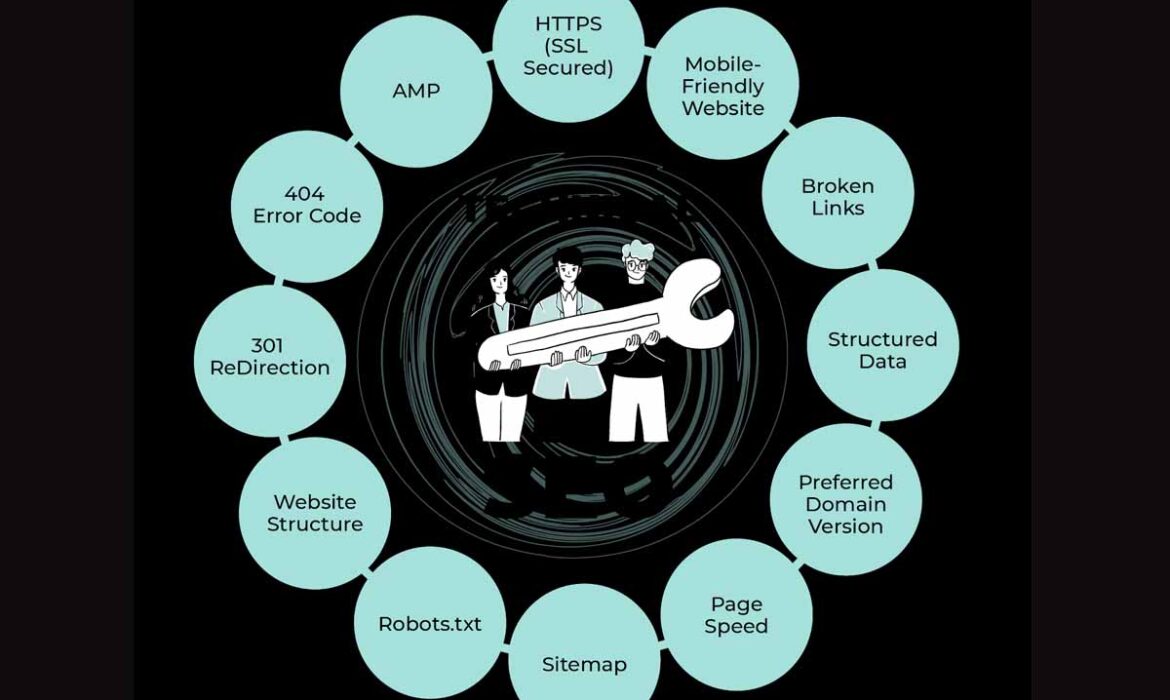
Top 10 Technical SEO Issues You Can’t Ignore in 2025
Your website is your online store. You expect visitors, clicks, and sales. You run ads, create content, and manage campaigns. Yet, your traffic drops, and conversions stay low. You start asking why search engines ignore you. The answer often hides in your website’s backend. The real cause lies in technical SEO. You can have perfect design, creative ads, and rich content. None of that will perform if your site faces hidden technical problems.
E-Commerce Planners understand the struggle. Many ecommerce brands and digital marketers fix content but overlook backend flaws. You need a strong technical framework to support your SEO campaigns and paid marketing. You can avoid common mistakes if you focus on the Top 10 Technical SEO Issues Every Website Must Fix. Each fix improves crawlability, speed, and trust. Your audience stays longer. Your sales rise.
What causes technical SEO issues?
You face issues when search engines can’t crawl or index pages properly. You lose trust when pages load slowly or show errors. You lose users when mobile visitors get poor designs. E-commerce platforms pay a high cost for neglecting technical SEO. Fixing them boosts SEO, enhances performance, improves conversions, and grows brand value.
Why do these issues matter for E-commerce & Growth Brands?
You sell online. You spend on Google Ads, Amazon Ads, and Social Media Ads. You invest in SEO & Content Marketing. You rely on Shopify Store Management or Amazon Account Management. If a site is slow, insecure, or has broken links, ads waste money, products do not show in search, and reviews don’t appear. Technical SEO issues hurt ad costs, damage brand trust and reduce organic traffic. Data shows that 70-80% of audited sites are missing alt attributes, have low page speed and broken links.

What are the Top 10 Technical SEO Issues & how do you fix them?
You must audit your site for each issue. You must act. Below are issues with detection methods and fixes. Use tools like Google Search Console, Screaming Frog, Ahrefs, SEMrush, and PageSpeed Insights to audit.
1. HTTPS / SSL & Mixed Content Issue
What it is: Your site uses HTTPS, but some assets (images, scripts, styles) load via HTTP.
Why it matters: Browsers may block or warn users. Search engines prefer fully secure sites. Mixed content reduces trust and ranking.
How to detect: Use the browser console to find mixed content warnings. Use automated scan tools. Search for HTTP links on HTTPS pages.
Fix it: Update all internal links to use HTTPS. Change HTTP URLs in CSS, JS and images. Check that the SSL certificate is valid. Redirect legacy HTTP traffic to HTTPS via 301 redirect.
2. Indexation & Crawlability Problems
What it is: Search engines can’t access important pages. Pages may be blocked in robots.txt or marked “noindex.”
Why it matters: If pages do not appear in the index, they bring no traffic. Wrong pages may appear instead.
How to detect: Check Google Search Console for crawl errors. Use site audit tools. Check sitemap.xml. Check robots.txt. Check meta robots tags.
Fix it: Allow bots via robots.txt. Remove unwanted noindex tags. Ensure the sitemap contains only 200 pages. Submit sitemap to Google Search Console. Use internal links to important pages.
3. Broken Pages & Errors (4xx / 5xx)
What it is: Pages return “404 Not Found” or “500 Internal Server Error”.
Why it matters: Broken pages reduce user experience. Search engines drop pages with many errors. You lose link equity.
How to detect: Crawl the site with audit tools. Check server logs. Search Console “coverage” report.
Fix it: Redirect broken pages with 301 redirects to the relevant page. Fix server issues causing 500 errors. Remove or update links to 404 pages. Use custom 404 pages to guide the user back.
4. Duplicate Content & Canonicalization Mistakes
What it is: Same or very similar content appears under multiple URLs. Canonical tags are misused or missing.
Why it matters: Search engines do not know which URL to rank. Link equity splits. Risk of penalties.
How to detect: Audit for duplicate title tags, duplicate body content. Use tools to compare URL variants (www vs non-www, trailing slash vs no slash). Check canonical tags.
Fix it: Choose one version of all URLs (www or non-www, HTTPS). Use rel=”canonical” tags properly. Use 301 redirects. Ensure canonical URLs point to live, valid pages.
5. Meta Robots & Robots.txt Misconfigurations
What it is: Robots.txt blocks content you want indexed. Meta robots tags set to noindex/nofollow by mistake.
Why it matters: Important content never reaches search results. Search engines may waste crawl budgets.
How to detect: Inspect robots.txt manually. Audit pages for meta robots tags. Use GSC page inspection.
Fix it: Adjust robots.txt to allow Googlebot. Remove noindex/nofollow from pages you want in search. Apply correct internal linking. Double-check the header vs HTML meta directives.
6. XML Sitemap Errors or Missing Sitemap
What it is: Sitemap has broken links, redirects, and missing pages. Or the sitemap doesn’t exist.
Why it matters: Search engines may not find pages. Crawl budget misused. SEO suffers.
How to detect: Access your sitemap. Check for non-200 URLs. See if the sitemap suits the site size.
Fix it: Include only live, indexable pages. Remove redirected or broken URLs. Split the large sitemap if needed. Use the sitemap index file for multiple sitemaps. Submit properly in Google Search Console.
7. Slow Page Speed & Core Web Vitals Failures
What it is: Slow page load times. Layout shifts. Poor interactivity.
Why it matters: Users leave slow sites. Google uses Core Web Vitals as ranking signals. Bad speed hurts organic and paid performance.
How to detect: Use PageSpeed Insights, Lighthouse. Check LCP (Largest Contentful Paint), FID (First Input Delay), and CLS (Cumulative Layout Shift).
Fix it: Compress images. Use lazy loading. Minify CSS and JS. Use proper caching. Host on fast servers or CDN. Use Shopify optimization, theme optimization, and speed audits from your web development service.
8. Mobile Usability & Mobile-First Indexing Problems
What it is: Poor mobile design. Missing content, navigation issues, and unresponsive elements.
Why it matters: Google uses mobile-first indexing. If the mobile site is bad, rankings suffer. Many users browse on mobile.
How to detect: Use Google’s Mobile-Friendly Test. Inspect the mobile usability report in Search Console. Compare mobile vs desktop content.
Fix it: Use a responsive design. Ensure touch targets are usable. Use readable fonts. Keep mobile content consistent.
9. Faulty Internal Linking & Orphan Pages
What it is: Important pages have no internal links (“orphan”). Links lead to redirects or broken pages.
Why it matters: Search engines must follow internal links to discover pages. Page authority is distributed via links. Orphan pages stay invisible.
How to detect: Crawl the site. Check link structure. Use tools to find pages with zero internal inlinks.
Fix it: Add internal links from relevant pages. Use logical site architecture. Fix redirects in links. Remove or redirect pages that do not get traffic or links.
10. Poor or Missing Structured Data (Schema), Alt Text, Markup Issues
What it is: Schema markup is missing or incorrect. Images lack alt text. HTML markup errors.
Why it matters: Rich snippets improve click-through rate. Accessibility suffers. Search engines may misinterpret content.
How to detect: Use Rich Results Test, Schema.org validators. Audit images for missing alt attributes. Check HTML for errors.
Fix it: Add relevant schema (products, reviews, FAQ) in JSON-LD format. Provide alt text for every image. Clean up HTML markup. Use valid tags.
What bonus technical issues deserve attention?
Sometimes issues beyond the top 10 still cost you. You should check:
- Redirect chains or loops
- URL structure problems (too many parameters, very long URLs)
- Pagination / infinite scroll handled improperly
- Excessive header tags or wrong HTML hierarchy
These often show in large e-commerce sites and affect crawl budget, ranking, and user experience.
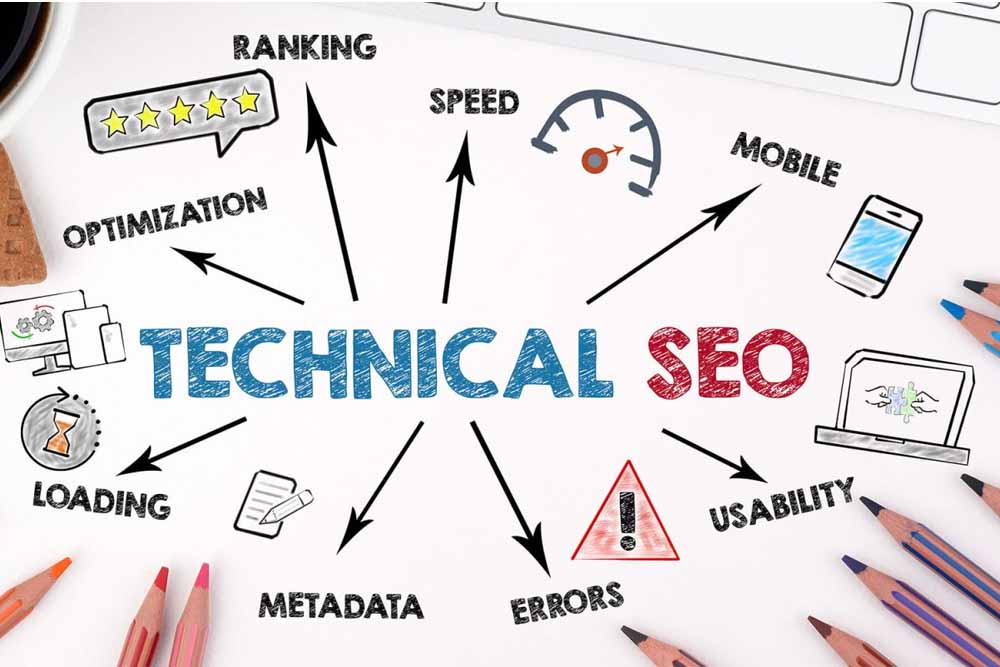
How you should prioritize & audit issues
You have limited resources. You need order. Follow this roadmap:
- Fix security & indexation issues first (HTTPS, robots.txt, noindex).
- Next, address speed and mobile usability.
- Then, broken links, duplicate content, and sitemap cleanup.
- Later, structured data and internal linking tweaks.
Use tools:
- Google Search Console
- Screaming Frog SEO Spider
- SEMrush / Ahrefs site audits
- PageSpeed Insights & Lighthouse
Build an audit checklist. Use your SEO & Content Marketing team together with Web Development & Shopify Store Management service or Amazon Account Management service.
Example: Before & After Snapshot
You run a Shopify store. You neglect page speed, mixed content, and orphan pages. Organic traffic flatlines. Ad spend per acquisition escalates.
You audit. You fix SSL, update mixed content, remove orphan pages, improve internal linking, and clean the sitemap.
Traffic rises by 30%. Ads’ cost per conversion drops 25%. Time on page improves. Bounce rate drops. ROI improves.
How do you maintain technical SEO
You cannot fix once and forget. Search engines update. Your site grows. You deploy new pages and features.
You should schedule audits every 2-3 months. You should monitor key metrics:
- Crawl errors
- Indexation status
- Core Web Vitals
- Mobile usability errors
You should tie technical checks into your Web Design & Development service workflows, Shopify Store Management processes, Amazon Private Label & Amazon Account Management audits.

People Also Ask For
How often should you run a technical SEO audit?
Every 2-3 months or after big site changes like redesign, platform migration, or major product line addition.
Can fixing all technical issues guarantee top rankings?
No. You need great content, a strong backlink profile, and user trust. Technical SEO builds the foundation.
What if you have thousands of product pages or a huge site?
You must prioritize low-value vs high-value pages. Use pagination, canonical tags, and indexation rules. Use tools to identify high-traffic pages first.
Key takeaways
You saw the Top 10 Technical SEO Issues that likely cost your site traffic and conversions. You understood detection and fixes. You got a roadmap for priority.
You must address these issues now. You must link your SEO & Content Marketing service, Web Design & Development service, Amazon Account Management, Shopify Store Management, and Amazon Private Label service to your technical SEO workflows.
Don’t leave hidden errors alive. Improve speed. Secure your site. Clean your sitemap. Optimize mobile. Use structured data. Fix internal linking. Doing all this boosts organic rankings and ad ROI.
Best SaaS SEO Agency | Expert B2B SaaS & Marketing Services
You need measurable growth in a competitive SaaS market. It is important to know that more than 68% of B2B buyers start their journey from search engines. Your visibility depends on how strong your SEO foundation is.
The best SaaS SEO agency helps you achieve stable search performance. You get strategies that attract qualified leads, reduce churn, and build authority. You can reach decision makers faster and build trust across digital channels.
The right team understands your SaaS sales funnel and aligns SEO with user intent. That is how consistent organic traffic converts into loyal subscribers.
What Does a SaaS SEO Agency Actually Do?
A SaaS SEO agency focuses on the SaaS model instead of generic B2B frameworks. It adapts each strategy around recurring revenue, demo conversions, and lifetime value.
You should know that an ordinary B2B SEO agency targets transactions. A B2B SaaS SEO agency works toward trial conversions and subscription growth.
Key activities include
- Deep keyword research based on SaaS intent
- Technical optimization for product pages
- Authority building through strategic content
- Data-driven reporting
Each action links to a measurable performance goal.
Why Do SaaS Businesses Need Specialized SEO?
You should realize that SaaS keywords are feature-centric. The buyer searches with intent like “project tracking SaaS tool” or “accounting automation software”.
Research suggests that SAAS companies that invest in organic SEOs get 2.5 times more traffic than companies only depending on ads. The competition demands accuracy, not generic tactics.
The special SEO ensures that your content corresponds to each step of the buyer. This also helps you maintain stable traffic when advertising is up.
A SaaS advertising enterprise handles each organic and paid techniques to ensure a constant flow of qualified leads.

Which Services Should You Expect from the Best SaaS SEO Agency?
You can expect a wide set of professional services when you hire a trusted agency like Ecommerce Planners. Each service focuses on improving your visibility and conversion rate.
Keyword Research for SaaS Intent
You should begin with keywords that show buying intent. The agency is studying the user patterns and competitive intervals to find the terms that provide value.
On-Page and Technical Optimization
You can expect page structure, metadata, and site indexing improvements. Your site speed and mobile optimization affect ranking, so every technical fix counts.
Content Strategy and Marketing
A strong SEO & Content plan creates authority. You get educational blogs, comparison of product and landing pages that increase the user time on the site.
You can combine that with Content Marketing to publish information-led guides that build trust among B2B audiences.
Link Building and Outreach
Authority is crucial in SaaS SEO. The agency secures high-quality backlinks from tech publishers and review platforms.
SaaS PPC and Paid Media
You may choose hybrid campaigns. A SaaS PPC organisation designs advertisements on Google Ads and Social Media Ads to boost visibility, whilst search engine optimization builds long-time period authority.
Conversion Optimization
You gain more from the same traffic through Conversion Optimization. The team tests CTAs, signup forms, and demo pages for better engagement.
How Can You Identify the Best SaaS SEO Agency in the USA?
You can follow clear checkpoints when choosing your SEO partner
- Proven SaaS case studies that reflect measurable ROI
- Dedicated SEO specialists who understand B2B SaaS metrics
- Transparent reporting and analytics dashboards
- Experience as both a SaaS marketing agency and a SaaS SEO consultant
- Customized approach instead of generic templates
Each factor ensures your agency understands your goals and industry depth. You can contact the team for further details about customized strategies.
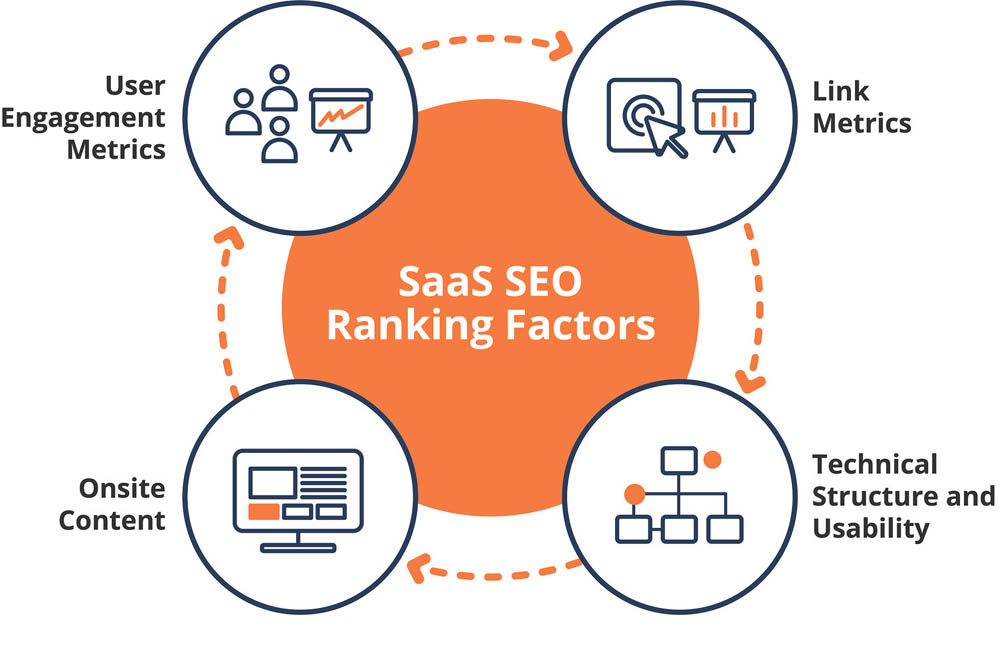
What Qualities Define a Reliable SaaS SEO Consultant?
You should look for technical precision and communication. A trusted SaaS SEO consultant helps you navigate analytics, keyword strategy, and sustainable growth planning.
Such an expert understands key SaaS metrics like CAC, LTV, MRR, and churn — and links them directly to your SEO performance. That connection proves the long-term financial value of organic visibility.
An expert representative updates you regularly and adapts to algorithm modifications right now.
How Does a B2B SaaS SEO Agency Improve Lead Generation?
You can increase your leads by using targeted long-tail keywords. Every optimized page attracts traffic with strong intent.
Practical methods include
- Publishing guides that explain SaaS benefits
- Creating FAQ sections for high-value queries
- Using internal linking between blogs and demo pages
- Tracking conversions through analytics
Each step helps you turn visitors into signups. Over time, that builds recurring revenue streams.
Why Should You Hire a Fintech SEO Agency for SaaS Products?
A Fintech SEO agency handles industries that demand trust and compliance. Fintech SaaS products face strict keyword policies and technical content barriers.
It is important to know that the right agency understands financial content and legal guidelines. It creates SEO plans that attract business clients without breaking compliance rules.
Fintech SaaS brands that use specialized SEO see up to 40% faster lead generation compared to generic campaigns.
Why Is Ecommerce Planners Considered a Top Rated SaaS SEO Agency?
E-commerce Planners stands among the top-performing digital agencies. You get complete digital growth support from one source. The agency is Top Rated and offers a Free Quote for new clients.
Key service areas include
- Google Ads and Amazon Ads for paid reach
- Social Media Ads for audience retargeting
- SEO & Content and Google SEO for organic traffic growth
- Amazon SEO and Content Marketing for authority building
- Conversion Optimization for higher engagement rates
- Design & Development and Graphic Design for creative brand assets
- Shopify Store Development and WordPress Design & Development for SaaS web presence
- E-commerce Services, Amazon Private Label, Amazon Account Management, and TikTok Shop for advanced scaling
Each service connects under a unified strategy that supports your SEO plan. You can contact the team for a custom proposal and audit details.
What Benefits Do You Get from Working with the Best SaaS SEO Agency?
You gain multiple advantages that extend beyond ranking
- Consistent organic lead flow
- Stronger online authority
- Better conversion rate
- Higher brand trust among B2B clients
- Transparent performance tracking
You should measure success through signups and revenue, not only traffic. The best SaaS SEO agency aligns metrics with ROI-focused growth.
How Can You Start Your SaaS SEO Campaign Effectively?
You can begin with a detailed audit. That report highlights technical gaps, keyword weaknesses, and link opportunities.
When the audit is completed, the agency creates a roadmap. Roadmaps define short -term goals and long -term milestones.
After implementation, continuous monitoring maintains ranking stability. You can combine SEO efforts with Google SEO, content marketing and conversion adjustment to maximize visibility.
Why Should You Act Now to Choose the Best SaaS SEO Agency?
You should act early in the growth cycle. The SaaS industry has already crossed $200 billion in global revenue, and new competitors appear daily.
Early SEO investment secures market position. It reduces dependence on paid ads. It also builds domain authority before competition becomes aggressive.
Delaying your SEO strategy can limit your traffic potential. You can book your consultation now to start building steady organic growth.
How Does the Best SaaS SEO Agency Combine SEO with Paid Marketing?
The ideal agency synchronizes both organic and paid campaigns. You get faster reach through ads and long-term strength through SEO.
An integrated plan includes
- Google Ads for immediate traffic
- SEO & Content for consistent ranking
- Social Media Ads for brand awareness
- Conversion Optimization for ROI tracking
Such a balance ensures your marketing budget delivers both short-term and long-term results.
Why Should You Trust Ecommerce Planners as Your SaaS SEO Partner?
You should choose an agency that values accountability. E-commerce Planners believe in transparency, communication, and measurable output.
The team specializes in multiple domains under one platform. You get support for SEO, PPC, and web development without hiring multiple vendors. That saves time and effort.
You can request a Free Quote today and discuss your SaaS goals directly with experts. Each campaign is customized to match your niche and audience scale.
What Are the Long-Term Results of SaaS SEO?
Long-term SEO creates compounding benefits. Each optimized page continues to generate leads even after campaigns end.
SaaS brands that maintain consistent SEO for 12 months gain
- 150% increase in organic impressions
- 90% higher keyword visibility
- 45% rise in demo conversions
It is crucial to stay consistent with updates and keyword refresh cycles. You can work with experts who handle that process without downtime.
Final Words
You should focus on strategic SEO rather than temporary visibility. The best SaaS SEO agency brings experience, precision, and measurable growth.
E-commerce Planners leads that category with advanced technical SEO, paid campaign support, and customized reporting. The agency remains Top Rated and offers a Free Quote to discuss your next strategy.
You can connect today to create a clear roadmap for your SaaS visibility, conversions, and revenue growth. A stronger search presence starts from one decision, and that decision begins with you.

Top B2B SEO Company to Boost Leads & Revenue
You want more leads. You want more visibility. You need results. Hiring a b2b seo company can make that happen. You will see better seek ratings, more potent logo presence, and more certified site visitors. Ecommerce Planners offers pinnacle-rated search engine optimization, PPC, web layout, and content material method. You can get a free quote for your plan.
What Is a B2B SEO Company and Why Does It Matter?
You must know what “b2b seo company” means. It refers to an agency that works with business-to-business brands. Such an agency optimises websites so that other businesses find them online first. It differs from B2C SEO.
You matter if you sell to other businesses. Buyers in B2B use research. They search with intent. They expect trust and authority. A good b2b seo company builds a keyword strategy, site structure, content, and links. They help you hook up with decision makers in your marketplace.
What Services Does a B2B SEO Company Offer?
You get many services when you partner with a reliable b2b seo company like Ecommerce Planners. Here are key services:
Technical SEO Optimization
- Site audit to find code troubles or pace issues.
- Mobile-pleasant design to serve users on telephones.
- SSL, dependent statistics, schema markup.
- Fix broken links and redundant code.
On-Page and Off-Page SEO
- Keyword research to target client rationale.
- Content method: weblog posts, case research, product/provider pages.
- Backlink building from industry sites.
- Internal linking among pages to boost relevance.
Local and International SEO
- Local SEO for regional businesses.
- Geo-targeted keywords.
- Local citations and Google My Business setup.
- International SEO when you sell across borders.
Conversion-Focused SEO Strategy
- Landing page optimization.
- Clear calls to action.
- UX design and content layout that guides leads.
- Tracking, analytics, and A/B trying out to enhance conversion fees.
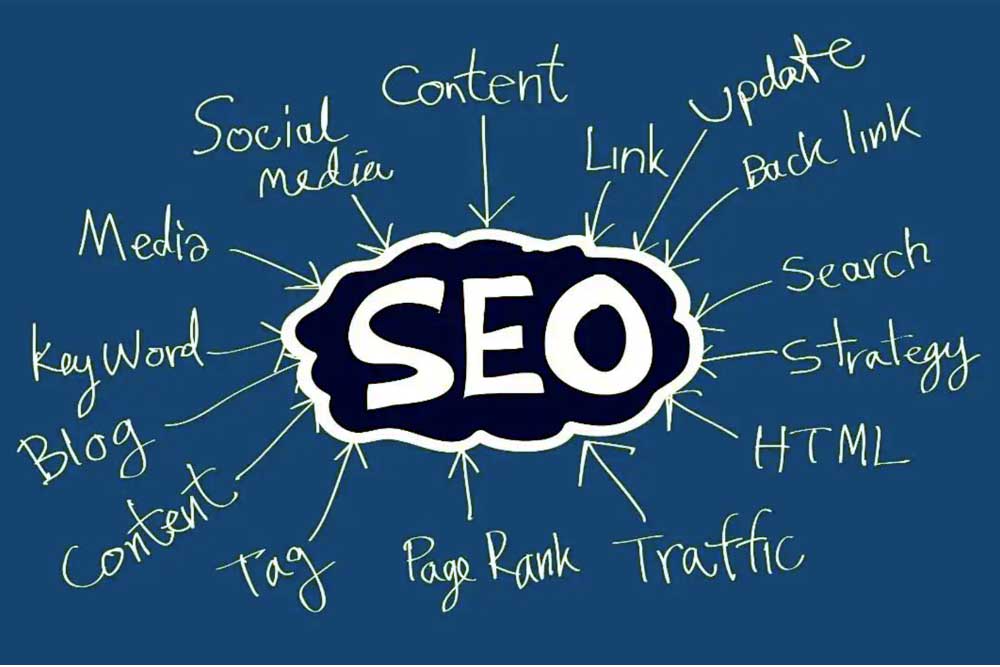
What Benefits Do You Gain with a B2B SEO Company?
You get tangible benefits when you hire a b2b seo company that knows your market. Here are the main gains:
- Higher quality leads. Businesses that already search are more likely to convert.
- Long-term growth. Organic traffic compounds over months.
- Better ROI. Less pay was wasted. Organic channels build value.
- Competitive edge. You outrank rivals, earn trust.
You deserve transparency. A top-rated agency offers reports. You should see your rankings, traffic, and leads grow. You should not be left guessing.
How Ecommerce Planners Stands Out as a Top B2B SEO Company
You want proof. See what makes Ecommerce Planners different.
Proven Track Record and Client Success
You examine case studies. You see customers in retail, healthcare, tech, and finance. You see metrics: site visitors boom, lead quantity uptick, revenue growth.
Expert SEO Specialists
You gain access to a team certified in Google Ads, Meta, technical SEO, and content marketing. You work with people who know how B2B buyer journeys work.
Customized SEO Strategies
You receive strategies tailored to your industry. You don’t get generic plans. You get services such as web design, content strategy, Amazon PPC, and SEO for marketplaces.
Transparent Reporting and Free Quote
You get monthly reports. You know what is done. You know what results arrived. You start with a free quote. You see cost, timeline, and deliverables clearly before investing.
How Does the Process Work with a B2B SEO Company?
You follow a clear path when you engage a b2b seo company like Ecommerce Planners. You know what to expect.
- Free Quote Request
- You fill out the form or contact. You describe your business and goals. You get a ballpark cost.
- Website Audit & Strategy Development
- You receive a site audit. You learn gaps. You get a keyword map, content plan, and link strategy.
- Implementation & Optimization
- You see on-page changes. You see technical fixes. You see content creation.
- Monitoring, Reporting & Scaling
- You review metrics regularly. You adjust strategy. You scale services together with paid ads, content, and search engine optimization in addition.
Which Common Mistakes Do Businesses Make Before Hiring a B2B SEO Company?
You avoid costly errors if you plan well. You must know what others did wrong.
- Choosing the lowest price without proof. You risk poor quality.
- Using generic content. You lose trust and ranking.
- Focusing only on traffic, not conversions. You waste your budget.
- Ignoring analytics or data. You can’t improve if you don’t measure.
Why Is B2B SEO Essential for Long-Term Success?
You want sustainability. You want your brand to last. You need long-term visibility.
Search engines reward consistent effort. Your content, links, and site quality earn trust. You build authority.
You benefit when search traffic grows over time. You pay once. You get value for many months.
How to Get Started with a Top-Rated B2B SEO Company Today?
You take action now. You improve your growth trajectory.
- Request a free quote from Ecommerce Planners.
- Ask for case studies and references.
- Set realistic timelines: SEO takes months.
What Results Should You Expect?
You wonder what comes next. You deserve clarity.
- Organic traffic should rise steadily.
- Keyword rankings improve for target terms.
- Leads increase.
- The bounce rate will go down.
- ROI from reduced PPC spend or better conversion.
Final Advice
You must view hiring a b2b seo company as an investment, not a cost. You gain visibility, credibility, leads, and revenue.
E-commerce Planners gives you the tools. You get top-rated SEO, PPC, content, and web design services. You get a free quote. You get growth. You just need to decide to begin.
Top-Rated Google Premier PPC Agency in USA
You run an eCommerce business. You want better ad performance. You want higher returns. You should consider a Google Premier PPC Agency. It brings expertise, tools, and status. It ensures your ad dollars work harder.
You will learn:
- What a Google Premier PPC Agency means
- Why you need it for your brand
- How a certified agency delivers better PPC, Google Ads, Display, Shopping, and YouTube services
- How to choose one that fits you
- How Ecommerce Planners serves as a top‐rated Premier PPC partner
What does “Google Premier PPC Agency” mean?
You expect more when you hire a Google Premier PPC Agency.
You get official recognition by Google under the Premier Partner program.
You see proof:
- Deep standard in Google Ads certification across staff
- Consistent performance across many client accounts
- Minimum ad spend thresholds met
- High conversion, low waste, strong ROAS
- Access to beta tools, exclusive training, and dedicated support from Google
Only about 3% of all Google Partners hold Premier status. That makes them elite in credibility.
Why should you choose a Google Premier PPC Agency for your business?
You invest in PPC. You want results. A Premier agency gives:
- Better performance, higher ROAS
- Lower cost per click and conversion through smart bidding tools
- Access to advanced ad formats and Google beta features
- Faster issue resolution, better acc ount support
- Credibility to show customers you work with experts
You compare having a regular agency vs a Premier PPC partner. The difference shows in numbers, strategy, and insight. Many case studies show ROAS improvements of 4-5×, or even more.
How do Ecommerce Planners stand out as a top-rated Google Premier PPC Agency?
You choose an agency. You want one you can trust. E-commerce Planners:
- Holds Google Premier Partner certification
- Offers services: Google Search Ads, Display & Remarketing, Shopping & YouTube Ads, campaign optimization, A/B testing
- Provides transparent reporting, real ranking data, and clear metrics
- Delivers tailored strategy based on your product, margin, and competition
- Gives you a free quote before you commit
You receive strategic insights from day one. You see what your budget buys. You see where ad spend improves your profits, not just sales.
What services do Google Premier PPC Agencies normally offer?
You need full PPC coverage. A Premier agency provides a range. Key services include:
Google Search Ads Management
You target high‐intent customers who search for your product or service. You get high CTR, relevant quality score, and optimized landing pages.
Display and Remarketing Campaigns
You reappear in front of users who visited your site. You remind them to come back. You use compelling creatives to boost conversions.
Shopping and YouTube Ads
You show your products visually. You reach customers via video or visual feeds. You use Google Merchant Center, video creatives, and product catalogs.
Campaign Optimization & A/B Testing
You test two versions of ads or landing pages. You use data to choose the winner. You refine bids, keywords, and ad copy continuously.
What benefits will you see once you work with a Google Premier PPC Agency?
You expect returns. Premier status delivers:
- Higher return on ad spend (ROAS)
- Lower cost per acquisition (CPA)
- Better conversion rate (CVR)
- Reliable tracking of sales and leads
- Scalable campaigns that you can trust
You examine evidence. A case from Inflow showed ROAS rose from ~5.6× to ~9.9× in six months.
Another case showed revenue growth of over 200% and a net profit rise when PPC was managed strategically.
What real results do case studies show?
You want proof. These cases show what a well-run Premier PPC strategy achieves.
Brand / CaseResult Highlights
Inflow’s eCommerce client (camera niche) ROAS jumped from 5.61× to 9.89× over six months.
Mercora Digital 4.5× ROAS, 120% growth in online revenue, 35% drop in cost per acquisition.
The case with Men’s Fashion Apparel Brand Transactions and revenue doubled after restructuring campaigns, remarketing, and better targeting.
You see consistent gains. You see lower costs. You see better profits.
How can you pick the right Google Premier PPC Agency for your brand?
You must evaluate carefully. Ask questions. Make comparisons. Key factors:
- Does the agency have Google Premier Partner certification?
- Do they have a proven track record in your niche (eCommerce, retail, consumer goods)?
- Will they provide clear reporting (metrics like ROAS, CPA, conversion rate)?
- Do they offer full services (search, display, shopping, video, remarketing)?
- Do they give you a free quote so you can compare cost vs expected returns?
You avoid surprises. You avoid overpay. You get what you need.

Why your brand should ask for a free quote today
You deserve to know what results you get before you pay. A free quote lets you:
- Understand cost structure
- See what strategy fits your product catalog and margin
- Plan the budget accordingly
- Compare agencies easily
You take a free quote from us (Ecommerce Planners). You get transparent service. You get top-rated Google Premier PPC Agency care. You decide without risk.
Final thoughts
You want ad spend to convert into profit. You want growth that scales. You want expertise rather than guesswork. You should partner with a Google Premier PPC Agency.
Ecommerce Planners offers full PPC services: Search Ads, Display & Remarketing, Shopping & YouTube Ads, and Campaign Optimization & A/B Testing. You get top-rated work. You get certified experts. You get a free quote before you commit.
You can measure better ROAS, higher sales, and lower waste. You can trust that your PPC budget works for growth. You can move from hoping for success to knowing success.

What Is OpenAI DevDay 2025 and Why Does It Matter for Developers?
You might have seen chatter about OpenAI DevDay 2025. You may wonder: “What did they announce?” and “What changes for me as a developer?” In this article, I guide you through the key reveals, the developer impact, and how e-commerce and marketing teams can benefit.
What is OpenAI DevDay 2025?
What does “DevDay” mean?
OpenAI holds DevDay as an event to show its direction and to speak directly to builders and developers. It is like a showcase and a roadmap.
You can see past DevDay events as turning points in OpenAI’s strategy.
What are the OpenAI DevDay 2025 dates?
OpenAI DevDay 2025 took place on October 6, 2025.
It was live-streamed and held in San Francisco (Fort Mason) for in-person attendees.
Who attends OpenAI DevDay 2025?
You, if you are a developer or technical founder.
Enterprises, AI researchers, startups, agencies, and product teams also join.
You’ll find those building apps, agents, APIs, and AI workflows.
How does the event run?
OpenAI divides the event into keynotes, demos, technical talks, and workshops.
Speakers walk you through new tools, capabilities, and use cases.
They release documentation, sample code, previews, and links to developer resources.

What were the Major Announcements at DevDay 2025?
OpenAI used the event to launch and upgrade major offerings. Below are the highlights.
What is AgentKit / Agent Builder / Agent Kit?
OpenAI rolled out AgentKit, a full suite for building, deploying, and optimizing agents.
AgentKit includes:
- Agent Builder: A visual canvas. You drag nodes, connect logic paths, and version your workflows.
- Connector Registry: A Central place to manage data and tool connections.
- ChatKit: Toolkit to embed chat or agent UIs inside your app.
- Evals & performance tools: You can test, measure, and optimize agents.
The goal: reduce friction in building intelligent agents. Before AgentKit, you had to piece together custom connectors, orchestrations, prompt tuning, and UI work. Now you have a unified suite.
What about apps in ChatGPT and the Apps SDK?
OpenAI lets you build apps that run inside ChatGPT.
Apps appear naturally in chat. You can call them by name or see them suggested in context.
Early partner apps include Booking.com, Canva, Coursera, Figma, Spotify, Zillow, and Expedia.
You get access to the Apps SDK (preview). It builds on the Model Context Protocol (MCP).
You define interface + logic + backend and connect to your data.
Later, OpenAI will open app submission and monetization.
What new models and APIs were revealed?
OpenAI introduced multiple upgrades in models and APIs.
Key ones:
- GPT-5 Pro: A powerful model for high-accuracy tasks.
- gpt-realtime-mini: A lightweight, low-latency voice model at lower cost.
- Sora 2: Next version of audio/video generation in API.
- Smaller models for images or audio with cheaper computers.
These upgrades allow more expressive, efficient, and multimodal experiences.
What else? Enterprise tools, pricing, and governance
OpenAI also announced updates for enterprise features and governance controls.
You now have admin controls, usage monitoring, and pricing tiers.
They showed how agencies or teams could manage and deploy agents across projects.
What about OpenAI & AMD?
OpenAI confirmed a strategic computer tie-up with AMD.
This means hardware alignment, access to chip resources, and cost efficiencies.
From your side, reliable infrastructure matters when your app or agent scales.
Why Does OpenAI DevDay 2025 Matter for You as a Developer?
You might ask: “Is this just hype?” No. The implications are real, especially now.
How does OpenAI shift from model provider to platform?
Before, OpenAI gave you APIs. Now, OpenAI gives you a platform: agents + apps + runtime inside ChatGPT.
You write less plumbing. You plug into OpenAI’s distribution network (800M+ users).
You will compete less on infrastructure and more on experience and domain knowledge.
How do these tools lower the barrier to building agents & apps?
AgentKit gives you a visual builder, versioning, connector setup, embed tools — fewer custom hacks.
Apps SDK gives you context, UI, and backend integration abstraction.
You skip much of the boilerplate. You focus on logic, domain, and data.
What about distribution, discovery & monetization?
Your app or agent can live inside ChatGPT. Users can discover it naturally in chats.
OpenAI plans an app directory where standout apps will get exposure.
Soon, you may monetize via checkout or in-chat purchases.
What is the competitive edge now?
You get to experiment early. By the time everyone else catches up, you might already have a polished agent or app.
You gather user feedback, data, and traction earlier.
You adapt to future standards and shift faster than competitors.
What about infrastructure and scaling?
Because of tools like AgentKit and optimized APIs, you can scale with fewer surprises.
You avoid redundant engineering. You focus on your domain logic rather than infrastructure.

How E-Commerce, Marketing & Digital Agencies Can Use DevDay 2025
You manage marketing funnels, e-commerce platforms, or client campaigns. You ask: “How do I use agents or apps to get conversions, automation, and personalization?”
How can e-commerce brands use agents?
Imagine a customer asks: “Which sneaker fits me best?” An agent can pull user data, preferences, inventory, and suggest models.
You use agents for upsell, cross-sell, cart recovery, or personalized offers.
Example: A brand builds a “styling agent” that queries inventory, user history, and external trend data to suggest outfit combos.
How to integrate apps/agents into marketing funnels
You embed an agent in your site or app using ChatKit.
You trigger the agent via campaign links or email CTAs.
You connect it to inventory, CRM, analytics, and payment systems.
Use cases: chat automation, dynamic offers, personalization
A chatbot that knows real inventory and shows photos
Offer generator that proposes discounts based on cart value
An agent that helps users complete multi-step flows (booking, registration)
Personalization engine that adapts messages mid-conversation
Risks, challenges & what you must watch
Data privacy and compliance (GDPR, CCPA)
Agent hallucinations or wrong suggestions
Cost control — you must monitor usage caps
Versioning — keep logic under control with AgentKit tools
User experience — don’t annoy users with persistent bots
What Does the OpenAI-AMD Move Mean?
You may ignore hardware issues as a developer. But here’s why AMD matters.
Why the OpenAI & AMD tie-up matters now
AI workloads require massive computation. Partnerships with AMD help secure supply, cost control, and optimized chips.
You benefit from cheaper, more scalable compute for your app’s backend or training.
It shows OpenAI is consolidating its infrastructure stack.
How it may affect your access and cost model
You may see lower API costs, more stable service, and improved throughput.
You may also see performance differences for heavy workloads (video, audio).
You can expect optimizations tailored for AMD architecture in future releases.
Competitive considerations with other chip/hardware players
OpenAI backing AMD may pressure Nvidia or other chip vendors.
You might see optimized ML libraries, inference performance tweaks, or hardware-specific hooks.
What Should You Do Next as a Developer?
You may feel overwhelmed. I will break down a roadmap for you.
What’s the rollout plan and timeline?
You already have preview access (Apps SDK, AgentKit, etc.).
Later in 2025, OpenAI will accept app submissions. OpenAI+1
Monetization features will follow.
More enterprise / global rollouts will come.
How to get early access and build proofs of concept
Start small. Pick a narrow use case.
Use AgentKit preview and Apps SDK.
Build an internal agent or client demo.
Iterate fast and collect feedback.
Tools, docs & resources to watch
OpenAI’s docs (Apps SDK, AgentKit, model API)
Developer forums and GitHub examples
OpenAI blog and community posts (live blogs from DevDay),
Suggested roadmap: toy → production
Stage 1: prototype a simple agent or chat app
Stage 2: integrate with real data (inventory, CRM, APIs)
Stage 3: embed in your site/app
Stage 4: user test & iterate
Stage 5: launch via ChatGPT directory or third-party channels
Frequently Asked Questions
What is the OpenAI agent kit vs the OpenAI agent builder?
AgentKit is the overall toolkit.
Agent Builder is a visual component inside AgentKit for workflow design.
Will this affect OpenAI stock?
OpenAI is not public, so there is no direct OpenAI stock.
However, tech markets will watch the performance of AI-adjacent stocks (e.g., chipmakers, cloud).
Partnerships like OpenAI-AMD may influence AMD’s performance in markets.
When do we learn all OpenAI DevDay 2025 dates officially, or see recorded content?
You already know the date (October 6).
OpenAI publishes recordings, blogs, and deep dives soon after.
You can check openai.com/devday for resources.
How is OpenAI DevDay 2025 different from “OpenAI Conference 2025”?
They are similar in spirit.
But DevDay is more developer-centric (tools, SDKs, APIs).
A conference could mean a broader audience (research, business, policy).
How can I migrate existing GPT apps to the new paradigm?
You map your logic to AgentKit workflows.
You refactor the UI using ChatKit.
You integrate via the Apps SDK to embed.
You test and deploy gradually.
Final Wording
You now have a clearer view of OpenAI DevDay 2025 and why it matters for developers, e-commerce brands, and agencies.
You saw how AgentKit, apps in ChatGPT, model upgrades, and the AMD partnership combine into a shift: from AI API to agent/app platform.
You learned how to use agents for personalization, chat, automation, and funnel integration.
You got guidance on what to do next: prototype, embed, submit, and build forward.
You have a head start. Use it. Build an agent. Link your data. Publish an app. Be ready when the rest of the world catches up.

