
White Label SEO for Agencies: Complete Guide
Running a digital agency in 2026 is not just about selling services anymore. It is about delivering them — consistently, at scale, without burning out your team or blowing your budget on hires who take months to get up to speed. SEO is where this pressure hits hardest. Clients want rankings. They want content. They want technical audits, link building, and local visibility — all of it, every month. For agencies that built their reputation on design, social, or paid ads, SEO fulfillment becomes a wall. You could hire specialists. But that takes time, money, and headcount that most agencies cannot justify on the timeline clients expect. White label SEO for agencies exists to solve exactly that. A white label SEO company handles the fulfillment. Your agency keeps the client relationship, the branding, and the margin. The work gets done by specialists. The results carry your name. At Ecommerce Planners, we’ve been the fulfillment team behind agency SEO campaigns since 2019 — home services, legal, healthcare, e-commerce, SaaS — all delivered under our partners’ brands. This guide covers everything — how it works, what to look for in a white label SEO provider, what mistakes to avoid, and how to choose the right partner for sustainable agency growth.
What Is White Label SEO for Agencies?
How White Label SEO Works
White label SEO for agencies is a fulfillment model where an SEO provider delivers SEO services under your agency’s brand. Your client never knows a third party is involved. Reports carry your logo. Communications come from your team. The SEO work — audits, content, link building, technical optimization — is handled by the white label SEO provider behind the scenes.
The agency sells the service. The white label company delivers it. The client gets results. The agency keeps the margin between what the client pays and what the fulfillment costs.
Difference Between White Label SEO and Traditional SEO
Traditional SEO is delivered directly by the SEO company to the end client. White label SEO flows through an intermediary — the agency — who presents the work as their own. The SEO strategy, execution, and reporting are identical. The difference is purely in the delivery and branding model.
Who Uses White Label SEO Services
SEO agencies that lack in-house SEO teams turn to white label SEO services to cover the gap. From web design firms to social media agencies, PPC specialists to PR firms, many agencies use white label reseller services to grow their service line without growing their workforce. Larger agencies use white label support too, usually to cover demand spikes their internal teams can’t absorb.

Why More Agencies Are Turning to White Label SEO Partners
Rising Client Demand for SEO
Every business client eventually asks about SEO. Organic search remains the highest-ROI digital channel for most industries and clients are aware of this. Agencies that don’t offer SEO are losing clients to agencies that do. White label SEO for agencies instantly closes that gap.
Hiring In-House SEO Teams Is Expensive
Hiring an in-house senior SEO specialist costs $60-100k a year. Add a content writer, technical SEO specialist and link builder and you’re looking at a huge payroll expense before launching the first client SEO campaign. For agencies trying to convert sales into active campaigns quickly, that speed difference is significant.
Faster Service Delivery
Building an internal SEO team from scratch takes six to twelve months of hiring, onboarding, and process development. A white label SEO provider can start delivering within days. For agencies trying to convert sales into active campaigns quickly, that speed difference is significant.
Access to Specialized SEO Experts
White label SEO companies concentrate expertise across technical SEO, local SEO, e-commerce SEO, content strategy, and link acquisition. Agencies get access to specialists across every discipline without having to find, hire, or retain each one independently.
Increased Agency Profit Margins
Agencies typically mark up white label SEO services by 30 to 100 percent depending on client relationship and market positioning. The margin on resold SEO is often higher than on services delivered internally because fulfillment costs are fixed and predictable.
Benefits of White Label SEO for Digital Marketing Agencies
Scale Without Hiring
White label SEO for agencies removes the hiring bottleneck from growth. Take on five new SEO clients without adding a single employee. The fulfillment scales because the white label provider handles the work volume.
Expand Service Offerings
Agencies that previously turned down SEO inquiries can now say yes to everyone. Outsource SEO services allow design-first or paid-media-first agencies to become full-service digital partners without restructuring their entire business.
Improve Client Retention
Clients who get SEO, paid ads, and web design from one agency stay longer. The more services a client receives from a single partner, the higher their switching cost. White label SEO directly improves agency retention rates by increasing the number of services in the client relationship.
Reduce Operational Costs
Outsourcing SEO fulfillment eliminates the cost of training, management, tools, benefits, and infrastructure associated with internal SEO teams. The agency pays for output — delivered campaigns — not for headcount.
Focus on Sales and Client Relationships
When fulfillment is handled externally, agency leadership and account managers can focus on what grows the business: selling, retaining, and expanding client relationships. The operational weight of delivery shifts to the white label SEO company.
Deliver Better SEO Results
White label SEO providers build their entire operation around SEO delivery. They invest in better tools, more experienced talent, and more refined processes than most agencies can justify internally. Clients often get better results through a white label model than they would from an average in-house agency SEO team.
Services Included in White Label SEO for Agencies
SEO Audits
Full technical and on-page audits uncovering ranking gaps, crawl issues, content gaps, and competitive gaps, presented as an agency-branded deliverable.
Keyword Research
Keyword research with intent mapping to uncover commercial, informational, and local opportunities per client service area and target demographic.
On-Page SEO
Title tag optimization, meta description optimization, header structure optimization, internal linking optimization, schema markup, and content optimization on all client pages.
Technical SEO
Core Web Vitals optimization, crawl optimization, mobile optimization, page speed optimization, indexation, and structured data.
Content Optimization
Updating existing content to match current keyword targeting, search intent, and EEAT, as well as generating new content to fill topical authority gaps.
Link Building
White hat link building via guest posts, editorial placements, digital PR, and local citation building. All links are relevant, authoritative, and naturally obtained.
Local SEO
Google Business profile optimization, local citation building, NAP management, local page development, and local pack ranking optimization for service-area businesses.
Ecommerce SEO
Product page optimization, category hierarchy, shopping feed alignment, schema markup for products, and conversion-focused SEO for e-commerce clients.
Monthly SEO Reporting
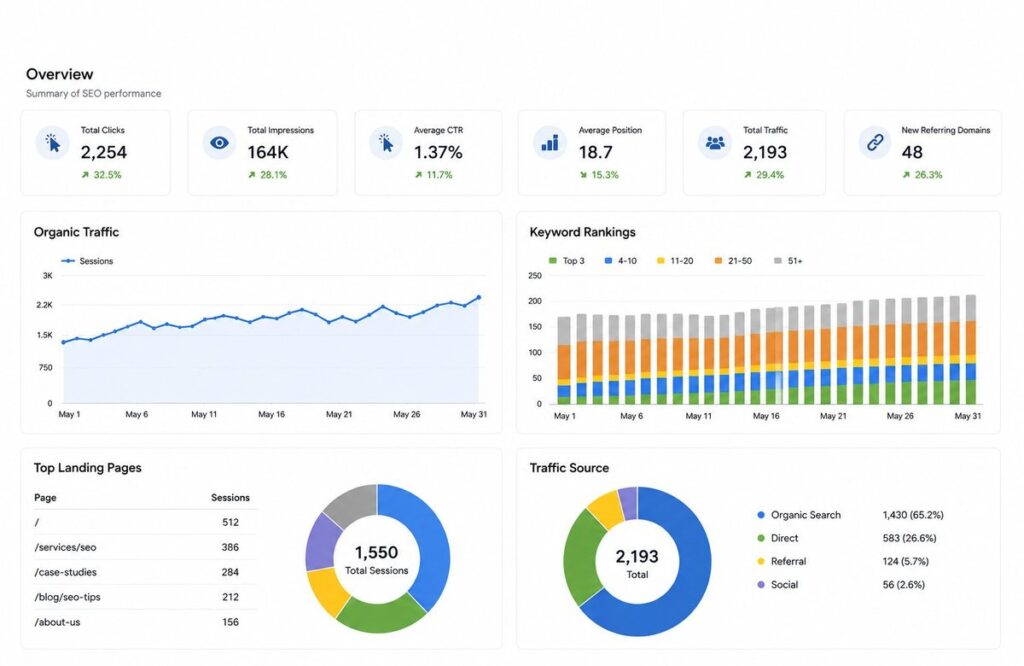
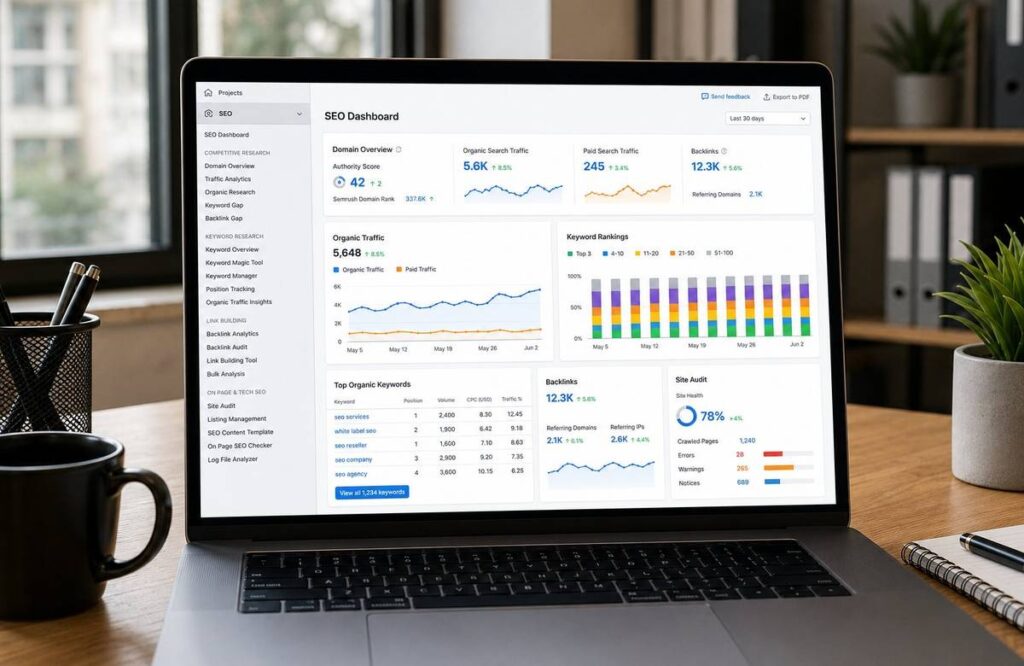
Branded monthly reports covering keyword rankings, organic traffic, backlink growth, technical health, and next-month priorities. All reports carry the agency brand.
How White Label SEO Helps Agencies Scale Faster
Taking on More Clients Without More Staff
The most direct scaling benefit of white label SEO for agencies is the ability to grow client count without growing headcount. Each new SEO client adds revenue without adding a proportional operations burden.
Handling Multiple Niches
A white label SEO partner with experience across healthcare, legal, home services, e-commerce, and SaaS allows agencies to say yes to clients across industries without needing niche-specific internal expertise.
Managing Large SEO Campaigns
Enterprise-level SEO campaigns need resources beyond the capacity of most agency teams. White label providers can run large-scale campaigns , hundreds of pages, complex technology structures, multi-location strategies , and preserve the agency’s delivery model.
Improving Client Satisfaction
Fast delivery, better results, and consistent reporting boost client satisfaction. Contented clients stay longer and bring referrals. White label SEO fulfillment directly boosts the metrics that generate agency revenue.
White Label SEO vs Building an In-House SEO Team
| Factor | White Label SEO vs In-House |
| Cost | Predictable fulfillment cost vs $200k+ annual team payroll |
| Expertise | Full specialist team vs generalist hires |
| Scalability | Scales instantly with client volume vs slow hiring cycles |
| Speed of Execution | Campaigns launch in days vs months of onboarding |
| ROI | Higher margin on resold services vs fixed overhead costs |
Cost Comparison
It costs much more to build an in house SEO team than to outsource – not to mention the costs associated with training, benefits, management and tool subscriptions. White label SEO outsourcing for agencies converts that fixed cost into a variable one tied directly to client revenue.
Expertise Comparison
White label SEO providers hire specialists — people whose entire role is technical SEO, or link building, or local SEO. Internal agency hires are usually generalists. The depth of expertise available through a specialist white label SEO company typically exceeds what most agencies can build internally.
Scalability Comparison
Adding clients with an internal team requires adding headcount. With white label SEO for agencies the fulfillment scales without the hiring process. New campaigns start faster because resources are immediately available.
Speed of Execution
A new internal hire takes weeks to onboard and months to reach full productivity. A white label SEO provider starts delivering within days of campaign setup. For agencies with active sales pipelines, that speed gap matters significantly.
Return on Investment
Agency profit margins on white label SEO services are typically higher than on internally delivered services because the fulfillment cost is lower and more predictable. The ROI comparison almost always favors the white label model for agencies scaling past their first few SEO clients.
How to Choose the Best White Label SEO Partner for Your Agency
Proven SEO Experience
Ask how many years have they been delivering SEO? What industries have they worked in? What types of campaigns have they managed? A white label provider with experience in several verticals, including home services, legal, healthcare and e-commerce can cover multiple client portfolios without requiring a niche-specific onboarding for each campaign.
Transparent Processes
The best white label SEO companies document their processes — how audits are conducted, how keywords are selected, how content is optimized, how links are acquired. Transparency in process is a proxy for consistency in delivery.
White Label Reporting
Reports must carry agency branding. Make sure they deliver 100% white labeled accounts or full monthly reports that look like your own. Review a sample report before you sign on.
Communication Standards
Understand how the provider communicates , which channels, how often, how quickly they respond when issues arise. SEO campaigns make questions flow from the client. SEO campaigns generate constant client questions, and your agency can’t answer them if the fulfillment partner is hard to reach.
Pricing Structure
SEO reseller services are usually priced on a monthly retainer or fixed project basis. Verify what’s included at each pricing tier, what extras will cost, and how the costs increase as you add more clients.
Case Studies and Results
Ask for documented case studies showing real results across campaigns comparable to your client base. Traffic growth, ranking improvements, lead volume increases — concrete evidence of performance from a white label SEO company matters more than claims.
Client Support
Check if you will have a dedicated account manager or go through a shared support structure. Agency clients do better with dedicated account management and quicker resolution of issues.
Common Challenges Agencies Face Without White Label SEO
Missed Deadlines
Internal teams stretched across too many deliverables miss SEO deadlines. Clients notice. Reports arrive late, campaigns stall, and client confidence erodes. White label SEO fulfillment removes internal resource constraints from the deadline equation.
Talent Shortages
The SEO talent market is competitive. Finding and retaining experienced SEO professionals is difficult for most agencies. Outsourcing SEO services eliminates the talent acquisition problem entirely.
High Payroll Costs
SEO specialists command competitive salaries. For agencies managing fewer than ten active SEO campaigns, the payroll cost of an internal team often exceeds the revenue those campaigns generate. White label SEO for agencies makes the economics work at any client volume.
Client Churn
Agencies that cannot deliver SEO results lose clients. Agencies whose clients see stalled rankings or traffic drops rarely keep those accounts for long. Clients retain SEO fulfillment teams that consistently deliver outstanding and managed SEO results.
Limited Service Capacity
Without white label SEO, agencies turn down SEO opportunities or underpromise to manage workload. Both outcomes limit revenue. With white label SEO reseller services the agency can confidently accept new SEO clients regardless of current internal capacity.
What to Expect From a Professional White Label SEO Provider
Dedicated Account Management
A professional white label SEO company assigns a dedicated account manager to each agency partner. That person understands the agency’s clients, knows campaign history, and provides proactive updates without needing to be asked.
Monthly Performance Reporting
Branded, turn-of-the-month reporting on keyword rankings, organic traffic, backlink growth, technical score, and campaign priorities for the next month. The agency presents these reports to clients as their own.
SEO Strategy Development
A reliable white label SEO provider develops campaign strategies specific to each client’s industry, competitive landscape, and business goals — not generic templates applied uniformly across all campaigns.
Content Recommendations
Monthly content direction covering topic gaps, content refresh priorities, and new page opportunities identified through keyword research and competitive analysis. Some providers include content creation as part of the fulfillment package.
Ongoing Campaign Optimization
SEO is not a set-it-and-forget-it service. Expect regular adjustments as rankings evolve, as new alerts arise, competitors come online, and the client’s business evolves. That ongoing optimization is what separates a real white label SEO partner from a one-off deliverable shop.
White Label SEO Pricing for Agencies
Factors That Affect Pricing
White label SEO pricing varies based on the number of target keywords, the competitiveness of the industry, the scope of services included, the number of client locations, and whether content creation is part of the package. More competitive markets require more investment in link building and content which increases fulfillment cost.
Monthly SEO Packages
Most white label SEO providers offer tiered monthly packages covering a defined set of deliverables — audits, on-page work, link building, reporting. Agencies resell these packages at a markup appropriate to their market positioning and client budget.
Project-Based SEO Services
Some agencies prefer project-based pricing for specific deliverables — a technical audit, a content optimization project, or a local SEO setup. Project pricing works well for one-time client needs or campaign foundations before moving to ongoing retainers.
Understanding Agency Profit Margins
The margin opportunity in white label SEO for agencies comes from the difference between fulfillment cost and client billing rate. Agencies that price strategically and deliver consistent results can build high-margin recurring revenue from SEO services even at modest client billing rates.
Why Ecommerce Planners Is a Trusted White Label SEO Partner for Agencies
Since 2019 Ecommerce Planners has been the white label SEO company that agencies count on when they need expert fulfillment, transparent reporting, and results that leave clients wanting to renew. From agencies here in the US to agencies abroad, we’ve been building SEO campaigns for clients in home services, legal, healthcare, e-commerce, SaaS & many more.
Experienced SEO Specialists
Our team consists of technical SEO, content strategists, local SEO, and link acquisition professionals. We never assign generalists to specialist tasks. When your agency clients need local pack rankings, they get someone who works exclusively on local SEO. When they need technical crawl fixes, they get a technical specialist.
Proven Agency Growth Strategies
We understand agency economics. Our fulfillment model is designed to protect agency margins, support agency positioning, and produce the kind of client results that turn SEO campaigns into long-term retainers. Our SEO services and local SEO services are built specifically for agency resale.
Transparent Reporting
Every agency partner receives fully branded monthly reports delivered on a consistent schedule. Rankings, traffic, backlinks, technical health, and campaign priorities — all presented in your agency’s branding, ready to send directly to your clients.
Scalable Fulfillment Process
Whether your agency has two active SEO clients or twenty, our fulfillment process scales without service quality degradation. We build campaign workflows that accommodate growth at the agency level without requiring you to rebuild how delivery works every time you add a new client.
Long-Term Partnership Approach
We do not work with agencies for a single campaign. We build ongoing fulfillment relationships that grow alongside your agency. Our Google Ads management services and Digital marketing services give agency partners a broader fulfillment menu to offer clients without adding delivery complexity internally.
Ready to explore white label SEO for your agency? Contact Ecommerce Planners today for a fulfillment consultation and let us show you exactly how our model works for agencies at your stage of growth.

Industries That Benefit Most From White Label SEO
Home Services
HVAC, plumbing, roofing, electrical, and landscaping businesses depend on local search visibility for consistent lead generation. Local SEO and Google Business Profile optimization through a white label SEO provider produces measurable lead volume improvements for these clients.
Healthcare
Medical practices, dental offices, and healthcare clinics compete intensely for local search visibility. EEAT requirements in healthcare make expert SEO fulfillment especially valuable — and especially important to get right.
Legal Services
Personal injury, family law, and estate planning attorneys are heavy investors in search engine optimization. Though the keywords are high-value, they also are very competitive, so the link building and content creation that can improve such rankings are consistent sources of business for white label SEO providers.
Ecommerce
Product page optimization, category SEO, shopping feed alignment, and e-commerce link building require specialized knowledge that few agency teams develop internally. White label SEO for agencies with e-commerce clients fills this gap directly. Our ecommerce SEO services are built around exactly these deliverables.
Construction
Local and regional SEO strategies that enable general contractors, remodeling companies, and specialty trade businesses to capture project inquiries are a keystone value proposition of many white label SEO fulfillment providers. Successful white label SEO again requires experience with high-ticket service keyword targeting.
Real Estate
Real estate agencies and individual agents use SEO to capture buyer and seller lead searches. Location-specific content, neighborhood pages, and Google Business optimization are core deliverables in this category.
SaaS Companies
Software companies use SEO for product-led growth — driving trial signups, demo requests, and free tier conversions through organic search. This category requires technical SEO combined with sophisticated content strategy that white label SEO providers with SaaS experience deliver well.
Future of White Label SEO for Agencies
AI and Search Evolution
AI-generated search summaries are changing how results appear and how content gets discovered. White label SEO providers that understand AI Overview optimization and adapt content strategies accordingly will give agency clients a competitive edge as search behavior shifts.
EEAT Requirements
Google’s emphasis on Experience, Expertise, Authoritativeness, and Trustworthiness continues to grow. White label SEO for agencies in regulated industries — healthcare, legal, financial — requires fulfillment partners that understand and apply EEAT signals correctly across content and linking strategies.
Content Quality Expectations
Search engines are increasingly effective at distinguishing genuinely helpful content from thin or AI-generated content. White label SEO providers that invest in expert content creation will consistently outperform those relying on volume-based content approaches.
Local Search Growth
Local search volume continues to grow as mobile-first behavior becomes the norm. Agencies serving local businesses need white label SEO partners with strong local SEO capabilities — GBP management, local pack optimization, and citation management — as core competencies.
Data-Driven SEO Strategies
First-party data, behavioral signals, and conversion tracking are increasingly influencing SEO strategy decisions. White label SEO providers that integrate conversion data into campaign optimization — not just rankings data — will produce better business outcomes for agency clients.

Scale Your Agency With the Right White Label SEO Partner
White label SEO for agencies is not a shortcut. It is the smarter way to grow.
Agencies that try to build internal SEO teams too quickly burn cash on hires before they have the client volume to justify the cost. Agencies that avoid SEO entirely lose clients to competitors who offer it. The white label SEO model resolves both problems — you deliver expert SEO, your clients get real results, and your margins stay intact.
The key is choosing the right white label SEO company. One with proven experience in your client industries. One with transparent processes, consistent reporting, and dedicated account management. One that treats your agency as a long-term partner rather than a reseller account.
Ecommerce Planners has been that partner for agencies since 2019. We handle the fulfillment. You handle the growth.
Look at your current SEO capacity honestly. How many SEO clients could you take on right now without compromising delivery? If the answer is not enough, white label SEO fulfillment is exactly what your agency needs next.
Contact Ecommerce Planners today to discuss white label SEO fulfillment for your agency and find out what scaling your SEO services actually looks like.
85% of digital marketing agencies now leverage white label services to stay competitive — with agencies partnering with specialized white label SEO providers reporting 25% lower client churn compared to those managing SEO services internally.
Source: Moz
FAQs
Is white label SEO profitable?
Yes. Agencies mark up white label SEO services 30 to 100 percent. Because fulfillment costs are fixed and known, gross margins on services that are resold through white label SEO are often higher than them being performed in-house. The more clients, the more profitable it can be because the cost of fulfillment doesn’t increase.
How do agencies earn money with white label SEO?
The difference between what is charged to the client and what is paid for white label SEO fulfillment is the source of profit. If an agency charges a client $1,500 a month for SEO work and pays $700 for white label SEO fulfillment, then it’s earning $800 of gross margin a month per client.
Can white label SEO increase client retention?
Yes, directly. When a client gets SEO along with other services from the same agency, their switching cost goes up — so they stay longer. Agencies that deliver SEO well end up with stickier clients than agencies offering only design or paid media..
How do I pick a white label SEO provider?
Pick a company with proven experience in your client industries, transparency in processes, quality of branded reporting, communication standards, and posted case study results. Ask for sample reports and an agency partner reference before engaging any white label SEO company.
Is white label SEO better than hiring in-house?
For most agencies with now fewer than fifteen active SEO campaigns, white label SEO for agencies is more effective than in-house. Fulfillment cost is less, expertise is deeper, and scale is faster. Agencies managing twenty or more active campaigns may make sense with a hybrid model.
Can agencies rebrand SEO reports?
Absolutely. Reputable white label SEO providers build their reporting around agency branding. Your logo, your colors, your contact details — the end client receives the report as your agency’s own work, with no mention of the fulfillment partner anywhere in the deliverable.
What industries benefit most from white label SEO?
Home services, health care, legal, e-commerce, construction, real-estate and SaaS are home to the biggest clients of agencies and agencies in these industries see the most amount of ROI from white label SEO fulfillment. This is because SEO is a primary or significant channel for lead generation for companies in these industries.
Grow Faster With a Google Local Service Ads Agency
Most local service businesses are leaving money on the table. Not because they are not advertising — because they are advertising the wrong way. Google Local Service Ads are one of the most powerful tools available for local businesses right now. They sit at the top of everything else in search results, they’re paid for per lead, not per click, and they have the Google Guaranteed badge that instantly builds trust with potential customers.
But running them well is not simple. Profile setup, verification, budget management, lead response, review generation, dispute management, and service area targeting — each one affects ranking, and each one requires ongoing attention. Businesses that manage LSAs without expertise typically overspend, miss valid leads, and rank lower than competitors with properly optimized profiles.
That is exactly why a Google Local Service Ads agency exists. To manage the complexity, optimize performance, and ensure every dollar going into LSA campaigns is working toward qualified leads and real business growth.
At Ecommerce Planners, we are the best at Google Local Service Ads management for local businesses across dozens of industries. Since 2019, we have helped HVAC companies, plumbers, roofers, electricians, law firms, and more dominate their local markets through expert LSA management. This guide explains what a Google Local Service Ads agency does, how LSAs work, what mistakes to avoid, and how to choose the right agency partner for your business.
What Is a Google Local Service Ads Agency?
Understanding Google Local Service Ads
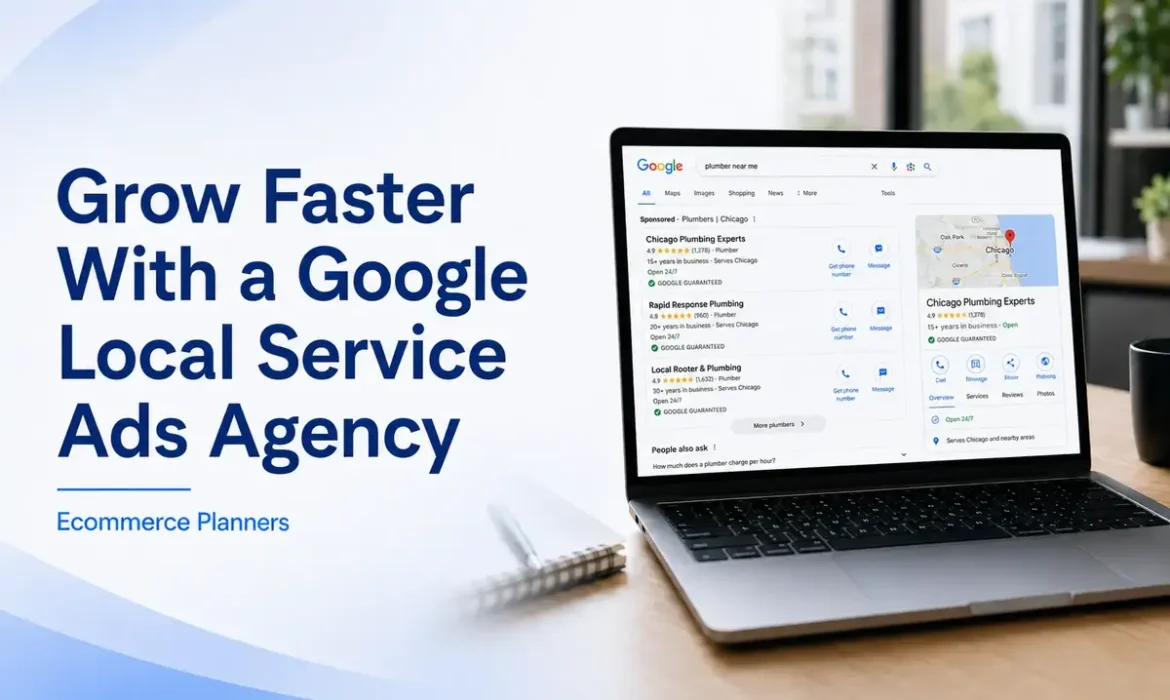
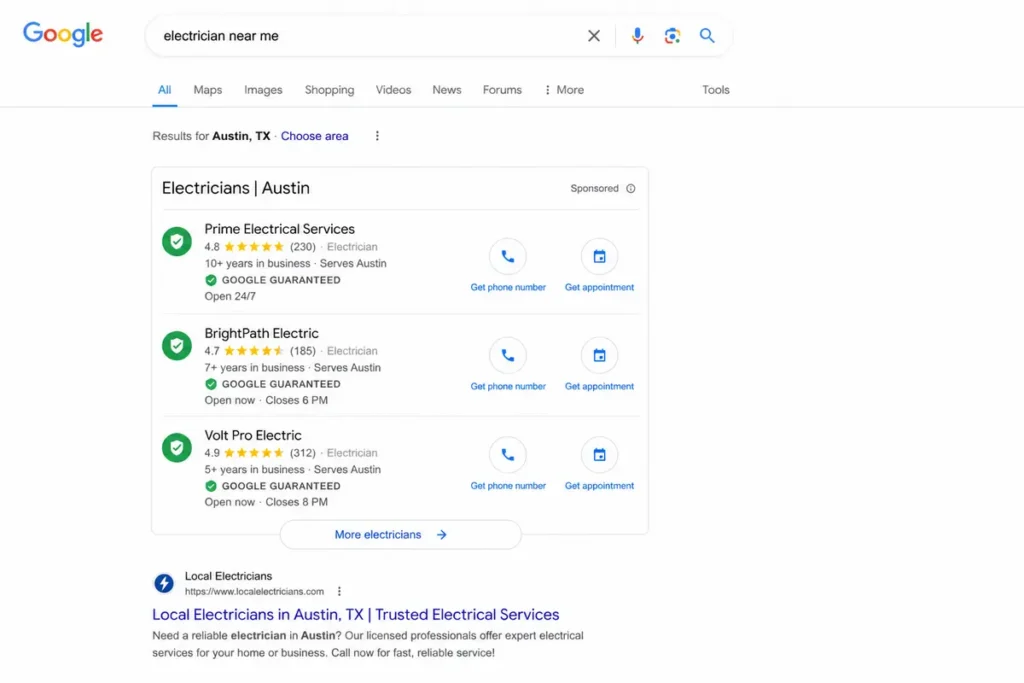
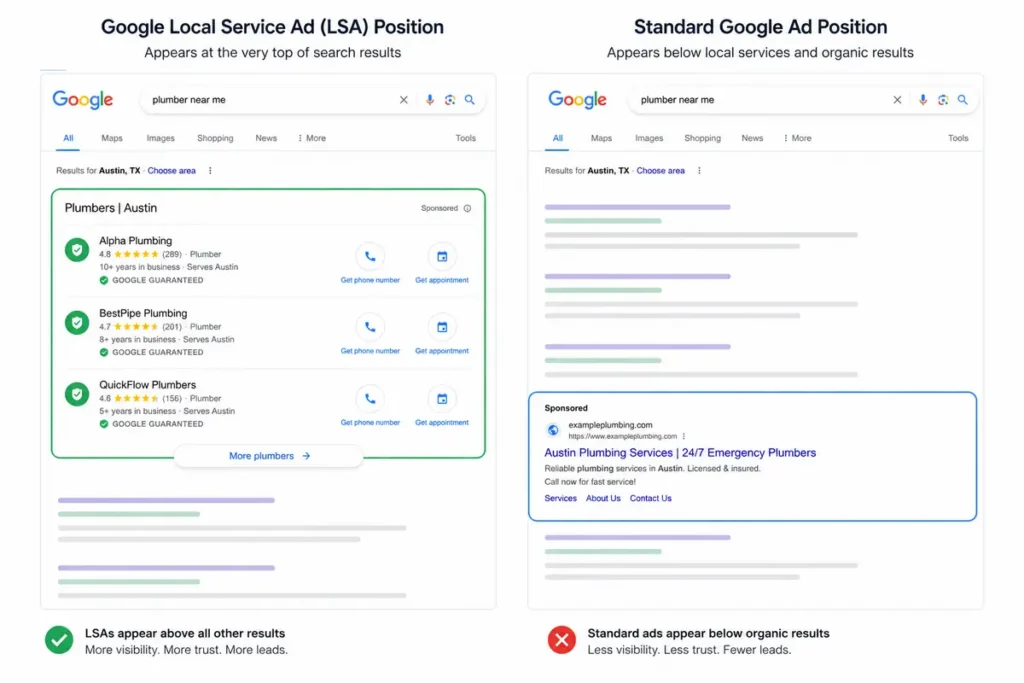
Google Local Service Ads appear at the very top of Google search results — above standard paid ads and organic listings — for local service searches. They show business name, rating, years in business, and a direct call button. The Google Guaranteed badge on approved profiles signals that the business has passed Google’s verification process. Unlike standard Google Ads that charge per click, LSAs charge per lead — a call, message, or booking directly through the ad.
Google says Local Services Ads help businesses get prime placement for local searches and only pay when potential customers contact them through the ad.
What a Local Service Ads Agency Does
A local service ads agency manages the full lifecycle of an LSA campaign — profile setup, verification support, budget configuration, service area targeting, lead tracking, review generation, dispute management, and monthly reporting. The goal is to maximize lead volume while keeping cost per lead at a level that makes financial sense for the business.
How an LSA Agency Differs From a Traditional PPC Agency
A traditional PPC agency manages keyword-based campaigns. A Google Local Service Ads company manages a completely different system based on profile optimization, verification status, review signals, responsiveness, and lead-based billing. An agency experienced in standard Google Ads is not automatically equipped to manage LSAs effectively.
Businesses That Benefit Most From LSA Management
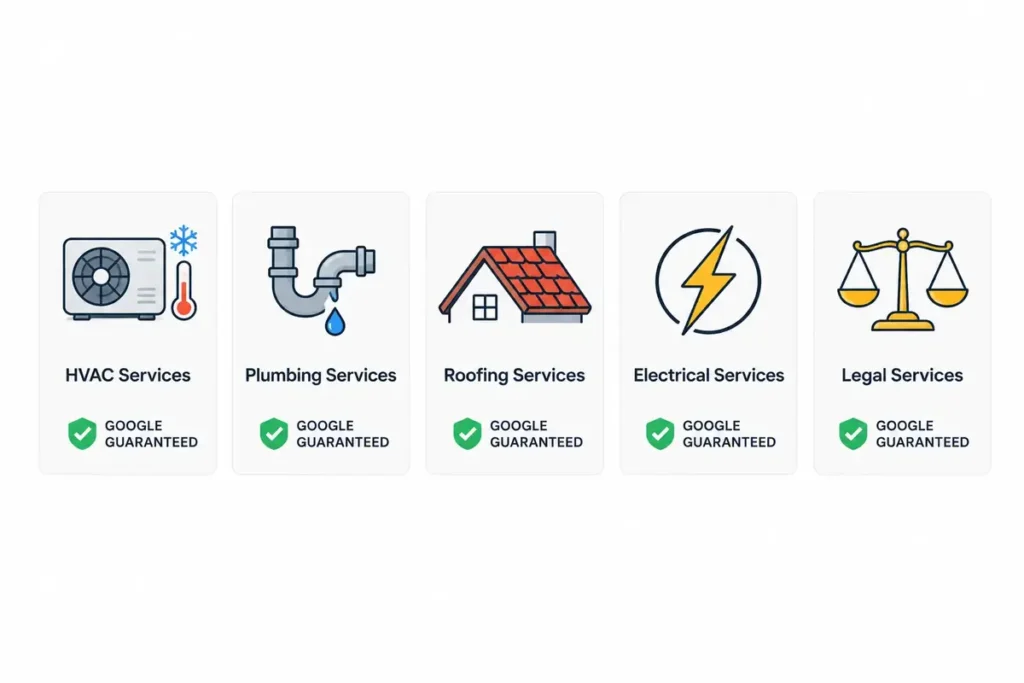
Any local service business in an eligible category benefits from professional LSA management. The impact is most significant in competitive markets, for businesses with multiple service areas, and where each lead carries substantial revenue value.
How Google Local Service Ads Work
Pay Per Lead Instead of Pay Per Click
You pay only when a potential customer contacts your business directly — a call, a message, or a booking request. Not for impressions or research clicks. This makes LSAs one of the most cost-efficient lead generation formats for local businesses when managed correctly.
How Google Guaranteed Works
The Google Guaranteed badge certifies that Google’s checking of a business’s licensing, insurance, and background checks have all passed. For consumers deciding between local providers, the badge is an important trust signal. Businesses without it rank lower and convert at lower rates.
Business Verification Requirements
Verification requires proof of licensing, insurance documentation, and in some categories background checks. The process takes several weeks. A Google guaranteed agency with experience across dozens of verifications prevents costly delays from incorrect submissions.
How Reviews Influence Visibility
Google factors in review count, average rating, and recency when determining rankings. A business with 150 reviews at 4.9 consistently outranks a competitor with 20 reviews at 4.6 — even at a lower bid. Reviews are a ranking factor, not an optional extra.
Factors That Affect Local Service Ads Rankings
Google considers proximity to the searcher, responsiveness to leads, review signals, bid amount, business hours, and profile completeness. Missing anyone creates a ranking disadvantage, costing leads every day.
Why Businesses Hire a Google Local Service Ads Agency
Better Lead Quality
Service area targeting, category selection, and profile optimization all filter for the right customers. Leads through a well-optimized LSA profile are already in buying mode — they searched for your service in your area and chose to contact you.
Faster Lead Response Management
Google tracks response time and factors it into ranking decisions. Most businesses without dedicated management miss leads during off-hours or busy periods. An agency implements systems to ensure fast response across all lead types.
More Visibility In Local Searches
A fully optimized profile with strong reviews, correct categories, and active management consistently ranks higher than a neglected one. More visibility means more leads from the same budget.
Reduced Wasted Ad Spend
Invalid leads appear in every LSA account. Without active dispute management, businesses pay for contacts that produce no value. A local service ads management company disputes these credits systematically, reducing the effective cost per qualified lead.
Consistent Lead Generation
Ad hoc management produces inconsistent results. An agency brings structure — consistent budget management, review generation systems, and weekly monitoring — that produces reliable lead flow month after month.
Improved Return On Investment
Every optimization — bid adjustments, service area refinements, review generation, dispute credits — improves the ratio of leads to spend. That compounding improvement separates professionally managed accounts from self-managed ones over six to twelve months.
Services Offered By a Google Local Service Ads Agency
Account Setup and Optimization
Complete profile creation, category selection, service area mapping, budget configuration, and verification submission for new accounts. For existing accounts — a full audit identifying profile gaps, incorrect categories, and missed optimization opportunities.
Google Guaranteed Verification Support
A local service ads agency with experience across dozens of verifications knows exactly what documentation Google requires and how to resolve requests before they delay lead generation by weeks.
Service Area Configuration
Too broad and the budget goes to areas the business cannot efficiently serve. Too narrow and potential leads are missed. Agencies configure service areas based on actual business capacity and market opportunity.
Budget Management
LSA budgets require active management. Lead volume fluctuates with season and competition. An agency adjusts budgets to maintain consistent lead flow without overspending during slow periods or capping out during high-demand months.
Lead Management
Every lead should be followed. The agency should track the lead status, measure the conversion from lead to booked job, and identify any trends by service type and area.
Review Generation Strategy
Automated follow-up sequences, direct review links, and response templates consistently outperform passive review accumulation. Review volume is a ranking factor — treating it systematically produces compounding improvements over time.
Lead Dispute Management
An agency reviews lead recordings, identifies invalid contacts, and submits disputes within Google’s required window. Credits recovered directly reduce the cost per qualified lead.
Multi-Location Campaign Management
Businesses operating across multiple service areas require separate LSA profiles per location. Managing this at scale without agency support quickly becomes unmanageable.
Reporting and Performance Tracking
Monthly reporting covers lead volume, cost per lead, dispute credits, review growth, ranking position, and budget utilization — so businesses can verify their LSA investment is producing real results
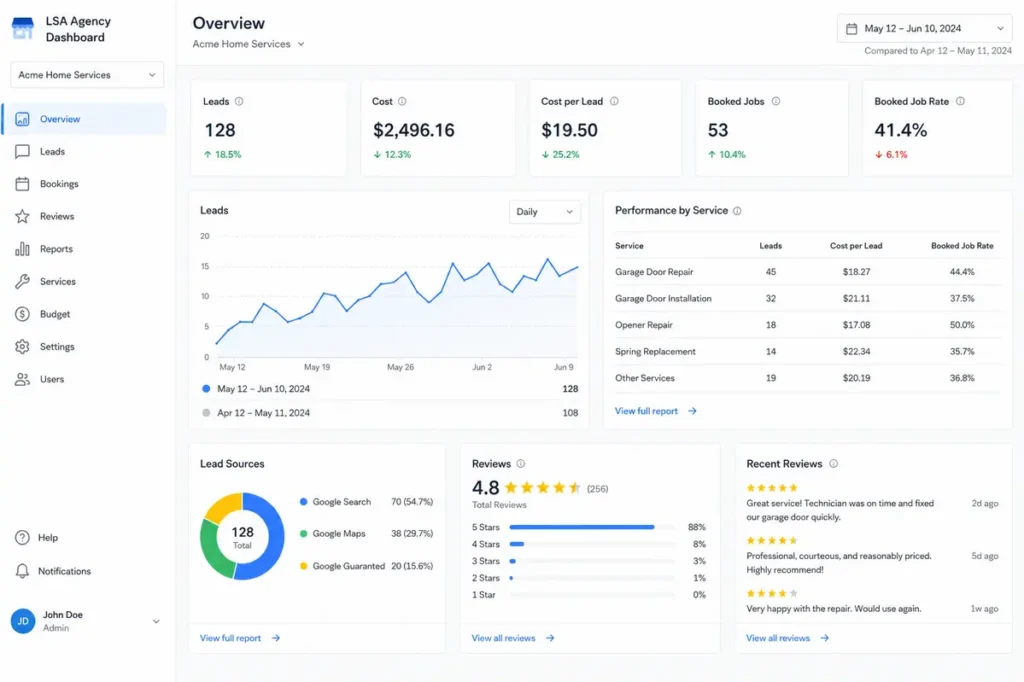
Alt Text: Google Local Service Ads Management Dashboard showing lead performance
Benefits of Working With a Google Local Service Ads Agency
| Factor | DIY Management | LSA Agency |
| Experience | Limited experience | Experienced specialists |
| Optimization | Slow or inconsistent | Ongoing and systematic |
| Opportunities | Frequently missed | Growth-focused management |
| Monitoring | Manual and reactive | Proactive and systematic |
| Scalability | Difficult to expand | Easier multi-location expansion |
Managing LSAs without expertise is not just slower — it is actively costly. Every day a profile ranks lower than it should, every invalid lead that goes undisputed, every missed review request is money left behind. The gap between self-managed and professionally managed LSA accounts widens over time as the agency’s optimizations compound and the self-managed account stagnates.
For most local service businesses the question is not whether professional management produces better results. It does, consistently. The question is which agency has the experience and processes to deliver those results for your specific industry and market.
Our Google Local Service Ads company has managed LSA campaigns for businesses across competitive markets since 2019. The results are consistent — lower cost per lead, higher lead volume, faster verification, and ranking improvements that hold over time.
Google Local Service Ads Agency vs Google Ads Agency
| Factor | Google Local Service Ads | Google Ads |
| Lead Model | Pay per lead | Pay per click |
| Cost Structure | Credit-based, per contact | Keyword bid-based |
| Conversion Intent | Very high — direct contact | Variable by keyword |
| Setup Process | Profile and verification required | Campaign and ad group structure |
| Ranking Factors | Reviews, responsiveness, proximity | Bid, Quality Score, relevance |
| Ideal Industries | Local service businesses | Any industry |
| ROI Potential | High for eligible local services | High across all categories |
The distinction matters because these are different systems requiring different expertise. A business that needs plumbing leads in a specific city is better served by a well-managed LSA profile than by a traditional Google Ads search campaign — because LSAs appear above paid ads and charge per lead rather than per click. An agency experienced in both can assess which channel serves the business best and manage both where the combination makes sense.
Our Google Ads management services and LSA management work together across accounts where both channels produce value.
Common Mistakes Businesses Make With Local Service Ads
Choosing the Wrong Service Areas
Too broad wastes budget on areas the business cannot profitably serve. Too narrow and real leads are missed. Service area configuration is one of the first things a local service ads agency corrects in underperforming accounts.
Ignoring Customer Reviews
Businesses relying on organic review generation without a systematic process fall behind competitors who actively request reviews after every job. Falling behind in reviews means falling behind in rankings.
Slow Lead Response Times
Google tracks response behavior. Businesses missing calls or responding slowly get lower rankings over time. Every missed lead is both a lost customer and a negative ranking signal.
Incomplete Business Profiles
Missing service categories, incomplete descriptions, and outdated hours suppress rankings. A complete verified profile is the baseline for competitive LSA performance.
Poor Budget Allocation
Setting a budget without understanding average lead costs, seasonal demand patterns, and market competition leads to overspending in slow periods or capping out when demand is highest.
Failing to Dispute Invalid Leads
Without active dispute management invalid leads accumulate as wasted spend. Businesses managing LSAs without agency support frequently miss the dispute window entirely.
Lack of Performance Monitoring
An LSA account running without regular review drifts — budget shifts, competitor activity changes, and service areas need adjustment. Without weekly monitoring these issues compound into declining results before anyone notices.
Industries That Benefit Most From a Google Local Service Ads Agency
HVAC Companies
Seasonal demand spikes make budget timing critical. LSA management that adjusts ahead of peak seasons keeps HVAC businesses visible when demand is highest.
Plumbing Businesses
Emergency plumbing searches carry some of the highest conversion intent in any local service category. A well-ranked LSA profile captures urgent leads competitors miss. Our Google Ads services for plumbers cover both LSA and standard paid search for complete local coverage.
Roofing Contractors
Storm season creates demand surges that unprepared accounts cannot capture. Proactive budget increases and profile optimization for replacement and repair searches keep roofing contractors visible when demand spikes.
Electricians
The Google Guaranteed badge and strong review profile are powerful conversion factors for electricians where licensing and safety credentials influence customer choices significantly.
Garage Door Companies
Same-day and emergency searches are high-frequency and high-intent. LSA profiles optimized for these search types consistently generate immediate call volume.
Remodeling Contractors
Kitchen and bathroom remodeling leads are high-value. Proper category configuration and service area management capture leads at the project planning stage.
Pest Control Businesses
Seasonal and geography-specific demand makes LSA management valuable for pest control businesses that need consistent lead flow across changing demand patterns.
Law Firms
Personal injury, family law, and estate planning firms use LSAs to appear above standard ads for high-intent legal searches. The pay-per-lead model works well for legal services where individual case values justify higher cost-per-lead thresholds.
Real Estate Professionals
Real estate agents in eligible markets use LSAs to generate buyer and seller inquiries directly through search. Review management and profile optimization are especially influential in this category.
How to Choose the Best Google Local Service Ads Agency
Look for Proven LSA Experience
Ask specifically how many LSA accounts they currently manage and what their process looks like for new account setup versus optimization of existing accounts. Generic digital marketing experience does not translate directly to LSA expertise.
Review Case Studies
Ask for specific examples from your industry or a comparable category. What was the starting cost per lead and what did it become? Concrete numbers are more meaningful than general claims.
Evaluate Industry Expertise
LSA management for a law firm and for a plumbing company involves different category configurations and competitive dynamics. An agency with experience in your specific industry navigates these differences faster with fewer costly mistakes.
Ask About Lead Dispute Management
Ask how the agency identifies invalid leads, how they submit disputes, and whether they track dispute credits in client reporting. An agency without a clear dispute process is leaving client money on the table every month.
Understand Reporting Processes
Monthly reports should cover lead volume, cost per lead, ranking position, review growth, dispute credits, and budget utilization. Agencies reporting only on lead counts without cost context are not giving clients the information needed to evaluate performance.
Review Communication Standards
LSA accounts can change quickly — budget runs out, verification issues arise, and ranking shifts occur. Reliable proactive communication is a baseline requirement, not an optional extra.
Check Client Reviews
An agency managing reputation for local service clients should have strong reviews itself. Check Google, Clutch, and Trustpilot specifically for mentions of LSA management, responsiveness, and measurable results.
Compare Pricing Models
Understand what the management fee covers. Ask specifically whether dispute management, verification support, and review generation strategy are included or billed separately.
Signs You Need a Google Local Service Ads Agency
Lead Volume Is Declining
If LSA leads trend downward without a clear seasonal explanation, something needs attention — profile issues, ranking drops, budget problems, or competitor activity. Identifying the cause requires monitoring experience that most businesses managing LSAs internally do not have.
Cost Per Lead Is Increasing
Rising cost per lead signals account inefficiency. Budget may be going to the wrong areas, invalid leads may be accumulating, or bid settings need adjustment. A local service ads agency diagnoses and corrects these issues systematically.
Reviews Are Not Growing
A stagnant review count eventually means stagnant rankings. A structured review generation program produces consistent monthly review growth that directly supports ranking improvement.
Expansion Into New Service Areas
Adding new cities requires separate profile configurations and market-specific budget allocation. Getting expansion right without agency support leads to budget waste in new markets.
Difficulty Managing Leads
As lead volume grows, managing response, tracking, and follow-up internally becomes increasingly difficult. An agency implementing lead management systems allows businesses to handle higher volumes without dropping quality.
Lack of Internal Marketing Resources
Most local service businesses do not have dedicated marketing staff. An LSA agency provides the expertise and capacity an internal team would otherwise need months or years to develop.
Why Our Google Local Service Ads Agency Delivers Better Results
Data-Driven LSA Strategy
Every decision — budget allocation, service area configuration, bid adjustments, dispute prioritization — is driven by performance data. We track lead volume, cost per lead, dispute recovery rates, and ranking position across every account every week.
Google Guaranteed Expertise
We have navigated the verification process across dozens of categories. We know exactly what documentation Google requires and how to resolve verification holds before they cost businesses weeks of lost leads.
Lead Quality Optimization
Not every lead is worth the same. We analyze patterns by service type, geography, and call behavior to identify where the highest-quality leads originate and optimize toward those sources.
Transparent Reporting
Every client receives a monthly report covering lead volume, cost per lead, dispute credits recovered, review growth, ranking position, and budget utilization. Clear numbers. No vanity metrics.
Industry-Specific Campaign Management
An HVAC account has different seasonal patterns than a law firm account. Our team builds management strategies specific to the industry, market, and business size of each client.
Dedicated Account Support
Every client has a dedicated account manager. Questions get answered. Issues get resolved quickly. That level of access makes a meaningful difference in how fast accounts improve.
At Ecommerce Planners, our Google LSA agency team is ready to audit your current LSA performance. Our lead generation services cover the full picture — LSA management, Google Ads management, and local SEO working together to fill your pipeline.

Final Thought
Google Local Service Ads are one of the most direct paths a local service business has to appear at the top of search results and pay only when customers contact them. The model is effective. The execution is what most businesses get wrong.
Profile optimization, verification management, review generation, lead dispute management, service area configuration, and budget management — each element affects both lead volume and lead cost. Managing these well requires experience, consistent attention, and processes that most local businesses simply do not have internally.
A Google Local Service Ads agency brings all of that. And the results compound over time — lower cost per lead, more qualified inquiries, stronger rankings, and a lead generation system that does not require constant internal effort to maintain.
Take a look at your current LSA performance. How is your cost per lead trending? When did your reviews last grow? Are invalid leads being disputed? If the answers are unclear, that is exactly where a conversation with our team should start.
Contact Ecommerce Planners today for a free LSA audit.
Google says businesses may need appropriate background checks, licenses, and insurance to advertise with Local Services Ads, and the average screening process can take 3–4 weeks after documents are submitted.
Source: Google
FAQS
What does a Google Local Service Ads agency do?
A Google Local Service Ads agency manages the full LSA campaign — profile setup, Google Guaranteed verification, service area targeting, budget management, lead tracking, review generation, lead dispute management, and monthly reporting. The goal is to maximize qualified lead volume at the lowest possible cost per lead.
Are Local Service Ads worth it?
Yes. For eligible local service businesses LSAs are consistently one of the highest-ROI advertising formats available. You pay only when someone contacts your business directly. The Google Guaranteed badge drives higher conversion rates. And appearing above all other results for local service searches means maximum visibility at the moment of highest intent.
How much does Local Service Ads management cost?
Most local service ads experts charge between $300 and $1,500 per month, depending on the location count and campaign scope. This is separate from the LSA budget Google charges per lead. Most businesses see management fees recovered through better performance within the first 60 to 90 days.
How long does approval take?
Google’s verification process typically takes two to four weeks, depending on the business category and documentation submitted. A Google guaranteed agency with experience across many categories reduces delays caused by incomplete or incorrectly formatted submissions.
Can an agency improve Local Service Ads rankings?
Yes. LSA rankings are influenced by factors agencies directly control — review count, profile completeness, response time, service area configuration, and bid settings. A local service ads management company managing all of these signals produces consistent ranking improvements over time.
How are LSAs different from Google Ads?
LSAs charge per lead while Google Ads charges per click. Its appear above standard paid ads. LSAs are restricted to eligible local service categories while Google Ads is open to any advertiser. LSA rankings depend on reviews, responsiveness, and proximity rather than keyword bids.
Can agencies dispute invalid leads?
Yes. Invalid leads — wrong numbers, spam calls, out-of-area contacts — appear in every account. Google allows disputes within a specific window and credits costs back when approved. An experienced agency reviews lead recordings, identifies invalid contacts, and submits disputes systematically. Credits recovered directly reduce the cost per qualified lead.
Google Ads for Website Traffic That Turns Clicks Into Leads
Here is what happens in most Google Ads accounts. Traffic goes up. Sessions climb. The dashboard looks active. And the phone does not ring. The form stays empty. Budget runs out and the business has the same number of leads it had before spending anything.
Traffic is not the goal. Leads are the goal. Calls. Form fills. Booked consultations. Quote requests. Purchases. Those are the goals. Traffic is just the mechanism to get there and a lot of campaigns forget that entirely.
At Ecommerce Planners, we are the best at running Google Ads for website traffic campaigns that actually produce leads — not just sessions. A campaign bringing 1,000 visitors with zero inquiries failed. A campaign bringing 300 visitors and 40 qualified leads succeeded. This guide covers what separates those two outcomes — campaign types, keyword intent, landing pages, conversion tracking, and the specific mistakes that kill conversions after the click.
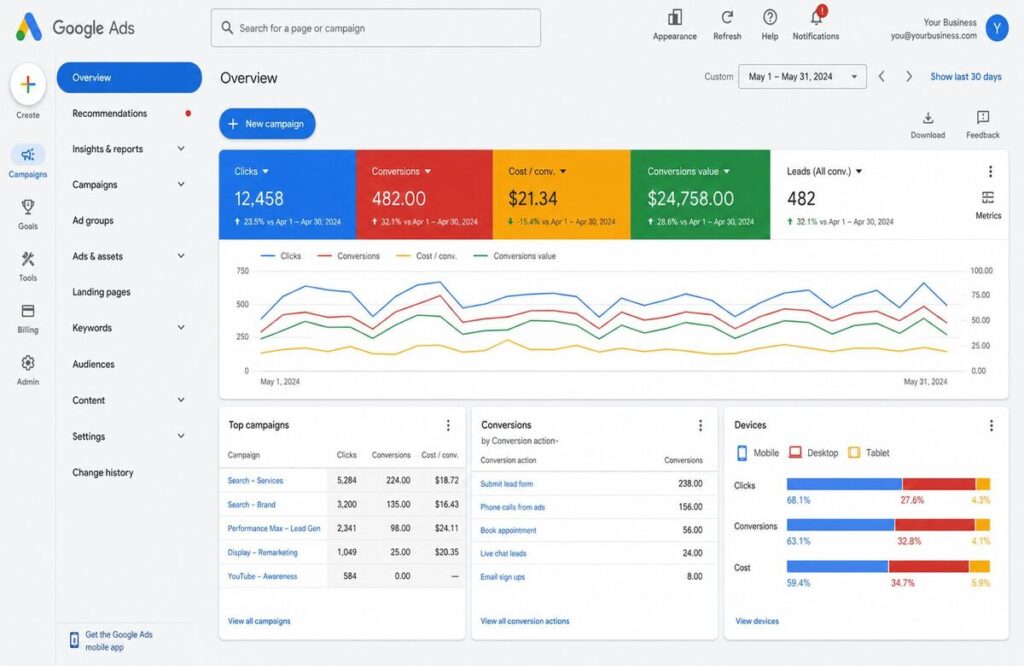
Why Website Traffic Alone Is Not Enough
More visitors do not automatically mean more business. Sounds obvious. Not how most campaigns are built.
Traffic vs Quality Traffic
Quality traffic means visitors who actually match your ideal customer and are searching for what you offer. A plumbing company getting 500 clicks from people searching “how plumbing works” is not getting quality traffic. The same company getting 80 clicks from people searching “emergency plumber near me” absolutely is. The first group never intended to hire anyone. The second group is calling someone today.
Volume looks better in the first scenario. Business results are reversed.
Why Clicks Do Not Always Become Leads
Six things kill conversions after the click. Wrong keywords are bringing people with no buying intent. Weak landing pages lose visitors in the first few seconds. Poor or missing CTAs leave people with no obvious next step. Slow load times on mobile are causing exits before the page even appears. Unclear offers leave visitors unsure what they are actually getting. And no conversion tracking means nobody can see which clicks became customers and which just spent the budget.
| Focus | Traffic-Only Campaign | Lead-Focused Campaign |
| Main Goal | More visitors | More inquiries |
| Optimization | Clicks | Conversions |
| Best Page | Blog or general page | Landing page or service page |
| Success Metric | Clicks and sessions | Calls, forms, bookings, sales |
| Risk | Wasted traffic | Better business results |
Want traffic that brings real leads? Our Google Ads team builds campaigns focused on quality visitors and real conversions.
How Google Ads Helps Bring Website Traffic and Leads
The fundamental difference between Google Ads for website traffic and social advertising is intent. The person typing into Google already wants something. They are not passively scrolling. They are actively searching for an answer, a service, or a solution. Your ad shows up at the exact moment that intent exists.
It Targets People With Search Intent
Someone searching “Google Ads agency for small business” is not browsing. They have a problem and are actively looking for whom to hire. That is incomparably different from serving an ad to someone based on demographic assumptions about who might eventually need something.
It Sends Visitors to the Right Page
This is where most campaigns quietly fail. Someone searches “Google Ads for eCommerce,” and the ad sends them to the homepage. The homepage talks about everything. The visitor wanted something specific. They leave. Send every ad to the page that directly addresses what the person searched for. That match between search query, ad message, and landing page content is one of the highest-leverage improvements in any Google Ads for website traffic campaign.
It Builds Retargeting Audiences
Not every visitor converts on the first visit. Normal. Google Ads lets you tag those visitors and show them ads later with a stronger offer — a free audit, a consultation, a case study from their specific industry. Retargeting brings warm traffic back with context already established.
It Gives Data for Better Decisions
Google Ads shows which keywords produced calls, which ads generated form fills, and which landing pages converted. That data is actionable in ways most other channels cannot match.
Best Google Ads Campaign Types for Website Traffic and Leads
| Campaign Type | Best For | Lead Quality |
| Search Ads | High-intent searches | High |
| Performance Max | Wider Google reach | Medium to High |
| Display Ads | Retargeting | Medium |
| Demand Gen Ads | Visual awareness | Medium |
| Shopping Ads | eCommerce products | High |
Search Ads
Search Ads are the starting point for most businesses running Google Ads for website traffic. Text ads triggered by specific searches. Intent is explicit. Highest lead quality for most service businesses.
Performance Max
Performance Max runs across every Google surface using automation. Works well when conversion tracking is strong, and the account has historical data. With a small budget and weak tracking it burns spend in the wrong places before correcting itself.
Display Ads
Display Ads are best for retargeting — showing ads to people who have already visited the site. For cold traffic from people who have never heard of the business they typically underperform Search significantly.
Demand Gen
Demand Gen runs across YouTube, Gmail, and Discover. Best for awareness and warming audiences not yet actively searching.
Shopping Ads
Shopping Ads display product images, prices, and store names in search results. Designed specifically for e-commerce. Consistently beats text ads on product-specific searches
Not sure which campaign type fits your business? Contact us and we will help you choose the right one for traffic and leads.
How to Set Up Google Ads to Get Leads From Website Traffic
Setup determines outcome. A campaign built around lead generation from day one performs differently from one built for traffic volume and later adjusted to care about conversions.
Choose a Lead-Focused Goal
If the goal is leads, the campaign must track conversion events from the start. Form submissions. Phone calls. Booking clicks. Quote requests. Purchases. Google’s algorithms optimize toward whatever they are told to optimize toward. Tell them to find clicks and they find cheap clicks. Tell them to find conversions and the whole campaign behaves differently.
Target Keywords With Buying Intent
These signal someone ready to engage — not someone researching a topic: Google Ads agency, Google Ads management, ppc management services, hire a Google Ads expert, Google Ads consultant, Google Ads for website traffic, Google Ads for small business
Use the Right Landing Page
Dedicated landing pages convert better than homepages. If the ad covers Google Ads for website traffic, the landing page should address traffic strategy, lead generation, campaign setup, tracking, and results — not a generic overview of every service offered. The match between the ad message and the landing page content directly affects both Quality Score and conversion rate.
Write Ads That Pre-Qualify Visitors
“Get Google Ads traffic that turns into calls, forms, and qualified leads” tells the right person exactly what they are getting. Someone looking for free information self-selects out. Someone looking for a growth partner clicks because the message speaks directly to their problem.
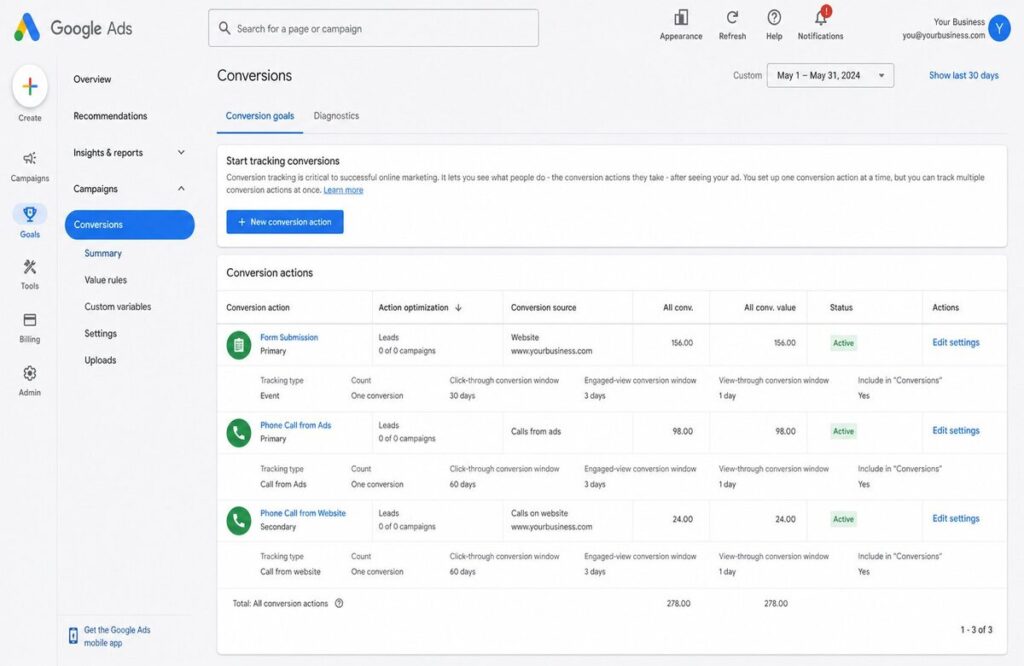
Set Up Conversion Tracking First
Spending without tracking is operating blind. No way to know which keywords produce calls, which ads drive form fills, which pages convert. Conversion tracking is not optional — it is the foundation every optimization decision builds on.
What Kind of Website Traffic Converts Into Leads?
People Searching for a Solution
These users know they have a problem and are looking for help. Searching “how to get leads from Google Ads” means someone already has a gap they want to close. Research mode but moving toward action.
People Comparing Service Providers
“Best Google Ads agency for small business” is not casual. Someone typing that is evaluating options and will likely contact two or three agencies this week. Being visible at that moment with a credible page is where lead generation actually happens.
People Returning Through Retargeting
A visitor who spent time on a service page and left without converting already knows the brand. A retargeting ad with a specific offer brings them back when they may be ready to act.
People Landing on a Strong Offer
Vague offers produce nothing. Specific offers produce inquiries.
- “Free Google Ads Audit”
- “Free Strategy Call”
- “Custom PPC Growth Plan”
Each gives a visitor a concrete reason to fill out a form today rather than bookmarking the page and never returning.
Landing Page Elements That Turn Google Ads Traffic Into Leads
The ad gets the click. The landing page converts it. Most budget waste in Google Ads happens not in the ad but in what happens after the click.
Clear Headline matching the ad and keyword. Someone clicking a Google Ad for website traffic ad should land on a page that immediately reflects that — not a generic brand headline.
Strong CTA using direct action language. Get a Free Quote. Book a Strategy Call. Request a PPC Audit. Speak With a Google Ads Expert. Specific tells the visitor what happens next.
Trust Signals answer why they should trust this company with their budget. Reviews, testimonials, client logos, case studies, certifications, and years of experience.
Simple Lead Form asking only for what is needed. Name, email, phone, and one or two project-specific questions. The rest gets covered on the call.
Fast Mobile Experience. Over 60% of Google searches happen on mobile. A five-second load time on a phone loses most potential leads before they read anything. Page speed is a direct conversion factor.
Clear Offer creating a reason to act now. A free audit, a strategy call, a custom report — something specific the visitor gets for taking the next step today.
Already getting traffic but not enough leads? Your landing page may be the problem. Let us review your Google Ads funnel and show you exactly where leads are dropping.
Google Ads Keywords That Bring Better Website Traffic
Commercial Keywords attracted to close to a buying decision: Google Ads agency, Google Ads management firm, ppc agency, Google Ads specialist, Google Ads consultant, Google Ads provider
Problem-Based Keywords attracted to actual searchers looking for a solution: how to increase website traffic, Google Ads clicks but no leads, how to generate leads from Google Ads, why aren’t my Google Ads working
Keywords for local services for agencies and service providers: Google Ads agency near me, google ads services [city], ppc company [city], google ads consultant [city]
Negative Keywords keeping unwanted traffic out from the start: free, jobs, salary, course, tutorial, pdf, login, meaning, definition
How to Reduce Wasted Clicks and Improve Lead Quality
Match Keywords With Landing Pages. “Google Ads for plumbers” traffic should not go to a general PPC page. It should go to a page speaking directly to plumbers — their challenges, their typical campaign structure, their expected results.
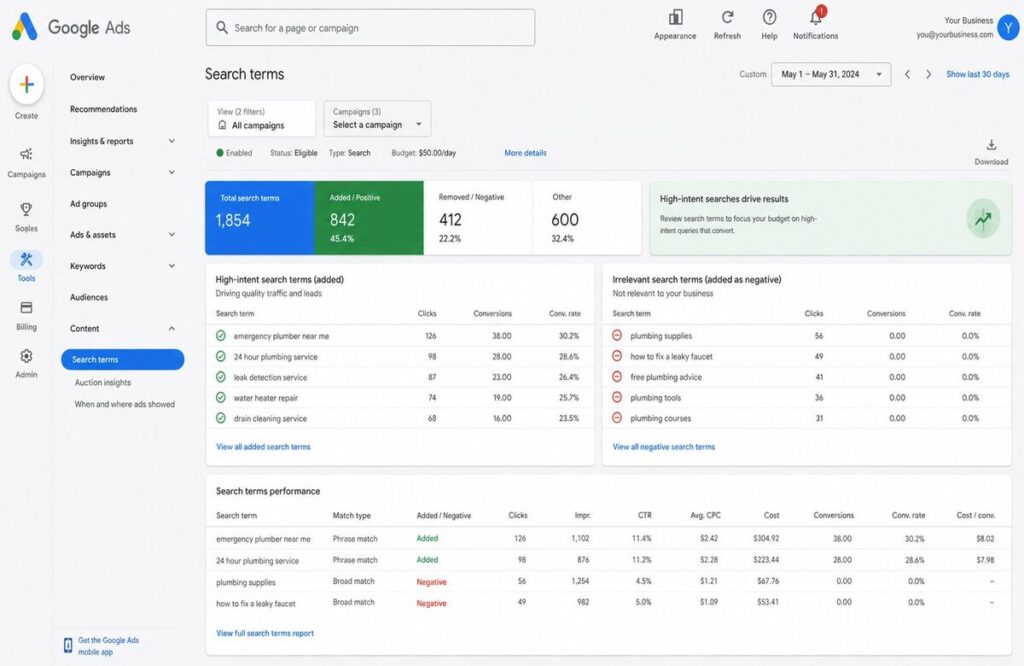
Review Search Terms Weekly. Search terms show what people actually typed before clicking. They reveal irrelevant matches to block and new high-intent terms to add. This weekly habit produces more budget optimization than almost anything else.
Avoid Sending Every Click to the Homepage. Too broad. Too many distractions. A specific landing page for a specific offer converts paid traffic consistently better.
Use Lead-Based Conversion Tracking. Track phone calls, form fills, booking confirmations, and chat starts. Not pageviews. No time on site. Actions indicating genuine intent.
Improve the Offer Before Increasing Budget. More budget amplifies what is already happening. A weak offer with double the budget produces twice the wasted spend. Fix the Offer first. Then scale.
Important Metrics to Track in Google Ads
| Metric | Why It Matters |
| Clicks | Shows traffic volume |
| CTR | Shows ad relevance to the search |
| CPC | Shows cost per visitor |
| Search Terms | Shows what people actually searched |
| Conversion Rate | Shows how many visitors become leads |
| Cost Per Lead | Shows lead generation efficiency |
| Landing Page Conversion Rate | Shows page quality |
| Phone Calls | Shows direct lead actions |
| Form Submissions | Shows inquiry volume |
Clicks are the starting point. These numbers really don’t matter: conversion rate, cost per lead and the quality of those leads. The 5% conversion rate, $40 cost per lead campaign is winning, no matter how many clicks. The 0.2% conversion rate campaign with thousands of clicks is losing, no matter what the traffic report says.
Common Reasons Google Ads Traffic Does Not Convert
Wrong Keyword Intent. “What is Google Ads?” brings researchers. “Google Ads agency near me” brings buyers. The intent gap between those two searches determines everything about how that traffic behaves after the click.
Weak Landing Page. Too many options, no clear hierarchy, no obvious next step. People do not puzzle through unclear pages. They leave.
No Clear Offer. Without a specific reason to act now, most visitors do nothing. An offer gives them a concrete next step with a real benefit attached.
Poor Ad Message. “We offer Google Ads services,” tells nobody anything worth clicking for. “Get Google Ads traffic that converts into qualified leads” speaks to a specific problem a specific person is trying to solve.
No Conversion Tracking. Without it, optimization is guesswork. Budget drifts toward campaigns that look active on surface metrics while campaigns actually producing leads go unrecognized.
Too Much Focus on Clicks. Clicks are a means to an end. The end leads to sales, calls, and revenue.
Google Ads for Website Traffic vs Google Ads for Leads
Traffic campaigns have real uses. A new blog is building readership. A brand entering a new market. A business is testing landing pages. In those situations traffic volume has genuine value.
For most service businesses, agencies, and e-commerce stores, growth comes from conversions, not visitor counts. A blog needs traffic. A service business needs inquiries. An e-commerce store needs purchases. The campaign goal should match the actual business goal. Running a traffic campaign when the goal is leads is one of the most preventable reasons Google Ads for website traffic campaigns disappoint.
Best Practices to Increase Website Traffic With Google Ads
Build campaigns around clear search intent. Every campaign starts with what the user wants. When keyword, ad, and landing page match actual intent, traffic quality improves and conversion rates follow.
Keep ad groups focused. One service, one Offer, one keyword theme per ad group. Tight ad groups produce more relevant ads, better Quality Scores, lower costs, and higher conversion rates.
Use long-tail keywords for better lead quality. “Google Ads agency for small business” brings someone closer to taking action than just “Google Ads.” More specific, more intent, lower cost per click, higher conversion rate.
Write ads that match the landing page. If the ad talks about lead generation, the page should not only discuss website traffic. Message match between ad and page directly affects Quality Score and visitor trust.
Improve the landing page before scaling the budget. Fix the page, confirm it converts, then scale toward it. The other order wastes money.
Track conversions not just clicks. Clicks show traffic arrived. Conversions show the traffic did something valuable.
When Should You Use Google Ads for Website Traffic?
Use Google Ads for website traffic when the website is new and rankings have not been built yet, when a new offer needs immediate visibility, when testing a landing page before committing to SEO investment, or when targeting a specific market or city right now. But even then build the campaign to measure what traffic does after it arrives. Traffic that cannot be connected to a business outcome cannot be improved.
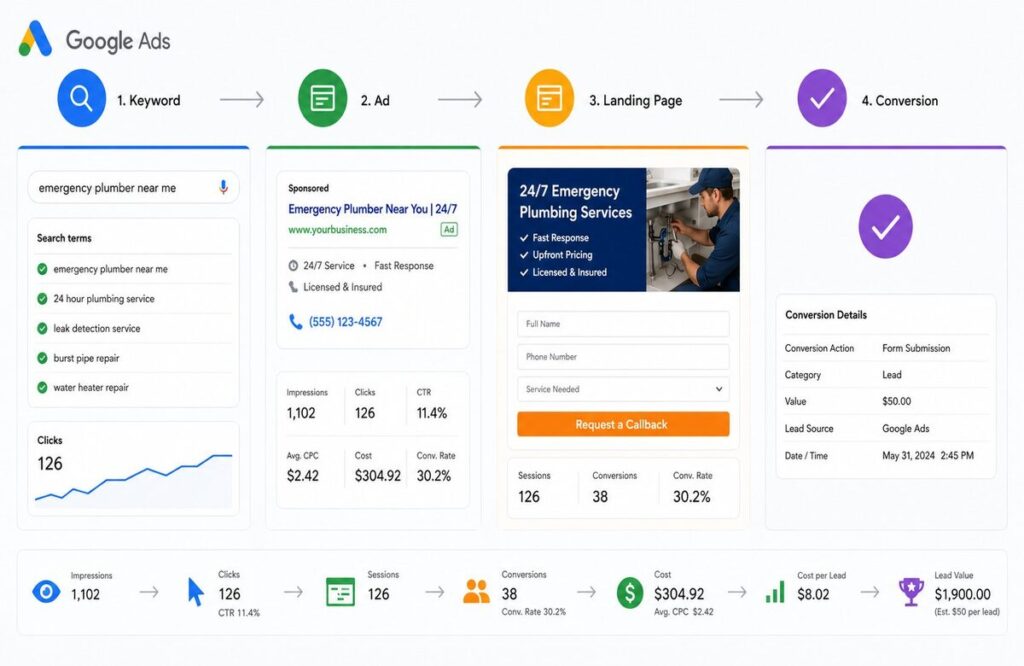
Final Strategy: Turn Google Ads Traffic Into Real Leads
The best Google Ads for website traffic campaigns are not designed to produce impressive dashboard numbers. They put the right message in front of the right person at the right moment, send them to a page built specifically for what they searched, and give them a clear compelling reason to take the next step.
Keyword intent matched to ad copy. Ad copy matched to landing page. Landing page built around one Offer and every reason a visitor should trust making contact. Conversion tracking on every action that matters. Weekly optimization using real search data.
Traffic is visitors. Leads are what grow the business. Build the campaign around the second goal from the start.
Need Google Ads traffic that turns into real leads? Our team builds campaigns focused on quality clicks, better landing pages, and measurable business results.
Contact Ecommerce Planners today to get started.
Our in five small business advertisers say digital ads help them compete with larger businesses. Additionally, 82% of small and medium-sized business advertisers agree that digital ads allow them to reach their target customers more efficiently than traditional offline ads like TV, radio, or newspaper.
Source: Google
FAQs
Can Google Ads bring website traffic and leads?
Yes. Google Ads for website traffic produces results when campaigns target the right keywords, use dedicated landing pages, and track every conversion action. Build the campaign around lead goals from the start — not retrofitted later.
Why am I getting traffic from Google Ads but no leads?
Usually wrong keyword intent, traffic sent to the homepage, generic ad copy, no clear offer on the landing page, missing conversion tracking, or slow mobile load times. Any one of these alone can bring the conversion rate to near zero.
What is better, traffic or leads in Google Ads?
Leads for any business where the goal is growth. Traffic has value for awareness and testing. For service businesses, agencies, and e-commerce stores the campaign should be structured around revenue-generating actions — not visitor counts.
Which Google Ads campaign is best for leads?
Search Ads for most businesses because they target people actively searching for a specific service. Local Services Ads are also strong for eligible service categories since they charge per lead rather than per click.
Should I send Google Ads traffic to my homepage?
Almost never for paid campaigns. Homepages are too broad. A dedicated landing page or service page matching the specific ad and keyword converts significantly better because it gives the visitor exactly what they searched for.
How do I improve lead quality from Google Ads?
High-intent commercial keywords, a comprehensive negative keyword list before launch, keyword groups matched to dedicated landing pages, ad copy that pre-qualifies the right visitors, and conversion tracking on every lead action. Review search terms weekly and block irrelevant matches as negatives.
SEO for Architects: 10 Strategies That Bring Clients in 2026
You have the portfolio. Years of completed projects, happy clients, maybe some recognition along the way. And when someone in your city searches for an architect right now, a competitor with half your experience shows up first and you do not.
That is an SEO for architects problem. Not a talent.
Most firms still run almost entirely on referrals. That worked for a long time. In 2026 it is not enough on its own. AI search has changed how clients find professionals. Google’s AI Overviews answer questions at the top of the page now — and only firms with real topical authority, optimized portfolios, and strong local presence get surfaced in those answers.
A beautiful website that loads slowly with no indexable text is invisible to Google. At Ecommerce Planners, we provide best SEO Services for architects who are serious about being found by clients already searching for what they do.
[Image 1: Professional architectural building exterior with subtle Google search overlay] Alt Text: SEO for architects 2026 strategy guideWhy Most Architecture Firms Struggle to Get Found Online
Look at almost any architecture firm website and the pattern repeats. Stunning photography. Heavy image files. Almost nothing a search engine can read or rank.
Poor website structure is usually the first problem. Navigation built for visual aesthetics rather than logical page hierarchy leaves Google confused about what the site covers. Crawlers get stuck in JavaScript menus and image-heavy layouts with no clear content signals pointing anywhere.
No local SEO means the firm is invisible for the searches that matter most. Someone in Denver searching “residential architect in Denver” should find a Denver firm on page one. No city-specific pages, no Google Business Profile, no local schema — that firm simply does not appear.
Thin portfolio pages are the biggest missed opportunity in architect SEO. A project page with four photos and one sentence has zero ranking potential. Google cannot read images. Without text there is nothing to rank.
Slow websites from uncompressed architectural photography directly tank Core Web Vitals scores. That affects rankings—a confirmed factor, not a suggestion.
A real example. A residential architecture firm in Seattle. Strong portfolio. Beautiful website. Zero organic traffic. Their entire site had under 400 words of indexable text. Every project page was an image gallery — no descriptions, no alt text, no location context. Google had nothing to rank.
1. Focus on Local SEO Before Anything Else
Nobody searching for an architect searches globally. They type “architects near me” or “residential architect in Austin” or “commercial architect Dallas.” These are local intent keywords and the most valuable traffic an architecture firm near me search can deliver.
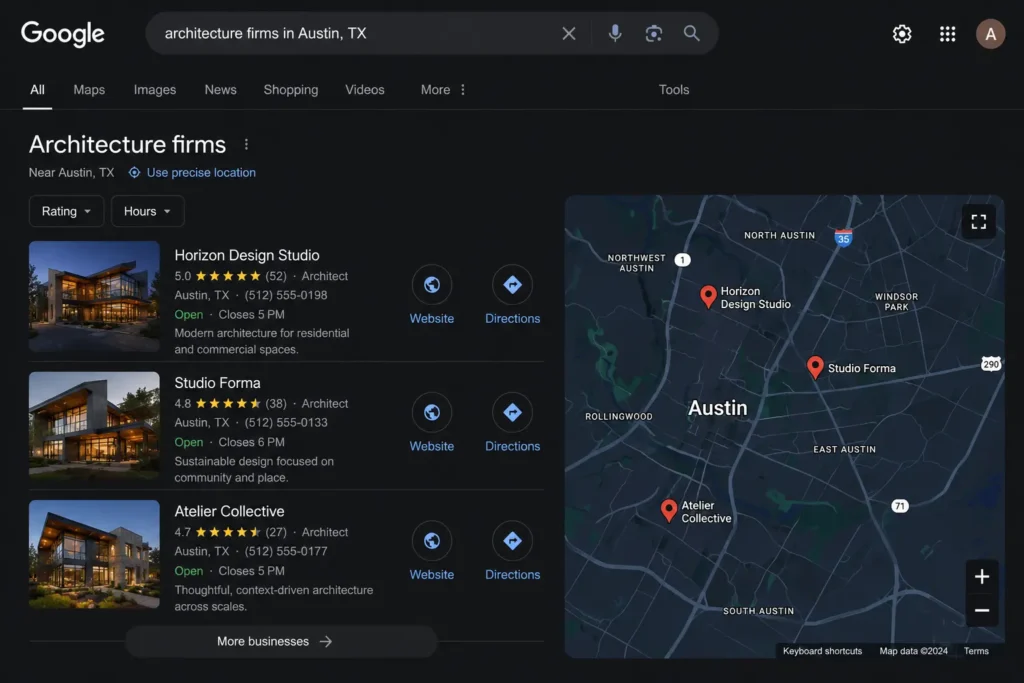
Local SEO for architects means being visible specifically in your geographic market. Google Maps is where most local clicks actually happen — the map pack appearing above regular results for any location-based search.
Create City-Specific Service Pages
A general residential architecture page does not rank for “residential architect in Austin.” You need a page specifically about residential architecture in Austin — mentioning the city, local building codes, regional styles, and neighborhoods you have actually worked in.
Serving multiple cities means one dedicated page per city. Each targeting its own local keywords. Each has content that cannot be copied and pasted to another city without a full rewrite.
Optimize NAP Consistency
Name, address, phone number — identical on your website, Google Business Profile, Apple Maps, Bing, and every architecture directory. Ave versus Avenue is enough inconsistency to suppress local rankings.
Add Local Schema and Embed Google Maps
LocalBusiness schema tells Google precisely where your firm operates. A Google Maps embed confirms physical presence. Both take under an hour and carry lasting ranking value.
2. Optimize Your Google Business Profile Properly
Most firms have a GBP listing. Almost none have it properly completed. That gap is a direct opportunity.
A fully optimized architecture firm GBP needs: primary category set to Architect specifically, service descriptions written around what clients search, real project photos uploaded consistently, weekly posts on recent projects or firm news, responses to every review, a full services list covering all offerings, proactively seeded Q&A, correct service area, and accurate hours including holiday closures.
Reviews matter more than most firms realize. BrightLocal’s survey found 87% of consumers read online reviews before contacting a local business. For something as important as hiring an architect, review volume and recency often determine who gets the call — not portfolio quality, not website design. A simple system like sending clients a direct review link after project milestones or at handover builds this consistently with almost no ongoing effort and no awkward in-person ask.
3. Your Portfolio Is Your Biggest SEO Asset
This is where SEO for architects gets genuinely interesting and where most firms leave enormous ranking potential untouched.
Every completed project is a potential search landing page. A luxury home in Scottsdale could rank for “luxury home architect Scottsdale.” A commercial renovation in Chicago could rank for “commercial architect Chicago.” But only if the page is actually built to rank.
How to Optimize Architecture Project Pages
Each project page needs to work as a standalone SEO asset — not just a gallery.
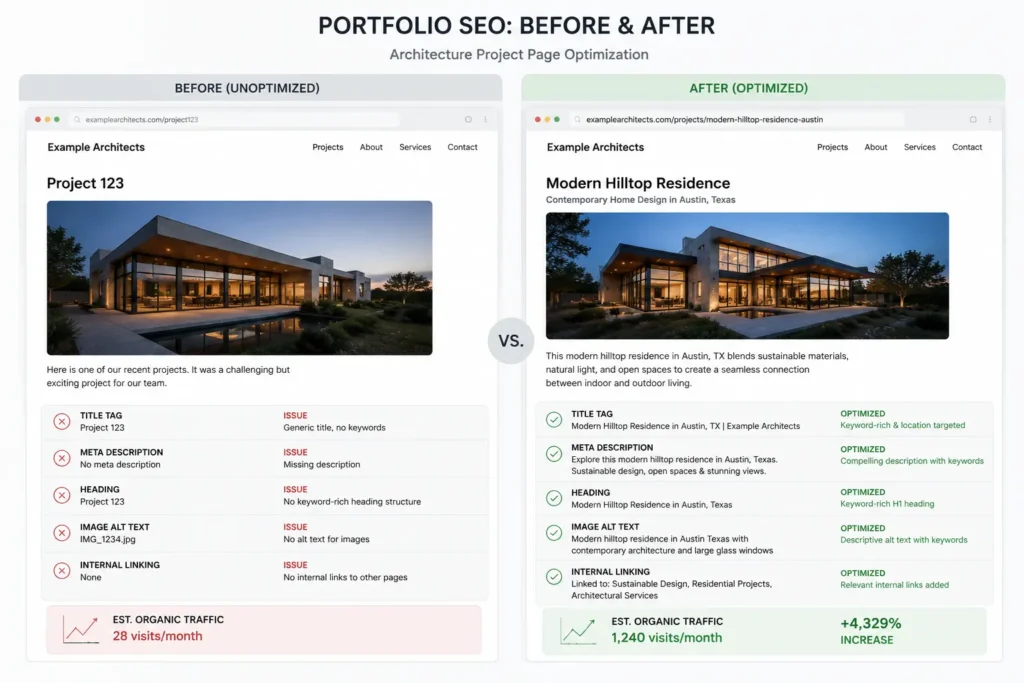
Title and H1 matter. “Modern Sustainable Home — Phoenix, AZ” tells Google what this page covers. “Project 47” tells nobody anything. Write a real description covering the design challenge, solution, materials, location, architectural style, and client goals. Three hundred words minimum. City name and style are woven naturally throughout. That is an architect’s portfolio SEO in practice.
Internal links from each project page to the relevant service page and related projects build relevance that strengthens the entire site.
Image SEO for Architects
Every image file should be named before uploading. modern-sustainable-home-phoenix-arizona.jpg tells Google what the image shows. IMG4872.jpg tells Google nothing.
Every image needs a descriptive alt tag. “Modern sustainable home design in Phoenix Arizona with passive solar features” — accurate, descriptive, naturally keyword-relevant.
Compress every image before uploading. Squoosh and Shortpixel cut file sizes by 60 to 80% with zero visible quality loss. Unoptimized architectural photography is the single most common reason architecture website SEO fails Core Web Vitals.
Why Thin Portfolio Pages Never Rank
Five photos and no text. Zero ranking potential. Search engines rank text signals — title tags, headings, body copy, alt text, schema. An image gallery with nothing else is invisible to Google no matter how good the photography is.
Every project page needs enough well-written content that Google understands what was built, where, for whom, and why it matters. Without that the page does not exist in search.
4. Target the Keywords Real Clients Actually Search
Most architecture firms aiming at keyword targeting focus on broad terms dominated by national directories with a fifteen-year domain authority. The real opportunity is in specific commercial intent keywords and local long-tail searches that are actually winnable.
| Keyword Type | Examples |
| Local commercial intent | luxury home architect in Denver, commercial architect near me |
| Service specific | sustainable architecture firm, modern home architect |
| Project type | kitchen addition architect, home extension architect |
| Informational | how much does an architect cost, do I need an architect for an extension |
| Style specific | mid-century modern architect, Scandinavian home design architect |
How to Find Architecture SEO Keywords
Start with Google itself. Type your primary service and read the autocomplete and People Also Ask. Those are real searches real clients are making right now.
Use Ahrefs, Semrush, or Ubersuggest. Filter keyword difficulty below 20 and search volume above 50. Map one primary keyword to each page before writing a single word. No two pages compete for the same term. That mapping process is the foundation of an architecture website SEO done right.
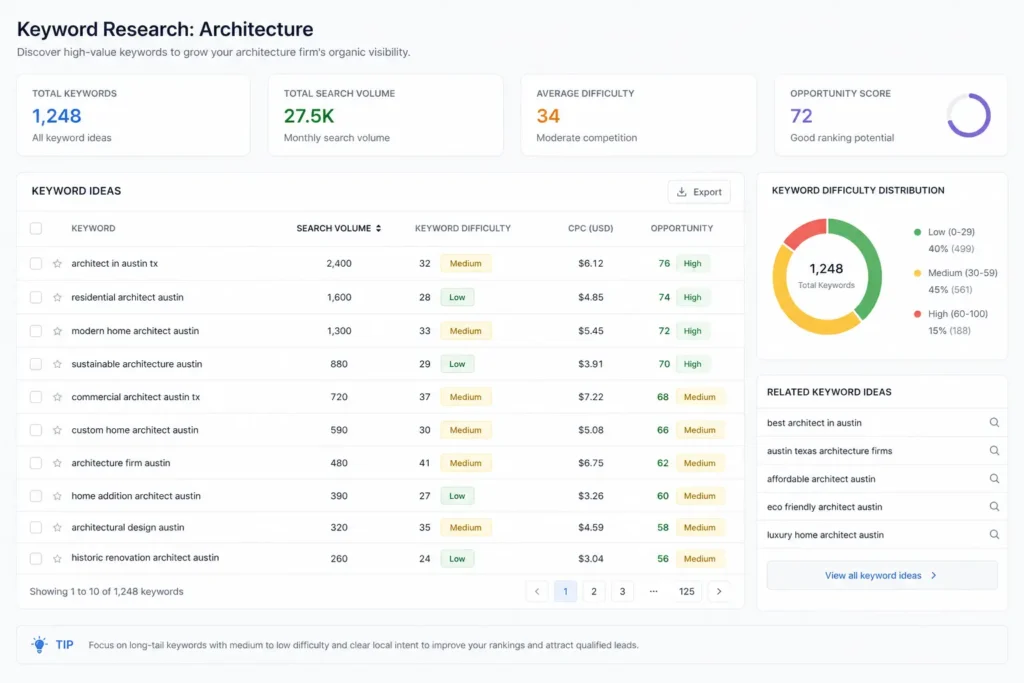
5. Create Service Pages Instead of Generic Website Pages
A single “Services” page listing everything the firm does is one of the weakest SEO structures possible. Too broad to rank for anything. Serves every keyword at once and ends up serving none effectively.
Google ranks focused pages. A page built entirely around residential architecture — real depth, project examples, clear keyword target — outranks a generic services page every time.
Rather than one catch all page, create individual pages for residential architecture, commercial architecture, interior architecture, sustainable design, luxury home design. Each targeting its own city-specific keyword. Each has unique content, project examples, and its own call to action.
Our website optimization services build exactly this kind of focused structure for professional firms.
6. Blogging Still Works for Architecture Firms
What works in 2026 has shifted. Generic design trend posts with no keyword targeting produce almost nothing. What works is content built around real search intent.
Educational blogs answer questions clients search for before they are ready to call. “How much does it cost to hire an architect in Austin?” “Do I need planning permission for a home extension in Texas?” These bring in research-phase traffic from people who will eventually hire someone.
Local project blogs document completed projects in specific neighborhoods — design challenges, local regulations, community context. These build city-level topical authority and rank for hyper-local searches that competitors ignore.
Design trend content covering the functional and structural reasoning behind passive solar design or mass timber construction demonstrates the expertise AI search systems are trained to reward.
Every post should link to the most relevant service page and at least one location page. That internal linking is how blog traffic translates into service page authority over time. Our content marketing services build this kind of structured editorial strategy for architecture and design firms.
7. Technical SEO Can Quietly Kill Rankings
Architecture sites are built for visual impact. Full-resolution photography, full-screen video headers, parallax effects, and custom fonts loading from external servers. Every element adds weight.
Why Architecture Websites Often Load Slowly
Google’s Core Web Vitals measure load speed, visual stability, and interactivity. A site taking six seconds to load on mobile fails all three. Google’s research shows 53% of mobile visitors leave a page taking more than three seconds to load. Clients are gone before they ever see the portfolio.
Pagenot crawable, JavaScript navigation, pages that are blocked in robots.txt, orphaned project pages with no internal links to or from in result are pages that Google cannot index and therefore cannot rank.
Mobile-first indexing means Google evaluates the mobile version first. Beautiful on desktop, awkward on mobile — Google judges the worst version.
Broken links signal neglect and drain authority from pages that need it. A quarterly audit catches these before they compound.
Our web design services build architecture websites that are visually outstanding and technically sound from day one.
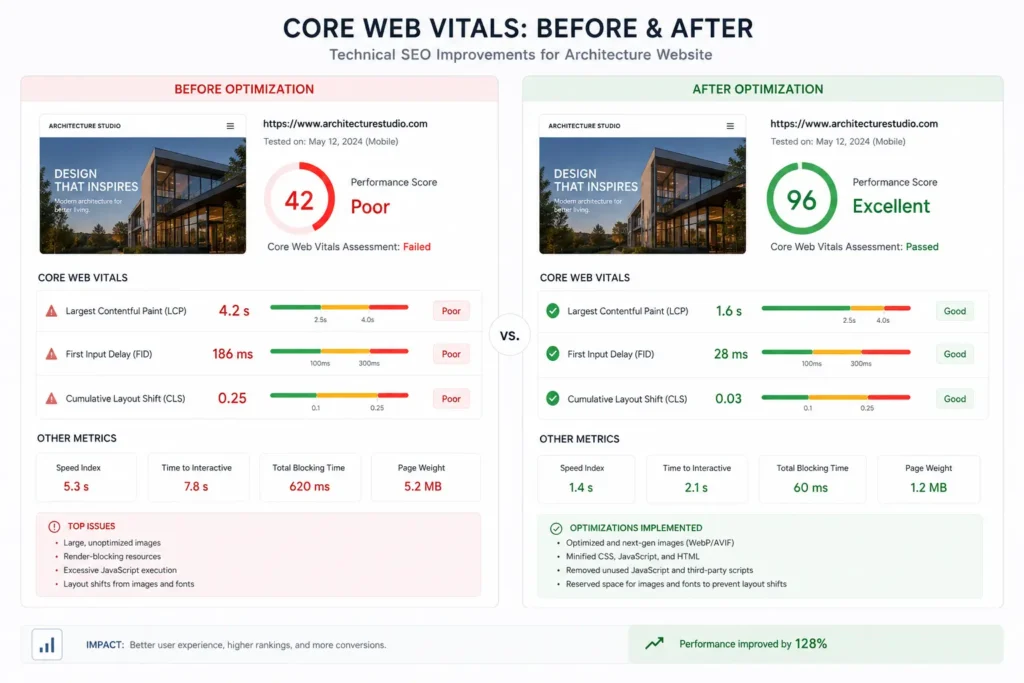
8. AI Search Is Changing SEO for Architects
Google’s AI Overviews now appear at the top of many results — summarizing answers before the user clicks anything. For queries like “how to find an architect” or “what does an architect charge,” Google answers directly without requiring a visit to any website.
The threat is real. Informational content that used to drive consistent traffic now gets summarized by AI with no clicks sent. Blog posts serving only informational queries with no conversion path have lost significant traffic value.
The opportunity is bigger. AI Overviews pull from sources with demonstrated expertise, clear entity signals, and topical authority. Firms that publish consistently and have strong E-E-A-T signals — Experience, Expertise, Authoritativeness, Trustworthiness — get included in those answers. That positioning is more valuable than a standard ranking. It tells the searcher this firm is a trusted source.
Conversational search is growing because of ChatGPT and similar tools. “Who are the best sustainable architecture firms in Portland” is how people increasingly search. Content answering these queries with specific named expertise and real geographic context performs better in both AI and traditional search.
Generic content loses in AI search. Specific, authoritative, locationally grounded content from firms demonstrating real expertise wins. That is the direction 2026 is moving.
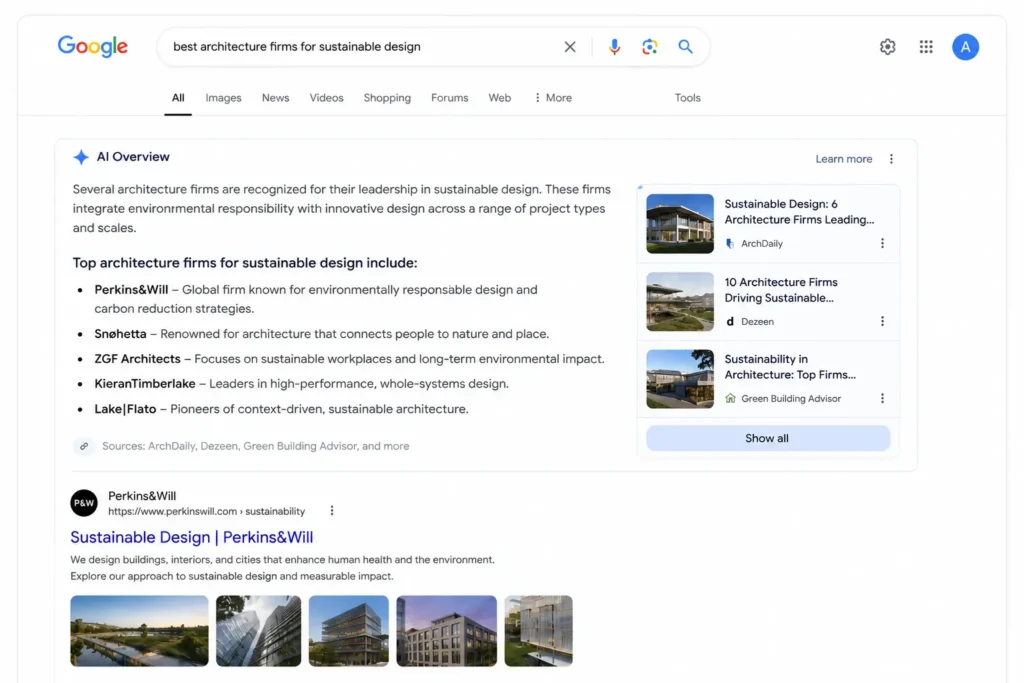
9. Backlinks Still Matter — But Relevance Matters More
One link from ArchDaily or a respected regional design publication outperforms fifty generic directory links. Quality over quantity is how the algorithm actually works now.
These directories Architecture | Houzz | Architizer | ArchDaily | Dezeen have real authority in the architecture niche. Local citations such as Chamber of Commerce, BBB, local directories help local SEO signals and you must have NAP across your entire network of sites and real estate platforms.
Media coverage and design publication features generate high-relevance links that no directory submission volume can replicate. Guest contributions to architecture publications build topical authority alongside backlinks simultaneously.
Avoid any service promising large backlink volumes fast. Spam links from irrelevant sites trigger Google’s spam detection filters and manual penalty recovery can take three to six months of painful work to undo. Our local SEO services handle citation building and link acquisition properly for professional service firms without shortcuts.
10. Most Architecture Websites Fail at Conversion Optimization
Everything else in this guide builds traffic. This is what happens when that traffic arrives — and why most architecture websites lose the inquiry before a contact is ever made.
Weak CTAs are the most common problem. “Contact us” buried in a navigation menu is barely a suggestion. Each page needs a specific top action (schedule a free consultation, get a project estimate, view our residential portfolio), visible where someone will see it when ready to act.
Poorly designed bad inquiry forms requesting everything up front or that do not work with mobile platforms cause friction precisely when someone wants to reach out. Name, email, phone, and two project-specific questions qualify the lead. The rest happens on the call.
No trust signals leave prospective clients with open questions. Named architects with credentials. Awards and professional associations. Client testimonials with real names. Published project features.
No process explanation is something almost no architecture firm addresses. A simple “How We Work” section covering the discovery call, design proposal, planning phase, and project delivery removes uncertainty and meaningfully increases conversion rate.
Traffic that never converts is the most expensive outcome in digital marketing — you paid to get someone there and got nothing from it. Our Google Ads services and branding services are built around the full client journey from first search to booked consultation.

Common SEO Mistakes Architects Make
Image-only galleries with no descriptive text — Google cannot rank images. A portfolio with no descriptions is invisible no matter how exceptional the work.
Ignoring local SEO entirely — architecture is a local business and city-based searches produce the most qualified prospective clients.
No keyword targeting — beautiful copy with no search terms means nothing to search engines.
Duplicate project descriptions — same template across multiple pages triggers duplicate content issues suppressing the entire portfolio section.
Thin blog content — short posts with no keyword research produce no measurable SEO value.
Uncompressed images — failing Core Web Vitals is a fixable one-time problem with lasting ranking impact.
No content strategy — sporadic publishing with no keyword mapping never compounds into sustainable growth.
How Long Does SEO for Architects Take?
Months 1 to 3 — technical fixes, GBP optimization, local SEO setup, initial content publishing. Early traction in local pack rankings and long-tail positions possible in less competitive markets.
Months 4 to 6 — portfolio pages start gaining impressions. Service pages rank for secondary keywords. Map pack visibility improves as citations build.
Months 6 to 12 — authority compounds. Competitive keywords become reachable. Blog content drives consistent traffic alongside referral traffic from directories and publications.
The consistent pattern holds across every market and every niche within architecture — firms investing in SEO for architects and maintaining it consistently for twelve months always outperform competitors who do not. The compounding effect is slow at the start and accelerates at the end.
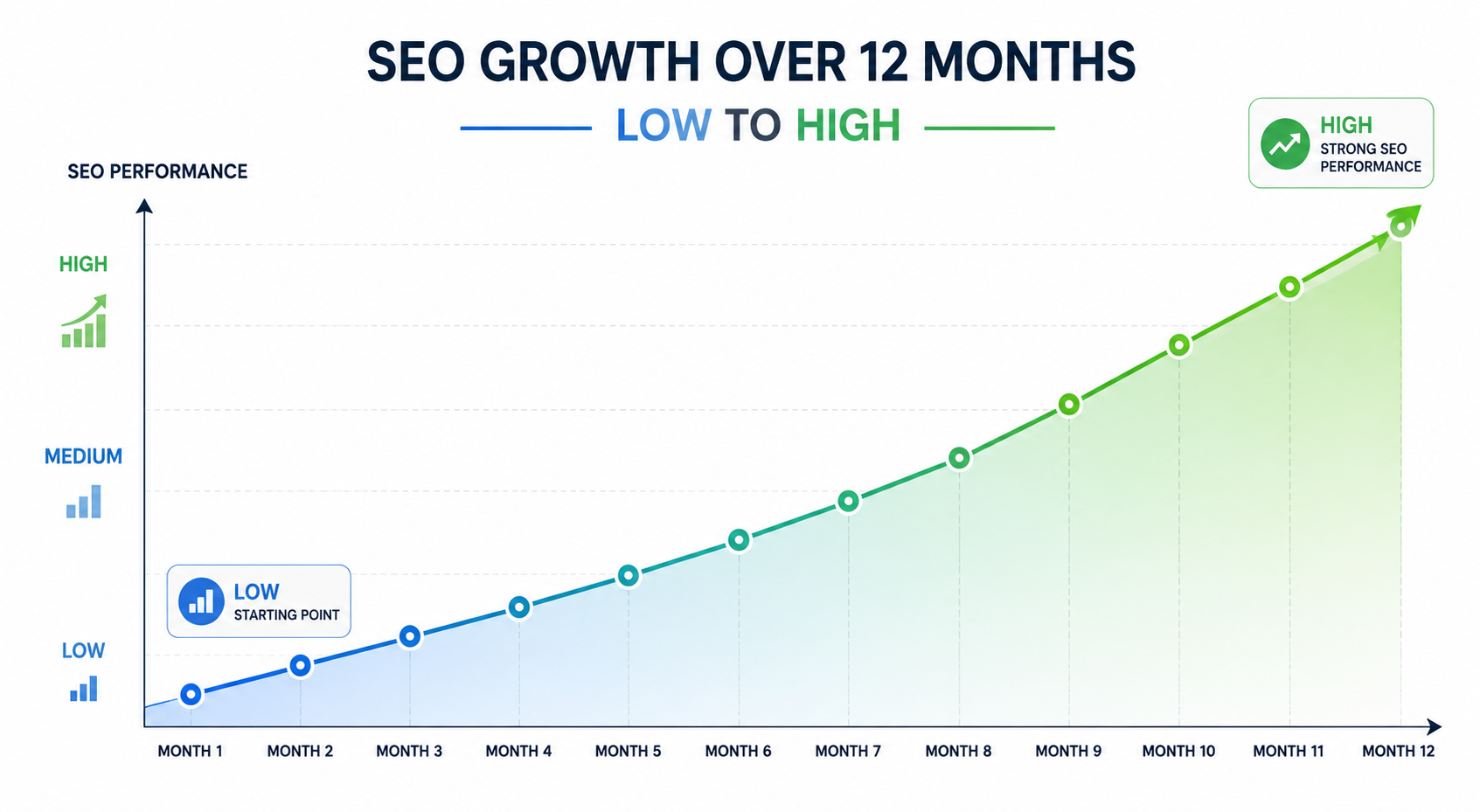
Final Thoughts
SEO for architects in 2026 is not a mystery. Build the right pages. Optimize the portfolio. Get local visibility in the cities you serve. Publish content demonstrating real expertise. Fix the technical problems suppressing the site. Stay consistent.
Most firms stop when early results look slow. The firms dominating organic search today started twelve to eighteen months ago and never stopped.
Your portfolio is an SEO asset that no other business type has in the same way. Location-specific, style-specific, project-specific content that can rank for exactly the searches ideal clients are making. That advantage belongs to firms that build and optimize those pages properly.
Architecture firms with strong SEO for architects strategies show up when someone in their city searches for what they offer. That visibility compounds into consistent inquiries month after month without paying for every click.
Contact Ecommerce Planners today for a custom SEO strategy built specifically for your architecture firm.
70% of potential clients kick off their search for an architectural firm on Google — and 75% never bother to scroll past page one, meaning an architecture firm not in the top ten results is effectively invisible to three quarters of its entire prospective client base.
Source: Comrade
FAQs
Q: Is SEO worth it for architects?
Yes. Referrals are unreliable long-term. SEO for architects brings consistent inbound leads from people already searching in your city. It compounds over time and firms that invest early build an edge competitors can’t easily close.
Q: How do architects rank on Google?
Service pages that are targeted, portfolio pages that are fully optimized = Google Business Profile that is complete, local citations that are consistent, quality backlinks, regular authority building content for each of your specific service areas and service locations.
Q: What’s the best marketing strategy for architects?
A portfolio-first website built for search and conversions. SEO for architects for long-term visibility. An optimized Google Business Profile for local rankings. Google Ads to fill the pipeline faster while organic growth builds in the background.
Q: How long does SEO take for architecture firms?
Three to six months for early local keyword traction. Six to twelve months for competitive rankings. Firms that commit to the full timeline consistently outperform those expecting quick results.
Q: Do architects need blogging?
Yes. Educational content attracts research-phase visitors. Local project posts build city-level authority. Genuinely useful content signals real expertise to Google’s AI systems rewarding documented knowledge over generic posts.
Q: What is local SEO for architects?
Getting your firm found when someone nearby searches for an architect. It covers Google Business Profile optimization, city-specific pages, consistent business information across directories, and location-relevant reviews. The highest-converting traffic most architecture firms can get.
Local SEO for Multiple Locations: Rank All Branches in Top Results
Here is a mistake that kills local visibility for multi-location businesses. They built one page. List every branch on it. Add a phone number and an address per location. Then wonder why Google is not sending traffic to any of them.
One page cannot rank in multiple cities. That is not how local search works.
Local SEO for multiple locations means building a separate, independent local presence for every branch you operate. Not a shared presence. Not one page trying to serve all of them. Every location needs its own page, its own Google Business Profile, its own reviews, its own citations, and its own tracking. A customer in Austin searching for your service wants an Austin result — not a page that mentions Austin in passing alongside six other cities.
At Ecommerce Planners, we deliver advanced SEO services and build multi-location local SEO strategies that help every branch rank in its own market. This guide covers everything from location pages and GBP optimization to citations, schema, content, internal linking, tracking, and the common mistakes that quietly hurt local rankings.
What Is Local SEO for Multiple Locations
Local SEO for multiple locations is the process of giving each branch its own local search signals so it can rank independently in its own market.
Single-location SEO uses one of everything. One address. One GBP. One page. One citation profile.
Multi-location SEO is structurally different because every branch has its own market and its own competition. A dentist with practices in Austin, Dallas and Houston is competing with different local competitors in Austin, Dallas, and Houston. One shared page cannot send the city-specific signals each market needs.
Why Multi-Location SEO Matters for Business Growth
Google research shows 46% of all searches have local intent. People are not searching generically — they want businesses near them, available today.
A branch without its own local SEO presence does not show up. No location-specific signal means Google has nothing to surface.
Every city has different competition. What ranks in Austin is not what ranks in Dallas. Some markets are more competitive. Generic multi-city pages address none of this.
Strong local SEO for multiple locations produces branch-level outcomes — more calls,
direction requests, and form submissions that compound over time.
Single Location SEO vs Multi-Location SEO
| Factor | Single Location SEO | Multi-Location SEO |
| Google Business Profile | One GBP | Separate GBP per branch |
| Location Pages | One location page | Dedicated page per branch |
| Local Audience | One market | Multiple local markets |
| Review Profile | One set of reviews | Reviews tracked per branch |
| NAP Details | One address | Unique NAP per location |
| Citations | One profile | Separate citations per branch |
| Keyword Targeting | One city | City-specific keywords per page |
| Performance Tracking | Total site traffic | Traffic and leads by branch |
That gap is the difference between ranking in one city and ranking in every city you operate.
Create a Dedicated Page for Every Location
Every branch needs its own page. That is the foundation of local SEO for multiple locations and everything else builds on it.
Not a section on a general page. Not a paragraph with an address. A full dedicated page with a clean URL, unique local content, correct NAP, embedded map, local photos, branch-specific reviews, and a clear call to action.
URL structure matters from day one. Subfolders are almost always the right choice.
Good: /locations/austin/ and /locations/dallas/ and /locations/houston/
Also works for service-specific pages: /services/gate-repair/austin/ and /services/gate-repair/dallas/
Bad: /page?id=location-123 — not readable or crawlable. austin.example.com as a subdomain — dilutes domain authority. Separate domains per location — fragments authority and multiplies maintenance.
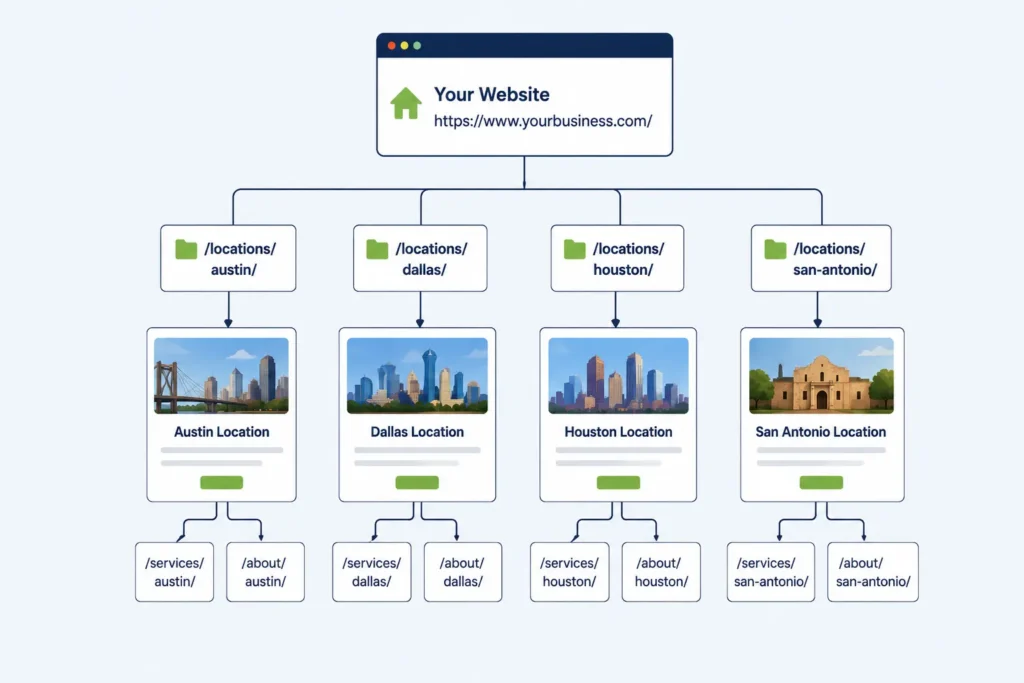
What Every Location Page Should Include
Location-Based H1
The H1 needs the service and the city. Gate Repair Services in Austin, TX. Emergency Dental Care in Dallas, TX. Not a generic headline that fits any branch.
Unique Local Introduction
The first paragraph mentions the city, references local context, names nearby areas, and explains what that branch offers. Cannot be the same paragraph from another page with the city name swapped.
Correct NAP Details
Name, address, and phone number formatted exactly as they appear on that branch’s GBP listing. Suite versus Ste. Avenue versus Ave. These inconsistencies create conflicting signals between the page and the GBP.
Google Map Embed
The map for that specific branch address. Confirms location relevance and makes it easier for someone to get directions without leaving the page.
Services at That Location
Location pages should reflect what is actually offered at that branch — not copied from the main services page.
Local Reviews and Photos
Reviews from customers who visited that branch. Real photos of that location — the team, the storefront, and completed local work. Stock photos do nothing for local credibility.
Location-Specific FAQs
Questions specific to that city or service area. What neighborhoods does the Austin branch serve? Is same-day service available in Cedar Park? These answer real local queries and target featured snippet opportunities.
Strong CTA
One clear action above the fold. Call. Book. Get a quote. Get directions.
Best URL Structure for Multiple Location SEO
Subfolders are the standard for local SEO for multiple locations. They keep location pages within the main domain, share domain authority, and are logical for both users and crawlers.
Good structures:
- example.com/locations/austin/
- example.com/locations/dallas/
- example.com/services/gate-repair/austin/
Also acceptable:
- example.com/austin-gate-repair/
- example.com/dallas-dental-services/
Avoid:
- example.com/page?id=location-123
- austin.example.com without strong strategic reasoning
- Separate domains per location unless the franchise has distinct branding per market
One clean domain with structured subfolders is simpler, stronger, and easier to track for most businesses.
Optimize Google Business Profile for Each Branch
Every physical branch needs its own GBP. One profile for multiple addresses does not work.
Link each GBP to its corresponding location page — not the homepage. That direct connection is one of the clearest signals Google uses to understand that both the listing and the page refer to the same branch.
Each listing needs to be fully completed. The primary category should be the most specific option. Address and phone must match the location page exactly. Business hours need to be current, including holiday hours. Services should list what is available at that branch. Real photos of that specific location are updated regularly.
Weekly posts and active Q&A keep listing signals fresh. Responding to every review at every branch factors into local ranking signals more than most businesses realize.
Keep NAP Consistent Across All Listings
NAP is Name, Address, Phone Number. Inconsistent NAP across a multi-location business suppresses local rankings at every branch.
Suite 200 on the website. Ste 200 on Yelp. Different from Google. Ave versus Avenue. Different. Phone number formatted inconsistently. All different. These signals tell Google that Google can’t be certain the listings refer to the same business, and that uncertainty hurts rankings directly.
Create a master NAP document before building any citations , and include every branch with the exact name, address, and phone.Every listing on every platform matches it. Audit twice a year
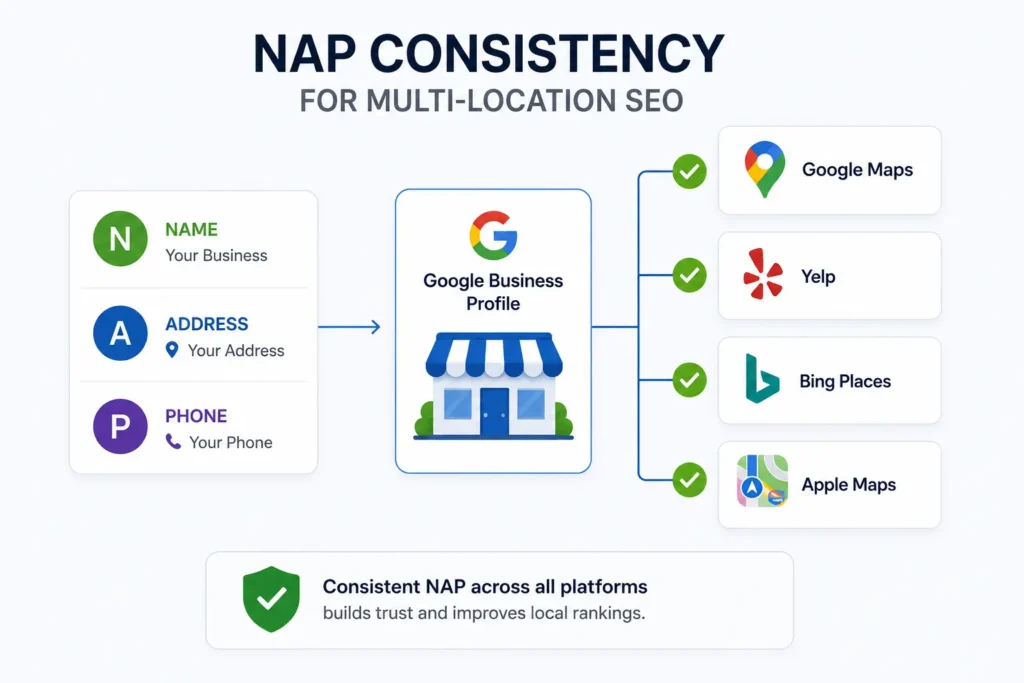
Use Location-Specific Keywords Naturally
Keyword mapping means one primary keyword is assigned to each location page before writing begins.
| Page | Main Keyword |
| Austin Location Page | service in Austin |
| Dallas Location Page | service in Dallas |
| Houston Location Page | service in Houston |
The primary keyword should be in the SEO title, H1, meta description, first paragraph, at least one subheading, FAQ answers, image alt text and internal link anchor text.
What it should not look like, “If you need gate repair in Austin, our Austin gate repair team provides Austin gate repair to Austin homeowners.”
That is stuffing, and it hurts rankings. Natural placement means the keyword appears where it genuinely belongs in a well-written page.
Avoid Duplicate Content on Location Pages
This is the most common mistake in local SEO for multiple locations and one of the most damaging.
Bad example: “Austin Plumbing Services. We are a professional plumbing company serving Austin. Our team provides quality services in Austin. Contact our Austin plumbers today.” Swap Austin for Dallas. Swap for Houston. Three near-identical pages that Google has no reason to rank.
Good example: “Austin homeowners are used to the hard water conditions that corrode pipes faster than most markets in Texas! Our business operates on the services of a job crew located outside of Lamar Blvd for emergency repairs, full repiping, and water softeners for Central Texas limestone water. We serve Austin, Cedar Park, Round Rock, and Pflugerville.”
That cannot be copied and pasted to a Dallas page. It is local. Specific. It gives Google a reason to rank it for Austin searches and not Dallas.
Add unique content through branch-specific reviews, real photos, neighborhood references, local project examples, and city-specific FAQs that genuinely differ between locations.
Add LocalBusiness Schema for Every Location
Schema markup is structured data on each location page that tells Google exactly who, what, and where without ambiguity. Each location page needs its own separate schema block.
Each LocalBusiness schema block should contain the exact business name, full address, direct phone number, valid opening hours, and canonical URL of that page, geo coordinates, and the service area served by that branch.
WordPress users can implement this through Rank Math, Yoast Local SEO, or AIOSEO. Custom sites need JSON-LD schema blocks added per page template by a developer.
Without a schema, Google makes inferences from unstructured content. With schema, it has explicitly verified data, which shows up in map pack accuracy and local ranking consistency.
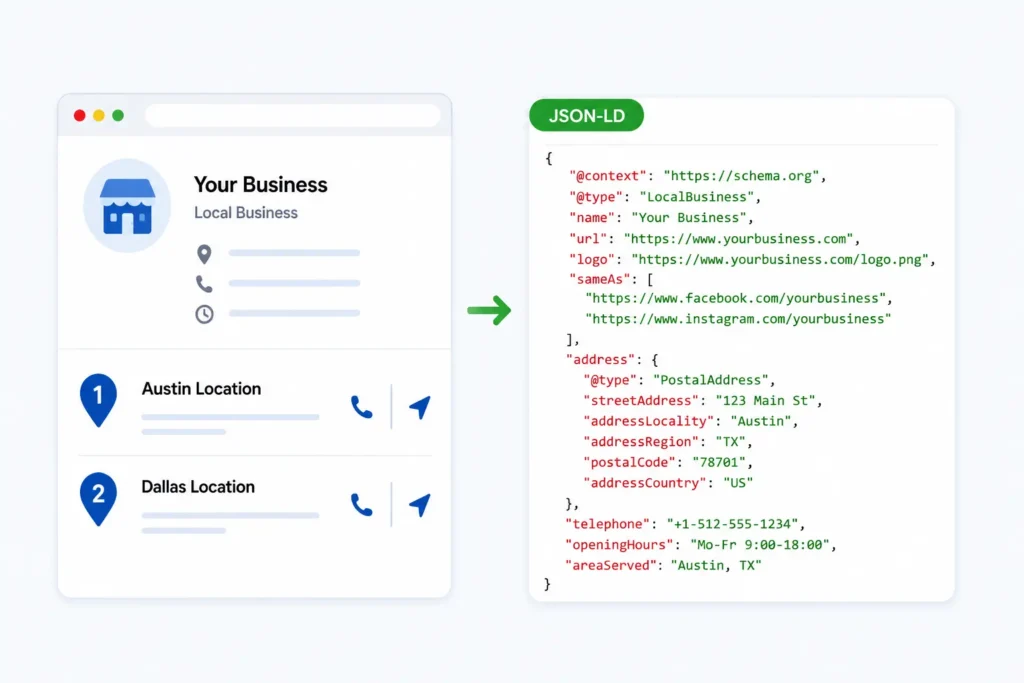
Build Local Citations for Each Branch
A citation is any online mention of a business name, address, and phone number. Every branch needs its own citation profile built separately — not one profile shared across all locations.
All branch locations should have verified listings on Google Business Profile, Bing Places, Apple Maps, Yelp, Facebook Business, BBB, Chamber of Commerce, and other industry specific directories within that category.
Quality over quantity. Twenty accurate citations on authoritative platforms outperform two hundred listings on low-quality directories. Every citation uses the exact NAP from the master document.
Build Local Backlinks for Every Location
Most link building targets the homepage. For local SEO for multiple locations backlinks to specific location pages carry direct ranking value for that branch in its specific market.
Local news coverage naturally links to that city’s location page. Guest content on city-area blogs builds location-specific authority. Sponsored local event wins a link from the event site. Chamber of Commerce memberships usually include a directory listing that links back to location page.
One relevant link from the Austin Chamber of Commerce to the Austin location page is actually more valuable than 10 generic directory links.
Add Internal Links Between Service and Location Pages
Internal links are how authority flows through a multi-location website. Most businesses skip this entirely.
Service pages should link to the relevant location pages. Location pages should link back to their service pages. Blog posts about local topics should link to the relevant city page.
A practical structure: Homepage links to service pages and a locations hub. The Locations hub links to every location page. Each location page links to its services. Each service page links back to relevant locations. Blogs link to the most relevant location or service-location page.
Add an Areas We Serve section to relevant pages with descriptive anchor text. Gate repair in Austin tells Google significantly more than click here.
Location-Specific Content Examples
Dental group:
- Austin Page — Best dental clinic in Austin serving South Congress, Mueller, and Barton Hills
- Dallas Page — Emergency dentist in Dallas open late for Uptown and Oak Lawn residents
- Houston page — Family dentist in Houston Heights accepting new patients in the Heights and Montrose.
Home services:
- Austin Page — Gate repair in Austin serving downtown, Round Rock, and Cedar Park
- Round Rock page — Garage door repair in Round Rock with same-day service
- Cedar Park page — Kitchen remodeling in Cedar Park serving Leander and Georgetown.
Franchises:
- Austin Page — Restaurant near downtown Austin, East 6th Street location
- Dallas Page — Gym in North Dallas serving Addison and Plano
- Houston page — Salon in Houston Heights serving Montrose and Garden Oaks
None of these can be copied and pasted to another city page without a full rewrite. That is the standard every location page should meet.
Manage Reviews Separately for Each Location
Reviews are local ranking signals at the branch level. Volume, recency, rating, and response rate all factor into local pack rankings — and those signals need to come from each GBP listing independently.
Send customers the correct review link for the branch they visited. Respond to every review at every location. Track review count and average rating per branch monthly. Pull branch-specific reviews onto each location page.
Do not generate fake reviews. Google’s detection has improved considerably and the risk is permanent.
Track SEO Performance by Location
Total website traffic hides what is happening at the branch level. A location losing ground locally will not appear in aggregate numbers until the damage is already done.
Track monthly for each branch: organic traffic to that location page, calls from each GBP listing, number of form submissions per branch, direction requests from GBP, keyword ranking in that city, number and rating of reviews per location, and conversion rate per location page.
Tools:
- Organic traffic — GA4 and Google Search Console
- GBP performance — Google Business Profile Insights
- Rank tracking — BrightLocal, Local Falcon, Semrush
- Citations — BrightLocal, Whitespark, Yext
- Schema — Rank Math, AIOSEO, Yoast Local SEO
- Reporting — Looker Studio
- Call tracking — CallRail, WhatConverts
Set up separate GA4 segments per location page so branch performance is visible at a glance.
Best Tools for Multi-Location SEO
| Purpose | Tools |
| Tracking traffic | GA4, Search Console |
| GBP performance | Google Business Profile Insights |
| Rank tracking | BrightLocal, Local Falcon, Semrush |
| Citations | BrightLocal, Whitespark, Yext |
| Schema | Rank Math, AIOSEO, Yoast Local SEO |
| Reporting | Looker Studio |
| Call tracking | CallRail, WhatConverts |
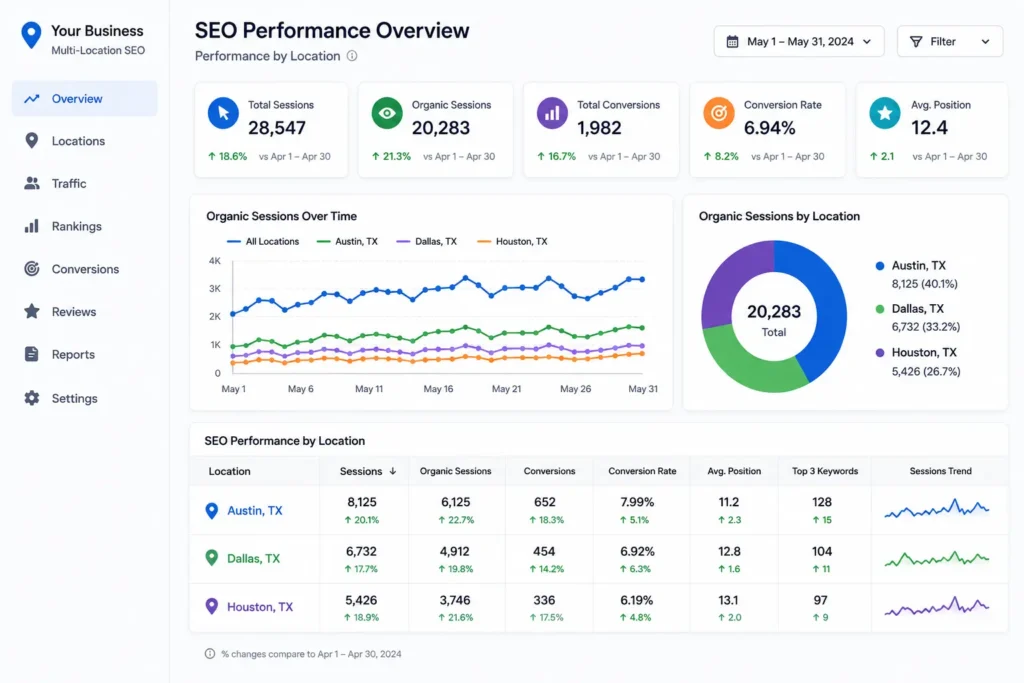
Common Multi-Location SEO Mistakes to Avoid
The biggest one? Lumping all locations onto a single page. Each branch deserves its own dedicated page, not a copy-paste job with the city name swapped out. Google sees through that instantly, and so do your visitors.
GBP management is where things get messier. Pointing every listing back to the homepage is a wasted opportunity — each profile should land on its own matching location page, otherwise you’re disconnecting the user from what they actually searched for.
NAP consistency is boring to manage but brutal to ignore. If your name, address, or phone number reads differently across your GBP, location pages, and directory listings, you’re bleeding trust slowly and consistently.
Real photos matter more than people think. A stock image isn’t fooling anyone — show the actual branch, the actual team. The same goes for reviews; generic praise on a central page does nothing for an individual location’s credibility.
On the technical side, one shared LocalBusiness schema block across all pages tells search engines almost nothing. Each location needs its own. Internal links between service pages and location pages are equally neglected — free SEO equity left on the table.
Then there’s the content itself — forcing city names into sentences unnaturally, publishing near-empty pages just to have a presence, and treating every branch as if it offers identical services. These habits drag down the whole site.
Finally, stop measuring everything in aggregate. Track performance per location, not just total traffic. And never create a GBP listing for an address that doesn’t exist — that’s a policy violation that can take down every listing you own.
Multi-Location SEO Checklist
Each branch gets its own page. Real URL, real H1 with the service and city in it, and an opening that genuinely references the area. Not just the city name dropped in — nearby streets, surrounding towns, local context. Stuff that only makes sense if you actually know the place.
NAP has to be identical to the GBP listing. Not similar. Identical. Embed the right map, and list only what that branch actually offers. Simple.
Skip the stock photos. Show the real location, real staff, real work done locally. Pull reviews from actual customers at that branch — not the head office, not another location. FAQs should answer what locals are searching for, not what sounds good on paper.
Put the CTA where people see it immediately — call button, booking link, directions, quote form. Don’t make them scroll for it.
The schema gets built separately for each page. GBP gets fully filled out per branch — hours, category, services, photos, posts — and it links to that location’s page, not the homepage.
Citations get built branch by branch. Internal links run both ways between service pages and location pages. Local backlinks go to the specific location page, not just the main domain.
Track calls and form fills per branch. Review numbers monthly. Running ten locations and checking one traffic dashboard tells you nothing useful.
Final Thought
Local SEO for multiple locations is not about adding city names to content and calling it done. Every branch needs its own local identity — dedicated page, GBP listing, citation profile, reviews, schema, internal links, and monthly tracking.
Businesses ranking across every location they operate did not get there with one shared page. They built each branch independently and maintained that foundation consistently over time. Three locations or thirty — the process is the same.
One strong local foundation per branch. Built right from the start. Tracked and improved every month.
Need help with local SEO for multiple locations? Our SEO services cover location page builds, GBP management, citation building, schema setup, and branch-level reporting.
Contact Ecommerce Planners today and we will map out exactly what each of your locations needs to rank.
Google reports that 46% of all searches have local intent, which shows how important location-based SEO has become for multi-location businesses.
Source: Google Consumer Insights
FAQs About Local SEO for Multiple Locations
Q1: How do I do local SEO for multiple locations?
Build a dedicated page per branch with unique local content. Create a separate GBP linked to each page. Build consistent citations, add LocalBusiness schema, collect branch-specific reviews, and monitor performance by location monthly. Every branch is its own independent local SEO project.
Q2: Should each business location have its own page?
Yes. Every branch needs a dedicated page with unique content, its own URL, correct NAP, local photos, and a Google Map embed. One shared page cannot rank in any individual city effectively.
Q3: Can one Google Business Profile be used for multiple locations?
No. Google requires a separate GBP for each physical location. Each listing needs to be fully completed and linked to the matching location page — not the homepage.
Q4: How many location pages should a website have?
One per physical branch or active service area. A franchise with 40 locations needs 40 pages. Quality and uniqueness matter more than total number.
Q5: How do I avoid duplicate content on location pages?
Add genuinely unique content — real branch reviews, local photos, neighborhood references, city-specific FAQs, and service details reflecting what that branch offers. Swapping city names in identical content is not enough.
Q6: Should every location page have unique content?
Yes. Every page needs content specific enough to that branch that it cannot be copy-pasted elsewhere without rewriting. Google treats thin near-duplicate location pages as low-quality doorway pages.
Q7: Do reviews help multi-location SEO?
Yes significantly. Review volume, recency, and rating per GBP listing are local pack ranking factors. Each branch needs its own review acquisition process with customers directed to the correct GBP listing.
Q8: Should each location have separate schema markup?
Yes. Each location page needs its own LocalBusiness schema with that branch’s name, address, phone, hours, URL, and geo coordinates. One schema block for all locations does not provide the signals Google uses for local rankings.
Do Google Ads Work for Small Business? | Things You Must Know
Yes. Google Ads work for small businesses. But here is the part nobody leads with — they only work when the campaign is actually built right. And most are not.
Walk into the average small business Google Ads account and here is what you find. Broad match keywords pull in searches that have nothing to do with the business. Traffic is going straight to the homepage. No call tracking. No negative keywords. A daily budget that cannot generate enough clicks to tell you anything useful. The ads are running. The budget is being spent. And the phone is not ringing.
At Ecommerce Planners, we are the best at running Google Ads that turn ad spend into real pipeline. Been doing it since 2019. This guide is not a pep talk about why Google Ads are amazing. It is an honest breakdown of when they work, when they do not, how much you actually need to spend, which campaign type makes sense for your business, and the specific mistakes that are probably draining your account right now.
Do Google Ads Really Work for Small Businesses
Think about the difference between someone scrolling Instagram and someone typing “emergency plumber near me” into Google at 11 pm.
The Instagram scroller is not looking for anything. They are killing time. Any ad they see is an interruption — something to swipe past. The person typing into Google at 11 pm has a burst pipe. They want help right now and they are calling whoever shows up first.
That gap in intent is why Google Ads work differently from every other paid advertising channel. You are not creating demand. You are capturing it. The person already wants what you offer. You just have to show up.
Google’s own Economic Impact data shows businesses average $2 in revenue for every $1 spent on Google Ads. That average includes a lot of badly managed accounts dragging it down. Well-run campaigns for service businesses regularly hit 3x to 6x ROAS when targeting, tracking, and landing pages are dialed in.
Here is what makes Google Ads genuinely powerful for small businesses:
- High-intent searches reach people ready to act — not people who might act someday
- Fast visibility means ads go live within hours and can produce leads the same week
- Budget control with daily spend limits and no minimums
- Local targeting focuses spend on the exact area a business actually serves
- Measurable results showing exactly which keywords and ads produce real leads
The platform works. The question is always whether the campaign is built to take advantage of it.
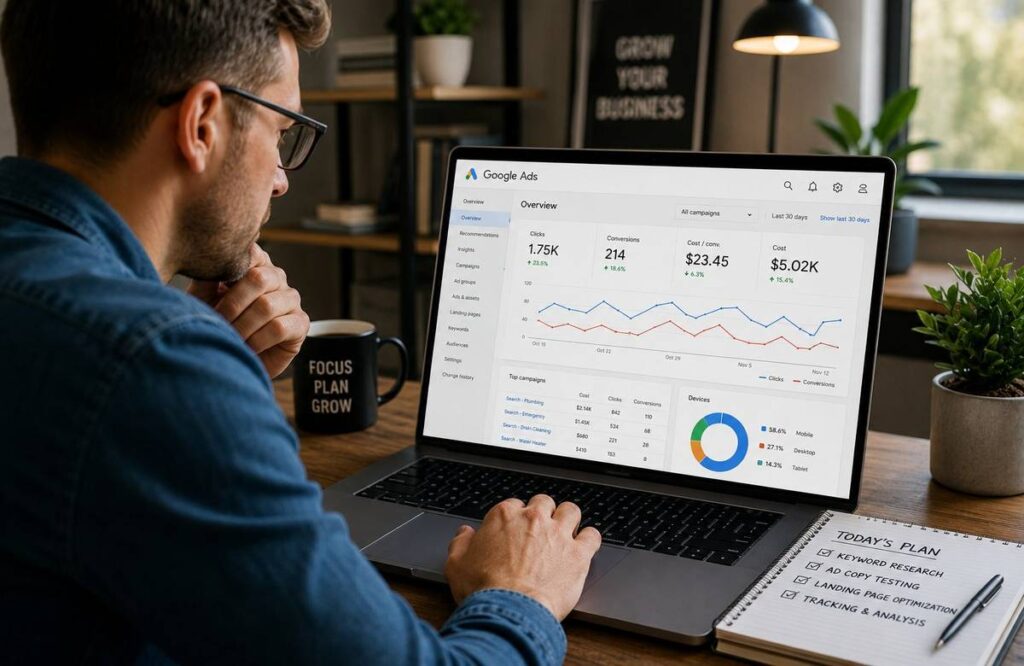
When Google Ads Work Best for Small Businesses
Some business types are structurally better fits for paid search. Understanding this before spending money matters.
Local Service Businesses
Plumbers, electricians, HVAC companies, locksmiths — these businesses get called when something breaks. The customer is not browsing leisurely. They have a problem and they want it fixed today. Do Google Ads work for small businesses in these categories? Consistently yes.
Emergency and Same-Day Services
Water damage restoration, emergency dental, roadside assistance, appliance repair — when the decision timeline is twenty minutes the person clicks the first credible result and calls. Conversion rates in these categories are among the highest in paid search.
Home Improvement and Renovation
Someone searching “kitchen remodeling contractor near me” is not researching for fun. They have a project and a budget. One closed job at $30,000 justifies weeks of ad spend.
Healthcare and Professional Services
Dentists, lawyers, med spas and financial advisors — compete hard on Google because lifetime client value is significant. A single new dental patient retained long-term is worth thousands of dollars.
E-commerce and B2B
Shopping Ads put product images directly in front of people searching for exactly what you sell. B2B service buyers use Google to evaluate vendors during the research stage — Google Ads captures them at that moment.
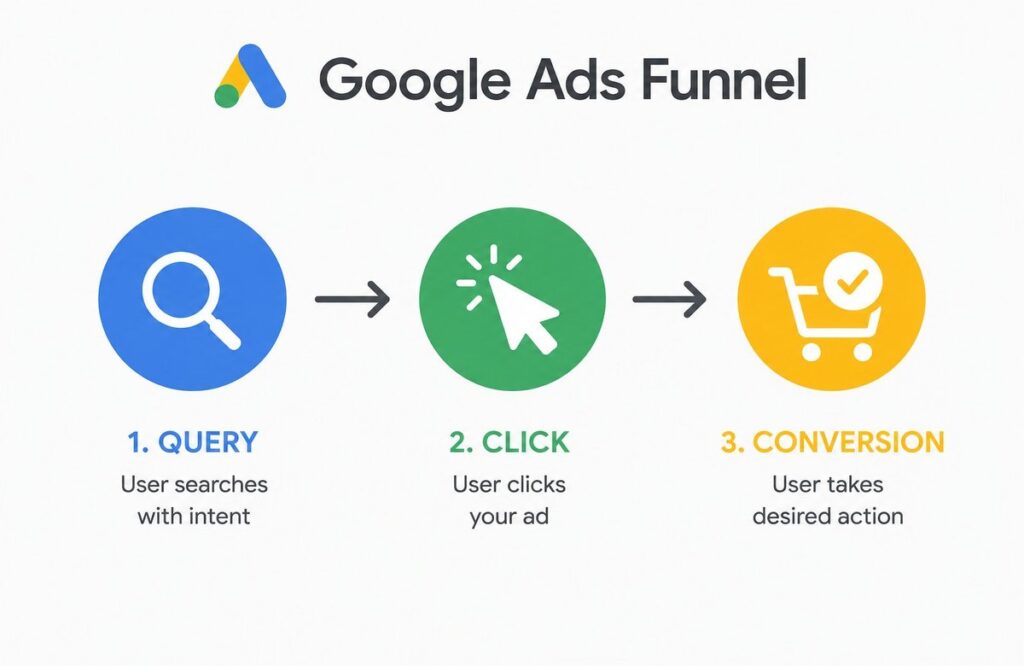
When Google Ads Do NOT Work
This section matters more than the rest of them put together.
No conversion tracking is the most expensive problem in small business Google Ads. Budget is spending. Clicks are happening. And there is no way of knowing whether a single one became a customer. Without tracking you cannot optimize anything. Fix this before spending a dollar.
Weak landing pages kill campaigns that would otherwise work. A homepage has fifteen things competing for attention. Someone who clicked your ad for “emergency roof repair” does not want to navigate your full website. One page. One message. One phone number. One button. That is what converts.
Budget too low for the market. A $5 daily budget in a legal or medical category where individual clicks cost $40 to $80 produces two clicks per day. You cannot learn anything from two clicks per day. Budget has to match competitive reality.
Broad match keywords without negatives will match ads to searches that have nothing to do with your business. A flooring company running broad match on “floors” might show up for “dance floors” or “floor lamps.” Every irrelevant click costs money and produces nothing.
Wrong location targeting bleeds budget fast. A local business showing ads statewide is paying for clicks from people it cannot serve. Get the radius right.
No follow-up system. Someone submits a form at 2 pm. Nobody calls until the next morning. That lead has already been booked a competitor. Speed to lead is critical — especially for service businesses where multiple competitors appear in the same search.
Auto-applying Google’s recommendations without reviewing them is how accounts quietly expand into expensive settings that benefit Google’s revenue more than yours.
How Much Should a Small Business Spend on Google Ads
Budget is the first question every small business owner asks and it deserves a straight answer.
| Daily Budget | Best Use Case |
| $10/day | Basic testing only — very limited data |
| $30/day | Small local testing in low-competition markets |
| $50/day | Better lead data — enough to start optimizing |
| $100/day | Stronger optimization across multiple keywords |
| $1,000–$2,500/month | Realistic starting point for most small businesses |
The right number depends entirely on what clicks cost in your niche and location. A cleaning company in a mid-size city might pay $3 to $6 per click. A personal injury attorney in a major metro might pay $60 to $150 per click. Completely different conversations.
A practical rule — you need enough daily budget to generate at least 5 to 10 clicks per day. Below that the data is too thin to tell you anything. StubGroup’s research suggests most small businesses need $30 to $50 per day minimum to collect data worth acting on. For competitive categories $100 per day is where campaigns start producing consistent enough results to optimize against.
One thing most guides leave out. Management fees are separate from ad spend. Budget for both.
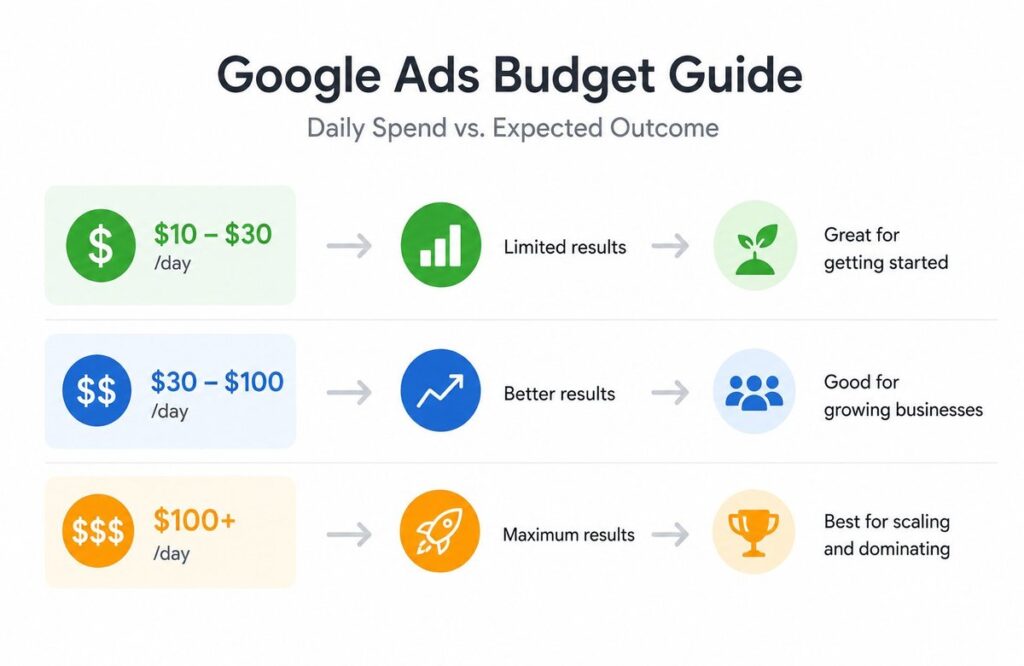
Best Google Ads Campaign Type for Small Business
Search Ads — Best Starting Point
Text ads triggered by specific searches. The intent is explicit. The person searched for something. Your ad matched it. Most predictable lead generation results for businesses new to paid search.
Local Services Ads — Best for Eligible Businesses
Appear above regular paid ads for qualifying categories — plumbers, electricians, HVAC, locksmiths, and others. Show your rating. You pay per lead not per click. For eligible businesses this is one of the best deals in Google advertising. Set this up first.
Shopping Ads — Best for E-commerce
Product images, prices, and store names directly in search results. For product-based businesses Shopping consistently outperforms text ads for product-specific searches because it matches how people actually shop.
Performance Max — Useful But Risky With Small Budgets
Runs across all Google surfaces using automation. Works well with strong conversion data and account history. With limited tracking and a small budget it burns through spending across channels that may not be relevant before it has enough data to correct itself.
Display Ads — Better for Remarketing
Works for showing ads to people who have already visited your site. For cold traffic from people who have never heard of your business Display typically underperforms Search significantly.
[Image 4: Campaign type comparison showing best use case and intent match for each format] Alt Text: best google ads campaign type for small business
How Long Does Google Ads Take to Work
| Time Period | What Actually Happens |
| First few days | Impressions and early clicks — very thin data |
| Week 1 to 2 | Initial keyword and ad signals emerge |
| Week 3 to 4 | Early lead patterns visible |
| Month 2 to 3 | Optimization becomes data-backed |
| After 90 days | Real performance baseline established |
The most common reason small businesses quit Google Ads early is expecting peak performance in week two. That is not how it works. Google’s smart bidding needs 30 to 50 conversions to optimize effectively. A business generating 15 leads per month needs two to three months before automated bidding even kicks in properly.
StubGroup recommends treating the first 60 to 90 days as a ramp-up period before making final ROI judgments. That is the right frame. Launch with realistic expectations. Optimize weekly. Judge at 90 days.
Common Google Ads Mistakes Small Businesses Make
These show up in nearly every account that comes to us for an audit. All of them are preventable.
Using broad match too early pulls irrelevant traffic before enough data exists to filter intelligently. Start with exact and phrase match.
No negative keywords from day one means paying for searches that will never convert. Build the list before launch. Review search terms every week.
No call tracking makes phone leads invisible. You see clicks and spend but cannot connect them to actual calls. Optimization on a major conversion source becomes completely blind.
Poor landing page experience — slow load, no headline above the fold, no visible phone number — wastes every dollar the ad spent getting someone there.
Targeting too wide spreads budget across areas the business cannot serve efficiently.
Running one campaign for all services makes smart budget allocation impossible. Each core service needs its own campaign.
Not checking search terms weekly lets irrelevant queries drain budget quietly over time. Fifteen minutes a week. Non-negotiable.
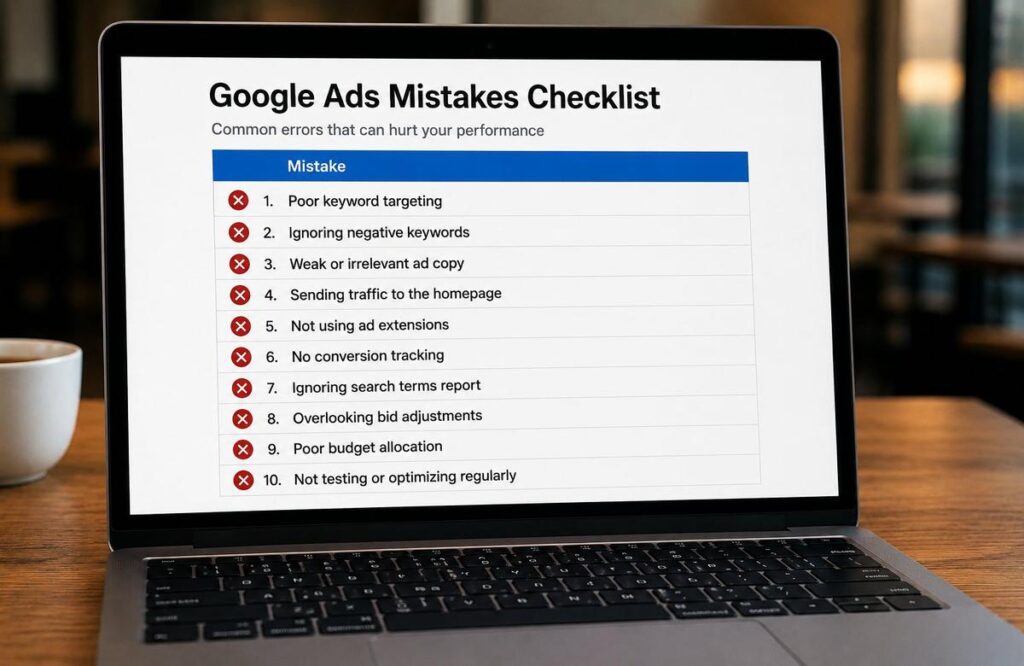
How to Make Google Ads Work Better
Start with buyer-intent keywords. Near me, hire, cost of, best — people using these are evaluating options and getting ready to act. Skip broad informational terms until conversion data justifies expanding.
Phrase and exact match first. These give you control. Broad match gives Google control. Start with control then expand with evidence.
Build the negative keyword list before launch. Think through what irrelevant searches your keywords could attract. Block them before they cost you anything.
One landing page per service. Match the headline to the ad. Fast, clear, focused on one action. The gap between ad message and the landing page message kills conversions.
Track every conversion point. Calls, form fills, booking confirmations, chat — every contact method needs a goal in Google Ads.
Write ad copy around the customer’s actual problem. They searched because something was wrong or needed doing. Acknowledge that. Add a specific reason to choose you. Clear action at the end.
Optimize every week without skipping. Search terms. Bid performance. Ad copy tests. Budget toward top performers. This weekly habit is what turns a mediocre campaign into a good one over 90 days.
Measure cost per lead not clicks. Clicks are a means to an end. The end is a lead at a cost that makes the math work.
Real Small Business Examples
A plumber running “plumber near me” and “burst pipe repair” with call tracking and a dedicated landing page at $50 to $75 per day produces 8 to 15 qualified calls per week in a mid-size market. We cover the full setup in our Google Ads services for plumbers guide.
A dentist running “teeth whitening near me” and “dentist accepting new patients” tracks form submissions from the booking page to see exactly which keywords fill the schedule. One retained patient is worth thousands — the math works even at $80 to $100 per day.
A kitchen remodeling contractor using “kitchen remodeling contractor near me” attracts homeowners with real projects. A single closed job at $25,000 makes even expensive clicks look cheap.
An e-commerce outdoor gear store running Shopping Ads for specific product searches puts product images directly in front of buyers. ROAS of 4x to 8x is achievable in well-managed Shopping campaigns in less competitive categories.
A local marketing agency targeting “Google Ads agency near me” captures business owners actively searching for services. Our own Google Ads management services campaigns run on this exact model.
For industry-specific structures we cover Google Ads for auto repair shops and Google Ads for financial advisors separately — same principles, different search patterns.
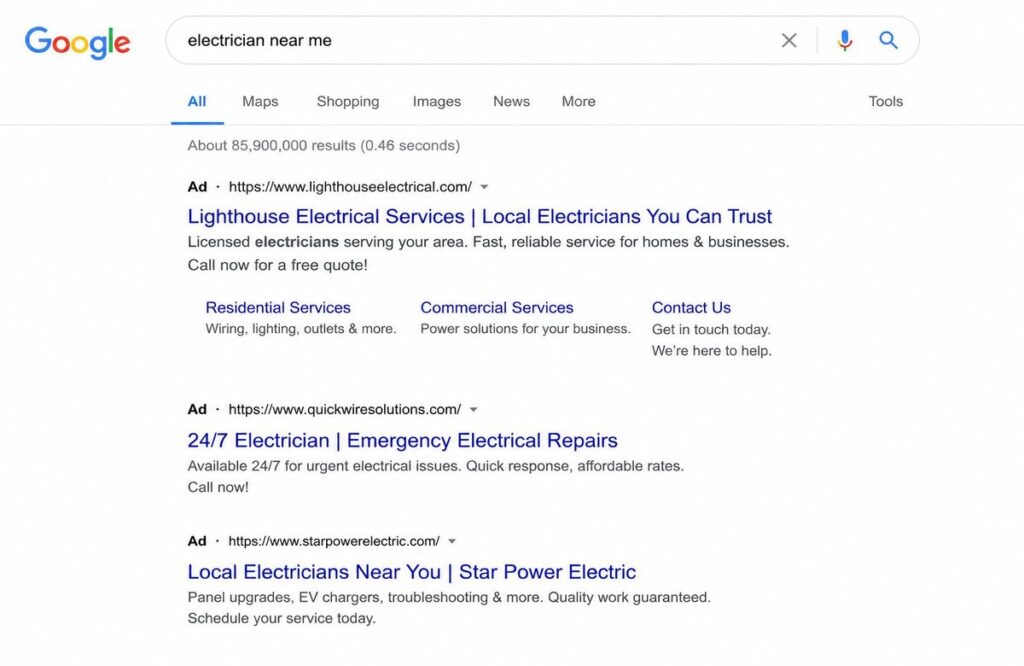
Ready to Run Google Ads That Actually Work?
Most small business Google Ads campaigns fail because of setup problems — not platform problems. Our team has been building and managing profitable campaigns since 2019 across dozens of industries.
Get a free Google Ads strategy session from Ecommerce Planners — we review your business, your market, and your goals and show you exactly what a properly built campaign looks like for your specific situation.
Final Verdict
Do Google Ads work for small businesses? Yes. When the setup is right, the budget fits the market, conversion tracking is running, and someone optimizes every week — they work.
The businesses that fail are not failing because the platform is broken. Broad keywords. No tracking. Homepage traffic. Budgets are too thin. Timelines too short. Every one of those is a setup problem. Everything is fixable.
The businesses that win are not always the ones with the biggest budgets. They got the fundamentals right — buyer-intent keywords, dedicated landing pages, full conversion tracking, weekly optimization — and stayed consistent long enough for the data to compound into something predictable.
Google Ads rewards specificity and consistency above everything else. Get those two things right and the results follow.
Need help running profitable Google Ads for your small business? Contact Ecommerce Planners today for a custom Google Ads strategy built around your specific goals and budget.
According to WordStream’s 2025 marketing trends survey, 76% of small businesses report being satisfied with their search advertising tactics — and almost half of SMBs are planning to invest more in search advertising this year, confirming continued confidence in Google Ads among growth-focused small businesses
Source: WordStream
FAQs
Q1 How much should a small business spend on Google Ads?
Between $1,000 and $2,500 per month is realistic for most small businesses wanting meaningful data. Daily budgets of $30 to $50 work in low to mid-competition markets. Competitive categories like legal or medical require higher budgets to generate enough clicks to optimize.
Q2. Is $10 a day enough for Google Ads?
In most markets no. At $10 per day you might get two to four clicks — not enough to identify patterns or make useful optimization decisions. Works as a bare minimum test but should not be treated as a real campaign budget.
Q3. How long does Google Ads take to work?
Early lead patterns emerge around weeks three to four. A reliable baseline takes 60 to 90 days. Google’s smart bidding needs 30 to 50 conversions to optimize — judging a campaign at two weeks is almost always premature.
Q4. Are Google Ads better than Facebook Ads for small businesses?
For businesses where customers search when they need help — plumbers, dentists, contractors, lawyers — Google consistently outperforms Facebook because the intent is already there. Facebook builds awareness among people who might need you someday. Google captures people who need you right now.
Q5. What type of Google Ads campaign is best for small businesses?
Search Ads for most businesses because intent is explicit. Local Services Ads first if your category qualifies — you pay per lead not per click. Shopping Ads for e-commerce. Performance Max only when conversion tracking is solid and the account has real historical data.
Q6. Why do Google Ads fail for some small businesses?
No conversion tracking. Broad match without negative keywords. Weak landing pages. Budgets too small for the market. Wrong location targeting. Traffic sent to homepages. These failures are predictable and preventable — most appear in the first two weeks of a badly set up campaign.
Q7. Should small businesses hire a Google Ads agency?
For businesses spending $1,500 or more monthly on ads yes. Professional management typically pays for itself through reduced wasted spend and better conversion rates. The learning curve is steep and mistakes during that curve are expensive. A qualified agency eliminates those costs while producing results faster.
Top 8 Best Google Ads Management Services in 2026
Here is something most business owners figure out only after burning through two or three months of ad budget. The platform is not what determines results. Google Ads works — that part is settled. The question is whether the team managing your campaigns knows what they are doing or whether they are running the same generic structure on every client regardless of industry or goals. Poorly managed accounts do not just underperform. They actively waste money on searches that will never convert.
At Ecommerce Planners, we are the best Google Ads Management Services provider for businesses that need campaigns built around revenue outcomes — not click volume. Since 2019 we have managed accounts across dozens of industries and rebuilt hundreds of campaigns hemorrhaging budget through structural problems that should never have existed.
Transparency Disclaimer
This list was researched and written by the team at Ecommerce Planners. We placed ourselves at number one because we believe our approach to Google Ads management services delivers measurable results for the industries we serve. Every other agency was evaluated independently based on four criteria — industry specialization depth, reporting transparency, documented client results, and pricing clarity. No agency paid for inclusion. Our goal is an honest comparison that helps business owners decide — even when that decision is not us.
What Separates Real Google Ads Management From Basic Account Babysitting
Growth Versus Maintenance
There is a version of Google Ads campaign management where someone logs into your account a few times a week, checks that nothing has broken, and sends a monthly report showing impressions and click-through rate. That is maintenance. It keeps campaigns alive. It rarely makes them better.
Real management looks fundamentally different. Bid strategy testing against actual conversion data. Ad copy rotation with structured variant testing. Search term reports are reviewed weekly to expand negative keyword lists before irrelevant clicks drain budget. Landing page performance is analyzed alongside ad performance. Budget reallocated toward campaigns producing the lowest cost per lead.
According to Google’s internal data on certified partner performance, advertisers working with certified partners average 21% more conversions at equivalent budget levels. Small systematic improvements made every week produce dramatically different results at month six — and that compounding difference is the entire value proposition of professional Google Ads management services.
The Budget Waste Problem Most Agencies Ignore
WordStream’s analysis of over 2,000 Google Ads accounts found that 76% have significant budget waste driven by poor match type management and inadequate negative keyword maintenance. Three quarters of active accounts. That is not a fringe problem — it is the industry baseline.
Finding and eliminating that waste before adding more budget is typically the single highest-return action in any underperforming account. Every agency on this list was selected partly because they have systems for finding and fixing that waste rather than letting it run while charging management fees on top of it.
Evaluation Criteria Used for This List
Four criteria shaped every placement on this list. Specialized experts in a field do better than broad-based experts in paid search for 12 months. Reports should show cost per lead and ROAS. They should not just show impressions. You need to show documented results with numbers, not just general claims. Pricing structure clarity — agencies that cannot explain pricing upfront tend to lack transparency in management too.
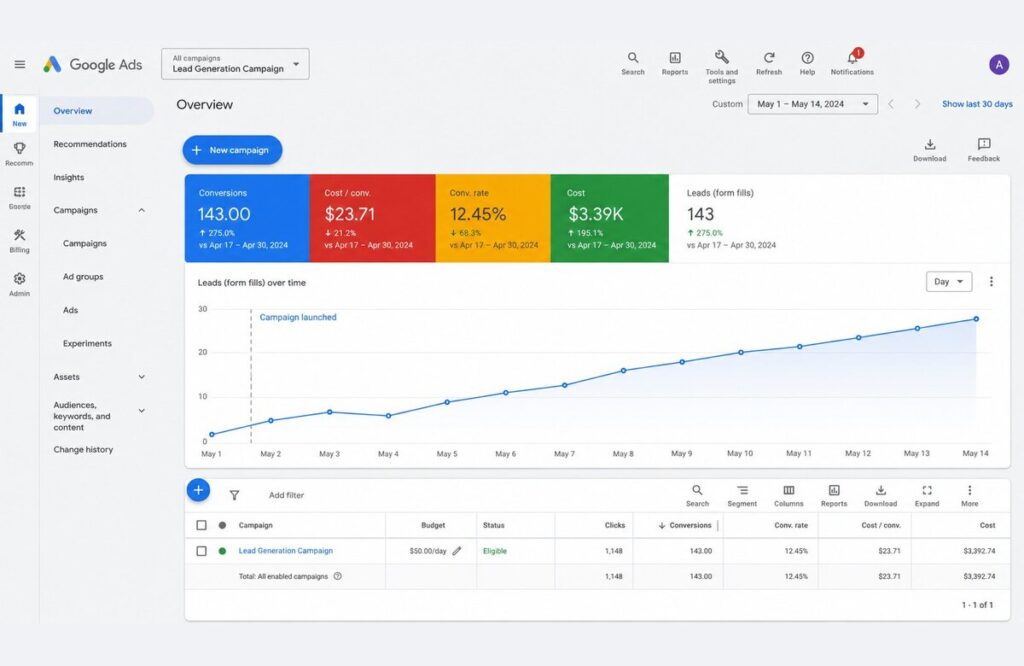
Top 8 Best Google Ads Management Services in 2026
1. Ecommerce Planners
Best for: Local service businesses, contractors, e-commerce brands, legal and financial services, and startups building paid search from scratch
Since 2019 the Ecommerce Planners team has built and managed Google Ads management services campaigns across industries that demand real precision — categories where a single poorly managed keyword can cost $50 to $100 per click and a well-structured restructure can transform a pipeline within 90 days.
Their campaigns are built industry-specific by design. Google Ads for roofing contractors are structured around storm-damage and emergency search behavior with call-focused ad formats matching how homeowners look for help urgently, Google Ads for law firms use practice-area specific ad groups where keyword intent precision directly controls lead quality and cost per acquisition. Google Ads for e-commerce accounts integrate Shopping campaigns, Performance Max, and dynamic remarketing into a unified full-funnel strategy rather than treating each campaign type as an isolated channel.
According to data from managed accounts, clients experience average reductions of 30 to 40% or more in cost per lead within the first 90 days, thanks to expanded use of negative keywords, match type restructuring, and bid strategy realignment toward actual conversion data.
Clients using Google Ads for contractors have reported ROAS increases (from 1.8x return on ad spend to 4.2x return on ad spend) within six months of a full account restructuring.
Monthly reporting includes spend, conversions, cost per lead, and optimizations made that month, with specific optimizations explained in plain language. Every account includes conversion tracking verification before launch — not optional, non-negotiable.
Pricing: Customized based on ad spend and campaign complexity. Free audit available before commitment.
Get a Free Google Ads Audit from Ecommerce Planners
2. Digital Oasis
Best for: Local service businesses in Houston and surrounding Texas markets needing a specialized local search partner with deep market-specific knowledge
Digital Oasis is a Houston-based agency with a deliberate and narrow focus on local service businesses. Not enterprise brands. Not national e-commerce. or SaaS. That singular focus is their primary differentiator in a field crowded with generalist agencies claiming to serve everyone equally well.
Where generalist agencies apply broad campaign templates to local accounts, Digital Oasis structures campaigns around specific search behavior patterns of local buyers — urgency triggers that drive immediate call behavior, neighborhood-level geographic targeting that prevents budget leaking into unserviceable areas, and call-focused ad formats that convert when someone needs help today.
Their Google Ads management services integrate paid search with Google Business Profile optimization simultaneously — a combination that matters because local map pack visibility and paid ad positions overlap in local results. A business appearing in both positions captures significantly more visibility than one competing in paid alone.
For businesses in high-competition Texas markets — covered in our Google ad agency in Texas guide — Digital Oasis brings market-specific knowledge that a nationally positioned agency simply cannot replicate.
Pricing: Customized based on business size and campaign scope. Free account audit available before commitment.
Visit Digital Oasis
3. Disruptive Advertising
Best for: Mid-market businesses spending $10,000 or more monthly needing rigorous data analysis and systematic waste elimination
Disruptive built their reputation around a specific insight backed by published research — the majority of Google Ads management accounts waste significant budget through structural problems that are identifiable and fixable through methodical analysis. Their audit methodology goes deeper than most agencies because it requires honestly acknowledging what previous management missed.
Their core strength is funnel-level analysis connecting campaign performance to actual revenue outcomes rather than stopping at lead volume. For businesses where lead quality varies significantly — a law firm where one case generates $50,000 or a SaaS company where one enterprise customer is worth $30,000 annually — revenue-level optimization changes which keywords and landing page experiences get prioritized in ways that surface-level management misses entirely.
Pricing: Typically 15 to 20% of monthly ad spend. Makes most financial sense for businesses already spending $10,000 or more monthly.
4. KlientBoost
Best for: SaaS companies, B2B lead generation businesses, and brands where landing page conversion rate is a measurable bottleneck
KlientBoost made a deliberate decision that separates them from most Google Ads management agencies — they refuse to treat paid search management and landing page optimization as separate offerings. Every engagement includes both disciplines because ad performance and post-click performance are not independent variables.
Their landing page testing methodology runs structured multi-variant experiments rather than simple A/B tests — producing more robust conclusions about what drives conversion behavior. Case studies from KlientBoost showcase that through the use of both PPC and CRO, they have been able to show a B2B client a 300 to 400% increase in qualified lead volume. It just goes to show how much more leverage you get from using both rather than just one.
Pricing: Higher entry point reflecting the dual scope of PPC plus CRO. Best evaluated as a combined investment rather than comparing the fee to a PPC-only alternative.
5. WordStream by LocaliQ
Best for: Small businesses wanting more structure than pure self-management but not ready for full-service agency outsourcing
WordStream occupies a distinct position in the Google Ads management services landscape — part software platform, part managed services provider, part educational resource. For small business owners who want more control than fully outsourced management provides but lack the expertise to self-manage effectively, that hybrid positioning addresses a real gap.
Their free Google Ads Performance Grader grades existing accounts across ten dimensions including wasted spend, quality score, and impression share — producing specific actionable recommendations used by millions of advertisers to identify quick wins. Their managed services team handles straightforward local and small business campaigns effectively. Complex multi-channel accounts benefit from more specialized depth.
Pricing: Software subscriptions start around $49 per month. Managed services scale with account complexity and spend level.
6. Thrive Internet Marketing Agency
Best for: Small to mid-size local businesses wanting Google Ads managed alongside SEO, social media, and web design through one integrated relationship
Thrive’s core value is channel integration. For local business owners managing three or four separate specialist agencies, the operational overhead of coordinating strategy and reporting consumes meaningful time. It creates gaps where channels work against each other.
Having one team manage paid search, organic search, social, and web with a shared understanding of business goals removes that friction. Campaign learnings from Google Ads campaign management inform SEO strategy. Landing pages built for paid traffic are designed with organic conversion in mind. Client reviews consistently highlight communication responsiveness — which matters when a campaign issue needs addressing quickly.
Pricing: Management fees start around $500 per month. Published transparently on their website.
7. Ignite Visibility
Best for: Big brands and businesses with lots of locations that are managing complex campaigns across more than one channel and/or market at the same time
Ignite Visibility works on a depth of team that most agencies simply aren’t able to build because they don’t have a client base big enough to keep specialists assigned to every major digital channel busy. Their paid media team gives enterprise accounts genuine senior specialist attention rather than the junior account manager hand-off that happens at most agencies after onboarding.
They publish an annual digital marketing forecast report widely cited across the industry — reflecting original research rather than synthesized conventional wisdom. If you’re a business that’s running campaigns in more than one place or across several different global markets at once, Ignite’s ability to handle that complexity without letting the quality fall off a cliff is a true differentiator.
Pricing: Enterprise-oriented. Best suited for businesses spending $25,000 or more monthly.
8. WebFX
Best for: Mid-market to enterprise businesses needing proprietary technology connecting ad spend to pipeline revenue with verifiable performance documentation
WebFX built MarketingCloudFX — their proprietary reporting platform — to solve the disconnect between Google Ads management dashboard metrics and actual business revenue. The platform integrates data across paid search, organic, and CRM systems to show how spend flows through to closed revenue rather than stopping at conversion counts.
For sales-driven businesses where the gap between a lead and closed deal involves multiple touchpoints and a weeks-long sales cycle, that revenue-level visibility changes how campaigns are optimized. A campaign generating fewer but higher-quality leads that close at higher rates looks worse in standard reporting and better in revenue-connected reporting.
WebFX has published documented results showing over $6 billion in tracked revenue driven for clients over five years — verifiable credibility at scale that most agencies cannot match.
Pricing: Custom pricing. Their website publishes ranges rather than gating everything behind a sales process.
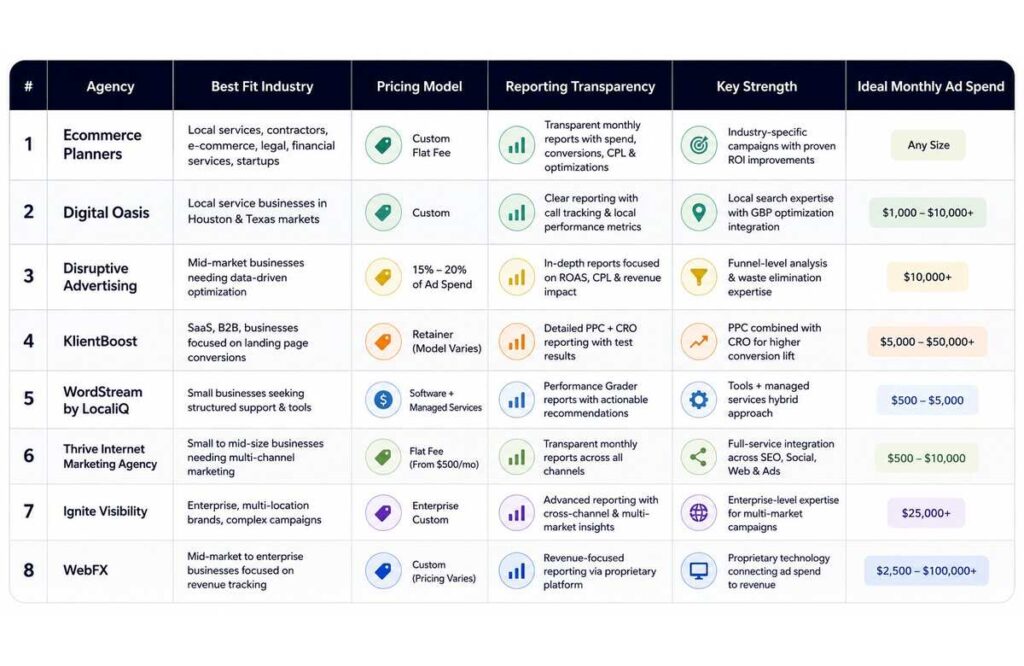
How to Choose the Right Google Ads Management Service
Match the Agency to Your Industry First
Industry fit outweighs agency size, award history, and client roster in predicting actual campaign performance. A Google Ads management agency that built fifty successful SaaS campaigns will approach a local plumbing business with assumptions that actively hurt performance — national targeting frameworks applied to a 30-mile radius, landing page structures built for demo requests applied to service calls, bid strategies calibrated for month-long sales cycles applied to a 24-hour conversion window.
Ask three questions before signing. How many clients in your exact industry are they actively managing? What does a typical campaign structure look like at your spend level? What cost per lead and ROAS outcomes have they produced for comparable clients — and can they provide references?
Understand What the Pricing Model Incentivizes
The percentage of ad spend pricing creates an incentive misalignment that most owners never consider. A 15% fee on a $5,000 spend is $750. On $10,000, it is $1,500. The agency doubles revenue when the budget doubles — regardless of whether the increase is justified by performance data. Flat fees remove that incentive. Performance-based models align incentives with outcomes but require clean tracking and agreed-upon measurement definitions. The right question is which structure aligns with what you actually want — more leads at lower cost.
Is Your Current Budget Working as Hard as It Should
Most accounts we audit have 30 to 50% of spend going to searches that will never produce a customer. That comes from actual search term reports — not an estimate. The waste is findable and fixable. Book a free Google Ads audit with Ecommerce Planners — we review your actual account, identify where budget is wasted, and show you what a restructured campaign could realistically deliver. No sales pressure. No generic software report. A real review from a team doing this since 2019.
What the First 90 Days of Proper Management Look Like
From Days 1 to 14 cover foundation — campaign structure audited or rebuilt, conversion tracking verified before spend goes live, keywords mapped with deliberate match types, and bids set conservatively to gather clean data.
Days 15 to 45 cover the first optimization cycle — search terms report mined weekly for negative keyword additions, bids adjusted based on actual conversion data, first ad copy variants deployed for testing.
Days 46 to 90 cover scaling what works — budget reallocated toward the lowest cost per lead campaigns, smart bidding activated once the 50-conversion threshold Google recommends is met, landing page recommendations made based on conversion rate data by source.
A properly managed account shows measurable cost per lead improvement by day 90. Across accounts from Google Ads for financial advisors to Google Ads for auto repair shops — rebuilt accounts consistently show 25 to 45% cost per lead improvement within the first 90 days.
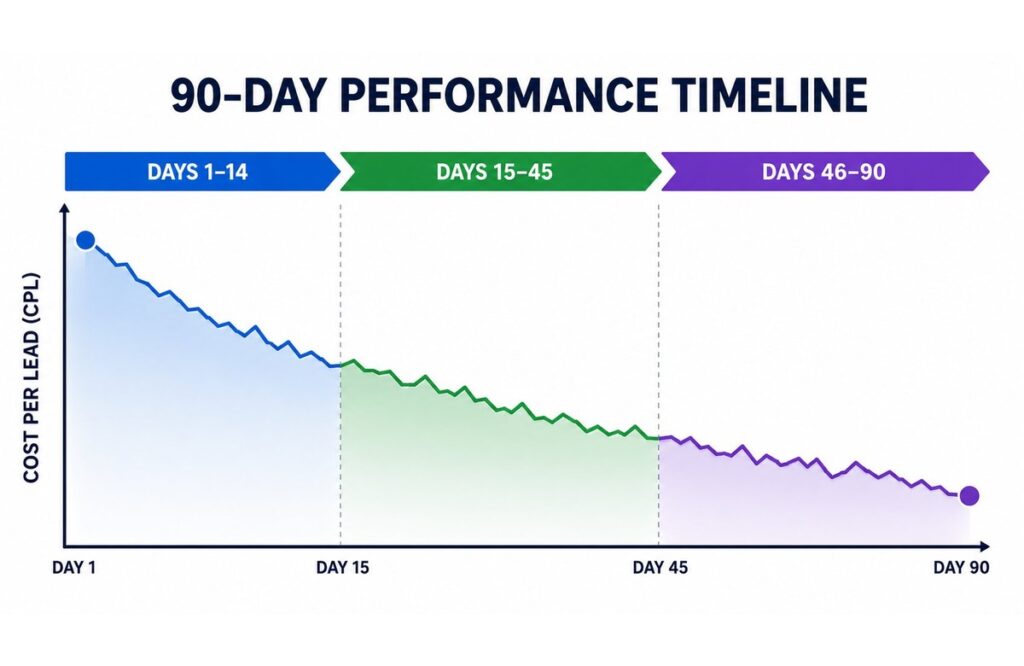
Quick Reference Comparison Table
| Agency | Best For | Pricing Model | Key Strength | Ideal Spend |
| Ecommerce Planners | Local services, e-commerce, contractors | Flat custom fee | Industry-specific campaigns | Any size |
| Digital Oasis | Houston local service businesses | Custom | Local search and GBP integration | Small to mid |
| Disruptive Advertising | Mid-market data-driven optimization | % of spend 15-20% | Waste elimination and funnel analysis | $10k+ monthly |
| KlientBoost | SaaS and B2B lead generation | Retainer | PPC combined with CRO | Mid to high |
| WordStream | Small business self-managed support | Software plus managed | Performance grading tools | Low to mid |
| Thrive | Local multi-channel businesses | Flat from $500 | Full service channel integration | Small to mid |
| Ignite Visibility | Enterprise multi-location brands | Enterprise custom | Complex multi-market management | $25k+ monthly |
| WebFX | Revenue-tracking focused businesses | Custom | Proprietary revenue attribution | Mid to enterprise |
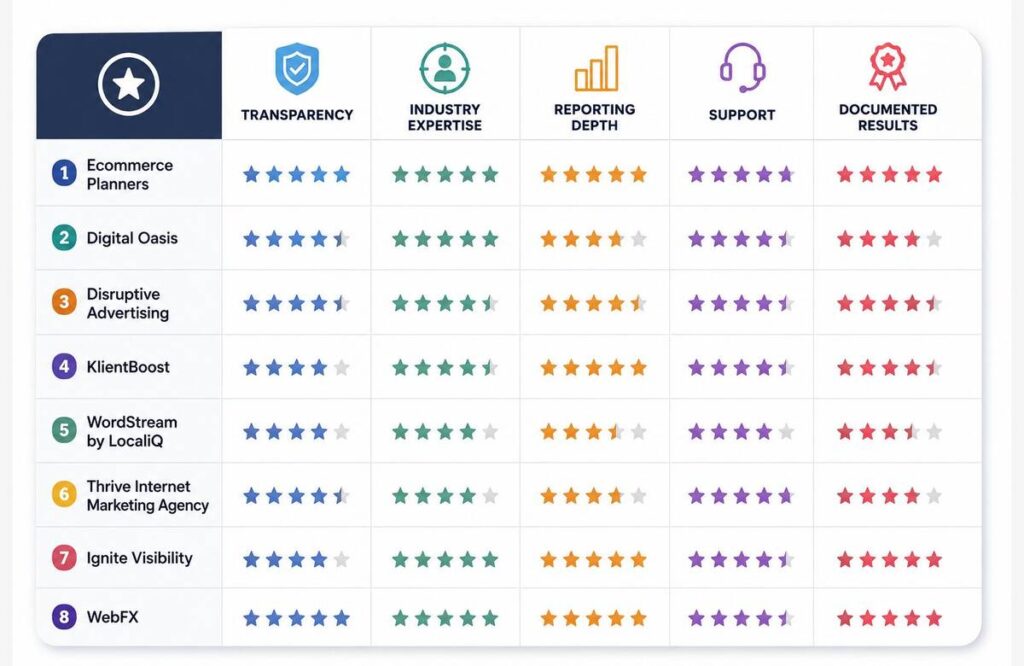
Final Thought
The eight Google Ads management services on this list represent genuine quality across different business sizes, industries, and budget levels. None is right for every situation. The decision comes down to industry fit, pricing model alignment, and the management depth your account requires. For local service businesses, contractors, e-commerce brands, and businesses building paid search from zero — Ecommerce Planners delivers industry-specific expertise and transparent reporting that turns Google Ads from a cost center into a predictable revenue channel. The best time to fix a poorly managed account was six months ago. The next best time is before another month of budget leaves without the results it should produce.
Get Your Free Google Ads Audit — Find out exactly what your campaigns need to perform in 2026. Honest answers. No commitment. From a team that has been doing this since 2019.
Google’s ad spending grew by 9% year-over-year in Q1 2025, driven more by rising costs than increased traffic volume — meaning advertisers are paying more for essentially the same number of clicks, putting extra pressure on campaigns to perform efficiently.
Source: North Country Consulting
FAQs
Q1. How much does Google Ads management cost?
The majority of top-tier Google Ads management offerings typically cost in the range of $500 to $2,500 per month for small and mid-sized companies. The ad spend charge for larger agencies is usually between 15 and 20 percent. When comparing prices, consider results: $1,000 per month to reduce lead costs by 35% will pay off in 60 days.
Q2. Is it worth hiring someone to manage Google Ads?
For most businesses in competitive industries yes. WordStream found 76% of accounts have significant budget waste from match type and targeting problems. A qualified manager eliminates that waste while improving conversion rates. For businesses spending $1,500 or more monthly, professional management typically pays for itself within 90 days.
Q3. What does a Google Ads manager actually do every month?
Weekly evaluation of search term reports, growth of negative keywords, modification of bid strategy based on conversion data, testing of ad copy variants, budget redistribution to top performers, and monthly analysis of cost per lead and ROAS are some of the optimization tactics used. The continuous weekly optimization work, not the initial setup, is what distinguishes strong management from average management..
Q4. How do I evaluate a Google Ads agency before signing?
If there are case studies for your business, request them. Both the cost per lead and the ROAS should be displayed. Check that before the spend goes live, conversion tracking is configured. Comprehend the price structure and any incentives it may include. Find out in detail how often they examine search term reports. Agencies that can’t give an answer to that query are failing to stop pointless spending.
Google Ads vs Facebook Ads: Which Should You Be Using?
Every business running paid advertising hits this question eventually. Two platforms. Two completely different approaches to reaching buyers. Pick the wrong one and you burn budget without results. Pick the right one and your pipeline fills consistently. At Ecommerce Planners, we provide the best Google Ads services and Facebook Ads services, helping businesses make the Google Ads vs. Facebook Ads decision based on actual business goals — not guesswork or generic advice.
We’ve been conducting campaigns for service businesses, e-commerce brands, contractors, law firms, etc on both platforms since 2019. This guide covers the full scope of the environment, how each platform functions, what each performs best at, how much they cost, and which one needs to be in your strategy now.
The One Difference That Changes Everything
Most Comparisons of Google Ads vs Facebook Ads Dive too deep into the ad formats and audience sizes. Sure, that’s important- but it’s not the one thing that fundamentally differentiates both platforms.
Google Ads Catches People Mid-Decision
Search advertising works because the buyer already knows what they want. They typed it into Google. The intent is explicit. Your ad just has to show up and give them a reason to click.
This is why a roofing company running Google Ads for roofing contractors gets calls the same day a campaign launches. Someone searched “roof repair near me” after spotting a leak. The demand existed before the ad did. Google simply connected the two.
The conversion path on Google is short. Search — click — call — booked. That directness is what makes paid search so powerful for high-intent categories.
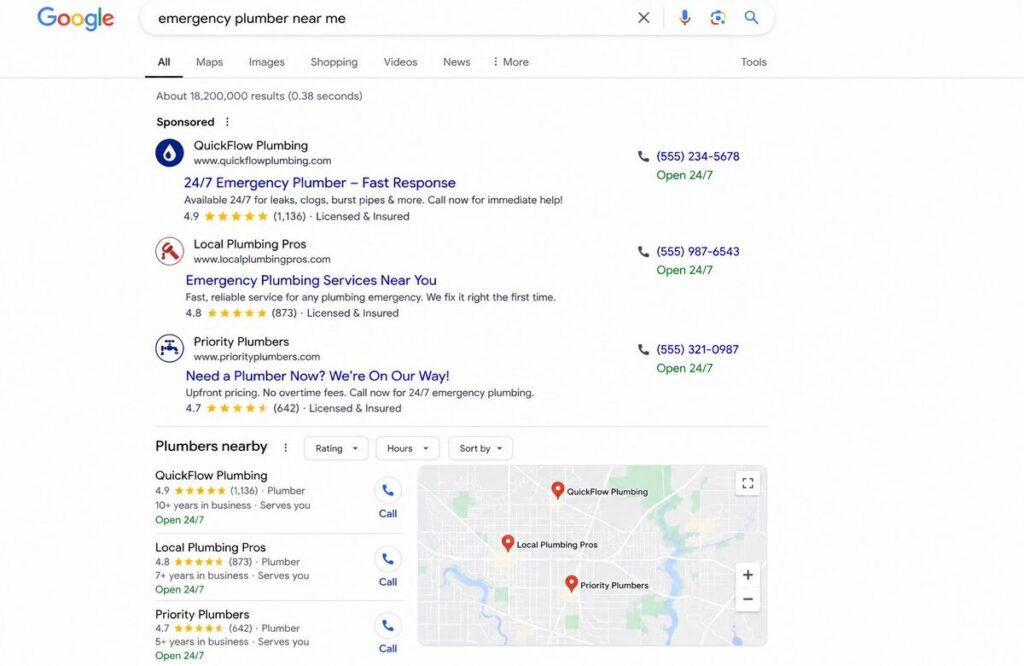
Facebook Ads Plants the Idea First
Facebook operates in a completely different context. Nobody opens Facebook to find a contractor or hire a lawyer. They are scrolling through content — catching up with friends, watching videos, consuming entertainment.
Facebook Ads interrupt that experience intentionally. A well-placed ad introduces someone to a product or service they were not actively looking for but might genuinely want. That is demand creation rather than demand capture.
A fitness brand, an online course, a home decor product — these are things people discover rather than search for. Facebook puts them in front of audiences built on demographics, interests, and behavioral signals rather than live search intent.
The conversion path on Facebook is longer. See ad — get curious — visit website — consider — eventually convert. That longer journey is not a weakness. It is just a different kind of marketing that suits different kinds of businesses.
When Google Ads Is the Right Call
Businesses Built on Urgent Search Behavior
Any business where customers search Google when they need something immediately is a natural fit for paid search. The intent is already there. The ad just has to be visible and compelling.
Home service businesses see this most clearly. Our work on Google Ads for auto repair shops and Google Ads services for plumbers consistently shows that search campaigns outperform social advertising in those categories because the trigger is a problem that needs solving today — not tomorrow.
Legal and financial services follow the same pattern. Someone searching “DUI attorney near me” or “financial advisor for retirement planning” is actively looking for help. Our campaigns for Google Ads for law firms and Google Ads for financial advisors are built entirely around capturing that moment of high intent before a competitor does.
Specialty contractors fall into this category too. Google Ads for epoxy flooring campaigns work because someone searching for a flooring installer has already decided they want the work done. The search is the signal.
When You Need Leads Fast
Google Ads produces leads faster than nearly any other paid channel. A properly structured campaign can generate phone calls within 24 to 48 hours of going live. For businesses with an immediate pipeline need — a new service area, a slow quarter, a seasonal push — nothing matches that speed.
This speed advantage is especially significant for local service businesses. A well-built Google Ads for contractors campaign targeting a defined radius can produce booked jobs in the first week. The intent is immediate. The conversion window is short.
When Facebook Ads Make More Sense
Products That Need to Be Seen to Be Wanted
By design, Facebook and Instagram are visual platforms. Products that benefit from seeing , home renovations, fashion, food, beauty, fitness , perform exceptionally well here because the visual cue sparks desire that wasn’t there before the ad appeared.
A homeowner who was not thinking about their garage floor, sees a breathtaking before-and-after epoxy makeover on Instagram and instantly wants it.That discovery moment is something search advertising cannot replicate because the person was never going to type “epoxy garage floor” into Google unprompted.
For visually driven products and services, Facebook creates the demand that Google later captures when that same person eventually searches.
Building an Audience From Scratch
A startup launching a new product faces a specific challenge — there is no existing search demand to capture. Nobody searches for something they do not know exists yet.
Facebook solves this. Audience targeting based on demographics, interests, and behaviors lets a new brand reach exactly the right people before any search volume has formed around their product. This is where SEO for startups and Facebook Ads work well together — Facebook builds early awareness while SEO builds long-term organic visibility simultaneously.
For e-commerce brands specifically, Facebook remarketing is one of the highest ROI uses of paid social. Someone who visited a product page but did not buy gets shown that product again across Facebook and Instagram. Combined with Google Ads for e-commerce shopping campaigns, the two platforms cover the full purchase journey from discovery to conversion.
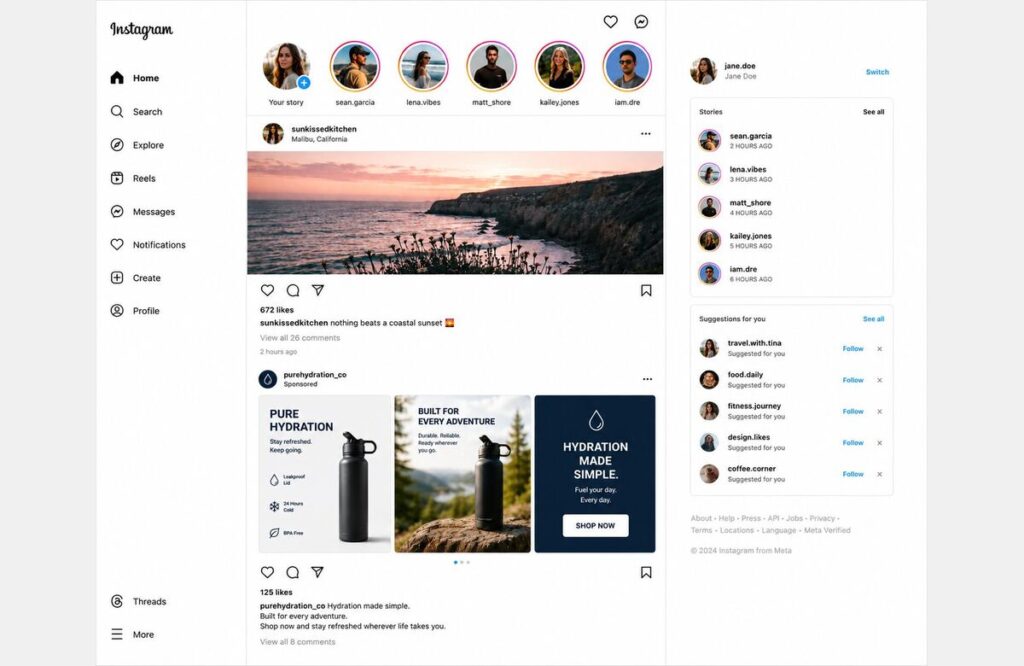
Breaking Down the Costs Honestly
CPC CPM and What They Actually Mean
The Google Ads vs Facebook Ads cost conversation gets oversimplified constantly. Facebook has a lower average CPC — around $1.72 across industries according to WordStream’s 2024 data. Google averages around $4.22 per click across all categories.
But CPC alone is a meaningless metric without conversion data behind it. A $1.72 Facebook click that never converts costs more than a $4.22 Google click that books a $3,000 job.
CPM , cost per thousand impressions , is a more useful metric for awareness campaigns. Facebook averages at $11 CPM and Google Display is $3 to $10 depending on targeting and placement. For pure reach, Facebook delivers volume at competitive rates.
Where Real ROI Comes From
Real ROI in the Google Ads vs Facebook Ads debate is always a function of two things — how well the campaign is built and how naturally the platform matches the business type.
For service businesses with urgent demand, Google consistently wins on ROI because the conversion path is shorter and intent is higher. A roofing company, a law firm, an auto repair shop — these businesses convert search traffic at rates that social advertising rarely approaches in the same categories.
For e-commerce and brand-driven businesses, the ROI picture shifts. Google Shopping handles active product searches efficiently. Facebook handles discovery, awareness, and the retargeting layer that brings back visitors who did not convert initially. Neither platform alone covers the full customer journey as effectively as both working together.
For businesses investing in long-term organic growth alongside paid — whether through SEO for new website strategies or SEO for landscapers programs — paid advertising fills the pipeline while organic builds in the background.
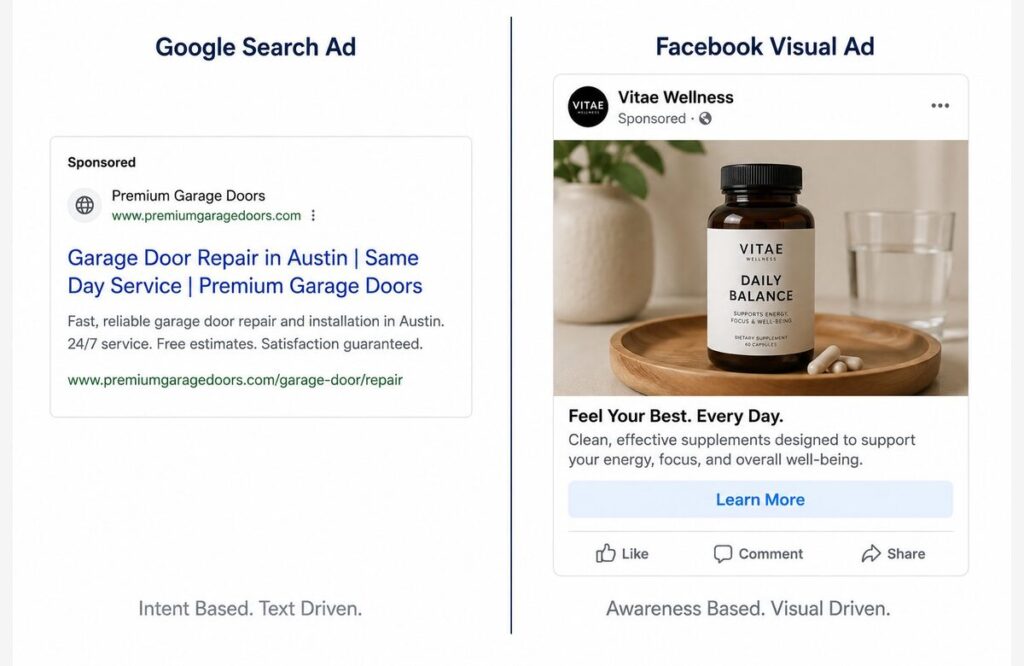
Industry by Industry — Which Platform Fits
This is the practical question most businesses actually need answered. Here is a straightforward breakdown based on real campaign experience:
- Local service businesses like plumbers, roofers, contractors, and auto repair shops should be on Google first, urgent intent drives their leads, and Facebook can support seasonal promotions as an awareness channel
- Legal and financial services convert best on Google where high-intent searches signal readiness to engage — Facebook builds brand credibility through content but rarely drives direct conversions in these categories
- E-commerce brands benefit from Google Shopping for active buyers and Facebook for discovery and retargeting — running both creates a full-funnel paid strategy that covers every stage of the purchase journey
- New product launches and startups need Facebook first to build awareness before search demand exists — Google becomes more valuable once branded searches start appearing
- Specialty contractors and trades like epoxy flooring and landscaping benefit from Google for immediate job inquiries and Facebook for portfolio-driven visual storytelling that creates future demand
Running Both Platforms Together
Google Ads vs Facebook Ads is framed as a choice. For many businesses it should not be.
The two platforms serve different stages of the customer journey. Google captures buyers who are ready now. Facebook reaches people who might be ready later. Running both means your business is visible at every stage — not just the final one.
A regional service business like those covered in our Google ads agency in Florida work might run Google search campaigns to capture immediate local demand while using Facebook to build brand familiarity among homeowners in their service area over time.
The practical approach is to allocate budget based on where the highest ROI activity is happening first. For most service businesses that means Google gets the majority of paid budget early. Facebook plays a supporting role — brand awareness, retargeting, seasonal promotions — rather than carrying primary lead generation responsibility.
As the business grows and conversion data accumulates, the balance can shift. More budget moves to wherever the data shows the strongest return. That is how mature paid media strategies are managed — not by picking a platform once and committing forever but by letting performance data guide allocation continuously.
The Three Mistakes That Kill Campaigns on Either Platform
Mistake one — judging too early. Facebook campaigns need two to four weeks before the algorithm optimizes delivery. Google campaigns need enough conversion data — typically fifty conversions minimum — before smart bidding works effectively. Pulling campaigns after ten days because results look weak is one of the most common and costly mistakes in paid advertising.
Mistake two — no conversion tracking. Running campaigns without verified conversion tracking means optimizing toward clicks and impressions instead of actual leads and sales. Every campaign we build starts with conversion tracking confirmed before a single dollar goes live. Without it the data is meaningless and budget optimization is impossible.
Mistake three — treating both platforms identically. The creative, copy, and targeting that works on Google does not work on Facebook. Search ads are text-based and intent-matched. Social ads are visual and interruption-based. A business running the same message on both platforms with no adaptation is leaving significant performance on the table.
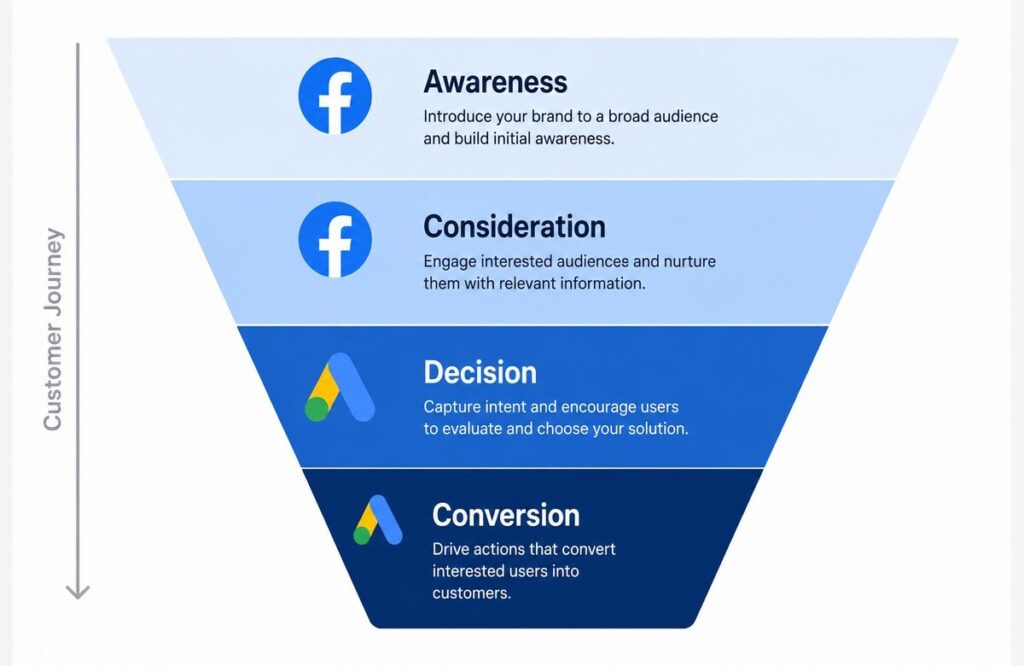
Final Thought
The Google Ads vs Facebook Ads question does not have one right answer. It has the right framework. Where is your customer when they are ready to make a decision — and which platform puts your business in front of them at that exact moment? Service businesses with urgent demand belong on Google. Visual brands building new audiences belong on Facebook. Most established businesses belong to both working together across the full customer journey. Ecommerce Planners has been making these decisions for real businesses since 2019. The answer always comes back to strategy first and platform second. Get that order right and results follow naturally.
Get Your Free Paid Ads Strategy Session — Find out which platform fits your business and exactly how to build campaigns that deliver real ROI.
In 2025, global advertising revenue surpassed $1.14 trillion — with digital advertising accounting for approximately 75% of all ad spend worldwide. Google and Meta together command over 50% of the entire global digital advertising market, making them not two options among many but the two dominant pillars that every serious paid media strategy is built around. Amazon has now emerged as a third major player, but Google and Facebook remain the platforms no growth-focused business can afford to ignore.
Source: Swydo
FAQs
Q1. Is Google Ads better than Facebook Ads?
Neither is universally better — the right answer depends on your business type, your audience, and where your customers are in their buying journey. Google wins for high-intent service businesses where people search when they need help. Facebook wins for visual products, brand awareness, and audiences that need to be introduced to something new before they will search for it.
Q2. Which is cheaper — Google Ads or Facebook Ads?
Facebook has a lower average CPC of around $1.72 versus Google’s $4.22 but cost per click is not the right metric. Cost per lead and cost per sale are what matter. A cheaper click that never converts is more expensive than a pricier click that books a job. True cost comparison requires conversion tracking on both platforms.
Q3. Should I use Google Ads or Facebook Ads for my small business?
For most small local service businesses Google Ads should come first. The intent-driven nature of search matches how people find and hire local service providers. Facebook adds value as a brand awareness and retargeting channel once the primary lead generation campaign is working on Google.
Q4. Can I run Google Ads and Facebook Ads at the same time?
Yes and for many businesses running both is the smartest approach. Google captures active demand while Facebook builds awareness and handles retargeting. The key is allocating budget based on where each platform performs best for your specific business rather than splitting it equally between them
Top-Rated Google Ads Agency in Florida | 200% ROI
Most Florida businesses have tried Google ads at least once. Some got decent results. Most watched their budget disappear with nothing to show for it. That experience is more common than it should be and almost always comes down to who was managing the campaign — or whether anyone really was. At Ecommerce Planners, we are the best Google ads agency in Florida for businesses that are done guessing and ready to see real returns on their ads spend. Since 2019, we have been providing Google ads Services. We have built and managed campaigns across dozens of industries, turning struggling ads accounts into consistent leads generation machines. Florida is a big market. We know how to work it.
What Makes a Google ads Agency in Florida Different
Florida Is Not One Market — It Is Many
Miami runs differently from Orlando. Orlando buyers behave differently from Tampa ones. A campaign built for a suburban Fort Worth contractor will not perform the same way in a dense urban Dallas zip code.
This is something a lot of agencies get wrong. They apply national campaign templates to Florida businesses and wonder why performance is mediocre. Google ads agency in Florida work requires understanding local search behavior at a granular level — city by city, neighborhood by neighborhood, sometimes even zip code by zip code.
Florida has over 33 million residents spreads across one of the most economically diverse states in the country. Energy, construction, healthcare, legal services, ecommerce, hospitality — every sector is represented and every sector has its own search patterns, its own buying cycles, and its own competitive landscape.
A Google ads management Florida strategy that works needs to reflect that complexity. Don’t ignore it.
The Real Reason Most Florida Businesses Waste ads Spend
It is almost never the budget. Businesses waste Google ads spend because of structural problems in the campaign — not because they did not spend enough.
Broads match keywords are pulling in irrelevant searches. ads showing outside the actual service area. No negative keyword list so the budget bleeds on searches that will never convert. Generic ads copy that says nothing specific. A homepage used as a landing page insteads of something built for a single conversion action.
These mistakes repeat themselves in account after account. Every single one is fixable. But every day they are not fixed is money leaving the business with nothing coming back.
That is what a real Google ads agency in Florida diagnoses and corrects before a single new dollar goes into the campaign.
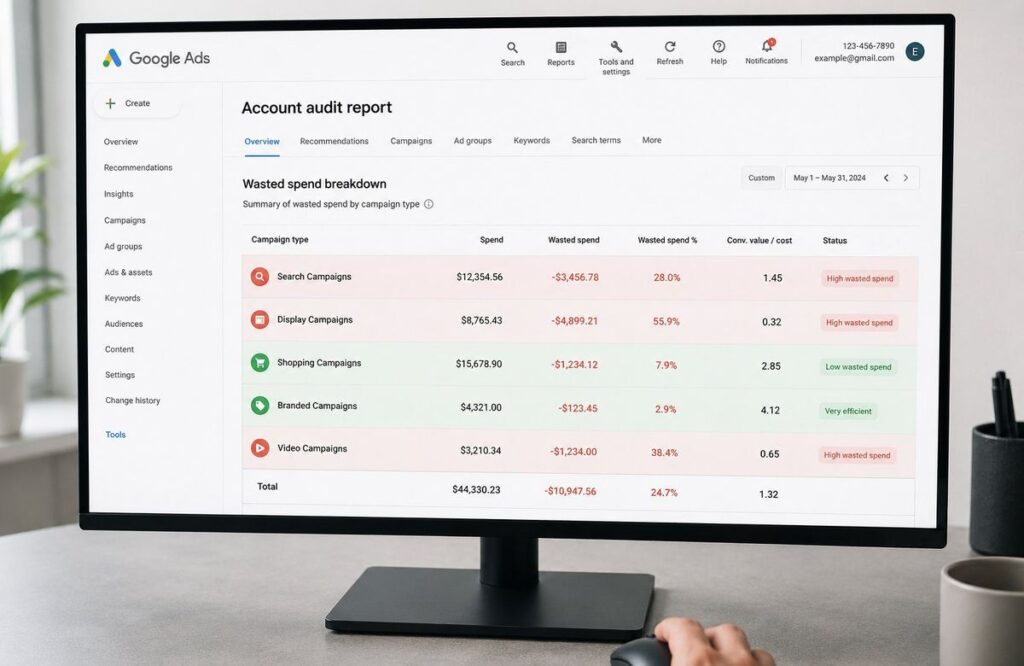
Industries We Drive Results for Across Florida
Service Businesses and Contractors
Florida has one of the largest contractor and home service markets in the country. Roofing, plumbing, flooring, HVAC, electrical — the demand is consistent and the competition for top ads positions is fierce.
We have built campaigns specifically for these industries. If you are a roofing business, our work on Google ads for roofing contractors shows exactly what a high-performing campaign looks like for that niche. For tradse contractors across the board, our Google ads for contractors approach covers everything from campaign structure to landing page optimization.
Plumbing businesses in Florida particularly benefit from call-focused campaigns built around emergency search terms — people searching for a plumber at 11 pm are not browsing. Our work on Google ads services for plumbers is built entirely around that urgency-driven search behavior.
For specialty tradses like flooring, targeted campaigns make an enormous difference. Our Google ads for epoxy flooring campaigns are built around service-specific ads groups that speak directly to what the searcher actually wants — not a generic flooring ads.
And for auto repair shops across Florida cities, our Google ads for auto repair shops strategy focuses on local dominance within a defined service radsius.
Legal, Financial, and Professional Services
Legal and financial services are among the most competitive and expensive PPC categories anywhere. A single click for a personal injury attorney keyword in Miami can cost $70 and $250. Wasting budget in these categories is not just frustrating — it is genuinely costly.
We have built campaigns for law firms and financial adsvisors that take a fundamentally different approach. Our work on Google ads for law firms focuses on practice-area-specific campaigns that match search intent precisely. Our Google ads for financial adsvisors campaigns are built around trust signals and conversion-focused landing pages that reflect the high-consideration nature of financial decisions.
In professional services, ads copy and landing page credibility matter as much as targeting. We treat them accordingly.
Ecommerce Brands Selling Nationwide
Florida is home to a growing number of ecommerce brands operating from Miami, Orlando, and Tampa but selling nationally. Shopping campaigns, Performance Max, and search campaigns for ecommerce require an entirely different structure than local service campaigns.
Our Google ads for ecommerce work covers product feed optimization, shopping campaign segmentation, and remarketing strategies that bring back visitors who did not convert on the first visit. For Florida-based ecommerce brands, we build campaigns that compete nationally without a national-sized budget.
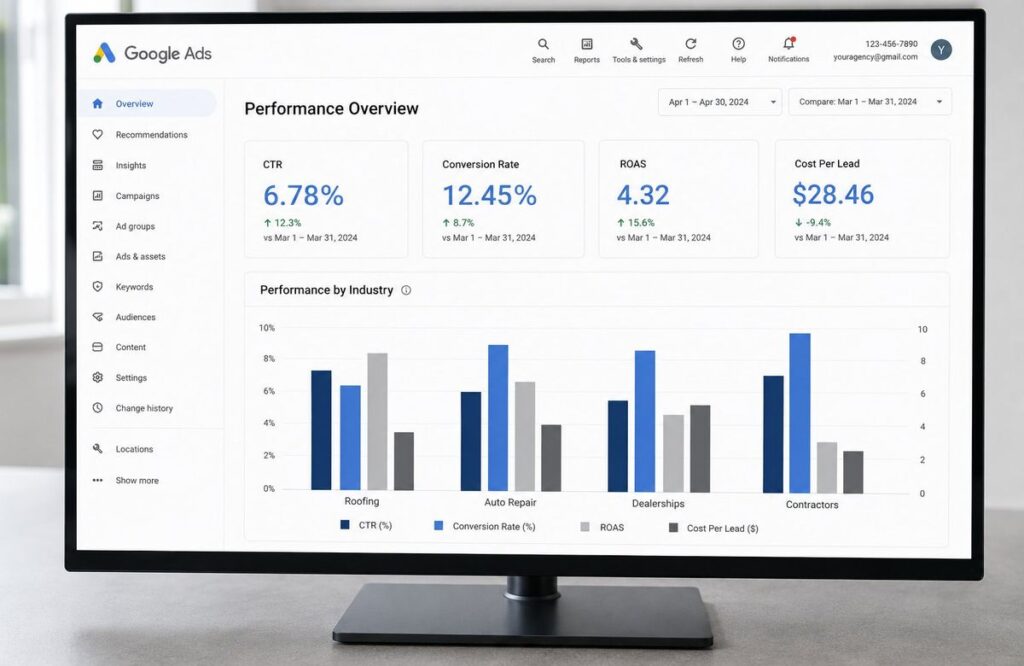
What a 200% ROI Google ads Campaign Actually Looks Like
It Starts With the Right Campaign Structure
ROI does not come from spending more. It comes from spending smarter. A Google ads agency in Florida delivering real returns builds campaigns with intention — not default settings and broads match keywords.
Every campaign we build starts with a clean account structure. Separate campaigns for separate services. Tightly themed ads groups so keywords and ads stay closely matched. Bid strategies aligned with actual business goals — leads or sales, not just clicks.
Match types are set deliberately. Exact match for high-intent proven terms. Phrase match for controlled expansion. Broads match only when conversion data supports it. This level of structure prevents budget leakage and keeps cost per acquisition moving downward over time.
Ads Copy That Speaks to Florida Buyers
Generic ads copy is the fastest way to waste a click budget. Florida buyers respond to specificity. Fast response times. Local presence. Years in business. Licensing and certifications. Clear pricing signals.
Here is what every high-converting PPC agency Florida campaign ads needs:
- A headsline that matches the search term as closely as possible, a specific value proposition in the second headsline that differentiates from competitors, a clear call to action that tells the searcher exactly what happens next, ads extensions including callouts, sitelinks, and call extensions fully populated, and a display URL that reinforces the service and location being adsvertised
Every element of the ads has a job. None of it is filler.
Landing Pages That Close
This is where most Florida Google ads campaigns fall apart. A well-structured campaign with strong ads copy sends traffic to a generic homepage and the leads never happens.
A proper landing page for a Google ads agency in Florida campaign is built for one conversion action. One clear headsline matches the ads. Fast loads time — under three seconds on mobile. A prominent phone number. A short form. Social proof like reviews or client logos. One call to action repeated consistently down the page.
We either build dedicated landing pages or optimize existing ones as part of every campaign setup. The click is worth nothing without a page designed to convert it.
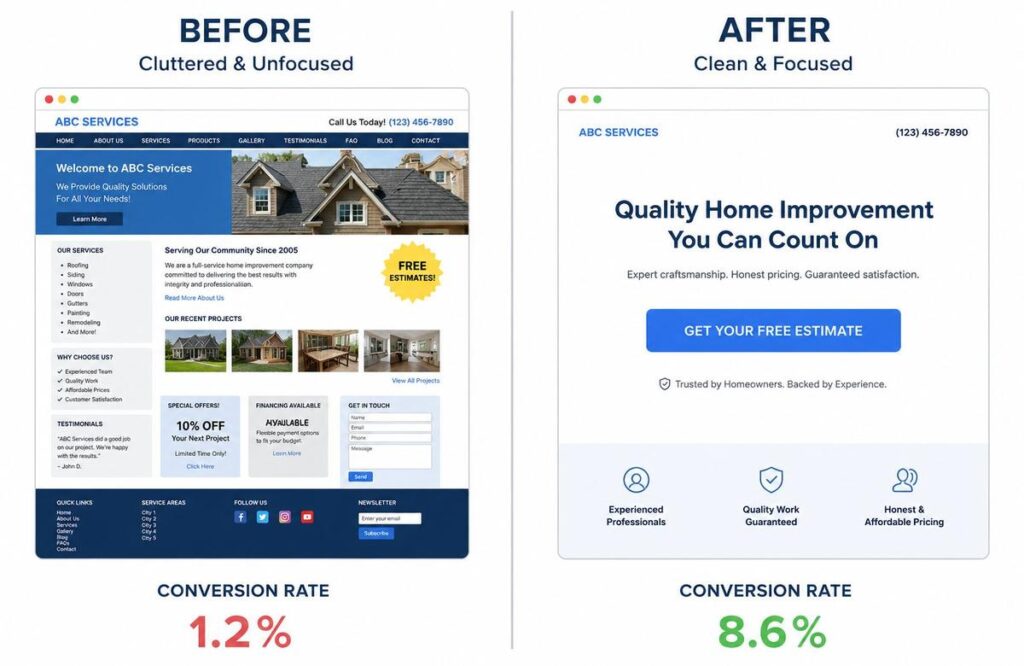
Our Google ads Process — Step by Step
Transparency matters. Here is exactly what happens when a Florida business starts working with us as their Google ads agency in Florida.
Week one covers the full account audit if campaigns are alreadsy running, or a complete campaign buildout from scratch if starting fresh. Keyword research, competitor analysis, campaign structure, ads copy, and landing page review all happen in this phase.
Week two covers tracking setup. Conversion tracking installed and verified. Call tracking connected. Google Analytics 4 is linked to the ads account. Without proper tracking, optimization is guesswork. We never launch a campaign without confirming every conversion action is firing correctly.
Week three is the launch. Campaigns go live with conservative initial bids to gather data cleanly without overspending early. The first two weeks of live data are the most valuable — they show exactly which keywords, ads, and times of day are driving real conversions.
Month two onward is optimization. Bids adsjusted based on performance data. Negative keywords are adsded as irrelevant searches appear. ads copy tested with new variations. Budget shifted toward the campaigns and ads groups performing best. This ongoing optimization is what separates a Florida Google ads expert-managed account from a set-it-and-forget-it campaign.
Why Florida Businesses Choose Ecommerce Planners
Since 2019 our team has managed Google ads campaigns across industries and markets. Brands like Aldo, Mango, Levi’s, Oladsoc, and Service Market AE have trusted us with their paid adsvertising. We bring that same standard to every Florida business we work with regardless of budget size.
Our digital marketing services cover everything beyond Google ads too — SEO for long-term organic growth, social media adsvertising, content marketing, and conversion optimization. Everything a Florida business needs to compete online lives under one roof.
Reporting is transparent and in plain language. Spend, clicks, conversions, cost per leads — every metric explained clearly every month. No vanity dashboards. No metrics that look good but mean nothing.
Our support team is available around the clock. Campaign questions, budget adsjustments, new service launches — reach us anytime. That level of access makes a measurable difference in campaign performance over time.
Start with a free Google ads audit — we will show you exactly what your current campaigns are doing right, what they are doing wrong, and what it will take to hit that 200% ROI target.

Final Thought
Florida is one of the most competitive business environments in the country. Every major industry has strong local players and the digital adsvertising space reflects that competition directly. A Google ads agency in Florida that actually delivers does not just run campaigns — it builds systems that turn ads spend into predictable revenue.
That is what Ecommerce Planners has been doing since 2019. Real campaigns. Real results and Real accountability. If your current Google ads are not delivering, that is not a Google problem. It is a strategy problem. We fix the strategy.
Get Your Free Google ads Audit. Find out exactly what your campaigns need to hit 200% ROI. No commitment. Just honest answers.
Legal services carry a $131.63 average cost per lead on Google Ads — the highest of any industry. In Florida’s competitive legal market, every poorly targeted click costs real money. WordStream’s 2025 benchmarks confirm what we fix in every law firm account we audit
Source: WordStream
FAQs
Q1. How much does a Google ads agency charge in Florida?
Most reputable agencies charge between $500 and $2,500 per month in management fees depending on campaign complexity and ads spend volume. Some charge a percentage of ads spend — typically 10% to 20%. At Ecommerce Planners we offer competitive transparent pricing with no hidden fees before anything is committed.
Q2. Is hiring a Google ads agency worth it?
For most Florida businesses yes — especially in competitive industries where a poorly structured campaign burns budget fast. A qualified Google ads agency in Florida pays for itself through reduced wasted spend and higher conversion rates. The question is not whether to hire an agency but whether the agency you hire actually knows what they are doing.
Q3. How long before Google ads show results?
Most properly built campaigns start showing meaningful results within the first two to four weeks. Early data from weeks one and two shape optimization decisions that improve performance significantly by month two. Expecting immediate perfection is unrealistic — expecting clear positive momentum within thirty days is completely reasonable.
Q4. What industries benefit most from Google ads in Florida?
Legal services, home services, medical practices, financial adsvisors, ecommerce brands, and local service businesses all perform strongly with Google ads in Florida. Any industry where people actively search for a solution when they need it.
SEO for Startups – The Smartest Investment for New Businesses
Here is something most startup founders figure out too late. Paid ads stop the moment the budget runs out. Social media reach is shrinking every year. But SEO for startups — done right from the beginning — builds something that keeps delivering long after the work is done. At Ecommerce Planners, we provide top-notch SEO Services that create compounding organic growth for businesses still finding their footing. Since 2019, we have helped startups across industries build real search visibility from scratch. This guide covers everything — strategy, technical setup, content, link building, and measurement — so your startup does not waste a single month getting this wrong.
Why SEO for Startups Hits Different Than Enterprise SEO
You Are Not Fighting Fair — And That Is Actually Fine
Let us be real about something. When a startup starts doing SEO for startups, it is going up against companies that have been building domain authority for five, ten, sometimes fifteen years. Companies with full-time SEO teams and content budgets that would make most founders nervous.
That sounds like a problem. It is actually an opportunity.
Established companies get complacent. They ignore long-tail keywords because the search volumes look small. They do not update old content. They move slowly because large teams always do.
Startups move fast. They can publish content in days, not months. They can pivot their keyword strategy in a week. They can build relationships and earn backlinks in ways that corporate marketing teams cannot.
According to a 2023 BrightEdge report, organic search drives 53% of all website traffic across industries. That is more than paid search, social media, and direct traffic combined. SEO for startups is not a nice-to-have. For a business watching every dollar, it is the highest ROI channel available when done with a clear strategy.
The Real Cost of Ignoring SEO Early
Here is what actually happens when a startup delays SEO for new businesses. Every month without SEO is a month a competitor is publishing content, earning backlinks, and building domain authority. That gap compounds.
A startup that starts SEO in month one is six months ahead of one that starts in month seven. That six-month gap can mean the difference between ranking on page one versus page three for your most valuable keywords a year from now.
The founders who treat SEO for startups as something to think about later are usually the same ones wondering why their website has no organic traffic eighteen months after launch. Early investment — even a modest one — pays back many times over compared to starting late.
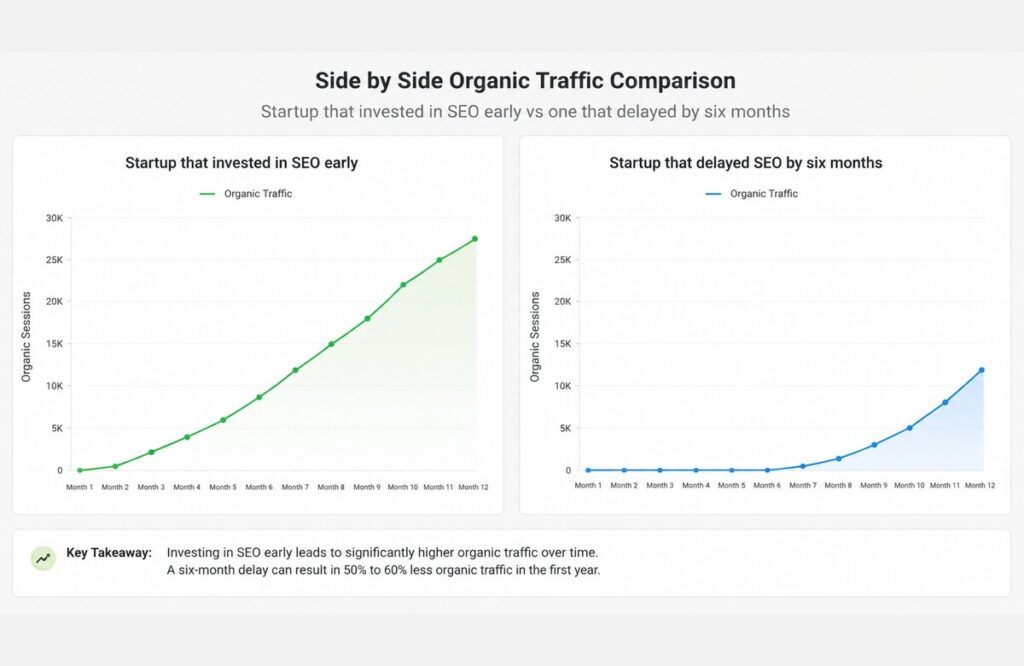
Building the Right SEO Foundation for a Startup
Domain, Hosting, and Technical Setup
Before content. Before keywords. Before anything else, the technical foundation has to be solid.
Domain choice matters for startup SEO strategy more than people think. Rewrite this in a natural way: Stay brief and brandable, no hyphens. Don’t go for keyword stuffing like best-startup-seo-services-usa.com. Clean brand domains earn trust with users and Google over time.
Hosting speed directly affects rankings. Google’s Core Web Vitals update made page speed an official ranking factor. A startup running on cheap shared hosting with four-second load times is paying a ranking penalty before publishing a single word. Start with good managed hosting , SiteGround, Kinsta, or WP Engine (whichever you chose) and scale as you grow.
The SSL certificate must be active. HTTPS is a confirmed Google ranking signal. Every modern hosting provider includes this for free. There is no reason a new startup website should be running on HTTP in 2026.
The Pages Every Startup Website Needs From Day One
A lot of startup websites launch with a homepage, an about page, and a contact form. That is not enough for SEO for startups to work properly.
Every core service or product needs its own dedicated page with its own keyword target, its own optimized title tag, and its own unique content. A startup offering three services needs three service pages — not one page listing all three in bullet points.
A blog needs to exist from day one. Even if it starts with two posts, the structure needs to be there so content can be added consistently as the startup grows. Topical authority builds over time and time starts on the day you publish your first piece.
Location pages matter for any startup serving specific geographic areas. A startup offering SEO for new businesses in multiple cities needs individual pages for each location. Each one is a separate ranking opportunity that a single generic page cannot capture.
Our website SEO setup service handles this entire foundation for startups that want to get it right from the beginning rather than fixing problems six months later.
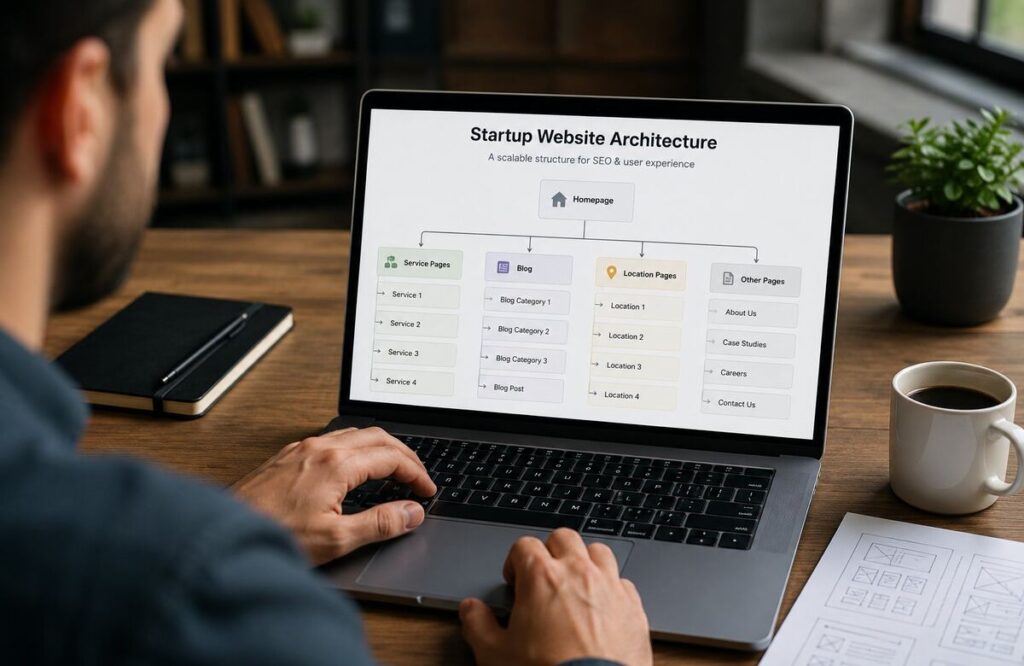
Keyword Strategy That Works When You Have No Authority
Why Long-Tail Keywords Are a Startup’s Best Friend
This is the single most important strategic insight in SEO for startups. New domains cannot compete for short, high-volume keywords. Not yet. Those keywords are owned by sites with years of backlinks and engagement data behind them.
Long-tail keywords are the answer. Specific three to five-word phrases with lower competition and higher purchase intent. A startup in the accounting software space cannot rank for “accounting software” on day one. But “accounting software for freelance photographers” or “simple invoicing tool for small contractors” — those are winnable.
HubSpot research shows that long-tail keywords account for 70% of all search traffic. The combined volume of specific searches dwarfs the traffic on broad terms. Organic growth for startups comes fastest by dominating a specific corner of a topic before expanding outward.
How to Map Keywords Before You Publish Anything
Keyword mapping is a step most startups skip and then wonder why their content is not ranking. The idea is simple — every page on your website gets assigned one primary keyword before it is written. No two pages target the same keyword. No keyword is left without a home.
Use Ahrefs, Semrush, or Ubersuggest to research keywords in your niche. Filter by difficulty below 20 for early content targets. See what your competitors are ranking for that you’re not yet doing. Take a look at the People Also Ask boxes that appear in the Google results, and you’ll get the exact questions your audience is asking. That data comes straight from real search queries.
Build a spreadsheet. Page URL, target keyword, secondary keywords, search volume and difficulty score. That spreadsheet becomes the master plan for your entire startup SEO strategy and it prevents the chaos of publishing content without a clear direction.
Content Marketing for Startups — How to Build Topical Authority Fast
What Topical Authority Actually Means for a Startup
Google does not just rank individual pages anymore. It evaluates entire websites for expertise on a topic. A startup that publishes twenty well-researched articles covering every angle of its niche signals to Google that this site knows its subject deeply.
That is topical authority. And it is one of the most powerful concepts in modern SEO for startups.
A startup does not need to cover every topic on the internet. It needs to cover its specific topic more completely than any competitor. A cybersecurity startup that has thirty detailed articles covering every aspect of small business cybersecurity will outrank a general tech blog that has two surface-level posts on the same subject — even if that tech blog has a higher overall domain authority.
The Content Types That Drive Startup SEO Growth
Not all content performs equally for content marketing for startups. Content formats that consistently dominate organic search.
How-to articles and tutorials perform well because they directly satisfy the informational search intent. Looking up “how to set up two-factor authentication for a small business” means you’re searching for instructions.. Give them exactly that — better than anyone else has.
Comparison posts capture commercial intent searches. “Tool A vs Tool B” searches happen constantly in every industry and the people making those searches are close to a purchase decision. A startup that owns comparison content in its niche is capturing high-value traffic that converts.
Original research and data earn backlinks naturally. A startup that publishes a survey or study with real data gives other sites something worth linking to. This is how early-stage startups with small link budgets can earn high-quality backlinks through content alone.
Here is a practical content structure that works for SEO for startups in the first six months:
- Publish 8-10 foundational how-to posts for your lowest competition keywords first, add 2-3 of comparison (product vs. product) posts, post one original piece of research or data content that generates natural backlinks, create location based content pages for all geographies you serve and update your best posts each quarter to maintain rankings/click-through rate.
Every piece should connect to related pages through internal links. Internal linking is how authority flows across your site — a strong blog post should pass some of that strength to your core service pages.

Technical SEO for Startups — What to Fix Before You Scale
Technical SEO for startups is not glamorous. Nobody gets excited about canonical tags and XML sitemaps. But ignoring technical issues while scaling content is like building floors on a cracked foundation.
Run your site through Google PageSpeed Insights every month. A mobile score above 80 is the minimum target. Compress every image before uploading — uncompressed images are one of the most common speed killers on startup websites. Use a caching plugin. Eliminate render-blocking scripts.
Google uses mobile-first indexing. Your mobile experience is not secondary — it is primary. More than 60% of searches are on mobile devices. Your startup has a gorgeous desktop site, but a broken mobile experience, and it’s losing over half of its organic traffic.
Core Web Vitals , Largest Contentful Paint, Cumulative Layout Shift, and Interaction to Next Paint , are all ranking signals. They’re all measurable. They are fixable. And they are things most startup competitors have not properly addressed, which means fixing them gives you a genuine ranking advantage.
Submit your XML sitemap to Google Search Console so every page gets crawled efficiently. Set up proper redirect chains — a 301 redirect from HTTP to HTTPS, from non-www to www. Add schema markup relevant to your business type. These are not optional extras for SEO for startups — they are baseline requirements for competing properly.
Our technical SEO audit service identifies every issue holding a startup site back in a single comprehensive session.
Link Building on a Startup Budget
Where Startups Can Win Backlinks Without a Big Budget
Backlinks remain a top-three Google ranking factor. A startup with zero backlinks is at a structural disadvantage. But link building does not require a massive budget — it requires strategy.
Guest posting on relevant industry publications works consistently when the pitch is specific and the content offer is genuinely useful. Reach out to blogs your target audience reads. Offer a specific topic — not a generic “I would love to write for you” email. Editors respond to concrete ideas that fit their audience.
HARO — Help a Reporter Out — connects journalists with sources. A startup founder responding to relevant queries with expert insight earns mentions and backlinks from news publications. These are high-authority links that most startups never pursue simply because they do not know the tool exists.
Local citations are a quick win for geo-targeted startups. Google Business Profile, Yelp, Bing Places, Apple Maps and niche directories all deliver local relevance signals and backlinks that help start-ups rank for local SEO.
Broken link building takes more effort but pays off. Find pages in your niche linking to resources that no longer exist. Reach out with your content as a replacement. It works more often than people expect and the links earned are genuinely valuable.
Our link-building services are built entirely around white hat acquisition strategies. No shortcuts that create short-term gains and long-term penalties.
Measuring SEO Progress as a Startup
Startups need to know if their investment is working. SEO for startups measurement is not complicated but it requires tracking the right things.
Google Search Console shows keyword impressions, clicks, average position, and indexing status. Check it weekly. You want to watch keywords that are ranking in positions eleven to twenty, these are your prime opportunities for quick wins by improving content.
Google Analytics 4 tells you the volume of organic traffic, landing page performance, and conversion paths. Enable goal tracking for your most important conversion actions , such as form-submissions, phone calls, demo requests, so you can link your SEO activity to real business results.
Use Ahrefs or Semrush to track keyword rankings on a monthly basis,. The movement of your target keywords in rankings is the clearest sign that your startup SEO strategy is producing results. Positions moving from thirty to fifteen to eight over three months tells a clear story.
Domain Rating or Domain Authority — measured by Ahrefs and Moz respectively — shows your overall link profile strength growing over time. For a new startup, moving from DR zero to DR twenty in the first year through legitimate link building is solid progress.
How Ecommerce Planners Help Startups Grow Through SEO
SEO for startups requires a fundamentally different approach than managing SEO for an established business. The keyword targets are different. The content priorities are different. The link building starting point is different. And the timeline expectations must be realistic and yet ambitious.
Since 2019 our team has developed organic search strategies for businesses that started from scratch in multiple industries. Aldo, Mango, Levi’s, Oladoc, and DaoPropTech put their trust in us for digital marketing. That experience informs every startup engagement we take on.
We handle the complete setup — technical audit and fixes, keyword research and mapping, on-page optimization across every page, content strategy built around your specific niche, and a link building plan calibrated to your budget and timeline. Our SEO packages are designed around where your startup is actually starting from — not a generic template applied to every client regardless of their situation.
Our content marketing services build the topical authority your startup needs to compete in organic search within the first year. Our digital marketing services combine paid search and social with SEO so your startup is getting traffic from multiple channels while the organic performance ages in the background
Each month you will get a simple report with rankings, organic traffic, the backlinks earned, and the next priority actions. No confusing dashboards. No metrics that look impressive but mean nothing. Just honest reporting on what is happening and what comes next.
Final Thought
Every startup that dominates organic search today started from the same place — zero authority, zero rankings, zero traffic. What changed is not magic. It is the consistent execution of the right strategy over enough time for the results to compound. SEO for startups is not the fastest channel. But it is the most durable one. Paid ads stop when the budget stops. Organic rankings keep working.
Ecommerce Planners has been building that kind of durable growth for businesses since 2019. Your startup deserves the same foundation. Start now — not later.
Get Your Free Startup SEO Audit — Find out exactly what your startup needs to rank on Google and start growing organic traffic from day one.
SEO generates $22 in revenue for every $1 spent on average — a 2,200% ROI. No other marketing channel compounds the way SEO does. Paid ads stop working the moment you stop paying. SEO keeps delivering years after the work is done.
Source: Orange SEO
FAQs
Q1. Is SEO worth it for startups?
Yes — and arguably more so than for established businesses. A startup investing in SEO for startups early builds compounding organic traffic that does not disappear when ad budgets run dry.Organic search accounts for 53% of all website traffic (BrightEdge), so for a startup on a shoestring budget, it’s hard to beat the ROI this channel delivers.
Q2. How long does SEO take for a startup?
Typically, you can expect meaningful ranking motion in three to six months for most startups. It takes up to a year for a competitive keyword in a saturated market. The trick is to target low competition keywords right away and steadily build topical authority with content while building backlinks at the same time , and the gains accelerate dramatically after month six.
Q3. What is the best SEO strategy for a startup?
Start with the technical, then keyword mapping, then content targeting the long-tail keyword you can rank for now. Parallel implement guest posting, citations, and HARO for backlinks. SEO for startups runs fastest when all three pillars , technical, content, and links , are running in parallel from the start.
Q4. How much should a startup spend on SEO?
Most early-stage startups spend $500 to $2,500 per month depending on the competition and growth potential of the niche. The more competitive, the more funding you need to make meaningful progress in search. A well-executed startup SEO strategy assessment before putting money into marketing will help make sure every dollar has a purpose.

